FAB Customer Experience

GuideDocs
k
FAB CRM Introduction
Getting Started
Dashboard
Home
People
Chat
Funnel
Insight Module
Forms
Gallery
Workflows
My Settings
Data
Communication
App Integeration
References

Build by FAB Builder. The source code is available on GitHub.

ContactSponsor

Translate

Choose language

Select your preferred language for this documentation.


View Activity Log by Entity

Purpose:
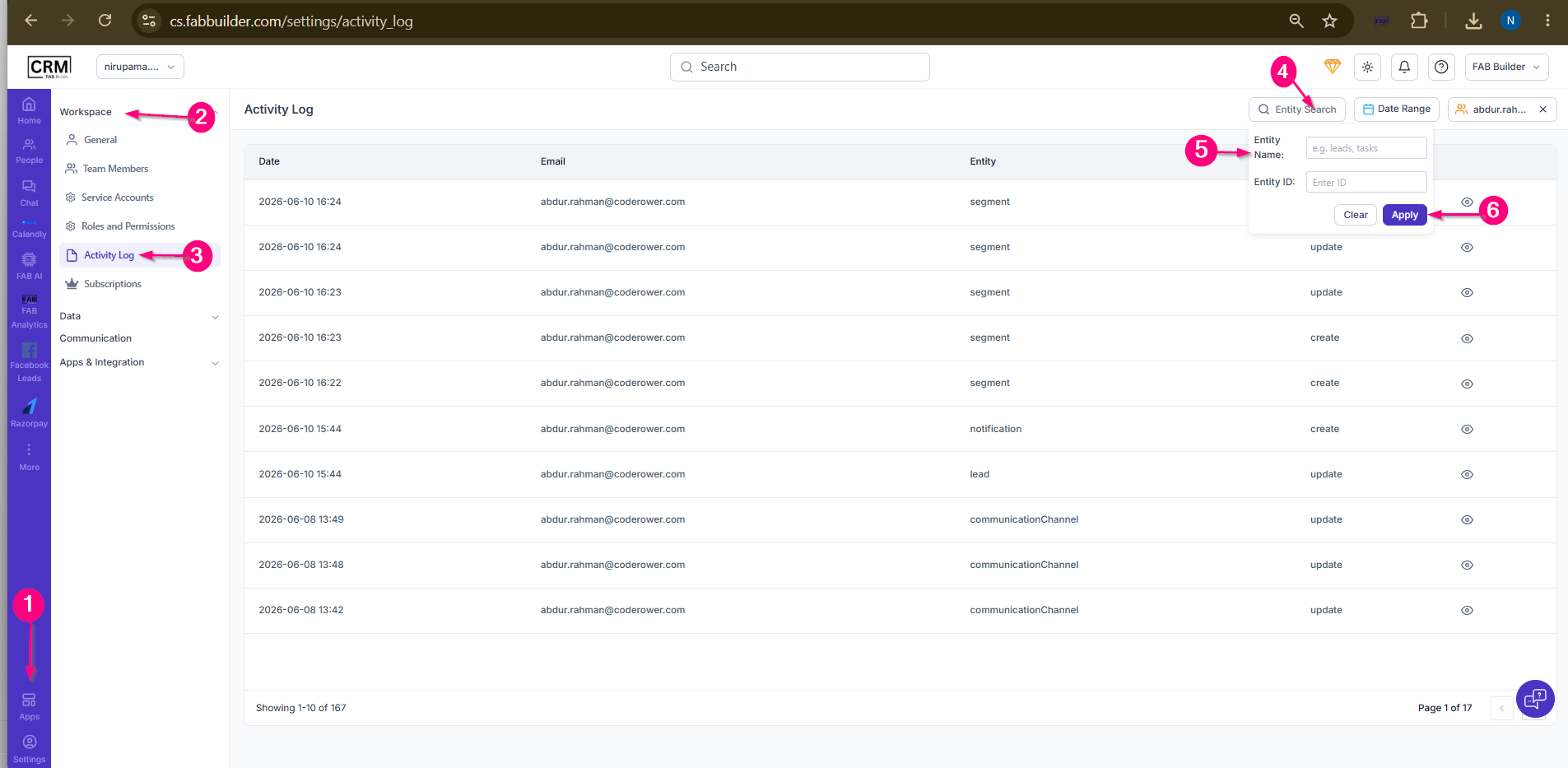
This task is used to view activity logs related to a specific entity or entity ID.

Steps:

  1. Go to Settings.

  2. Select Workspace.

  3. Click Activity Log.

  4. Click Entity Search.

  5. Enter the Entity Name and/or Entity ID.

  6. Click Apply.

Sample product
Screen- View Activity log by Entity Search 

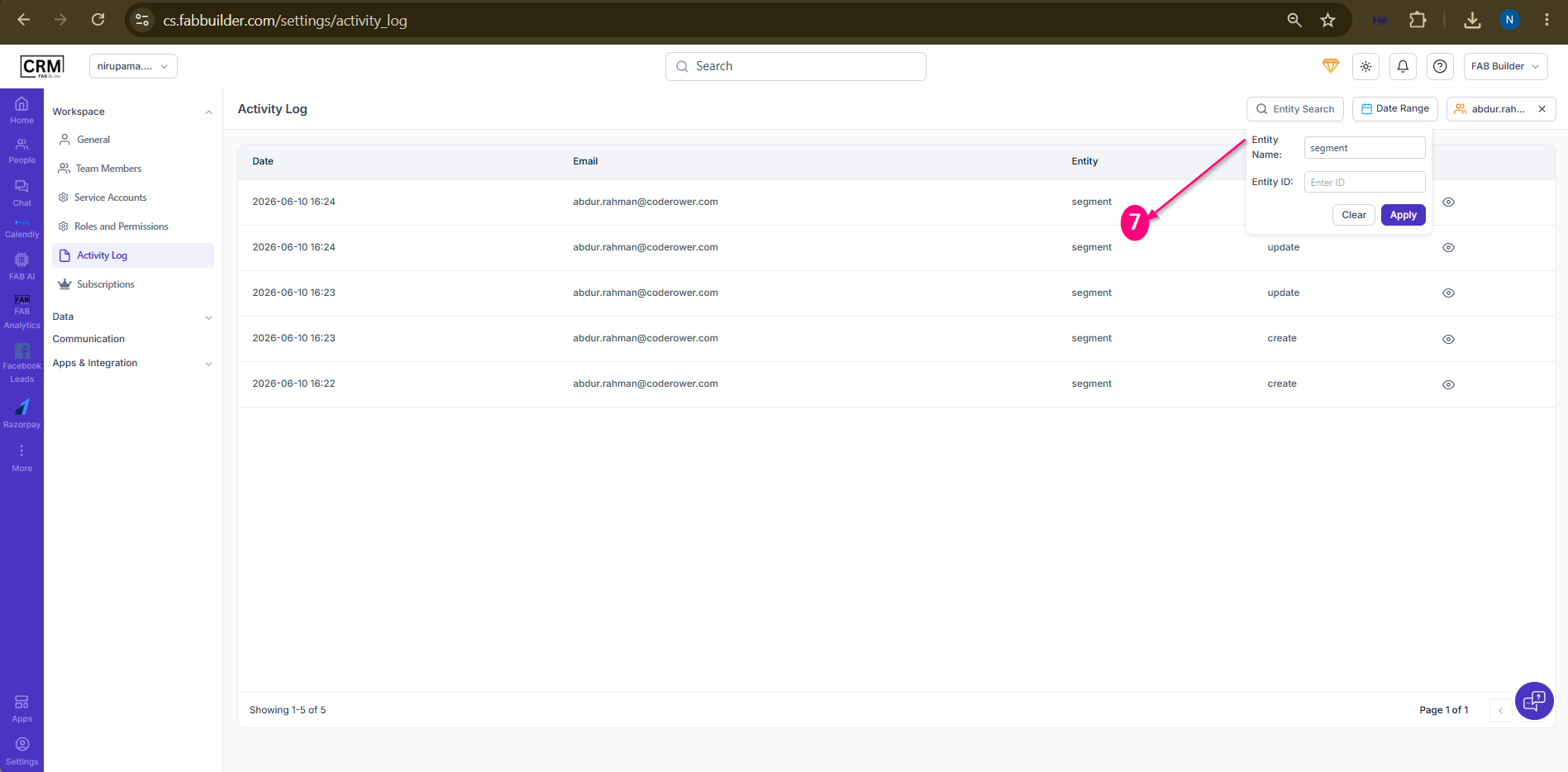
7.View the activity logs associated with the specified entity.
Sample product

Result:
The Activity Log screen displays only the records matching the entered entity name or entity ID.