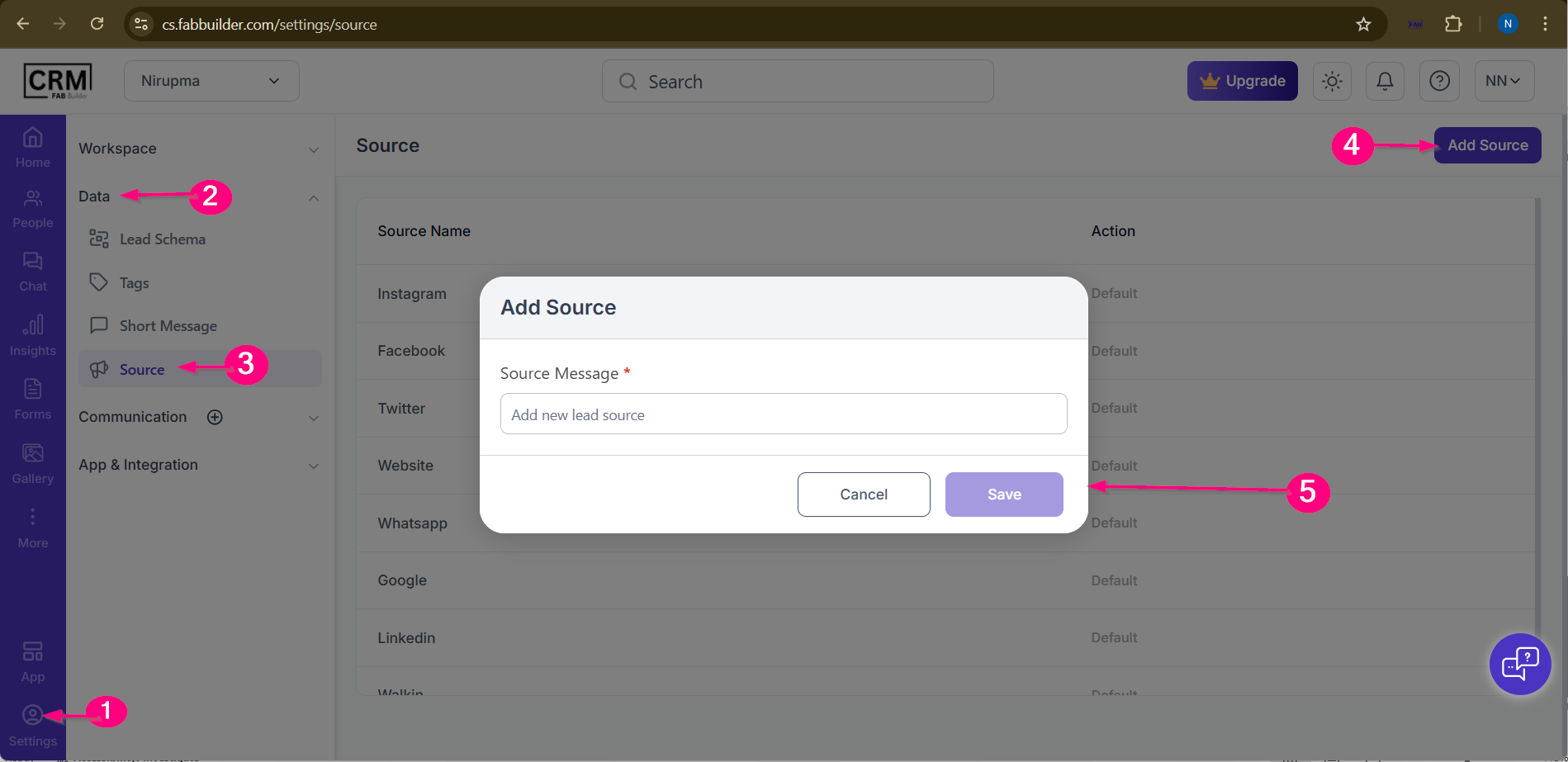
The Source screen is used to define where your leads or customers are coming from. Navigate Source Users can access this screen from theleft navigation sidebarby going to: App/Settings → Data → Source Screen overview1. Source ListThis section shows a list of all lead sources available in the CRM.
2. Add Source ButtonLocated at thetop-right cornerof the screen.User must clickAdd Source to create a new lead source.
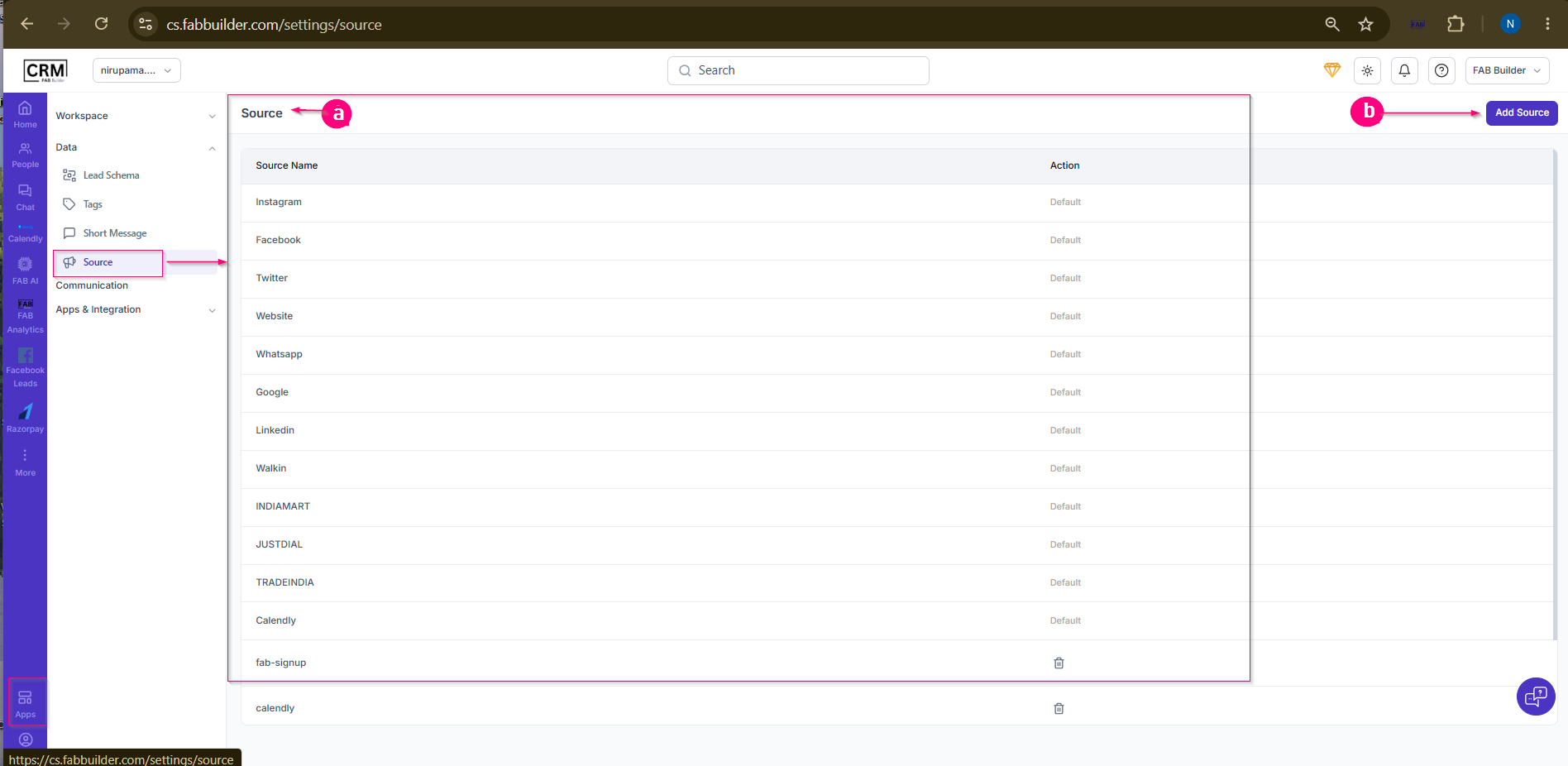 Screen- Source
|