Screen DescriptionThe Short Message screen allows users to view, create, and delete predefined short messages that can be used for quick customer communication. Screen – Short Message Screen Elementsa. Short Message Page Title
b. Short Message List
c. Add Message
d. Action
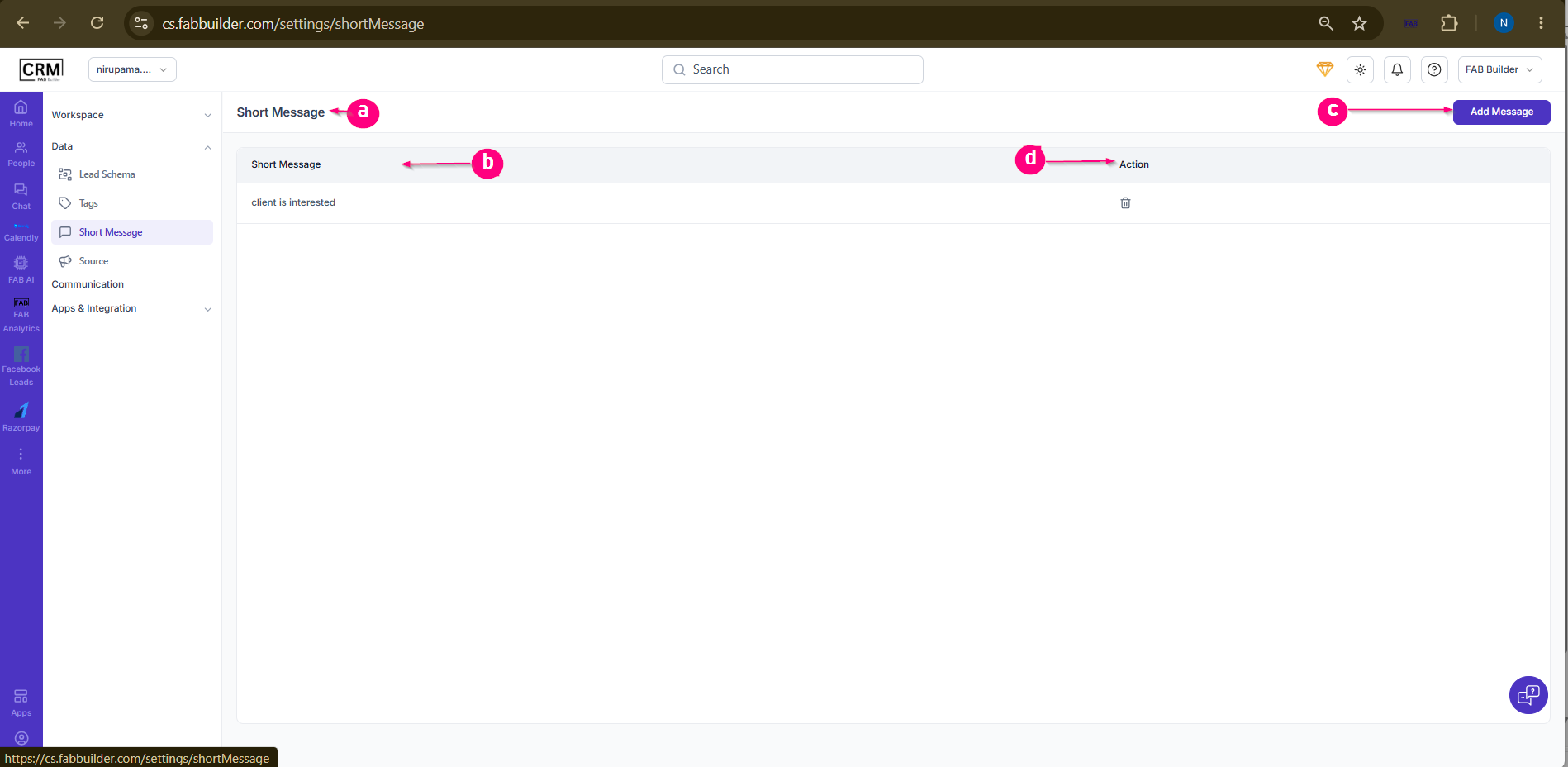 Screen- Short Message
Steps to Add a Short Message
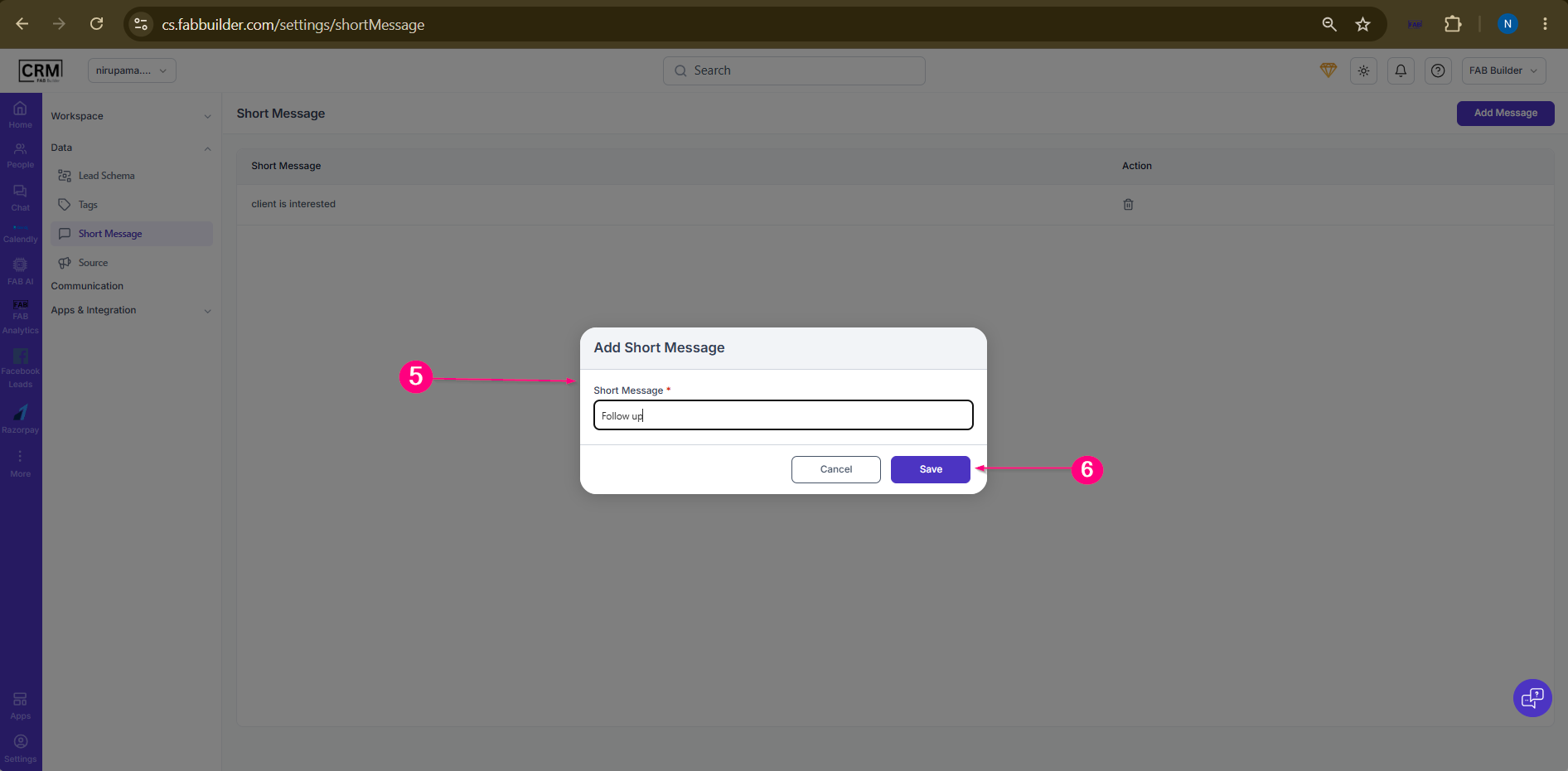
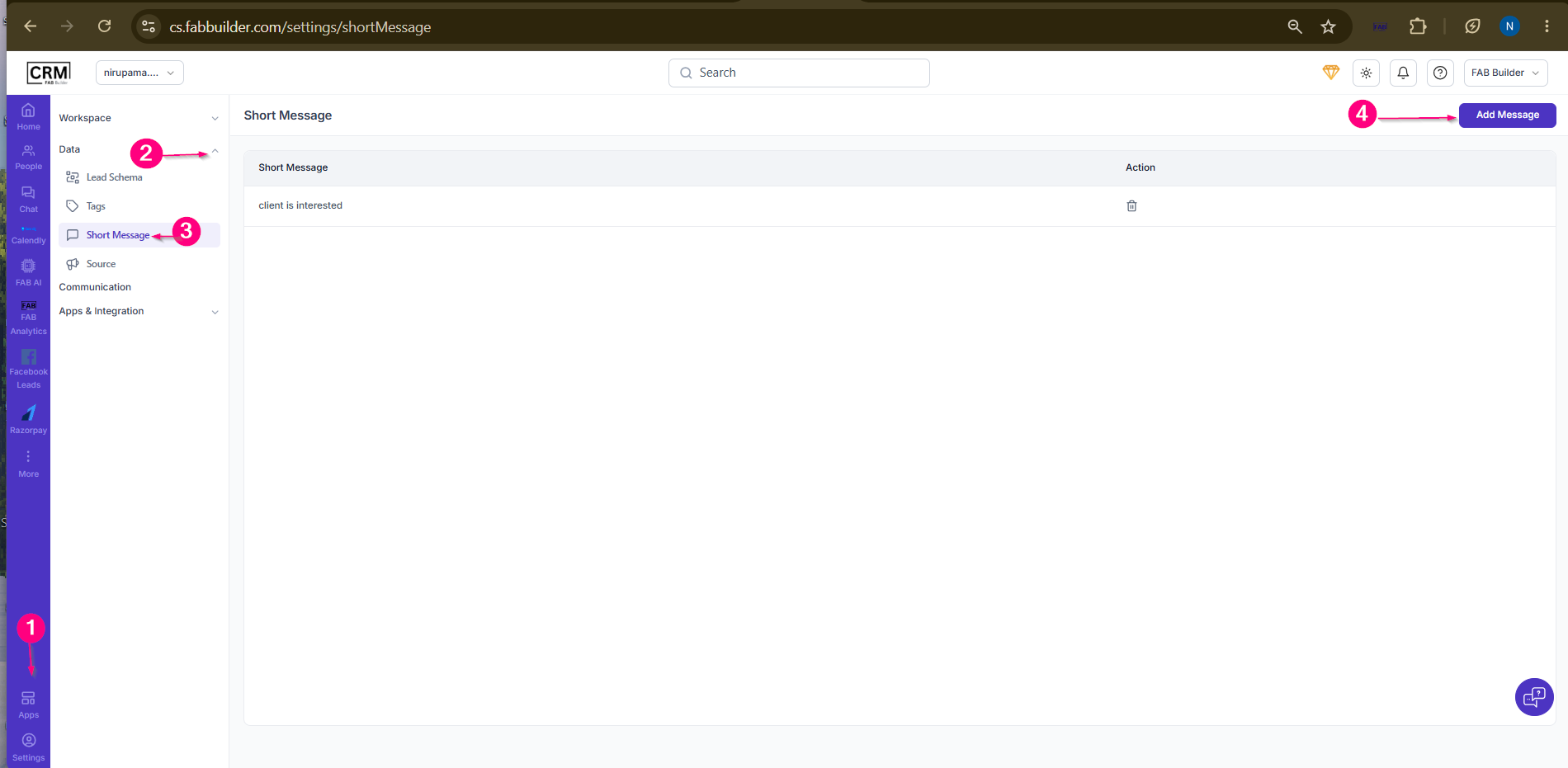 Screen-Create Short Message 5.Enter the short message and click Save. Result:The short message is added successfully and displayed in the list.
 |