How to Create a Service AccountPurposeThis document explains how to create a service account in the CRM. Prerequisites
Steps to Create a Service AccountStep 1: Open the App module. Step 2: Navigate to Workspace. Step 3: Select Service Accounts. Step 4: Click the Create Service Account button. 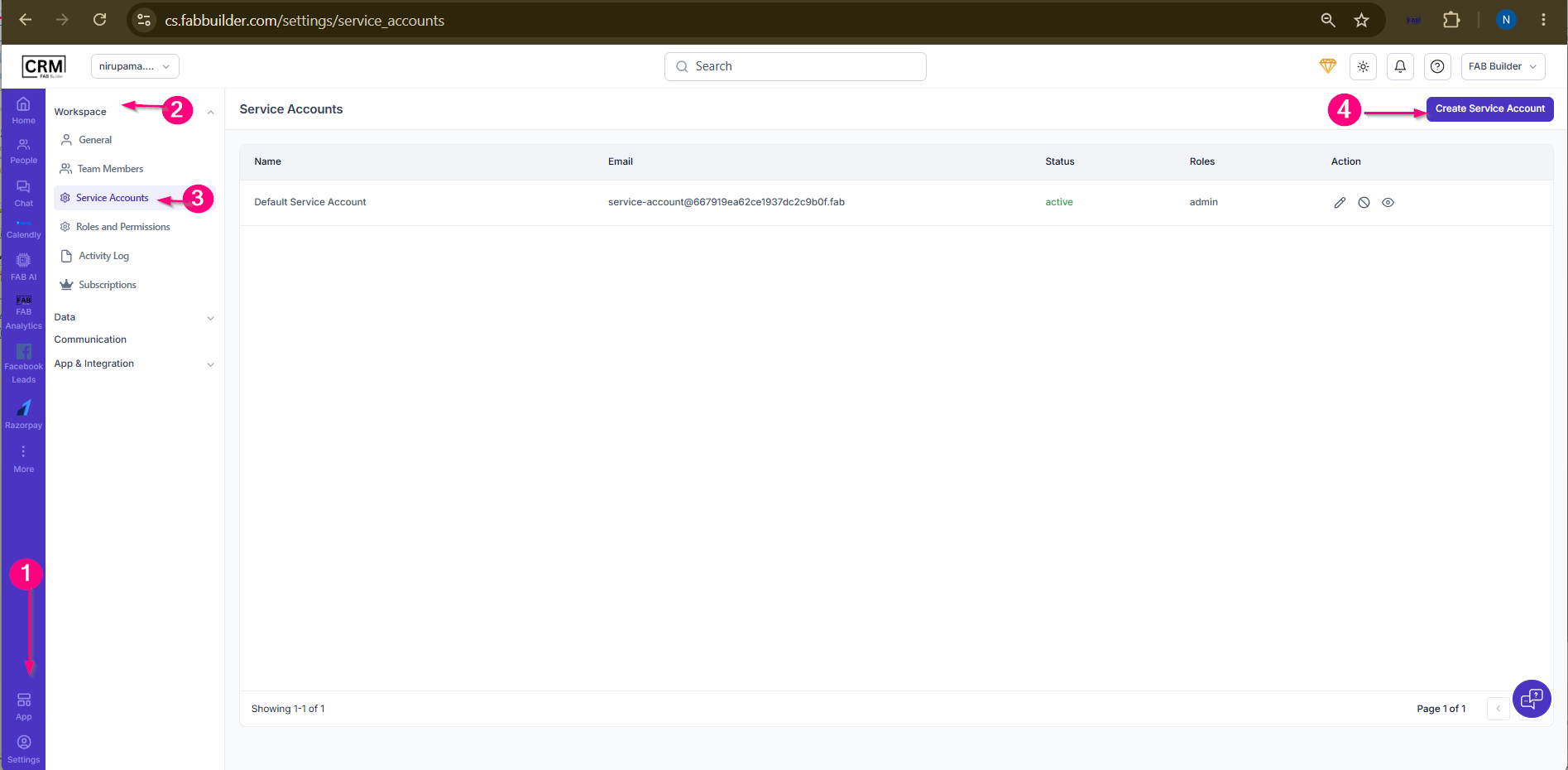 Screen-Step to create Service Account
Step 5:A popup window will open. Enter the required service account details. Step 6:ClickSaveto create the service account. 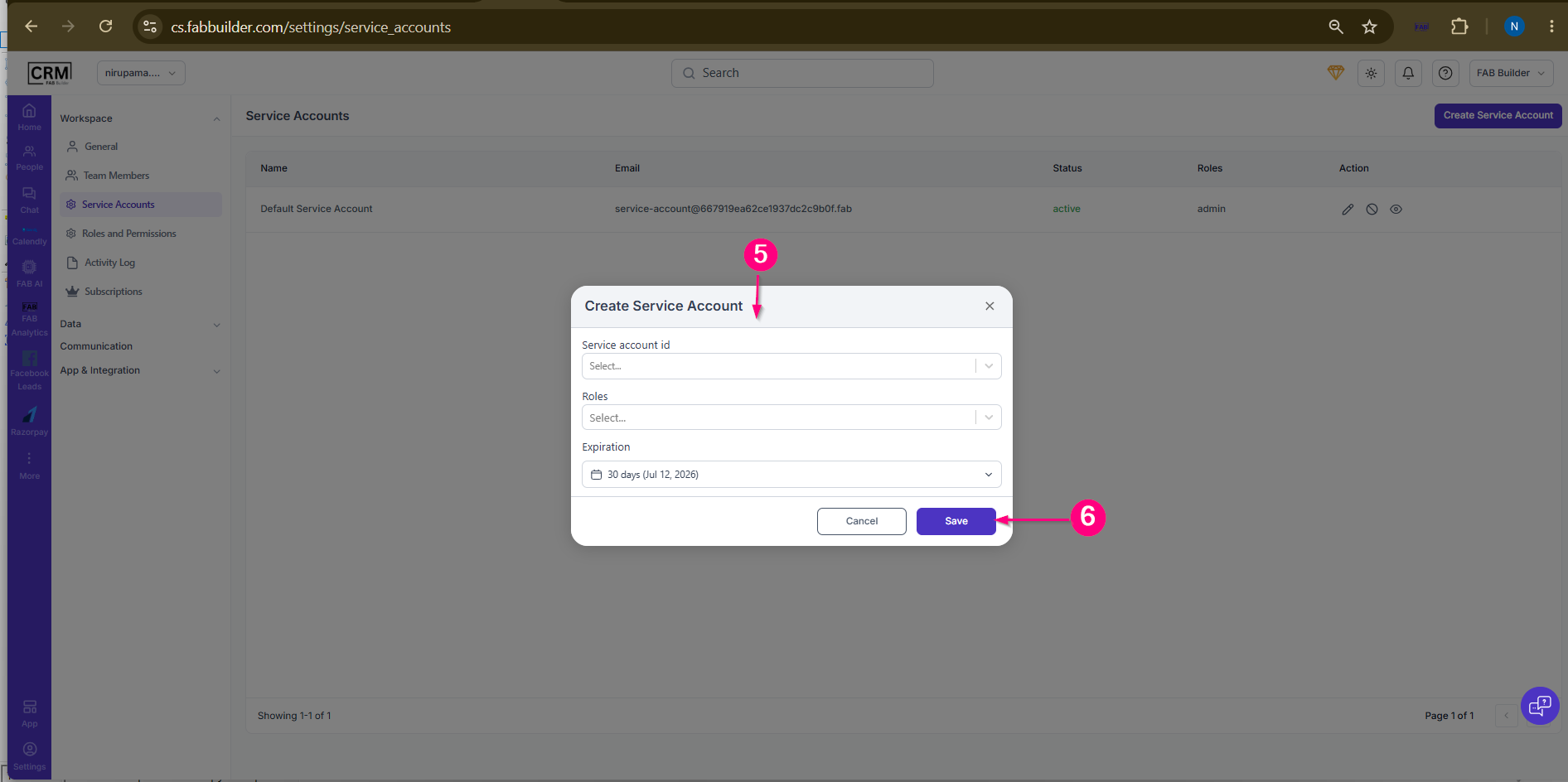
ResultThe service account is successfully created and displayed in the Service Account listing. Users can manage the created service account using the available action options.
|