This screen enables administrators to add, view, edit, and manage team members, assign roles, and control access within the CRM workspace.
This screen is part of Settings →Workspace → Team Members and is used to manage users within the CRM workspace.
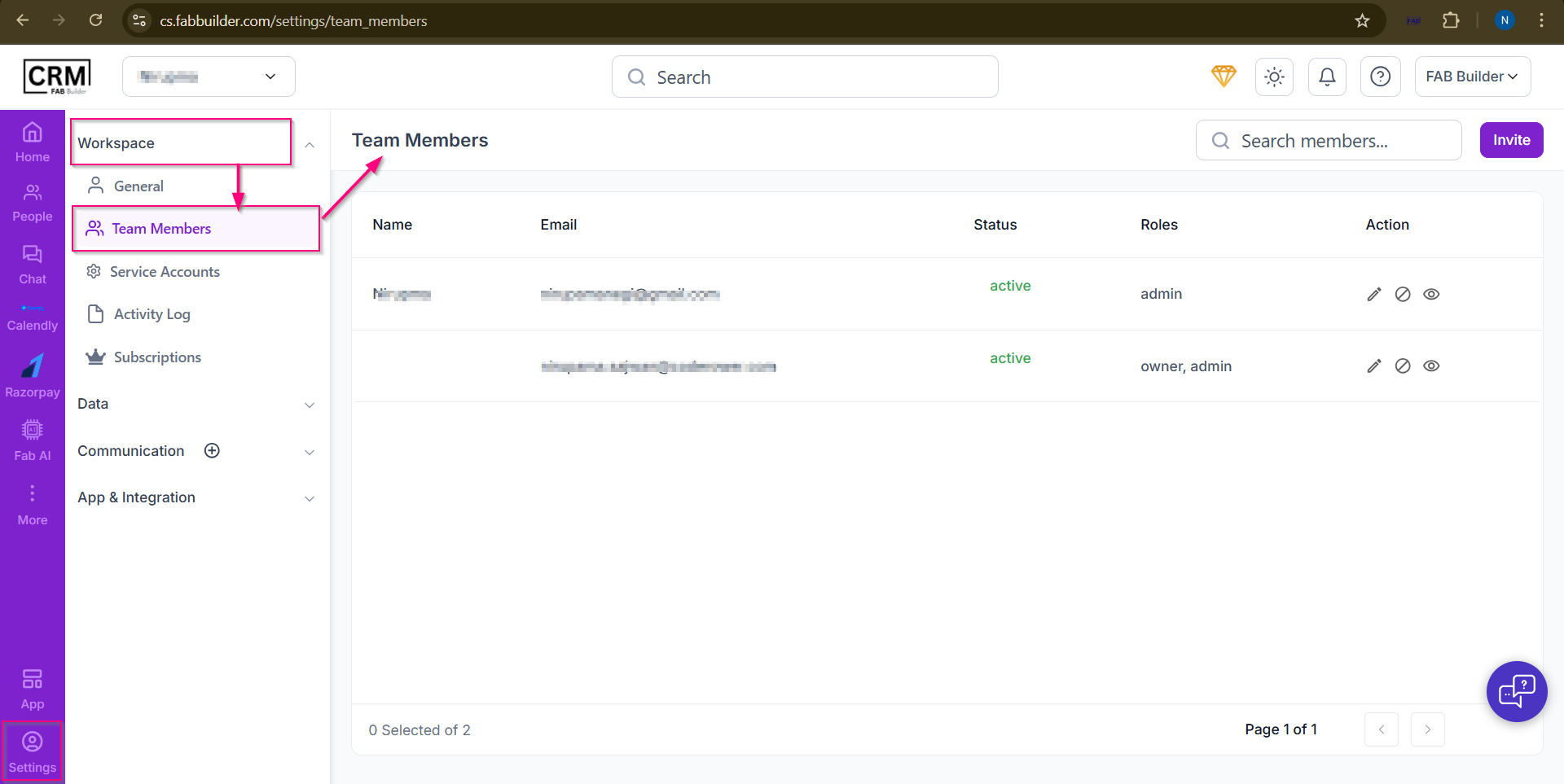
Screen - Team Member
Key elements of the screen:
- Team Members List:
- Displays all added users with the following details:
- Name: Team member’s name
- Email: Registered email ID
- Status: Current account status (e.g., Active)
- Roles: Assigned roles such as Owner or Admin
- Action: Icons to view, edit, or manage the user
- Search Members:
- Allows quick search of team members by name or email.
- Invite Button:(Top Right Corner)
- Used to invite new team members to the CRM by sending an invitation email.