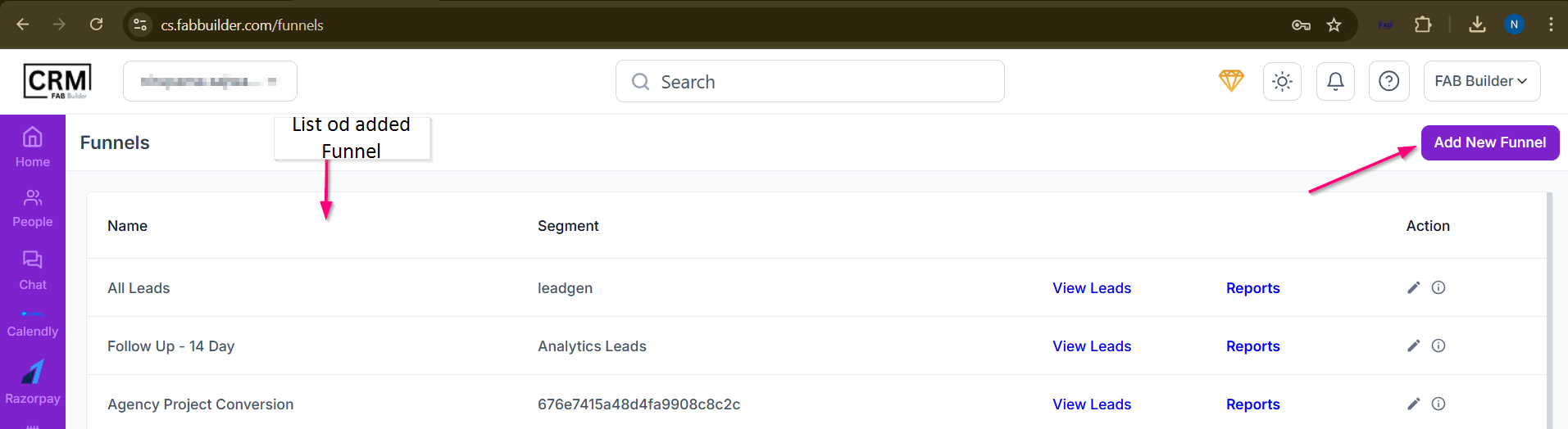
Screen- Template access
User can access the funnel template screen by clicking on add new funnel button with the funnel section.
To add template by following the steps mentioned below.
1.Users must provide a Funnel Title and select a Segment to define which leads will enter the funnel. Optional fields like Description, Video URL, and Image help add more context to the funnel.
2.Once completed, clicking Save creates the funnel and allows users to configure funnel stages.
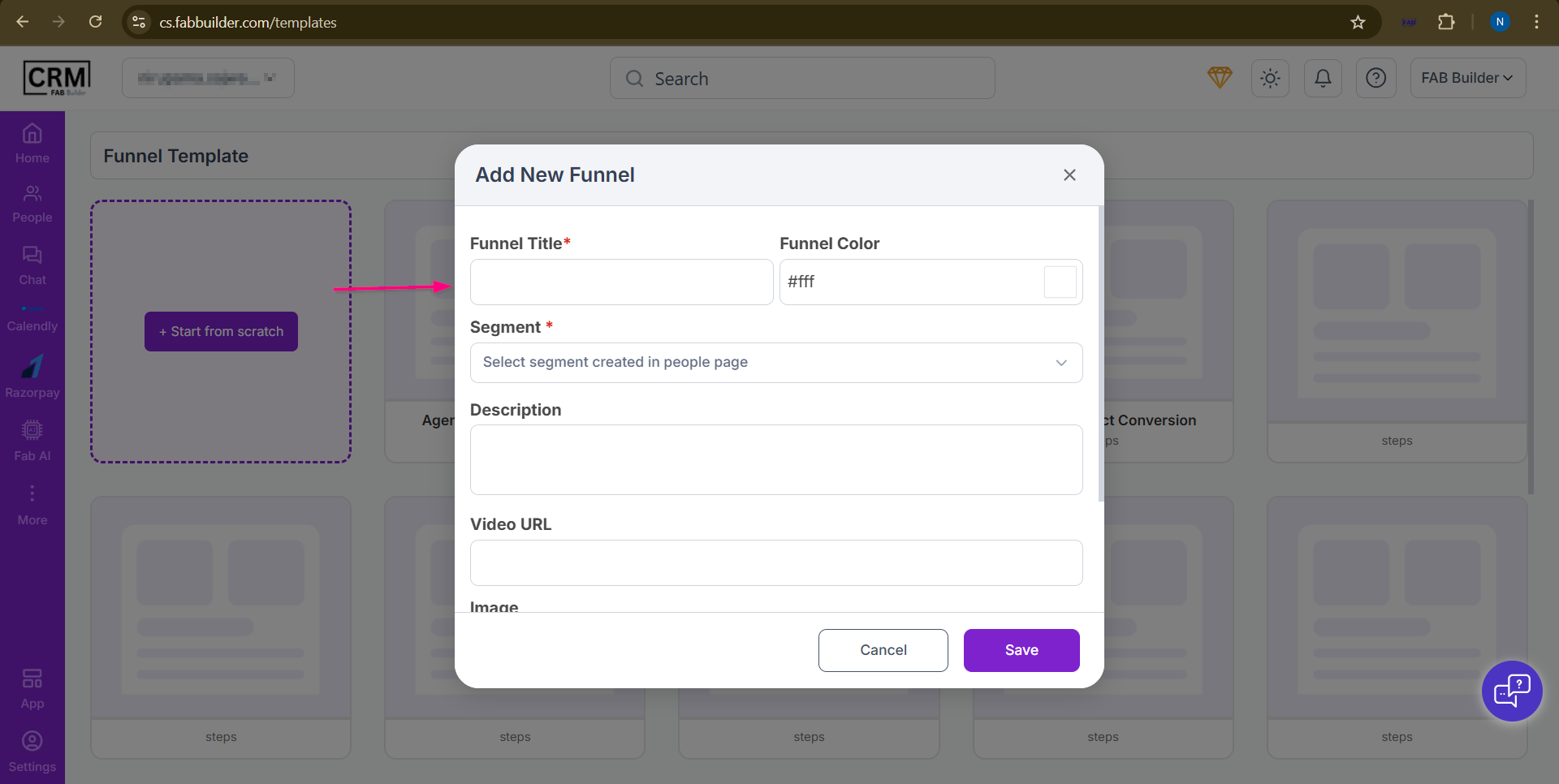
Screen- Funnel Template Steps
The user can view and edit the details of any funnel listed in the 'Funnel Name' list. Selecting a funnel from the list displays its saved information, which the user can modify as needed