Sending Messages (CRM / Lead Communication)
This section allows users to send messages to contacts or leads directly from the CRM using multiple communication channels such as SMS, Email, WhatsApp, etc.
Prerequisites
Before sending a message, ensure the following:
Contact / Lead Availability - The recipient (contact or lead) must be added to the CRM system.
Valid Contact Details - Ensure the contact has the required and valid details such as Phone number,Email address.
Communication Channel Configuration-The required communication channels (SMS, Email, WhatsApp, etc.) must be properly configured and enabled in the channel list.
Active plan / sufficient balance-Ensure that the required subscription, package, or wallet balance (top-up) is available for the selected communication channel.
Contact Consent (Opt-in Compliance) -The contact should have provided consent to receive messages. This is important for compliance withcommunication regulations and policies.
Steps to Send Message via Whatsapp communication Channel
Log in to your account at https://cs.fabbuilder.com/
-
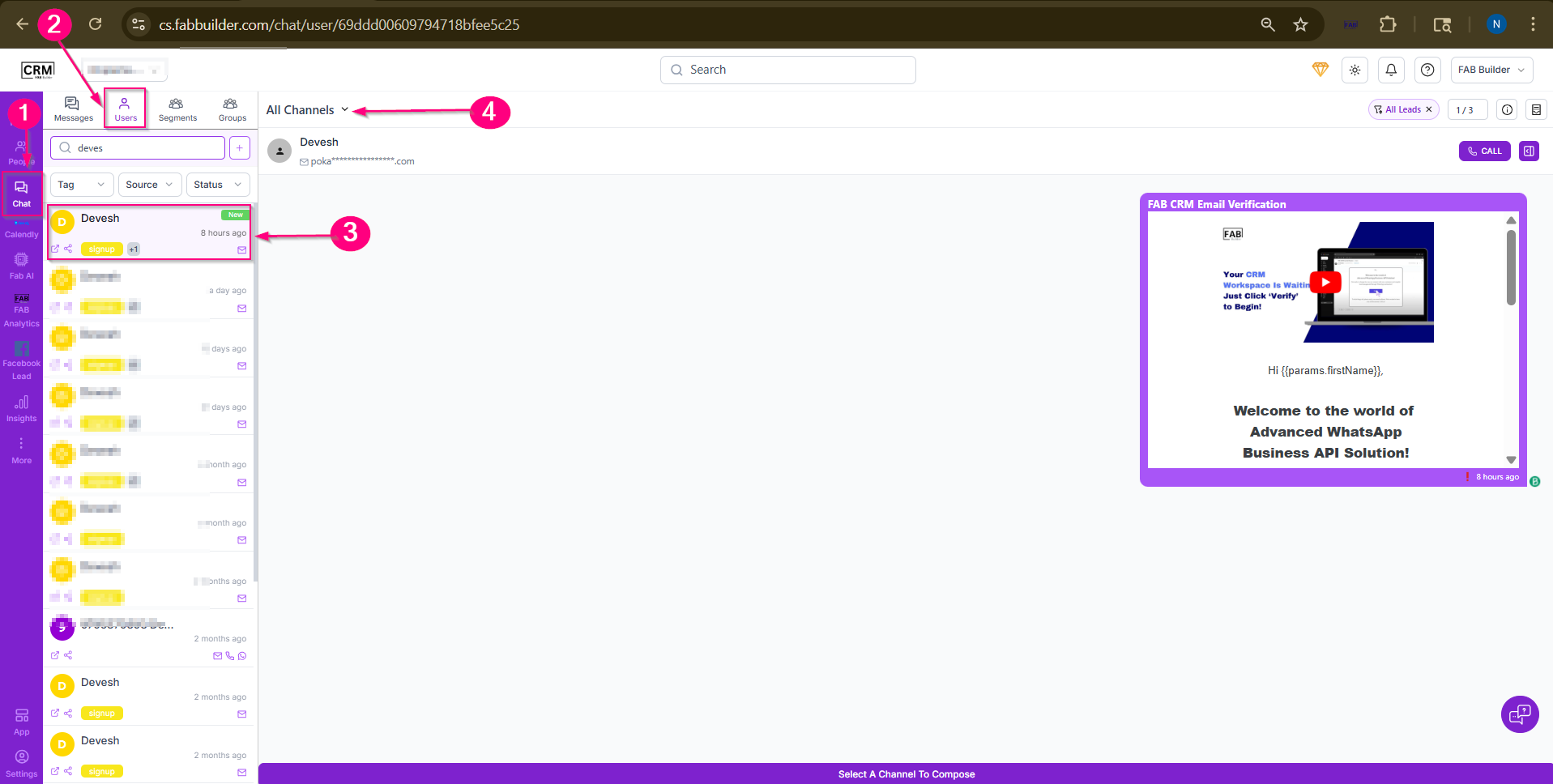
Go to the Chat Module.
-
Click on it to open the chat list.
-
Select any subsection (Messages/Users) to view contacts.
-
Choose a contact to send a message.
-
The chat panel will open on the right side.
-
Click on the All Channels menu.
-
Select Whasapp from the channel list.
-
Click on Compose to open the message window.
-
Type your message and click Send.
Result
The message will be sent and visible in the chat panel along with the conversation history.