The SEBI Form is used to collect and verify client KYC details required for SEBI compliant onboarding. After entering PAN and personal information, the user submits the form and selects a service type and plan. Once submitted, the system initiates payment through Razorpay, allowing the client to complete the payment securely. The KYC details, selected plan, and payment status are automatically recorded in the CRM for compliance, subscription activation, and audit purposes.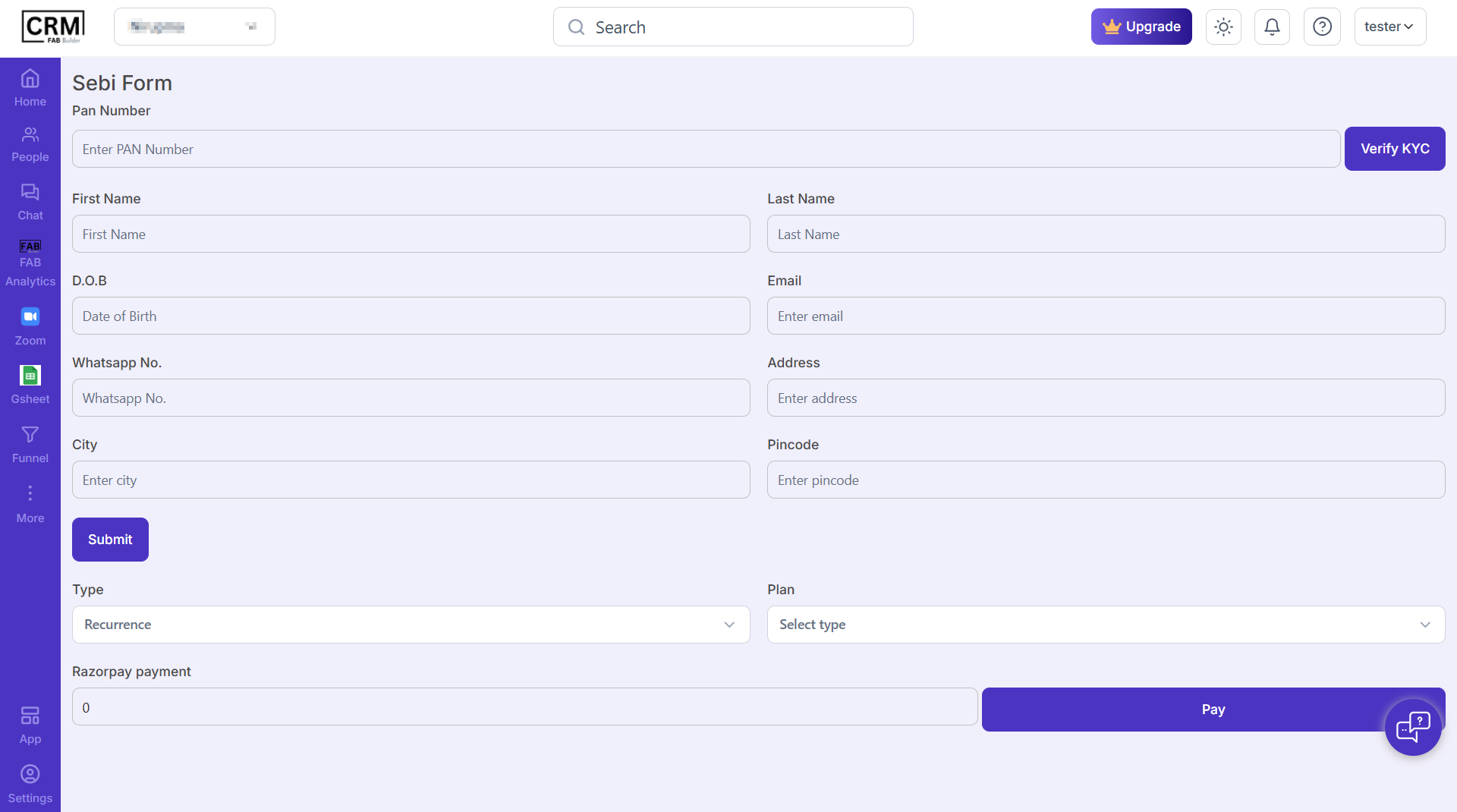
Screen-Sebi Form
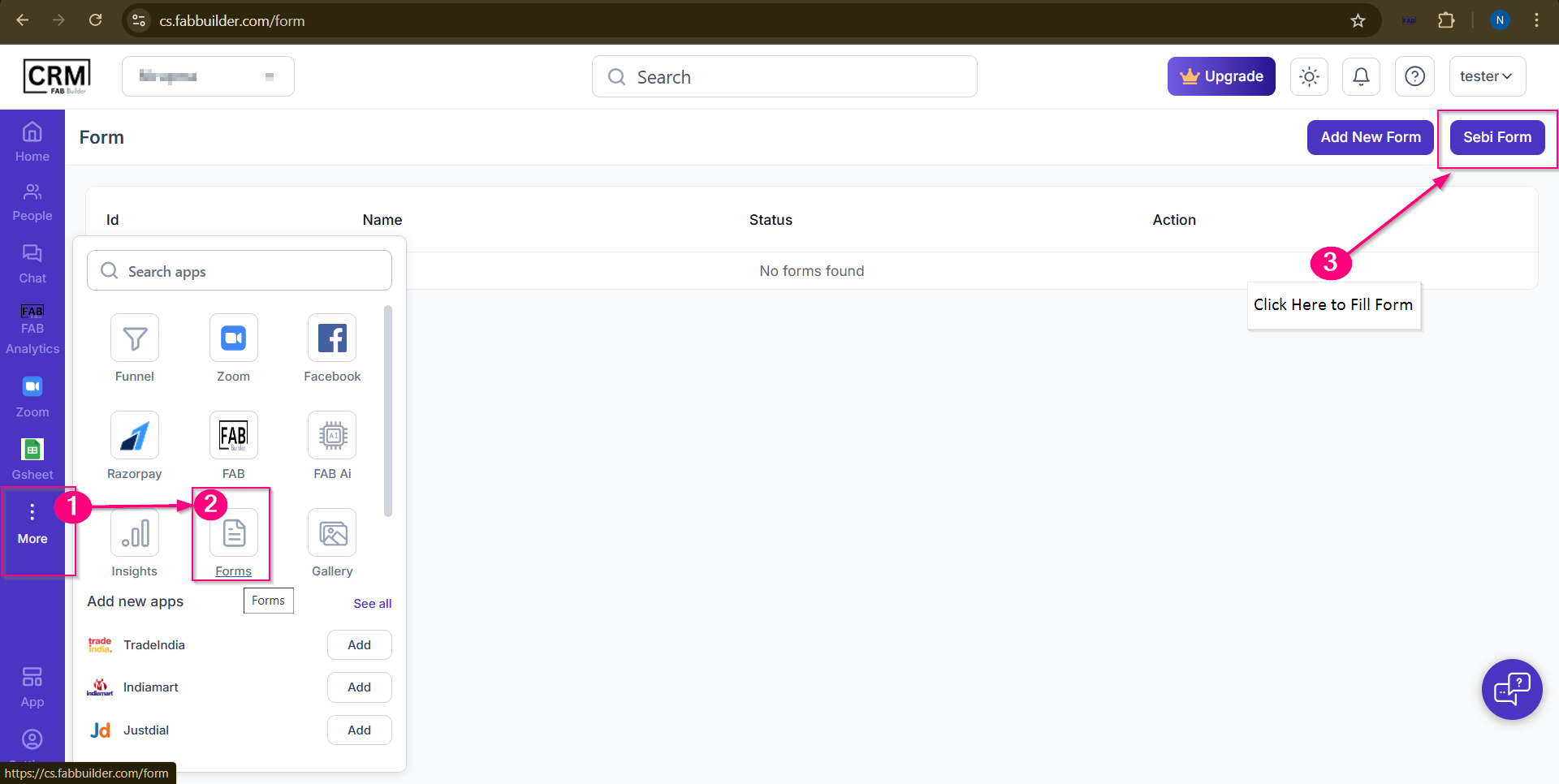
To access the sebi form user need to follow the step
1.Click on more button(three dot) which open app container panel.
2.Select the FORM option which open the add new form screen.
3.select the sebi form at top right corner.