FAB Customer Experience

GuideDocs
k
FAB CRM Introduction
Getting Started
Dashboard
Home
People
Chat
Funnel
Insight Module
Forms
Gallery
Workflows
My Settings
Data
Communication
App Integeration
References

Build by FAB Builder. The source code is available on GitHub.

ContactSponsor

Translate

Choose language

Select your preferred language for this documentation.

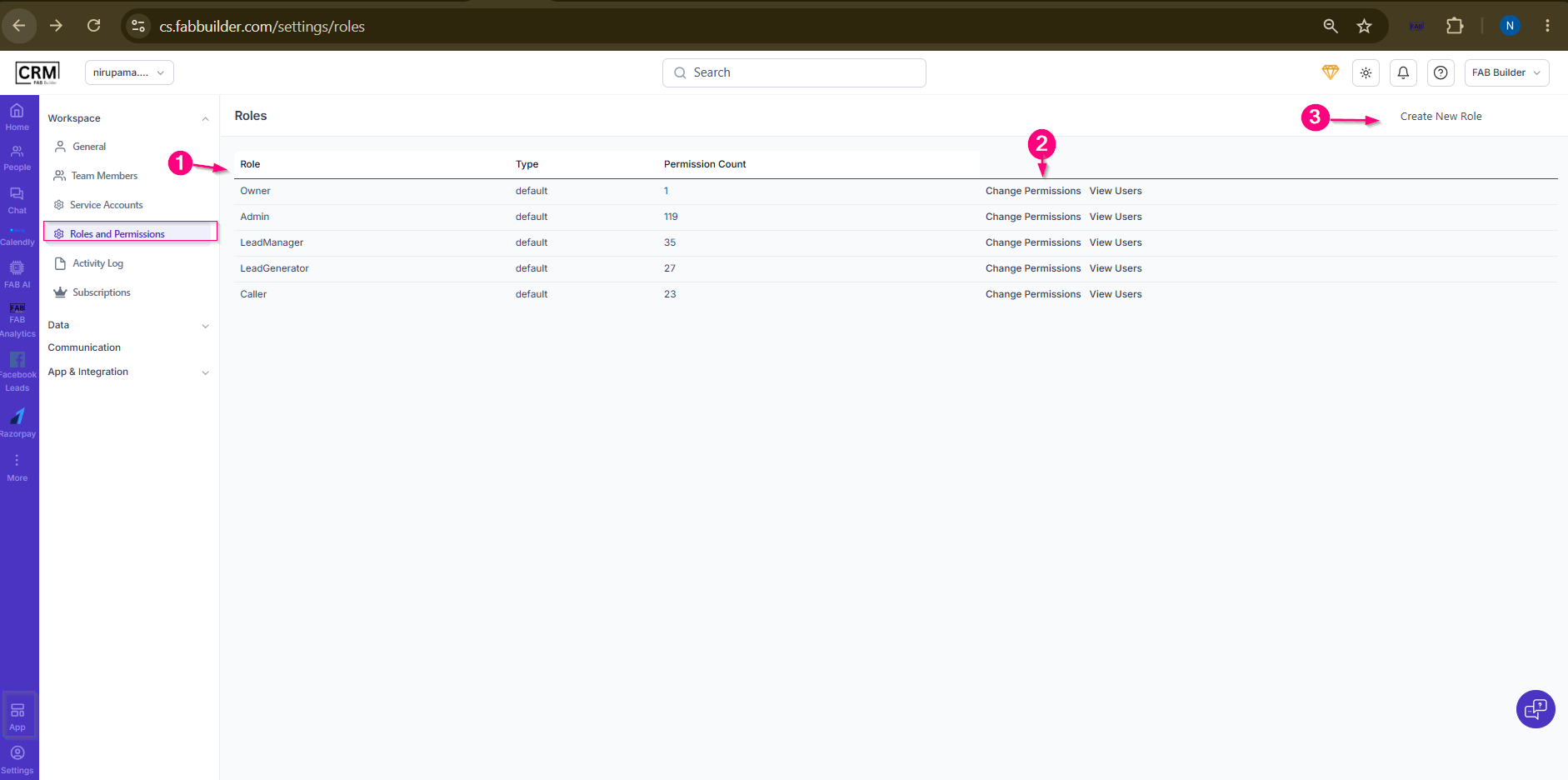
Roles and Permissions Screen

Navigation:
App → Workspace → Roles and Permissions

Purpose

The Roles and Permissions screen is used to manage user roles and control access to CRM features and modules.

Screen Components

1. Role Listing

  • Displays all available roles along with their type and permission count.

2. Permission Management

  • Change Permissions – Used to view and modify permissions assigned to a role.
  • View Users – Displays users assigned to the selected role.

3. Create New Role

  • Used to create a custom role with specific permissions and access levels.

 
Sample product
Screen- Roleand Permission Dashboard Screen