Funnel Reports
Funnel Reports provide comprehensive insights into lead management, sales activities, funnel performance, team productivity, and lead acquisition channels. These reports help users track lead progress, monitor conversion trends, evaluate team performance, identify bottlenecks in the sales process, and measure the effectiveness of different lead sources. By using these reports, users can make data-driven decisions and optimize their sales and marketing strategies.
The Funnel Reports section includes the following reports:
Navigate Funnel Reports1.Go to the Funnel module. 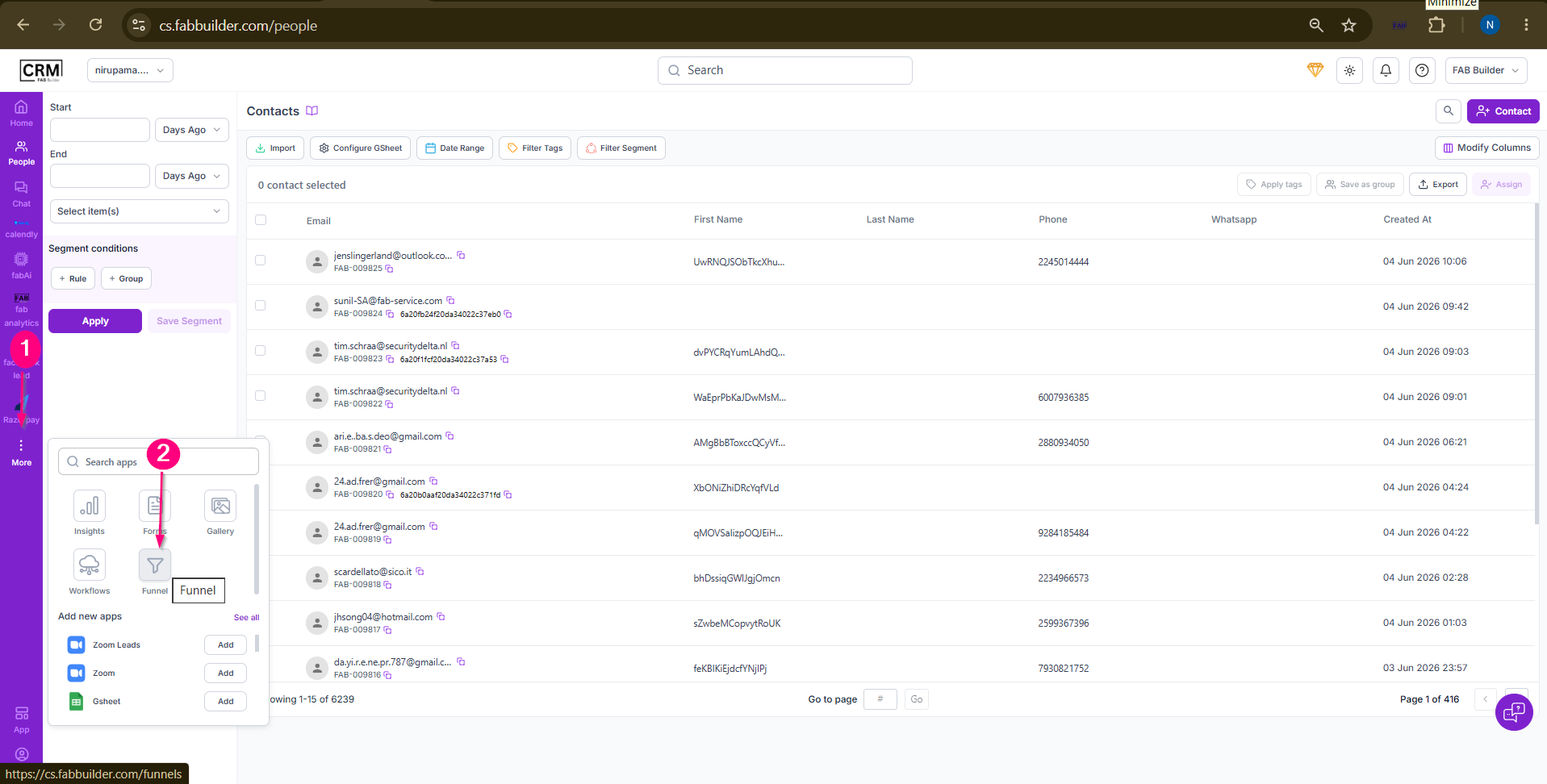 3.Click Reports. User will be landed on funnel view screen. 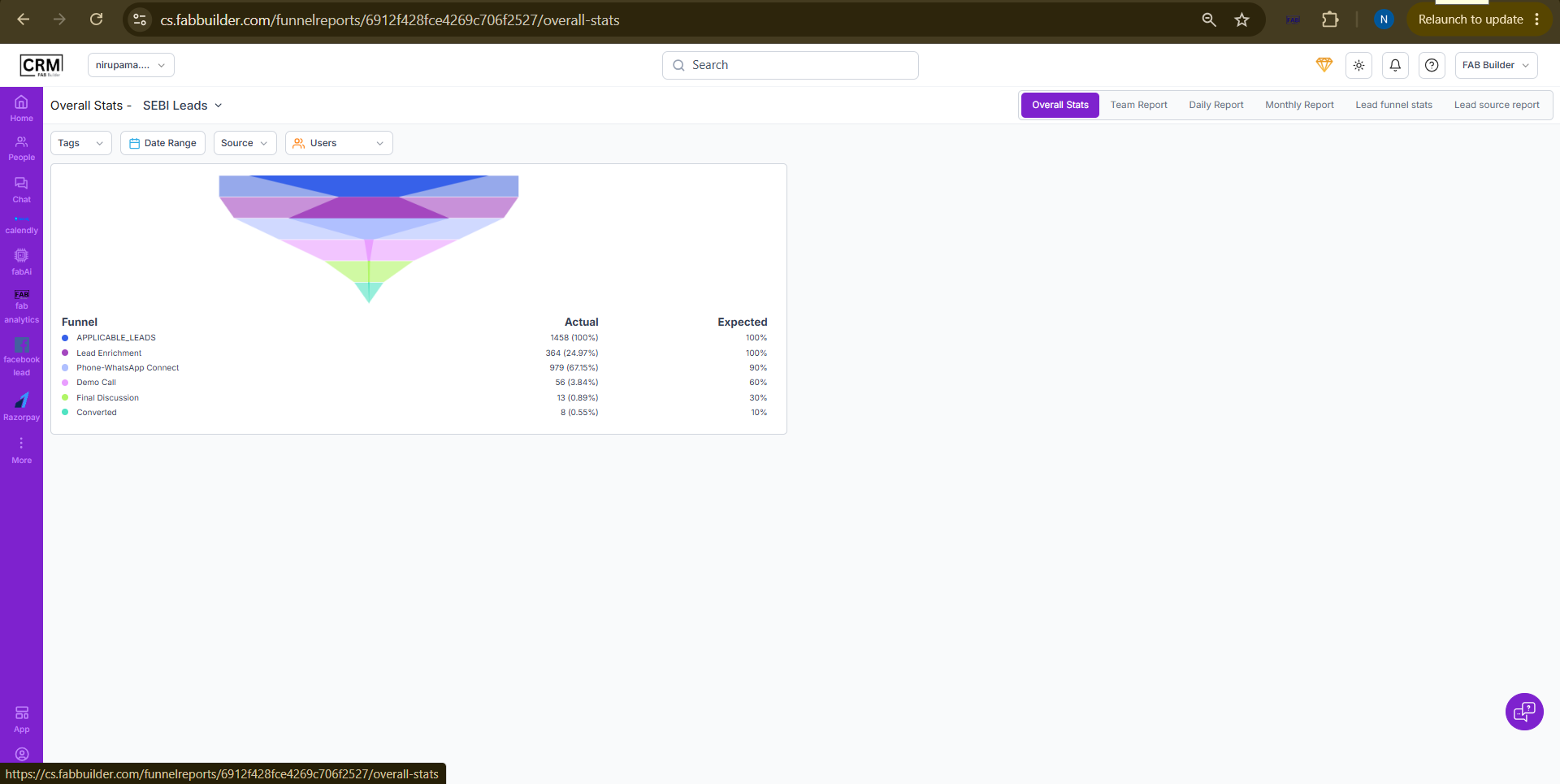 Screen- Funnel Report
Overall Stats ReportThe Overall Stats report provides a graphical overview of lead progression across the funnel stages. It helps users analyze lead distribution, compare actual performance against expected outcomes, and identify conversion trends within the selected funnel. Users can filter the report by Tags, Date Range, Source, and Users.Refer Funnel Refer screen mentioned above.
Team ReportThe Team Report provides a team-wise view of funnel activities and performance metrics for the selected funnel. It helps users monitor team productivity, track activities performed during a selected period, and compare performance across team members. Users can filter the report by Month, Year, Team, and Performance Metrics.
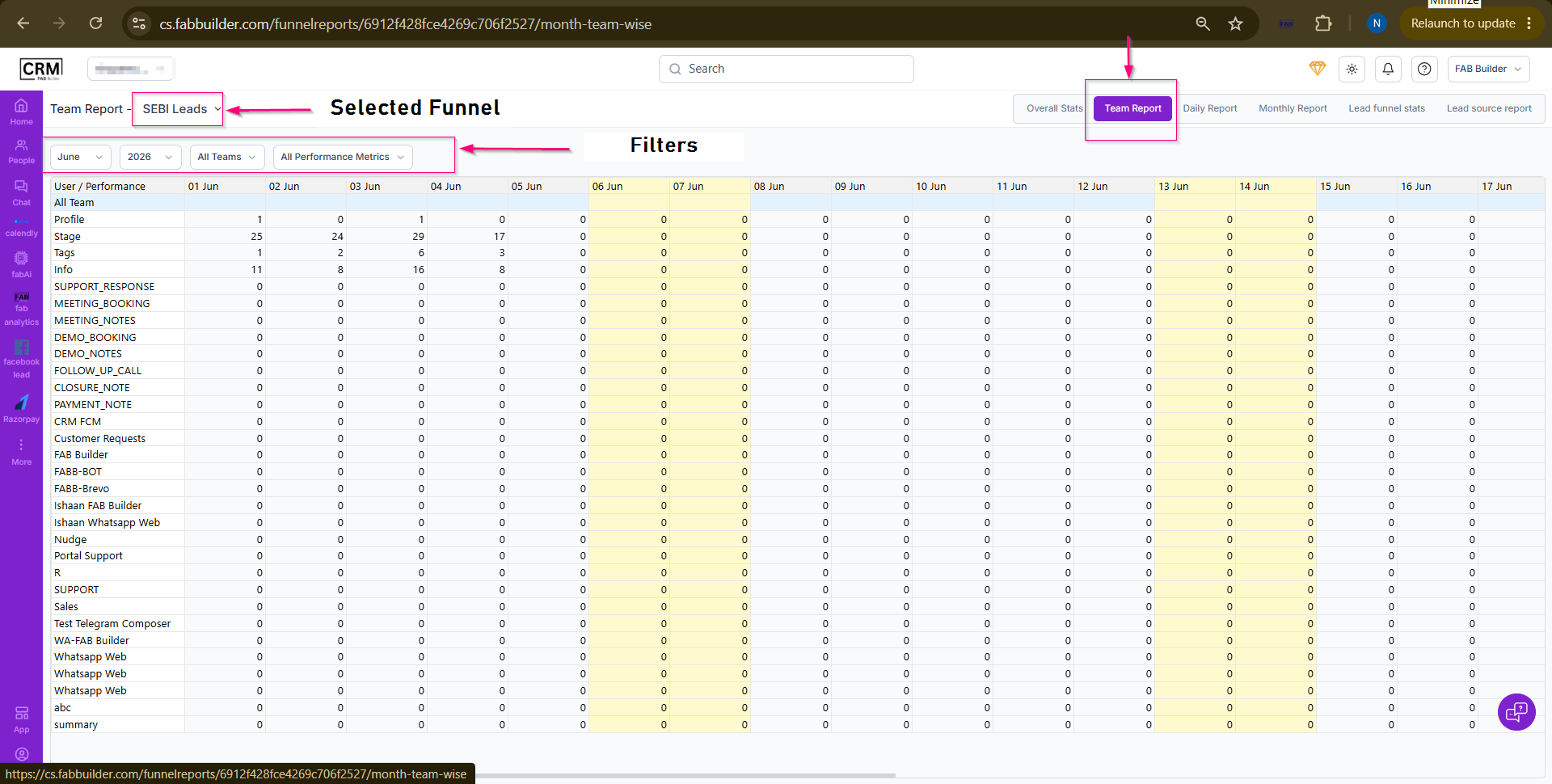 Screen- Team Report
Daily ReportThe Daily Report provides a day-wise overview of funnel activities for the selected funnel. It helps users monitor daily performance, track activity trends, and analyze engagement across different activity categories. Users can filter the report by Month, Year, and Team. The report displays activity data in a tabular format, allowing users to compare daily activity counts over a selected period. 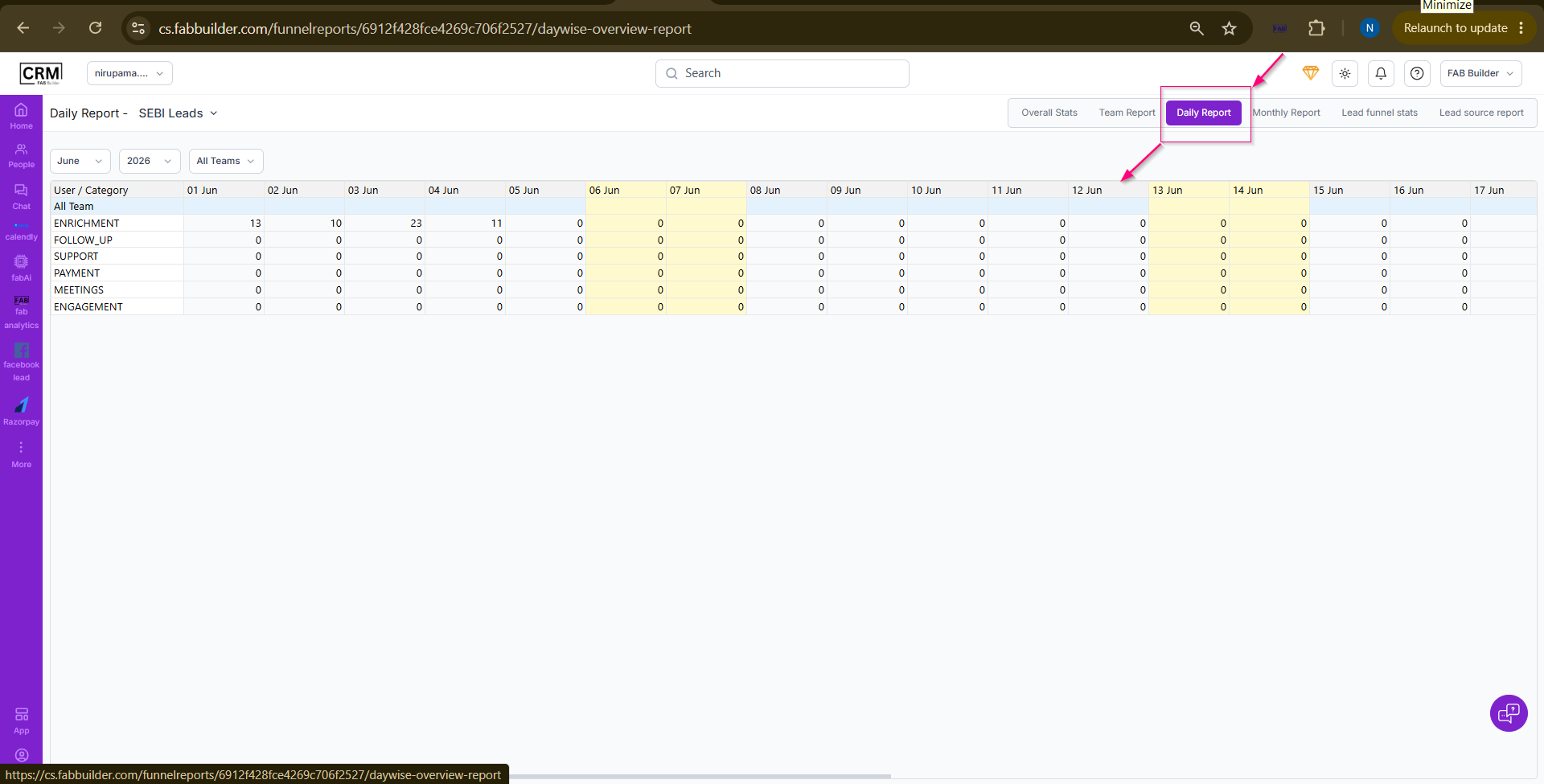 Screen- Daily Report
Monthly ReportThe Monthly Report provides a month-wise summary of funnel activities for the selected funnel. It helps users analyze activity trends, measure performance over time, and compare monthly progress across different activity categories. Users can filter the report by Year and Team. The report displays activity data in a tabular format, allowing users to review monthly totals and identify performance patterns throughout the year. 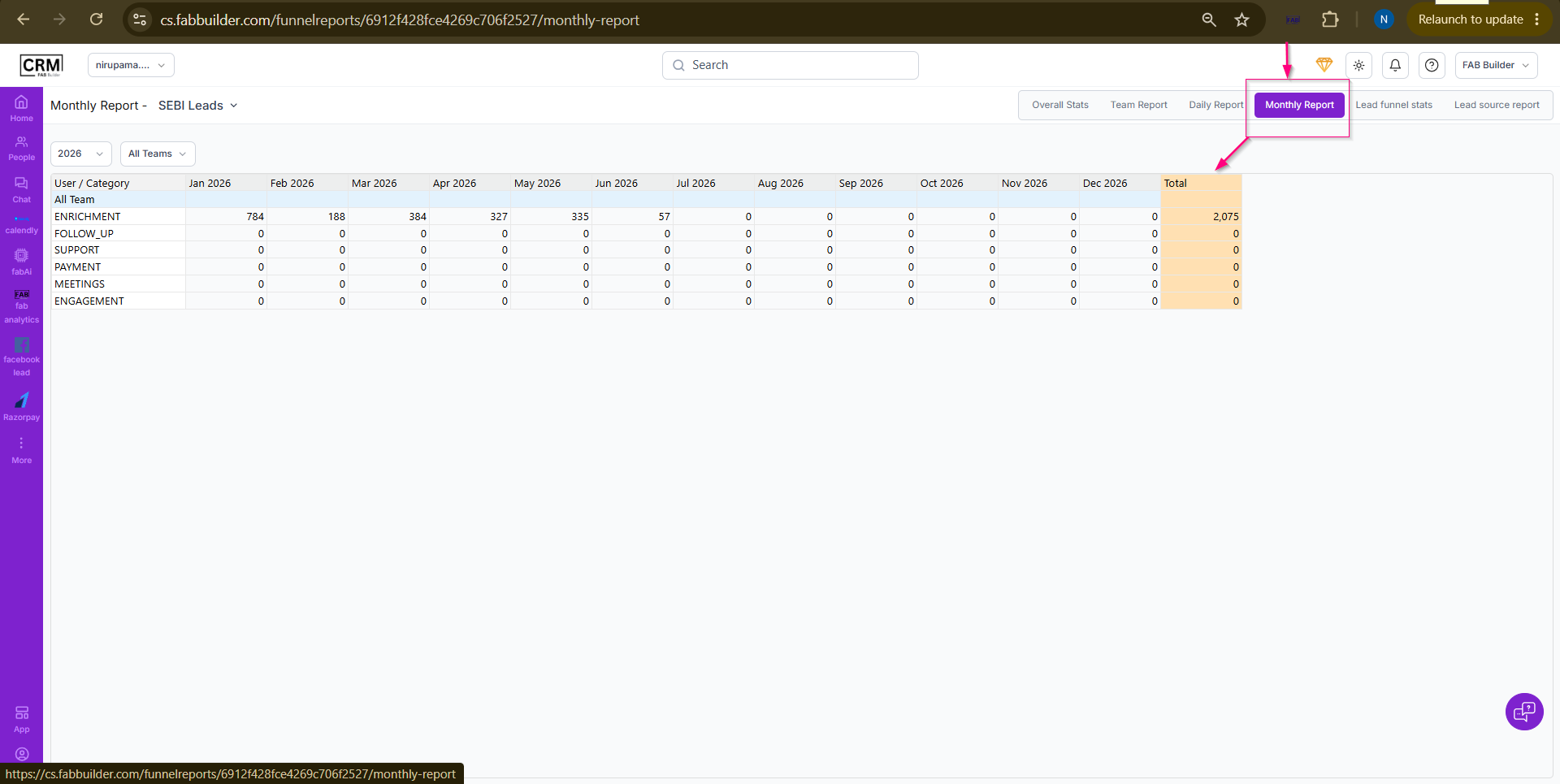 Screen-Monthly Report Lead Funnel Stats
Lead Funnel Stats provides a statistical summary of lead statuses within the selected funnel. It shows the number of leads in each status through a table and chart, helping users monitor lead activity and analyze lead distribution.
Purpose of this Screen
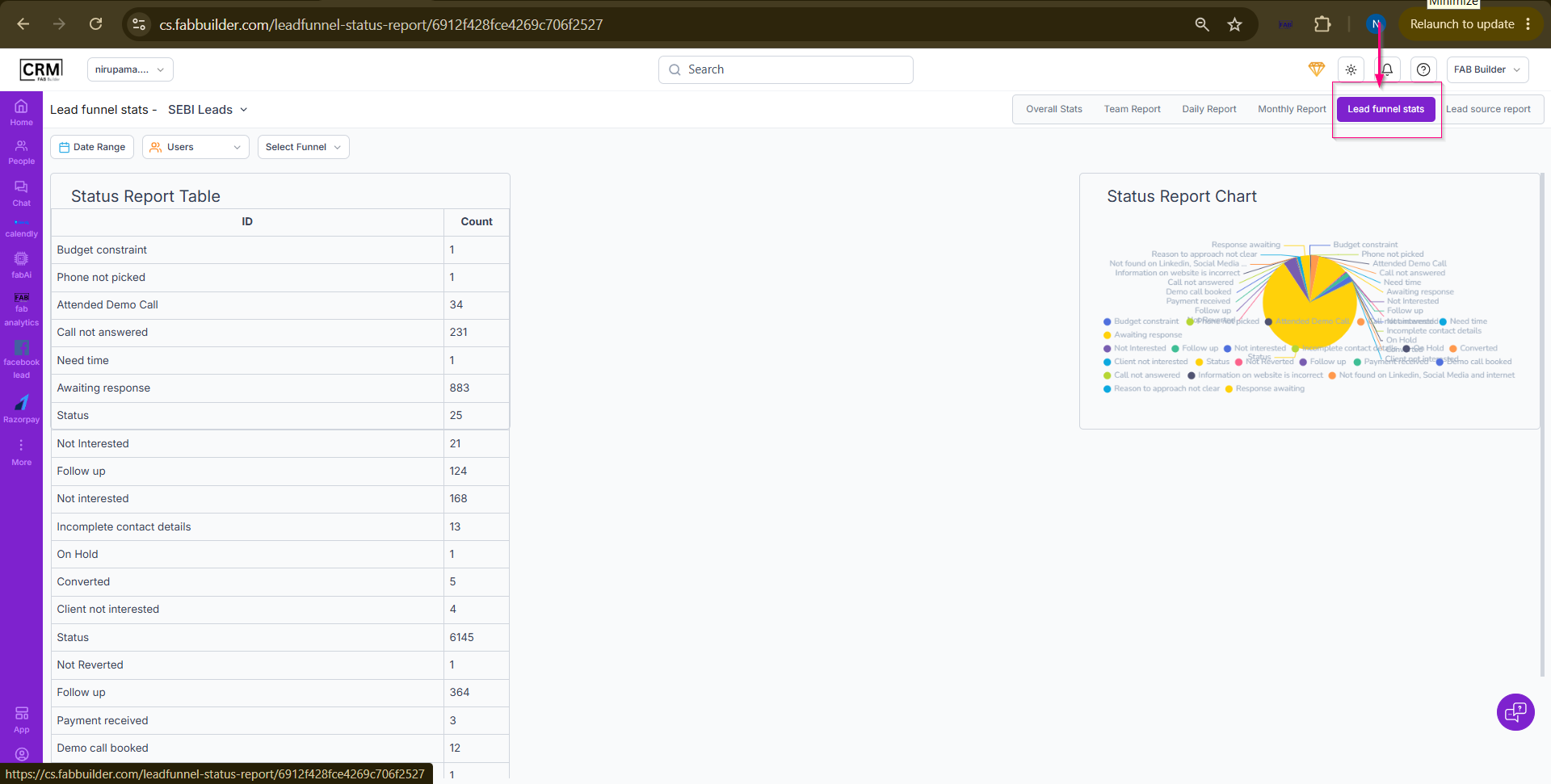 Screen- Lead Funnel Stats Lead Source Report
Lead Source Report provides a breakdown of leads based on their acquisition source. It helps users understand which channels are generating the most leads and evaluate the effectiveness of different lead-generation sources.
Purpose
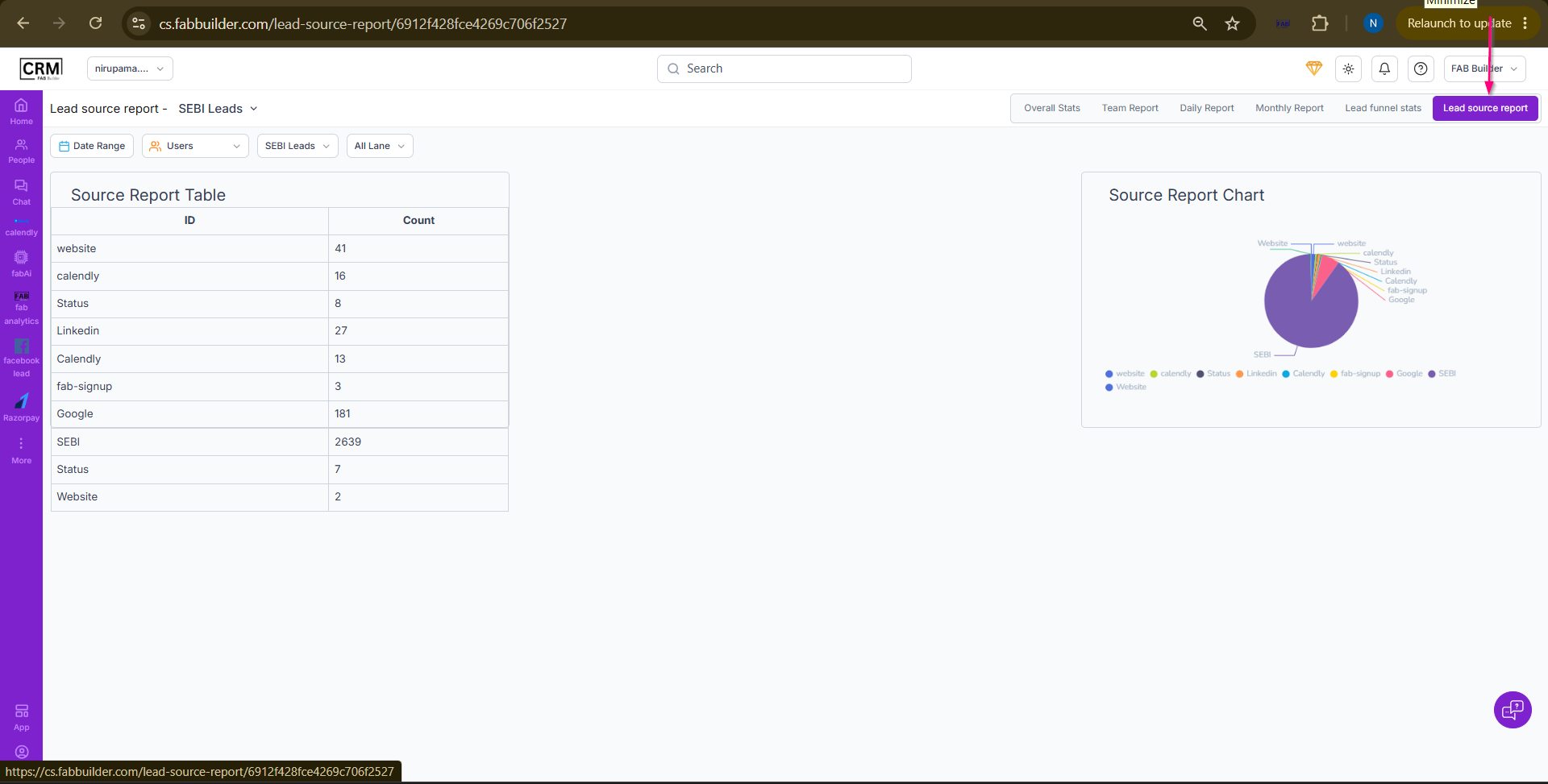 Screen- Lead Source Report |