The Passcode screen is a security verification screen that appears after the user signs in and reaches the Home page.
This screen asks the user to confirm their identity by entering one of the following:
- A 6-digit code from Google Authenticator, or
- A 4-digit passcode previously set by the user
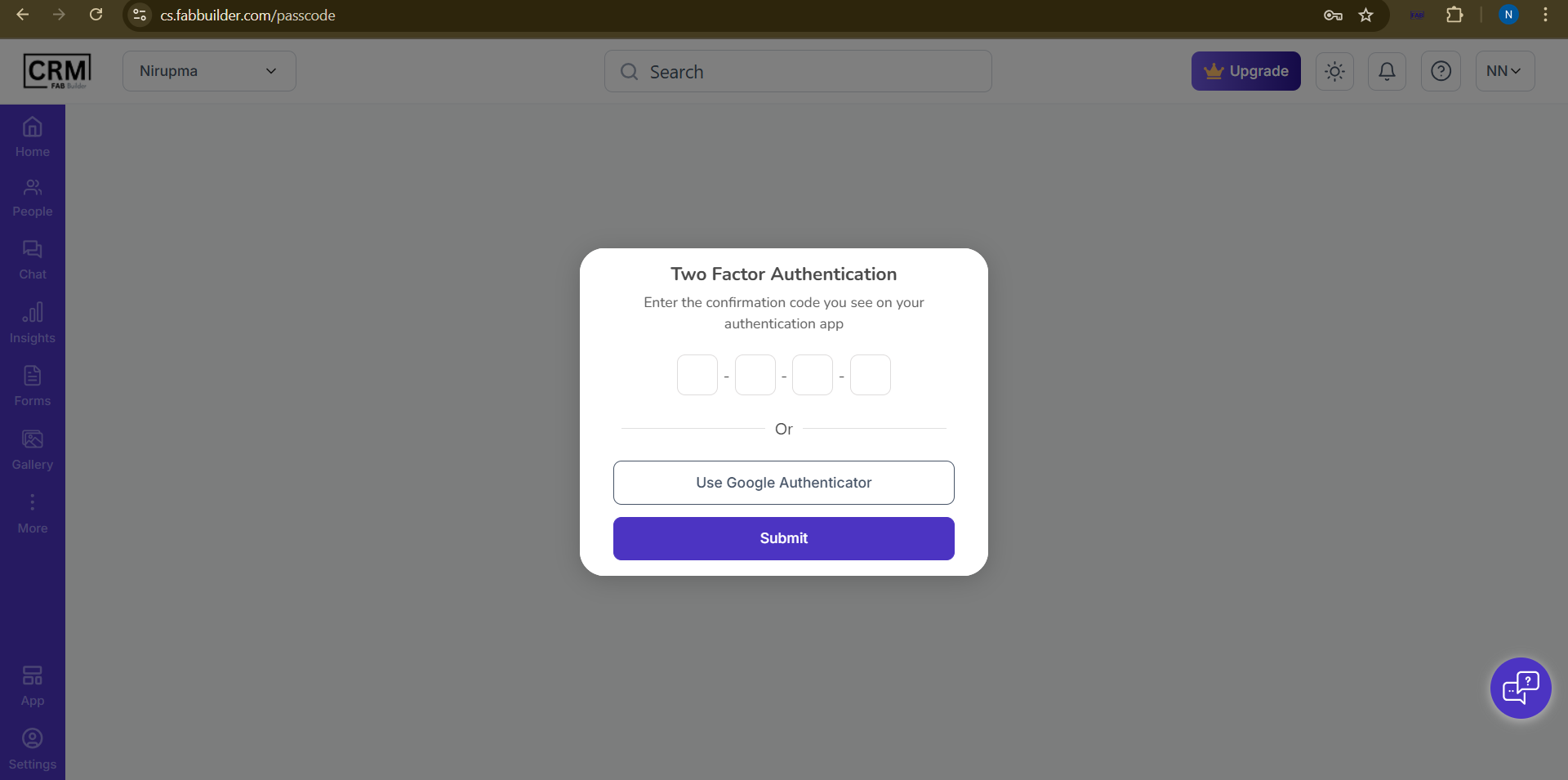
Screen- TFA/Passcode
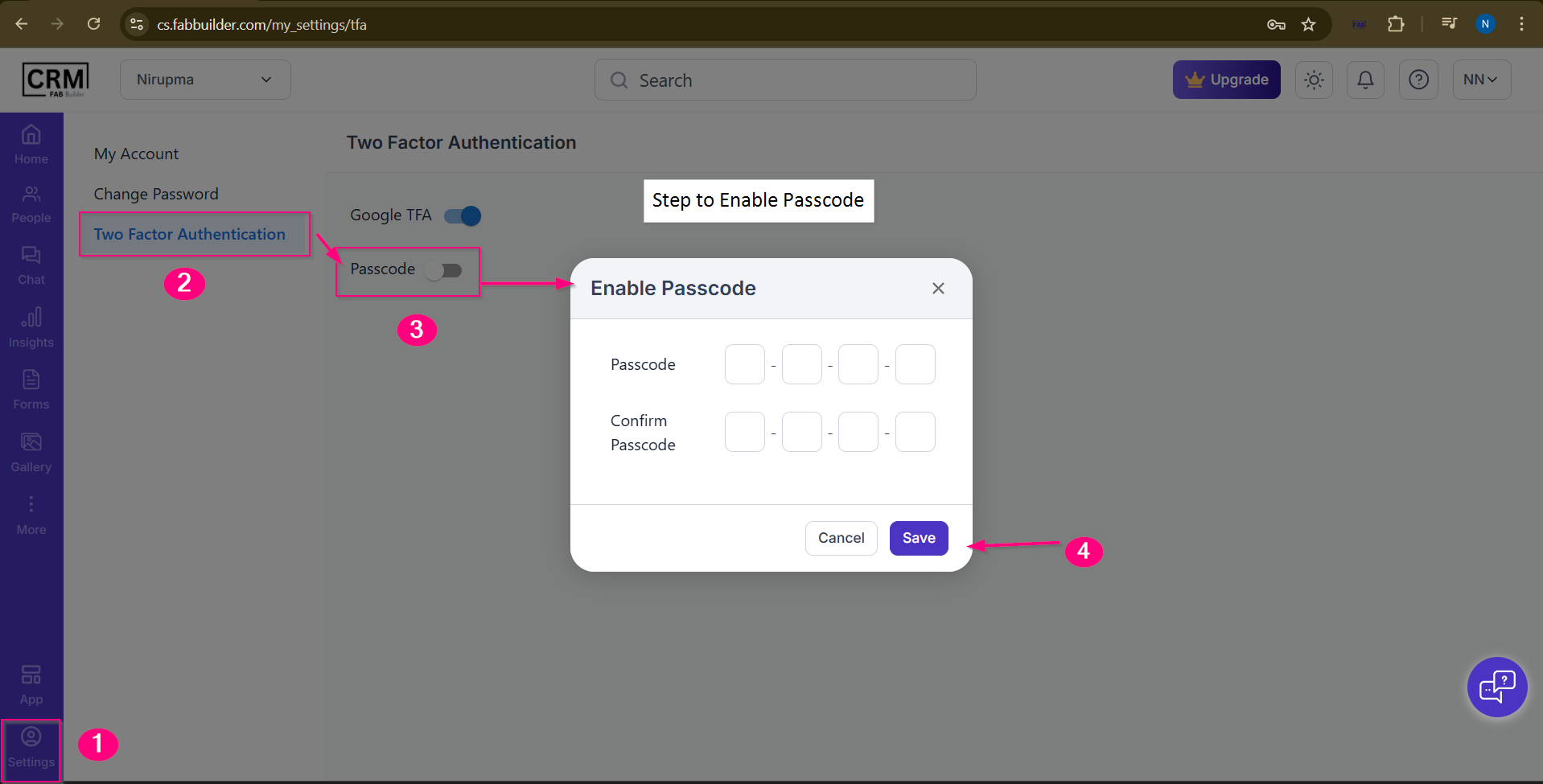
Steps to Enable Passcode
Passcode Verification Screen
Step 1: Open Settings
Click on the Settings icon available in the left navigation bar.
Step 2: Go to Two Factor Authentication
Under My Account, select Two Factor Authentication.
Step 3: Enable Passcode
Toggle the Passcode switch to ON.
Once enabled, an Enable Passcode popup appears.
Step 4: Set Passcode
In the popup:
- Enter a 4-digit passcode
- Re-enter the same passcode to confirm
Click Save to activate the passcode.