12.1.3 Two Factor Authentication (TFA)PurposeTwo Factor Authentication (TFA) provides an additional layer of security to protect user accounts from unauthorized access. Users can enable Google Authenticator and Passcode verification to strengthen account security. Prerequisites
Steps to Enable Google Authenticator
Steps to Enable Passcode Authentication
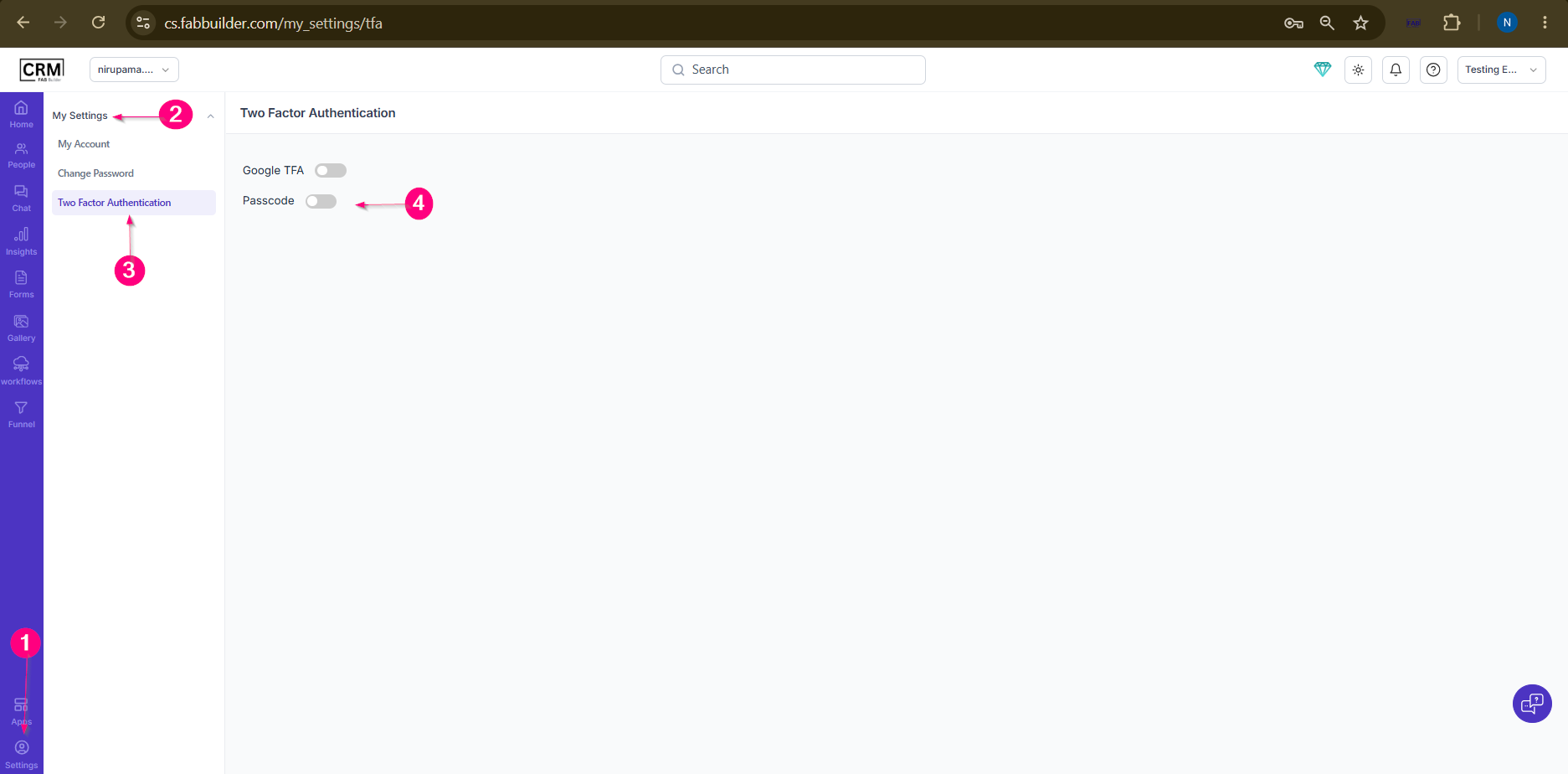 Screen- TFA-Password 5.Enter a four-digit passcode and Confirm the passcode. 6.Click Save. ResultTwo Factor Authentication is enabled successfully. Users will be required to enter the configured verification code or passcode during login to access their account securely. NoteUsers should securely store their passcode and keep access to their Google Authenticator application, as both may be required for future account access.
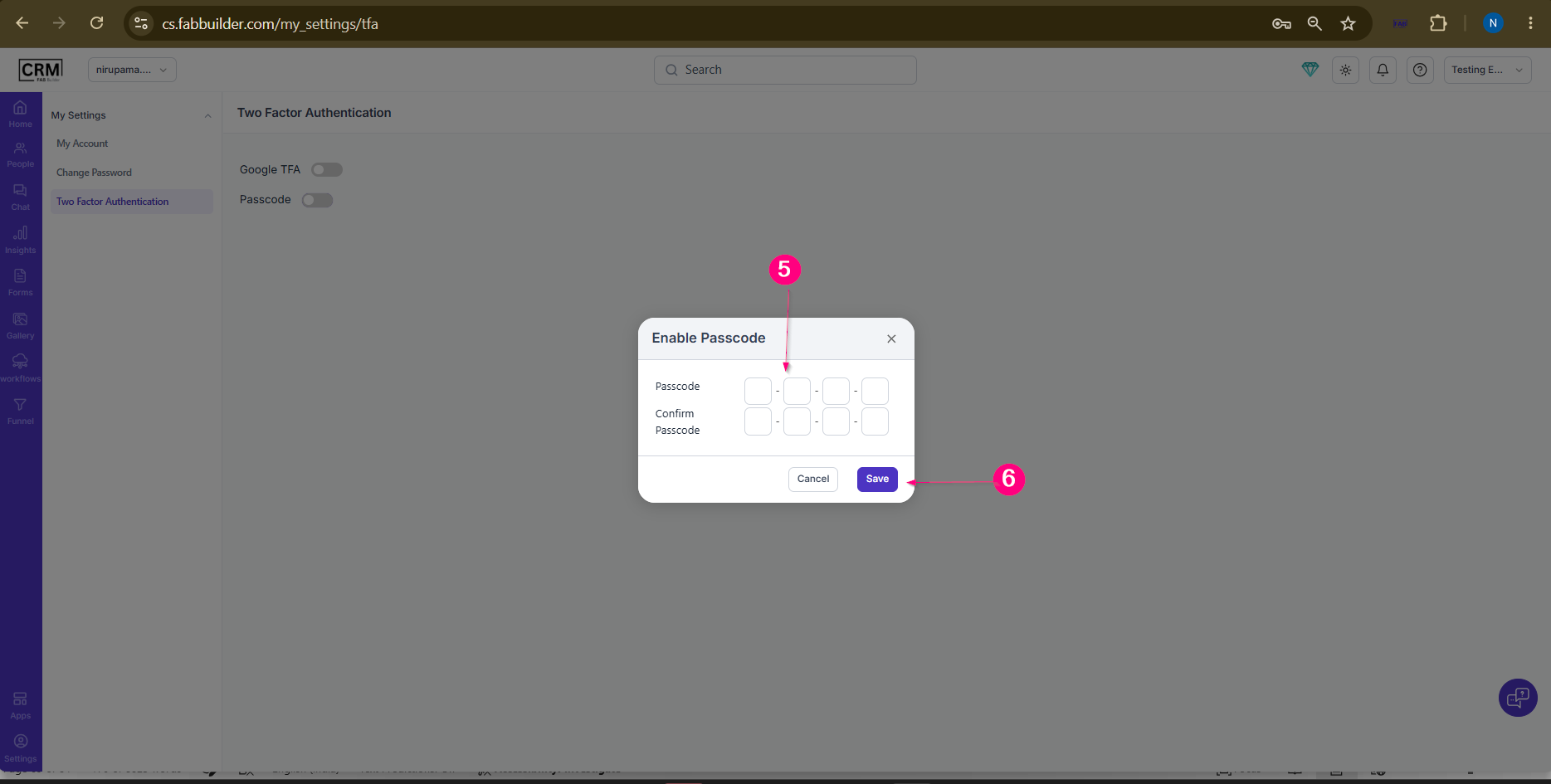 Screen- Enter Password |