FAB Customer Experience

GuideDocs
k
FAB CRM Introduction
Getting Started
Dashboard
Home
People
Chat
Funnel
Insight Module
Forms
Gallery
Workflows
My Settings
Data
Communication
App Integeration
References

Build by FAB Builder. The source code is available on GitHub.

ContactSponsor

Translate

Choose language

Select your preferred language for this documentation.

Purchase Add-on

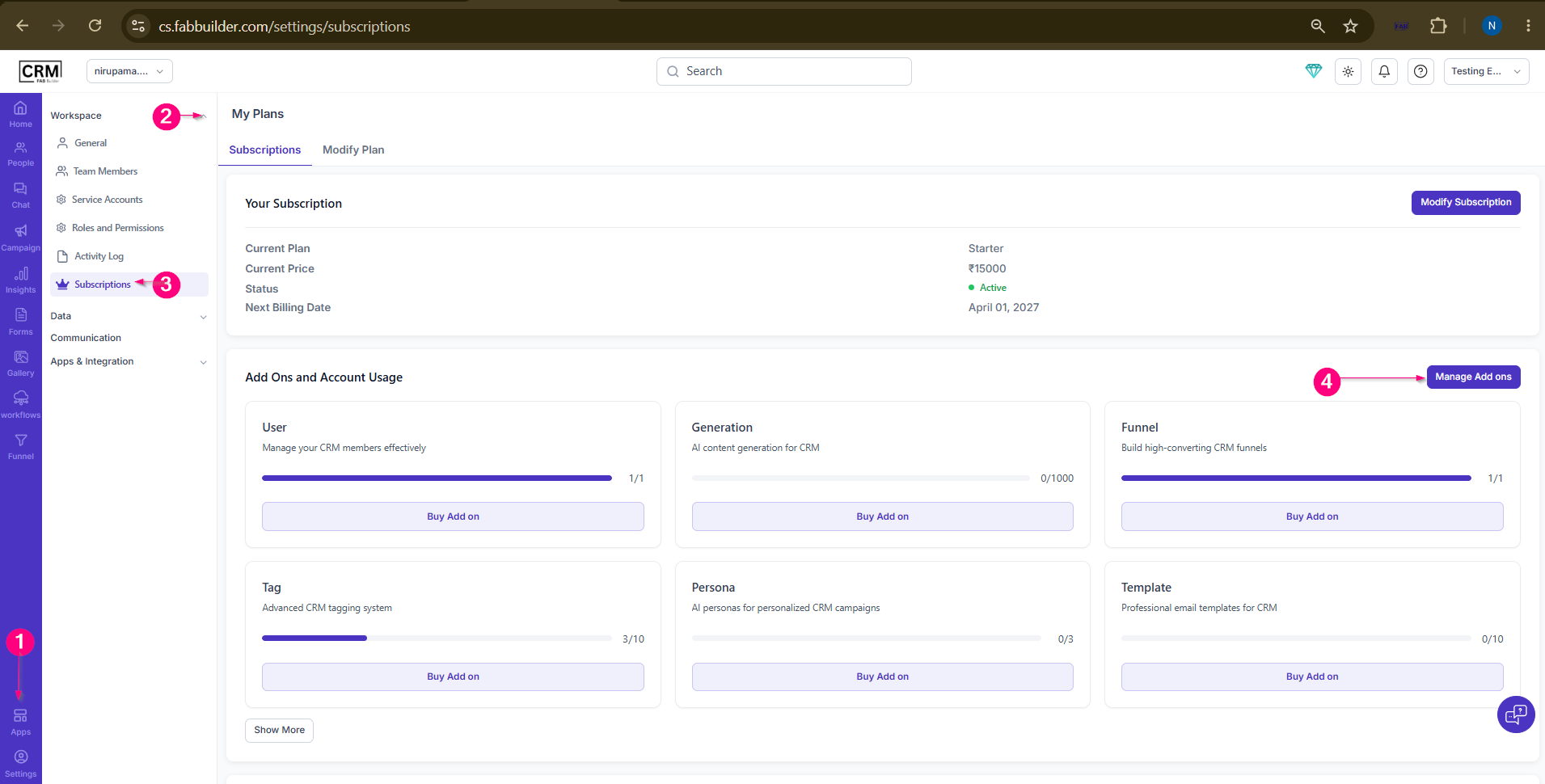
  1. Go to App.

  2. Select Workspace.

  3. Click Subscriptions.

  4. Click Manage Add-ons and Browse the available add-ons.

Sample product

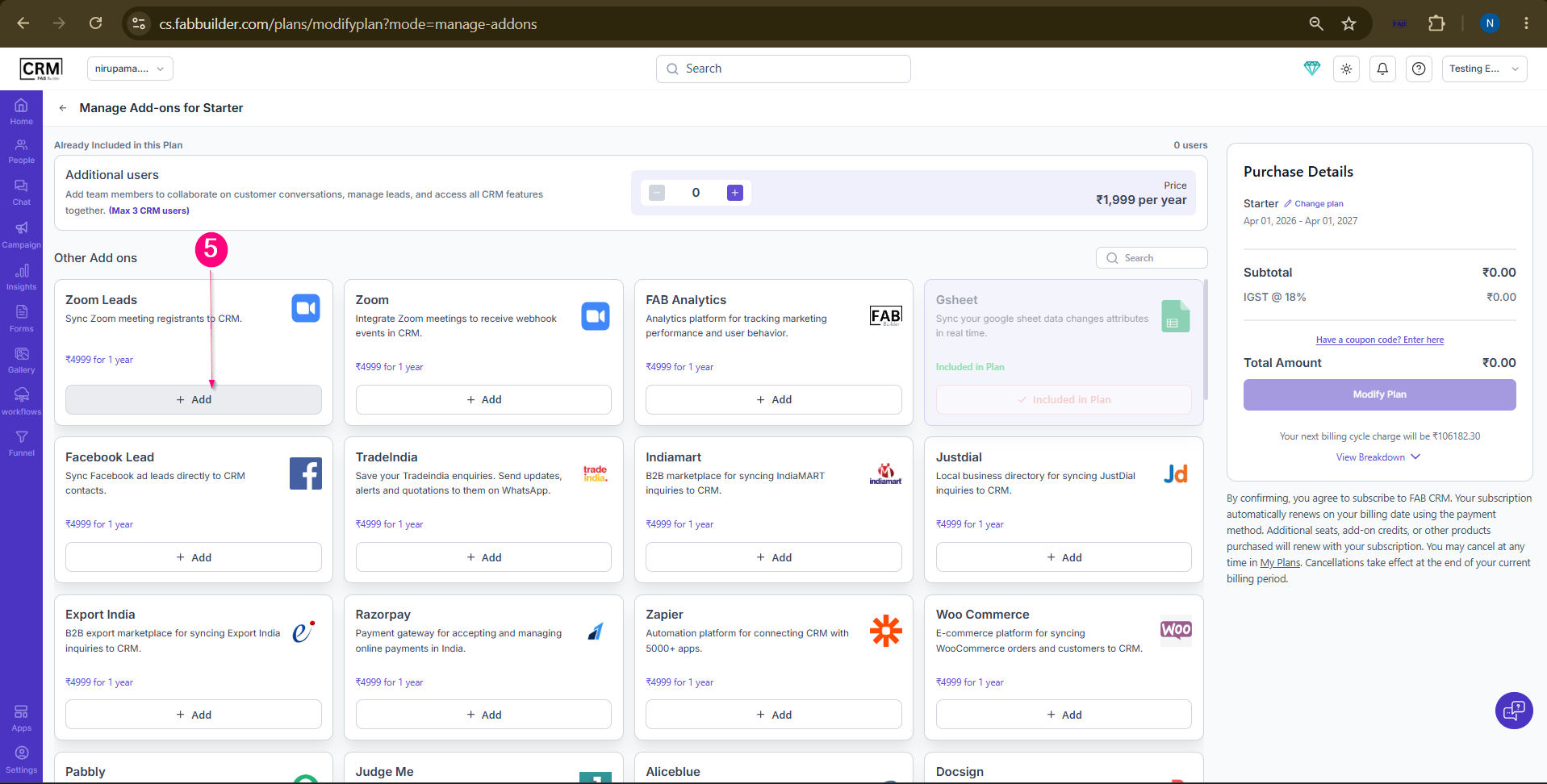
5.Click Add for the required add-on.Review the purchase details.
Sample product

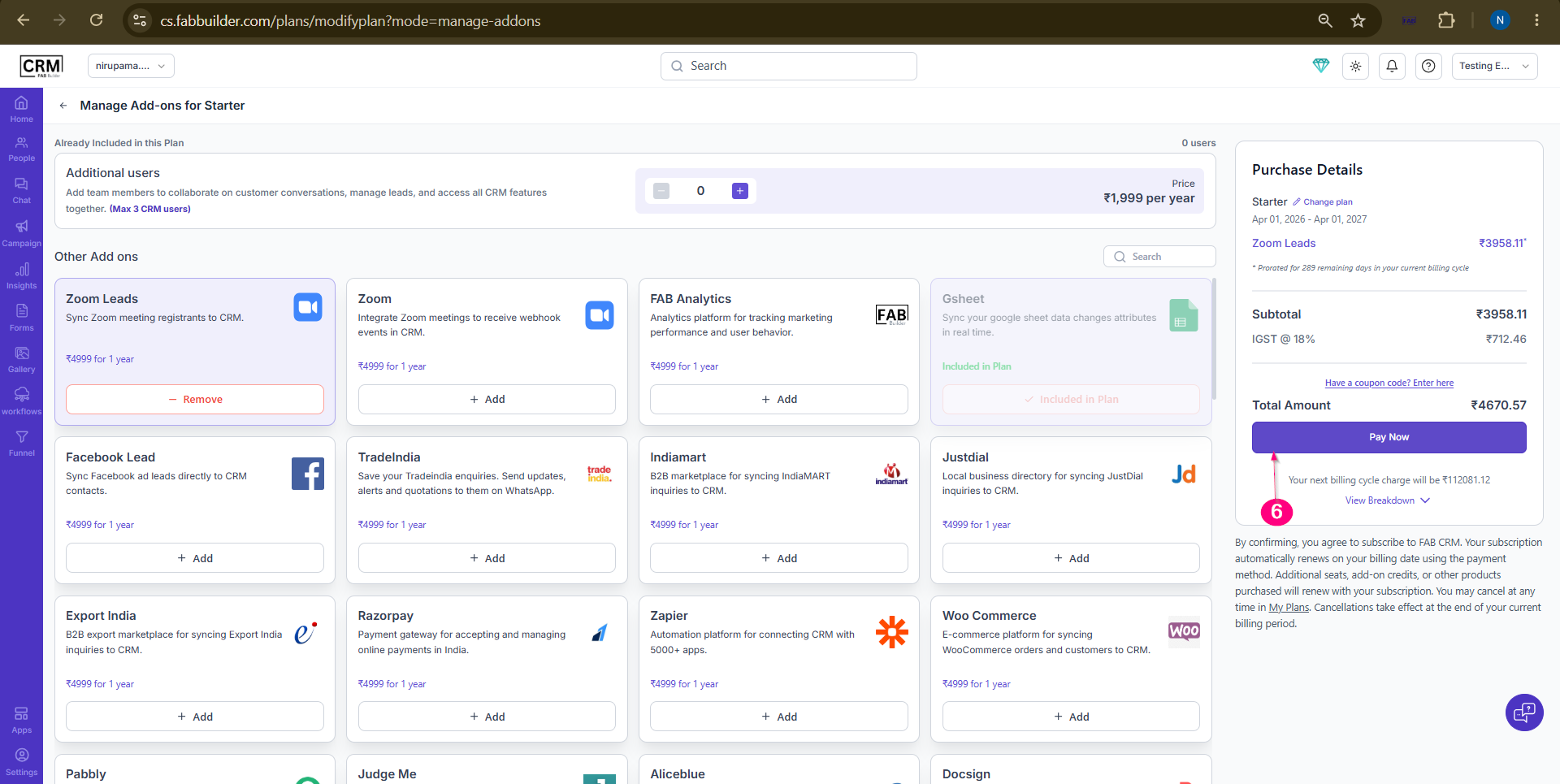
6.Click on buy now complete the purchase.
 
Sample product

Add Additional Users

  1. Go toApp.

  2. SelectWorkspace.

  3. ClickSubscriptions.

  4. ClickManage Add-ons.

  5. Locate theAdditional Userssection.

  6. Use the+orāˆ’button to adjust the number of users.

  7. Review the updated pricing details.

  8. ClickModify Planto save the changes.


Modify Subscription Plan

  1. Go to App.

  2. Select Workspace.

  3. Click Subscriptions.

  4. Click Manage Add-ons.

  5. Click Change Plan.

  6. Select the desired subscription plan.

  7. Review the plan details and pricing.

  8. Click Modify Plan to apply the changes.

Apply Coupon Code

  1. Go to App.

  2. Select Workspace.

  3. Click Subscriptions.

  4. Click Manage Add-ons.

  5. Enter a valid coupon code in the Coupon Code field.

  6. Click Apply.

  7. Verify the updated purchase details.

  8. Click Modify Plan to complete the purchase.

This format is consistent with the navigation flow used in your CRM documentation.