How to Invite a Team MemberPurposeThis section explains how to invite a new team member to the workspace. Prerequisites
Steps to Invite a Team MemberStep 1:Navigate to App Step2:Click on Workspace Step3:Select Team Members Step 4: Click theInvitebutton available on the top-right corner of the screen.
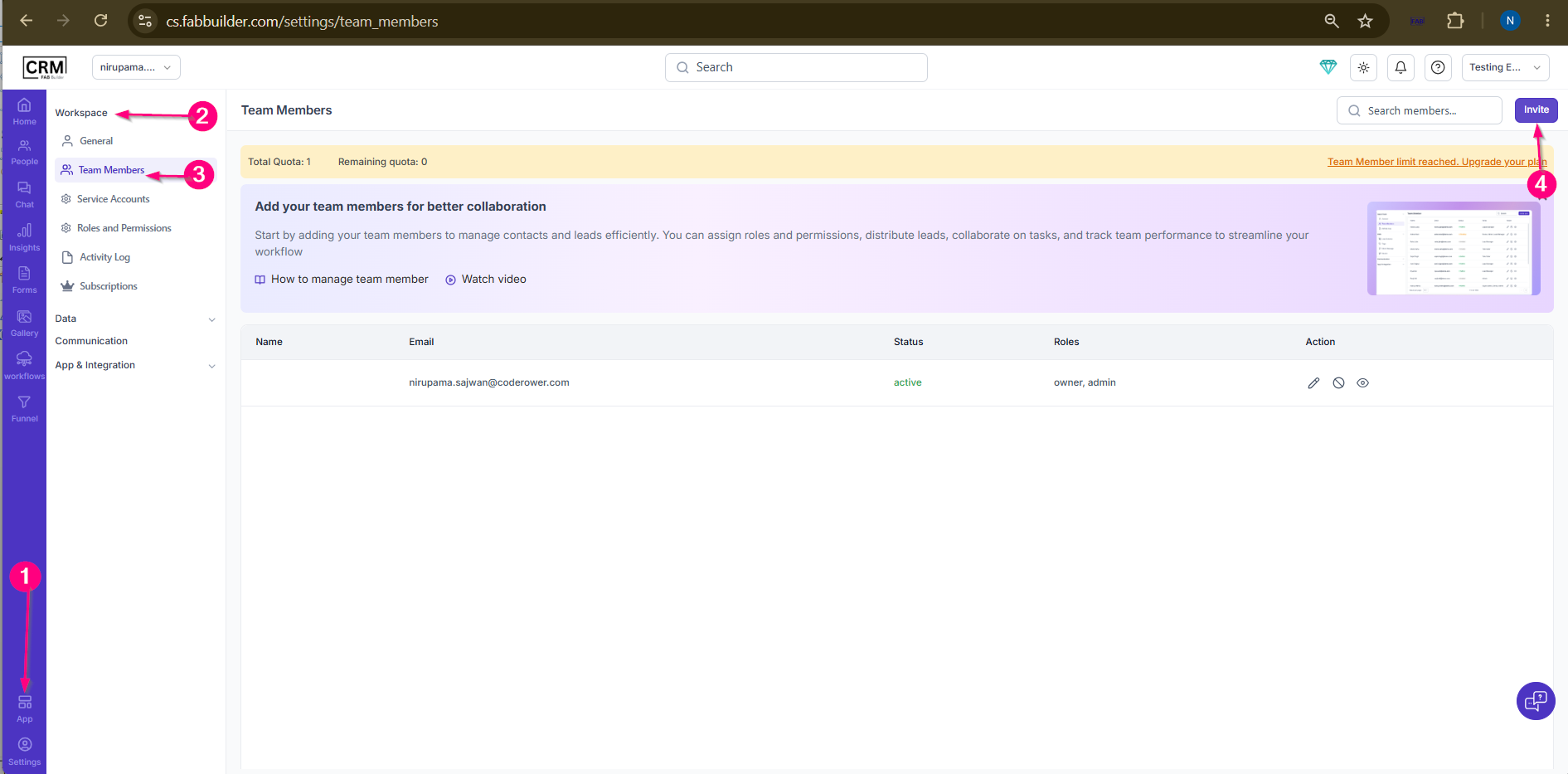 Screen- Step to invite Team Member
Step 5: Enter Team Member Details
Step 6:After adding details click on save.
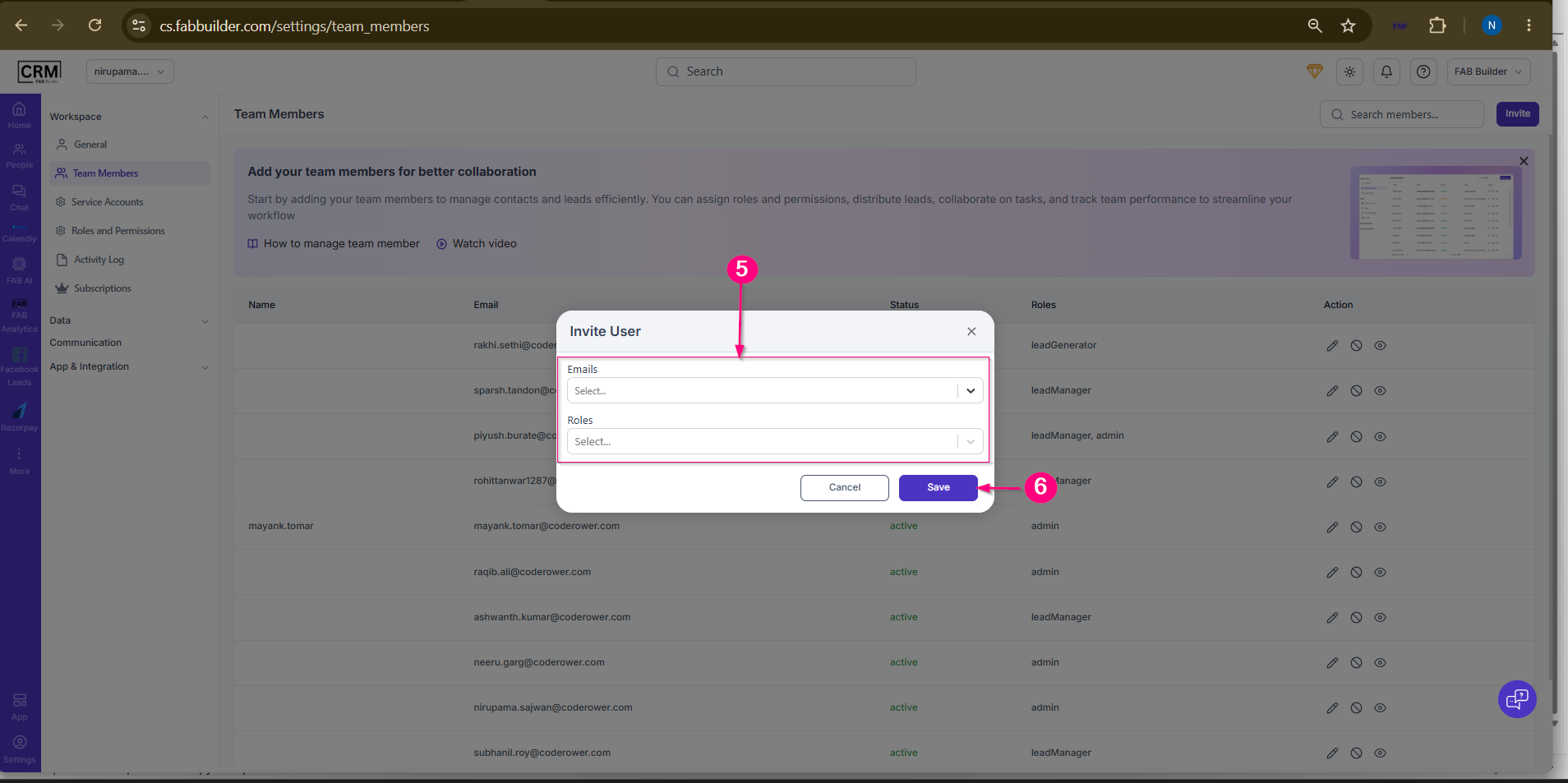 Screen-Add Team Member Details Step 7: Send Invitation
Result
An invitation is sent to the specified email address. The invited user will appear in the Team Members list and can access the workspace after accepting the invitation.
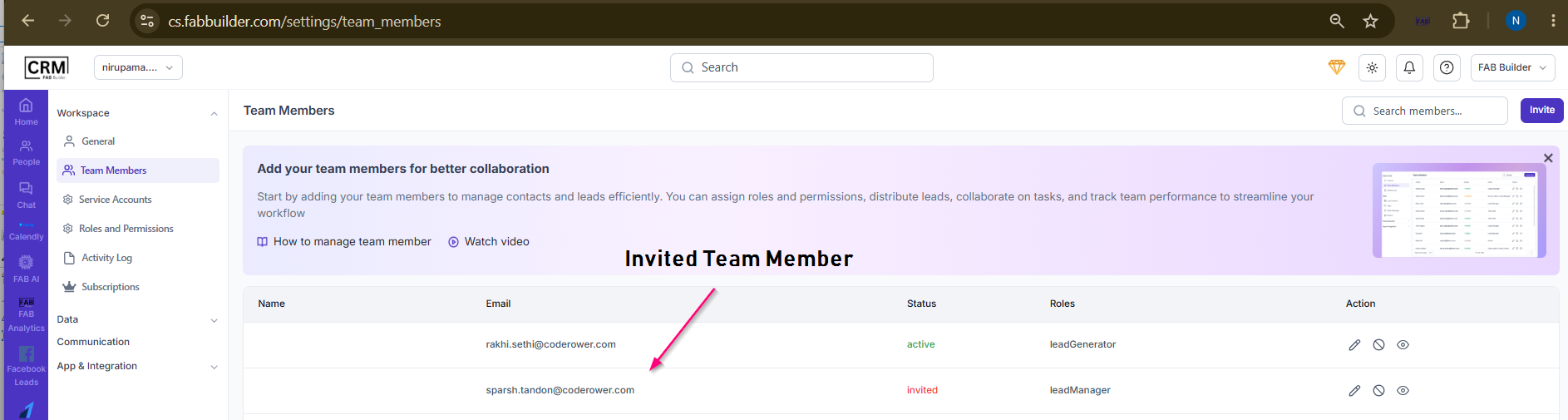 Screen-Invited Team Member Added |