Dashboard Overview
The CRM Dashboard provides a centralized view of your leads, communication, and daily activities. It helps you track performance, manage tasks, and navigate across different modules efficiently.
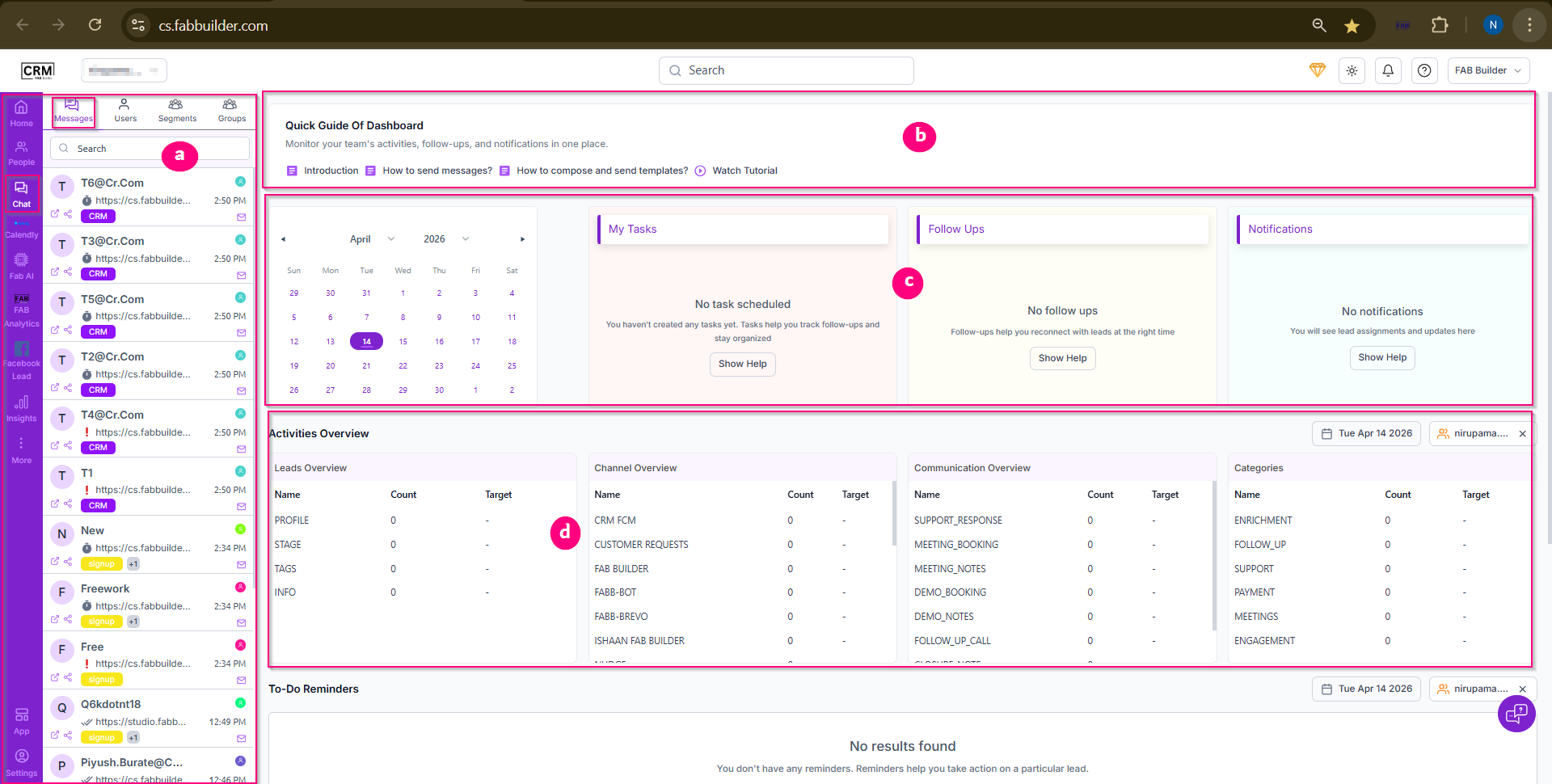
Screen(1)- Dashboard
a.Navigation & Chat List
This section allows you to navigate between different CRM modules such as Home, Messages, Users, Segments, and more. It also displays contacts and recent conversations. Selecting any item updates the main workspace dynamically.
b. Quick Guide
The Quick Guide provides helpful resources like introduction links, messaging guides, and tutorials to help users understand and use the platform effectively.
c. Tasks, Follow-ups & Calendar
This section helps you manage your daily activities:
- Calendar – Plan and view tasks by date
- My Tasks – Track scheduled tasks
- Follow Ups – Monitor pending follow-ups
- Notifications – View alerts and updates
d. Activity Overview
Provides a summary of system performance, including:
- Leads overview
- Channel performance
- Communication types
- Categories
It helps you quickly analyze overall activity. Futher scrolloing downuser can get the details of to do reminder and lead funnel
e. To-Do Reminders
Displays reminders for important actions related to leads. If no reminders are available, it shows a “No results found” message.
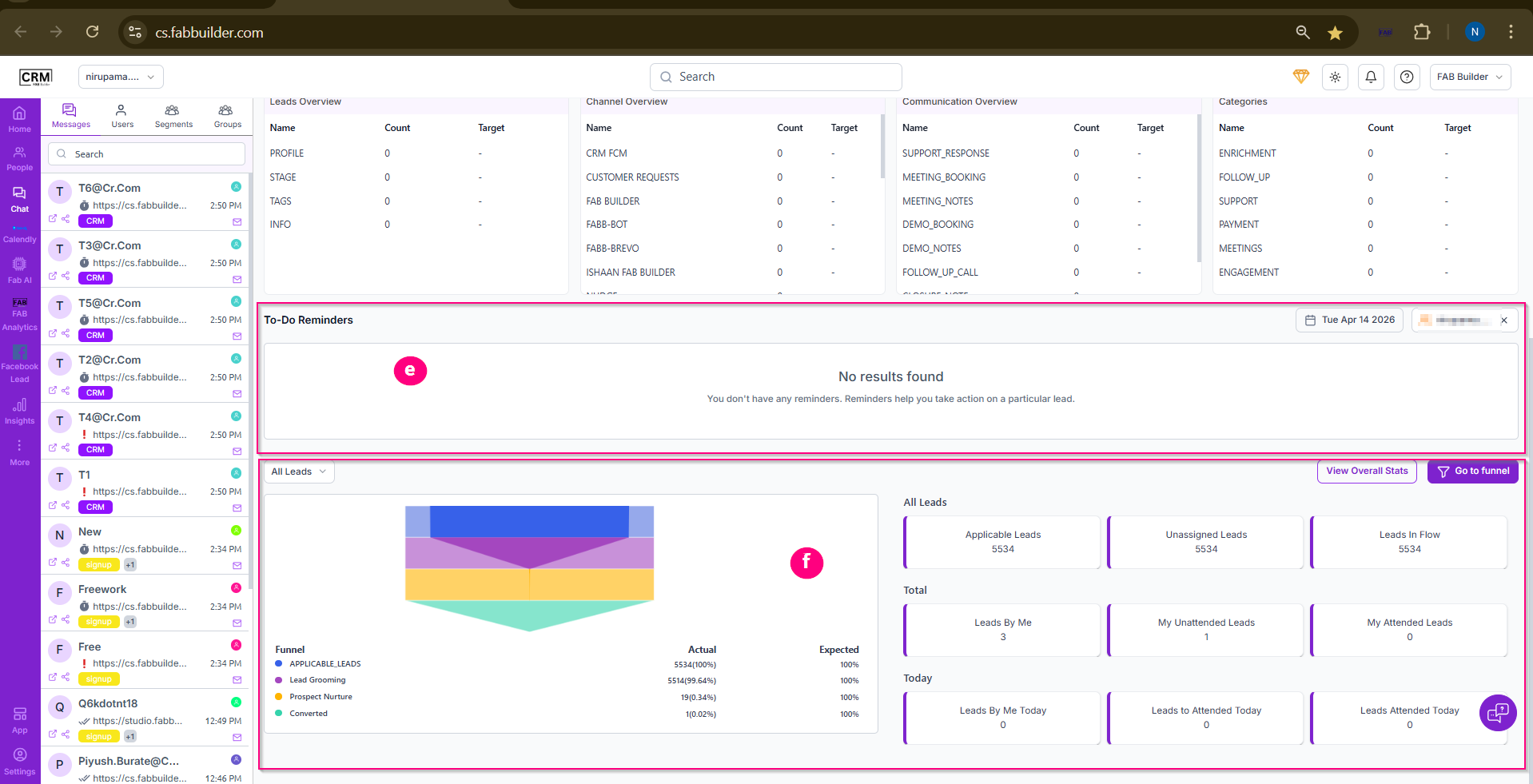
Screen(2)-Dashboard
f. Leads & Funnel Overview
This section gives a visual and statistical view of lead management:
- Funnel Chart – Shows how leads move through different stages (e.g., grooming, nurturing, conversion)
- Lead Summary Cards – Display total leads, unassigned leads, and leads in progress
- Performance Metrics – Show your handled, unattended, and daily leads
- Actions – Options like View Overall Stats and Go to Funnel for deeper insights
Summary
The dashboard is designed to give a clear, real-time overview of your CRM activities, helping you manage leads, track performance, and take timely actions efficiently.