This section describes the steps to delete or archive contacts that are no longer required in the People module.
Note
- Archived or deleted contacts are removed from the active contact list.
- Contact details may still remain available in the backend database.
- To restore deleted data, contact the administrator or backend support team.
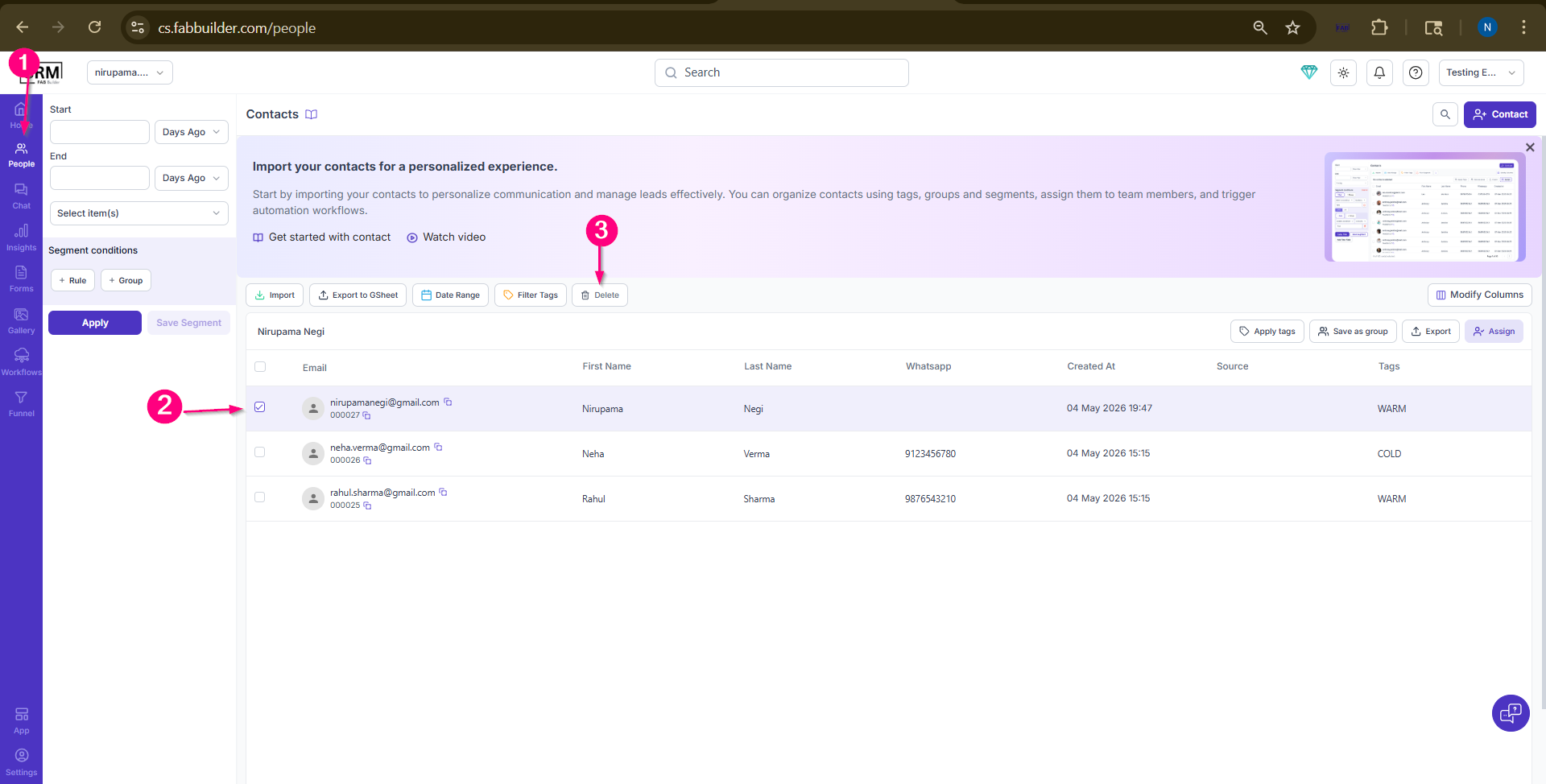
Screen- Delete Lead
1. Go to the People module.
2.Select the contact that you want to delete.
After selecting the contact, the Delete button at the top of the page near the filter section will become active.
3.Click on the Delete button.
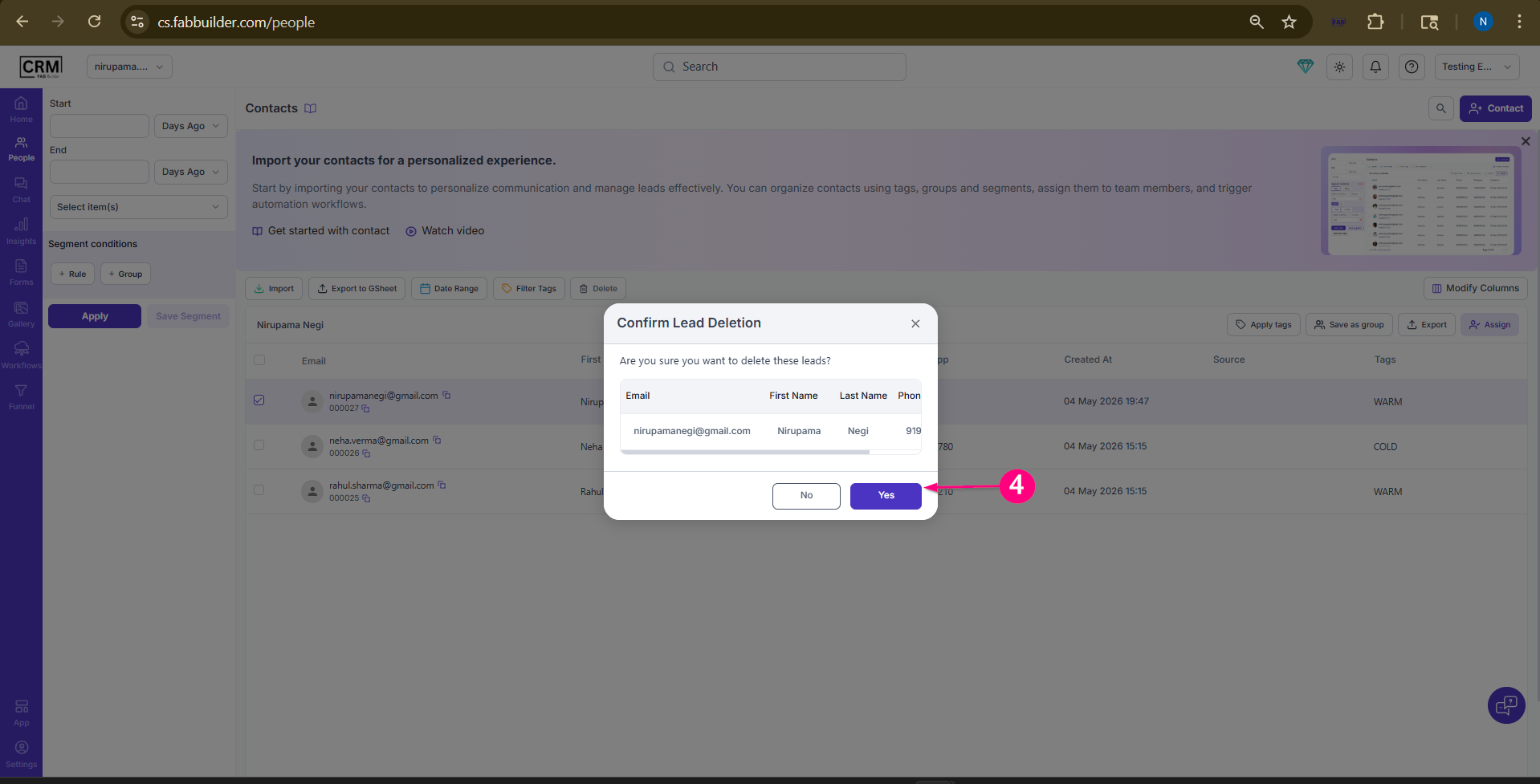
Screen- Confirm Delete lead Contact
The selected contact will be deleted successfully.
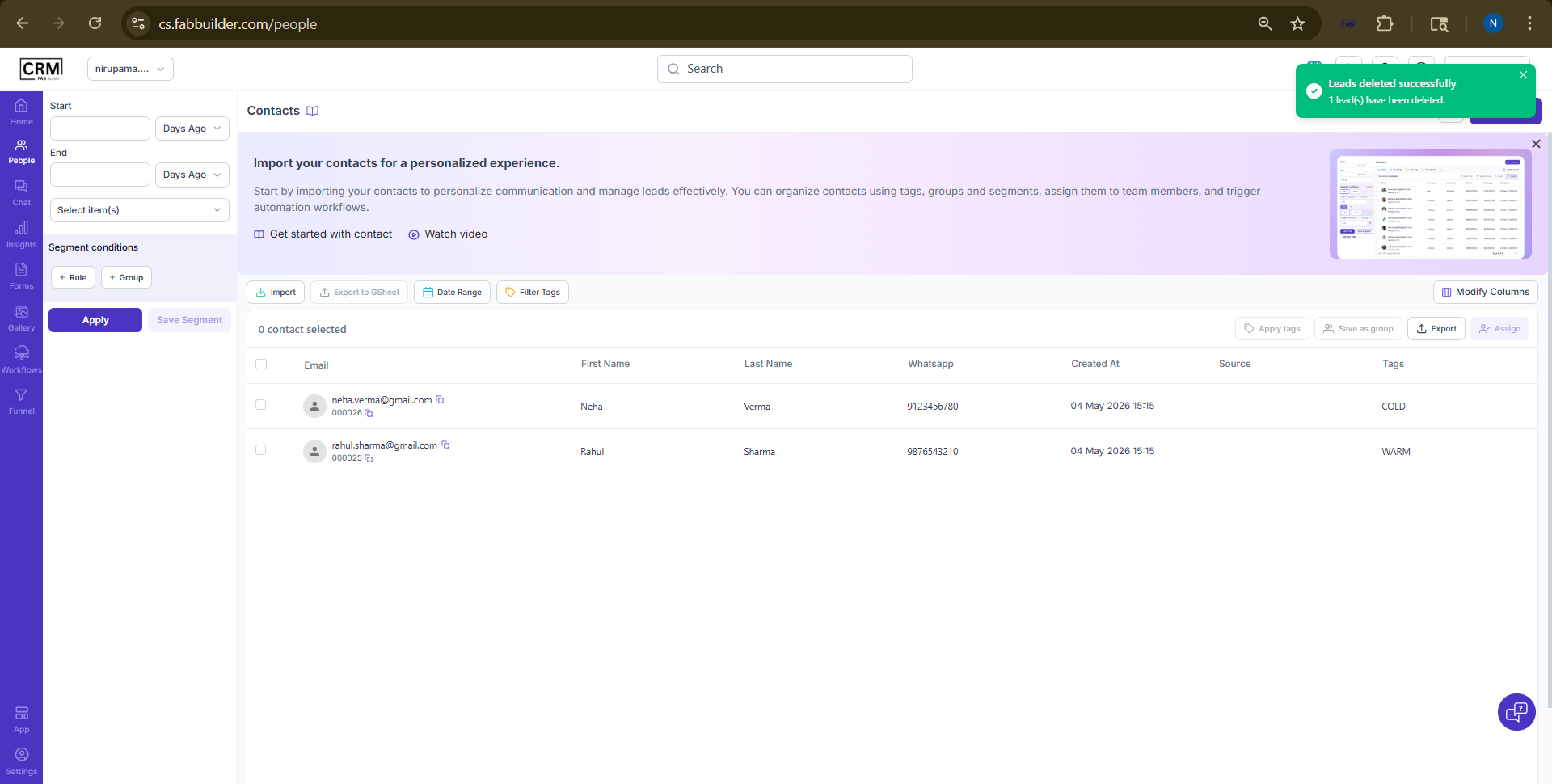
Screen- Delete lead contact Successfully