FAB Customer Experience

GuideDocs
k
FAB CRM Introduction
Getting Started
Dashboard
Home
People
Chat
Funnel
Insight Module
Forms
Gallery
Workflows
My Settings
Data
Communication
App Integeration
References

Build by FAB Builder. The source code is available on GitHub.

ContactSponsor

Translate

Choose language

Select your preferred language for this documentation.

Company Settings in CRM | Manage Workspace & Branding Info
Live
Image

Media

Color

Width

Height

Alignment

Padding

PX

Radius

PX

Border

Link

General

Navigation:
App → Workspace → General

Purpose

TheGeneralsection is used to configure and manage company information, workspace settings, branding details, and product workspace mappings. These settings are used across the CRM and connected FAB applications.

Screen Components
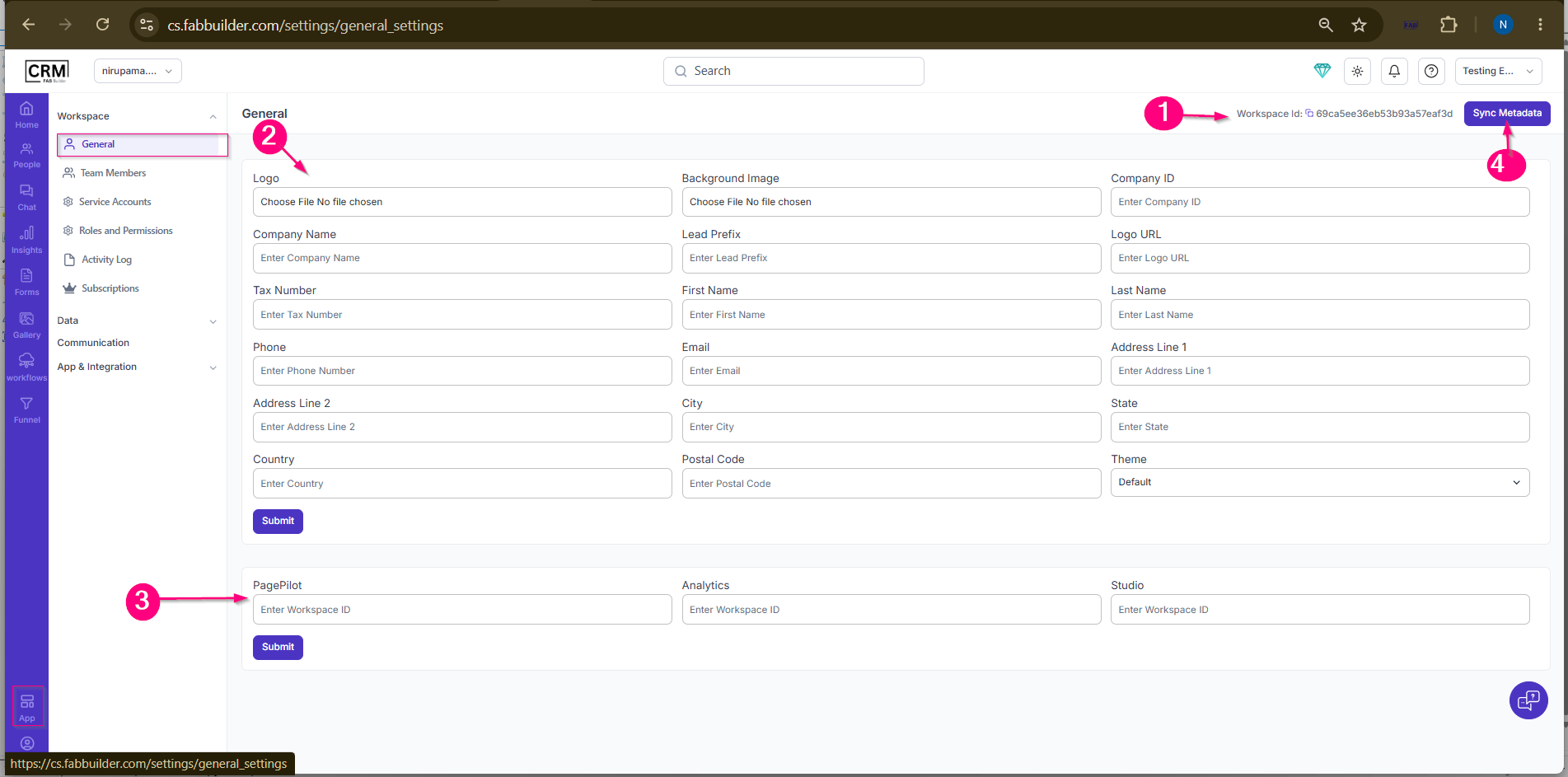
 

General Screen Components

1. Workspace ID

  • Displays the unique identifier of the current workspace.

2. Company & Branding Information

  • Used to configure company details, branding, contact information, address details, and theme settings.

3. Product Workspace Mapping

  • Used to map PagePilot, Analytics, and Studio workspaces with the current CRM workspace.

4. Sync Metadata

  • Synchronizes workspace configuration and metadata across connected FAB applications and modules.

 
Sample product
id:#ahd-block-1781200315483-i4bji76