This screen helps you view all incoming leads in one place, clearly showing their source and creation date. It allows you to assign or reassign leads to the appropriate team members for follow-up and monitor lead activity and engagement through FAB Analytics, ensuring better tracking and faster conversions.
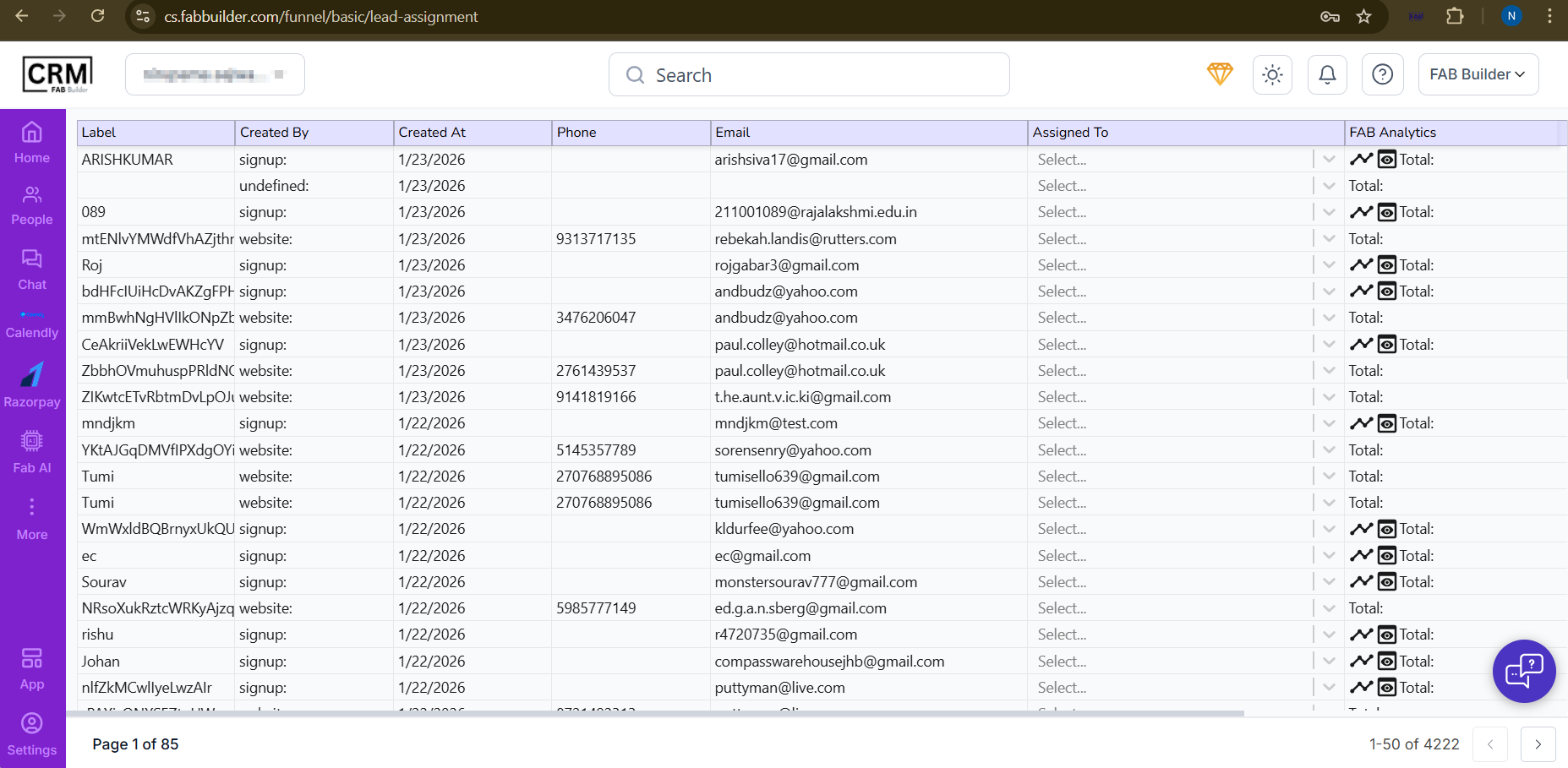
Screen- Lead Assignment/Chat Module
Navigate
User can access this screen by clicking on Lead cards Funnel description on chat screen(right side).
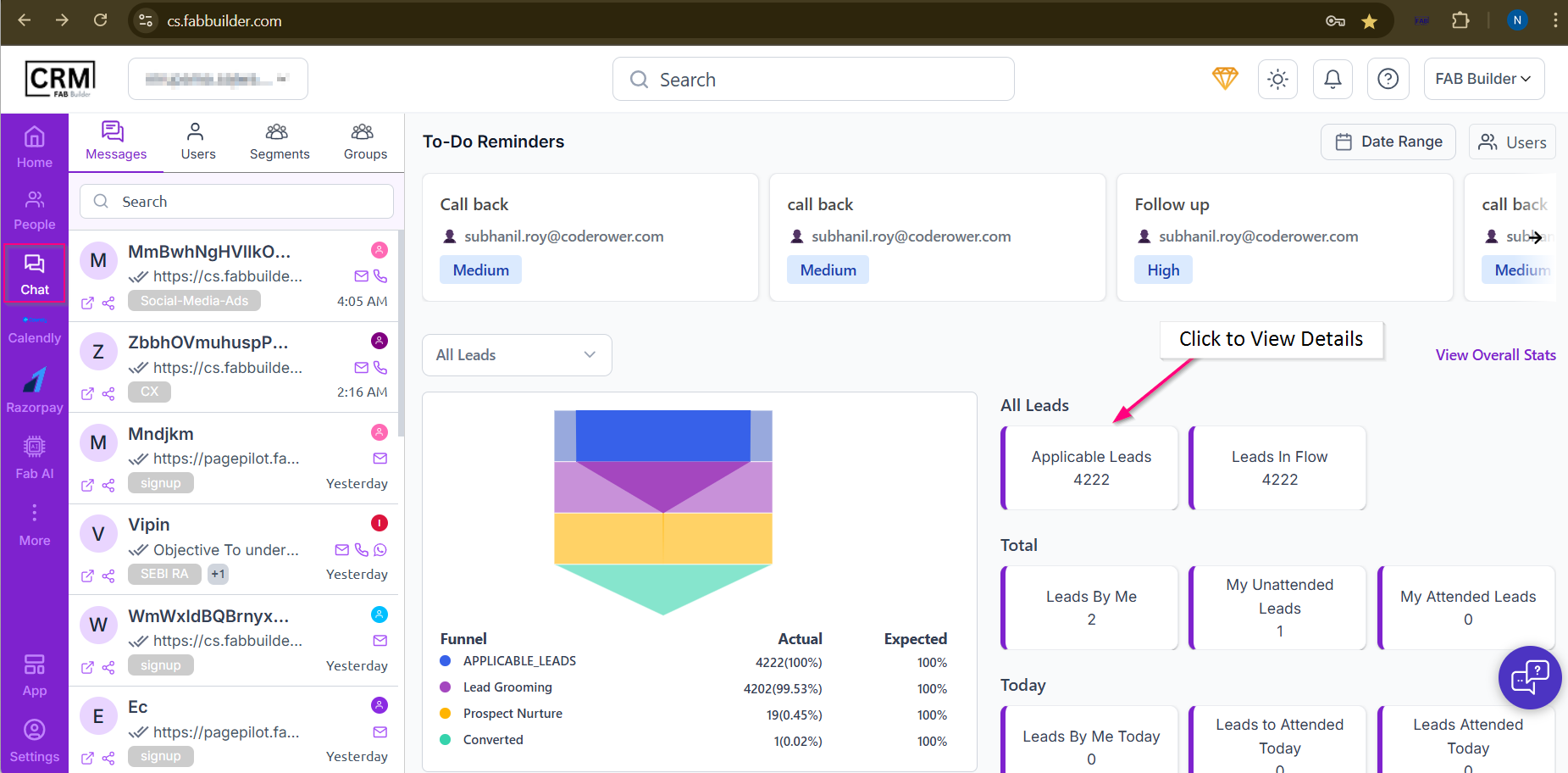
Screen- Access to Lead Assignment screen/Chat Module Screen
Column-wise Explanation
- Label
- The lead name or system-generated identifier.
- Created By
- Shows the source of the lead, such as:
- signup – lead created via sign-up form
- website – lead captured from website
- undefined – source not identified
- Created At
- Date when the lead was created in the CRM.
- Phone
- Contact phone number of the lead (if available).
- Email address captured for the lead.
- Assigned To
- Used to assign the lead to a sales executive or team member.
- Clicking Select opens a dropdown with available users.
- FAB Analytics
- Displays quick analytics related to the lead, such as:
- Activity tracking
- Lead interaction summary
- Total engagement (shown as Total)
Assign a Lead to a Team Member
This section describes how to assign a lead to a specific team member for better lead management by following the prerequisites mentioned below.
Prerequisites
- Lead details must be added.
- Team member must be added.
- Funnel must be assigned to the lead/contact added inside the People module.
Steps to Assign a Lead
After successfully logging into https://cs.fabbuilder.com follow the steps below to assign a lead to a team member:
1.Go to the Chat Module.
On the chat screen, locate the lead card on the right-side panel.
2.Click on the Applicable lead card → you will be redirected to the Lead Assignment screen.
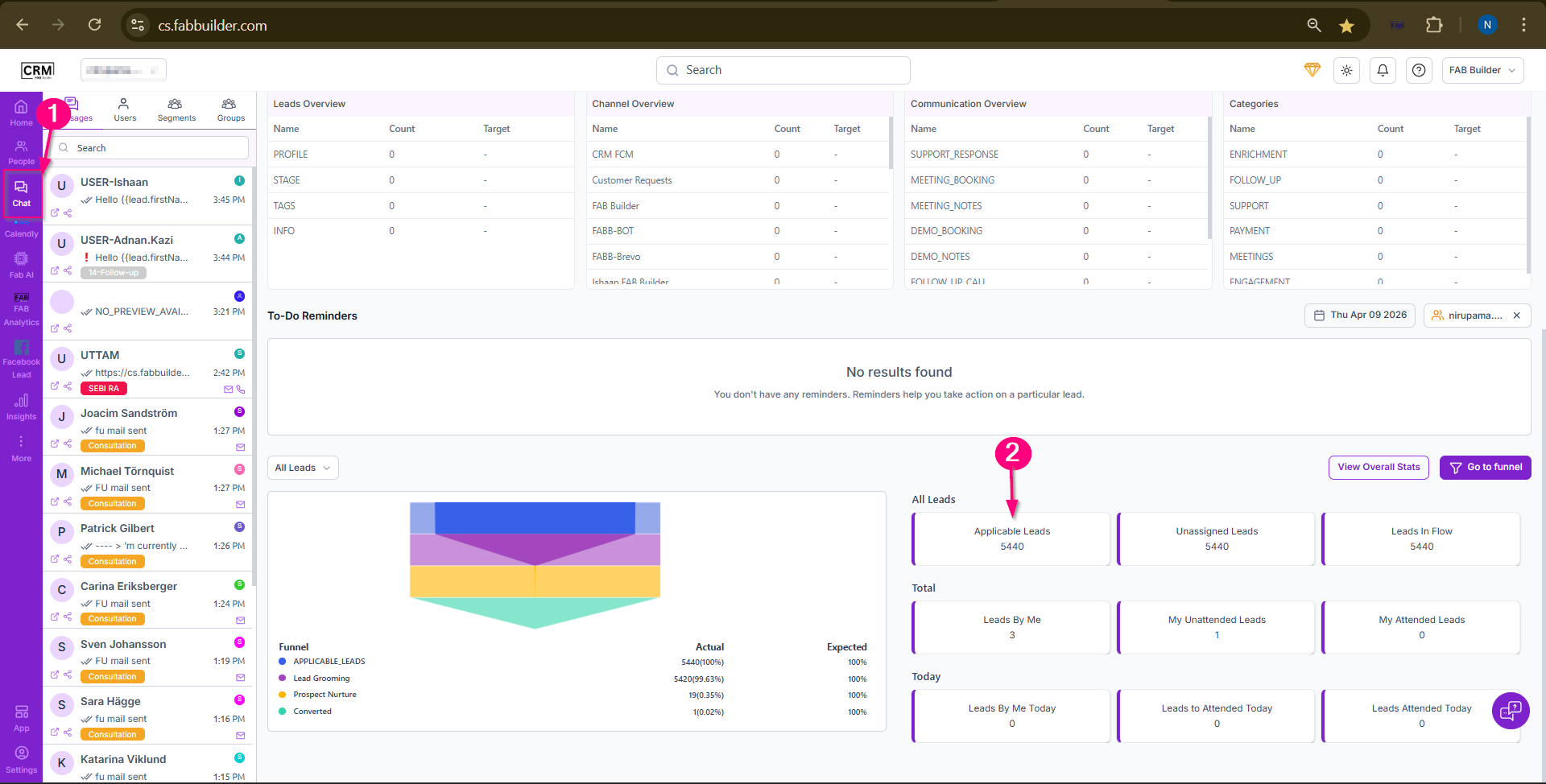
Screen- Step to Assign lead
3.Click the drop down menu of Assign to column correspoding lead selected for follow up.
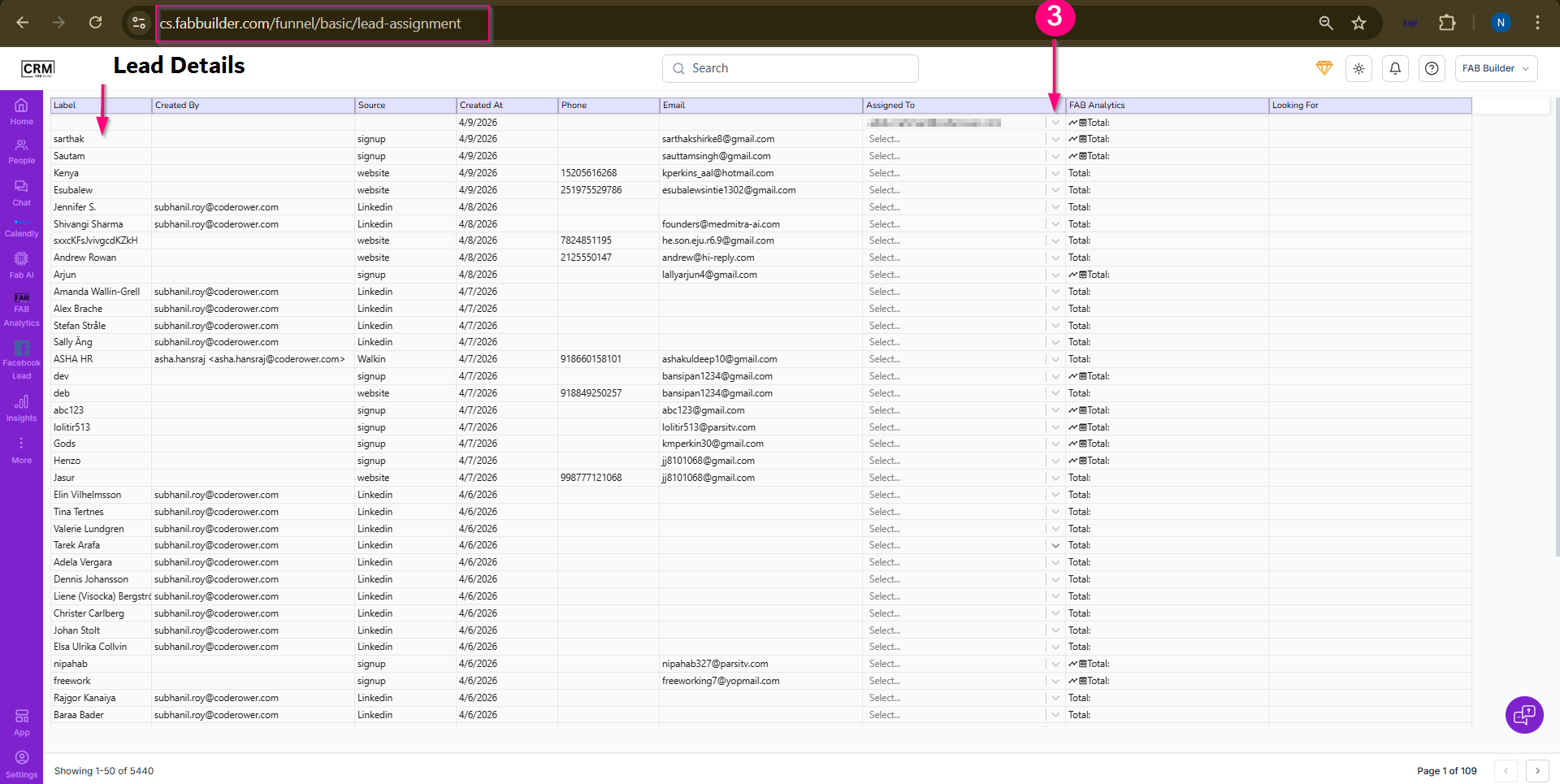
Screen- Select the Team member
This click will display the list of team members.
4.Select the required team member for the corresponding lead.
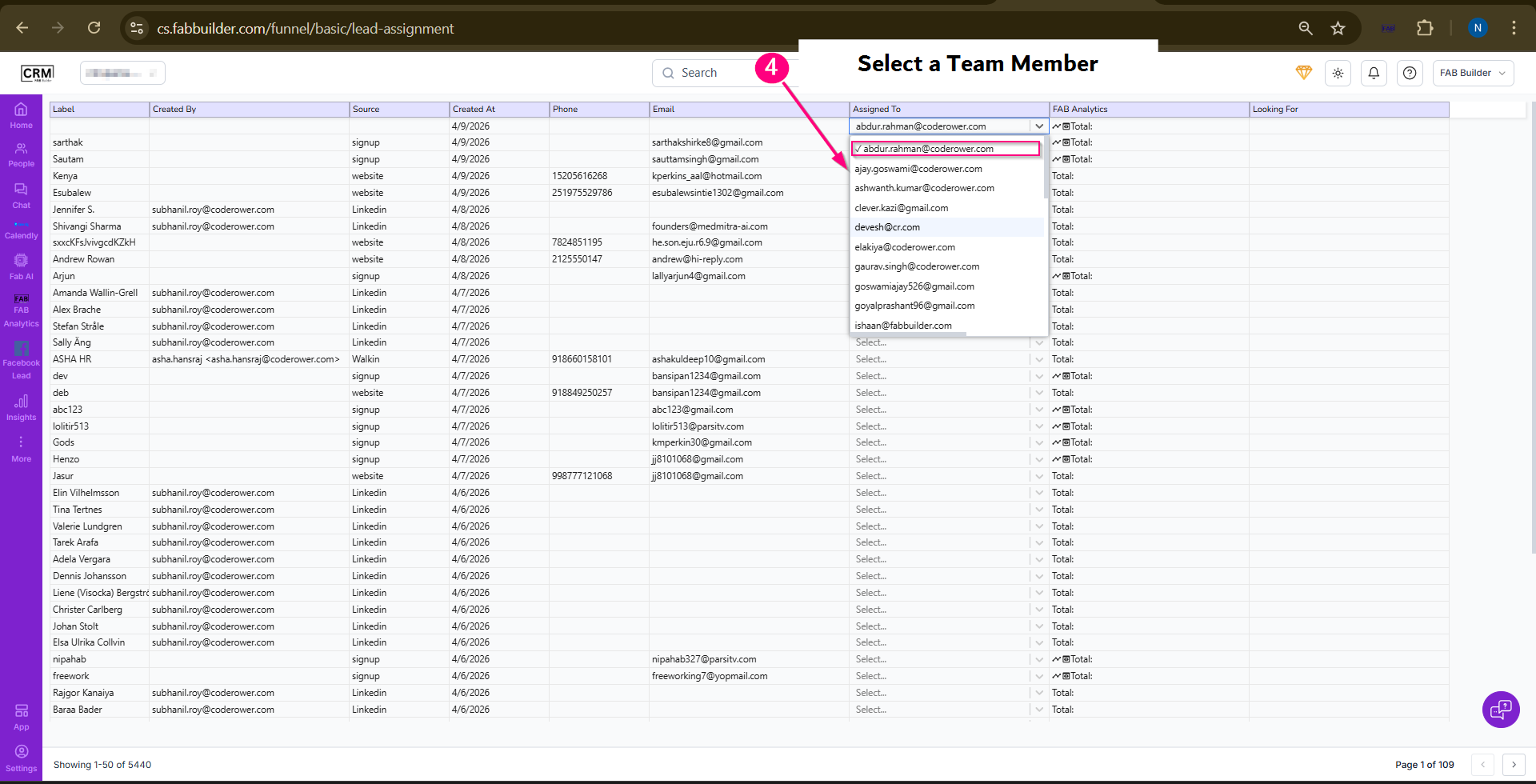
Screen- Select the Team Member to be Assigned
Now user can view the details of added team member assigned to a lead.
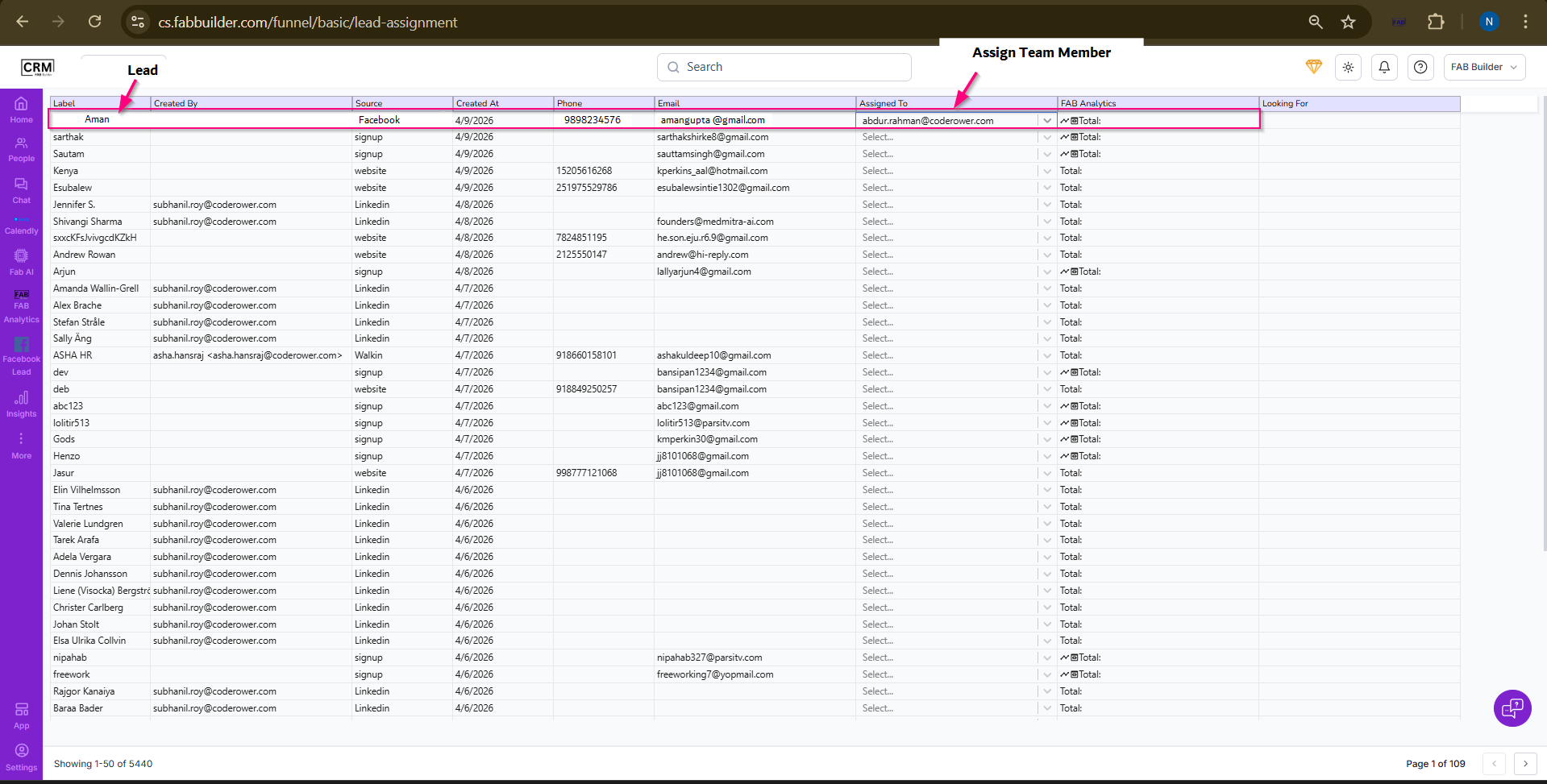
Screen-Lead Assigned Succesfully