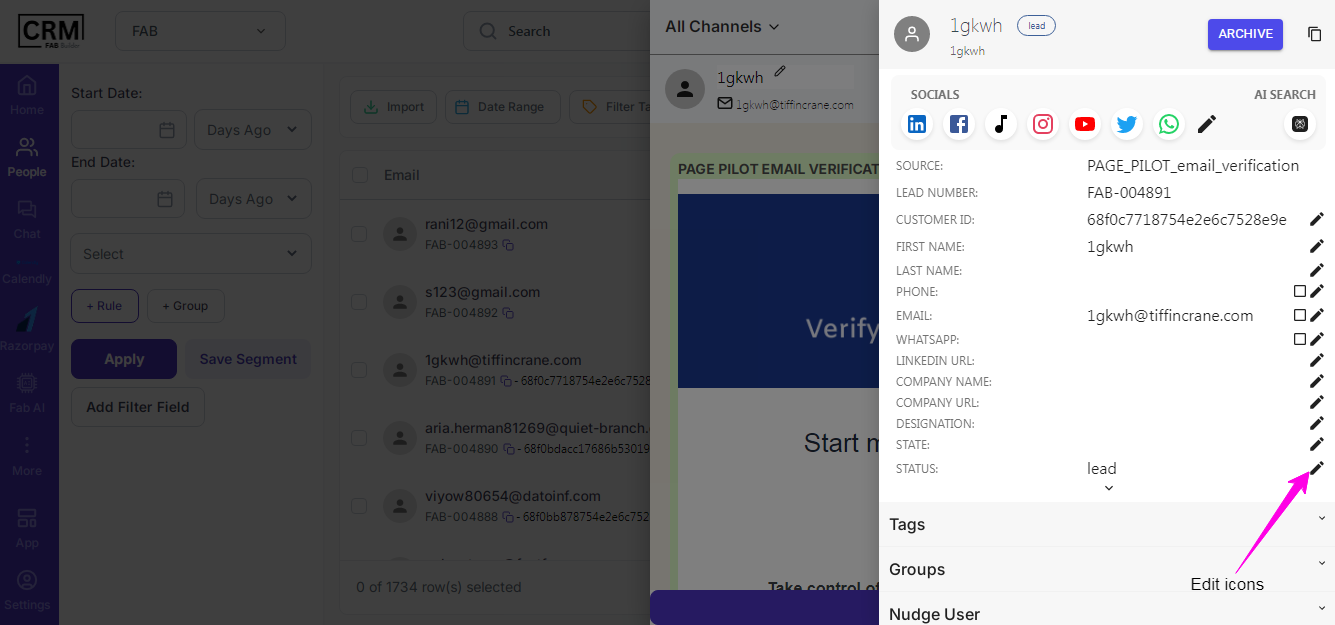
This screen allows the user to edit the details of people. Users must proceed with the following steps:
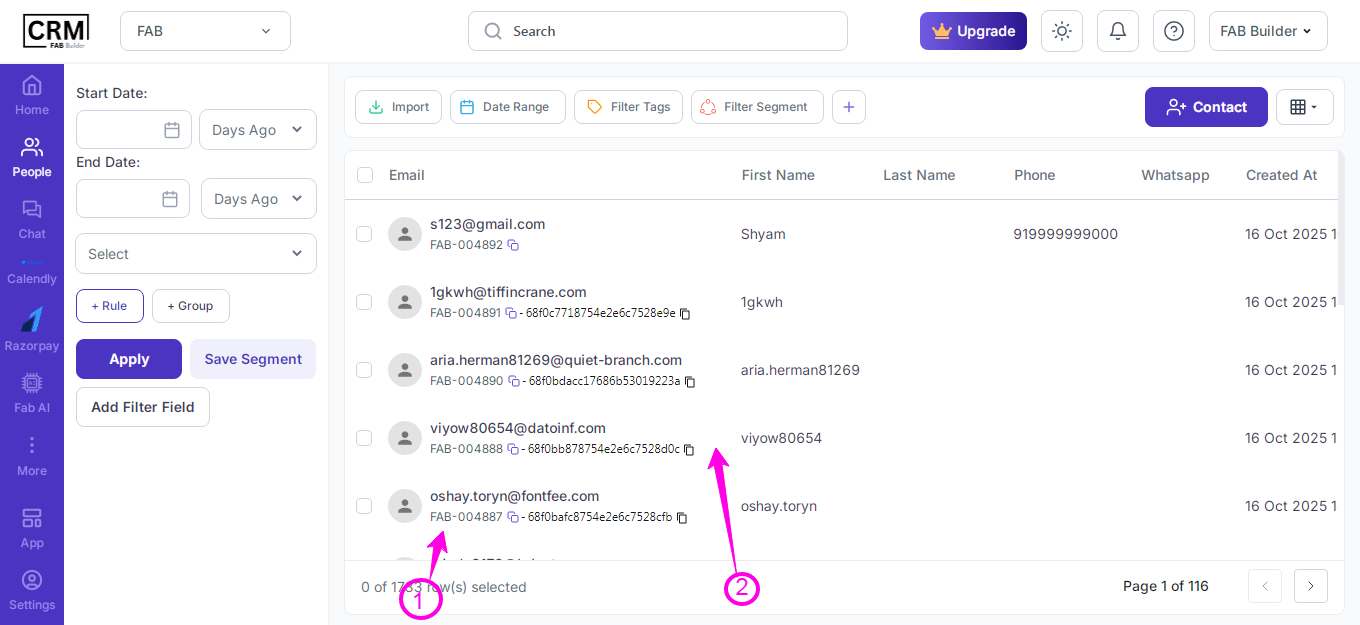
1. Navigate the cursor to the People’s Email column, which displays the Email/Message icon next to the name.
2. Click on the Email/Message icon. This click will open a slide-away panel on the right side, mentioning specific user details to be edited.
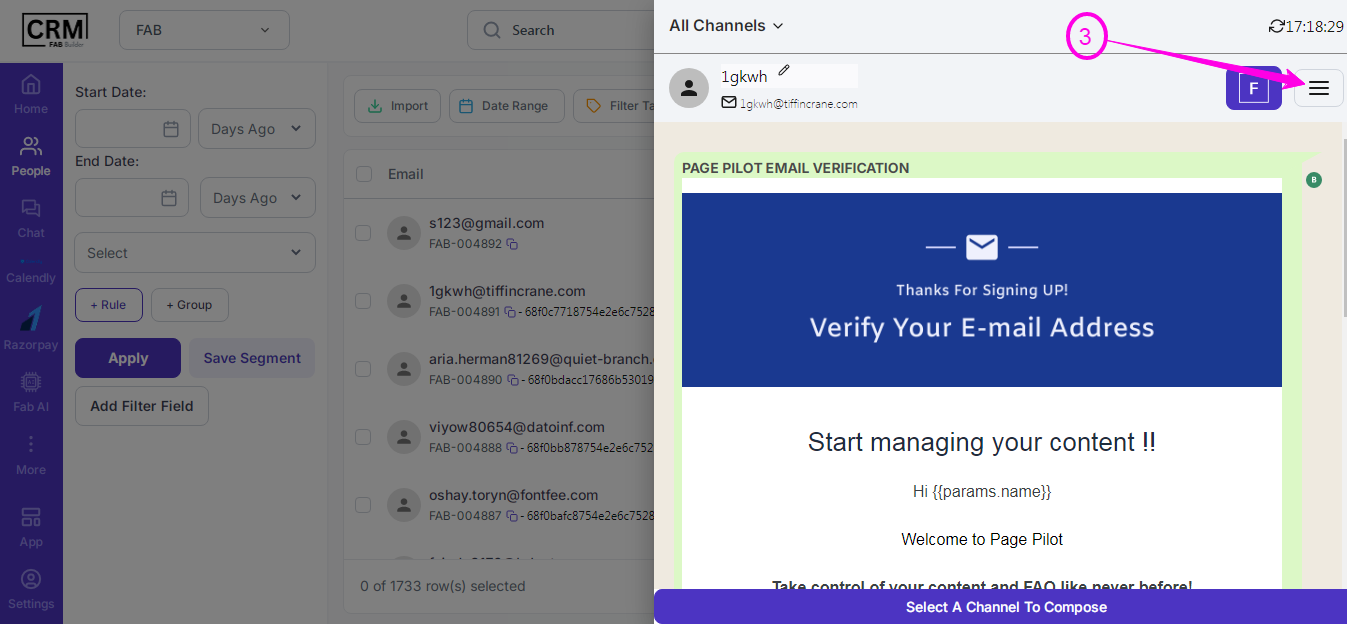
3. People’s details can be edited by clicking on the Edit button on this slide-away panel. It opens another side for listing the details of a person/contact and allows them to edit multiple fields.
4. The same can be navigated by clicking on other columns of the People list, which directly points to the Edit slide-away panel.