Edit Lead Schema Field
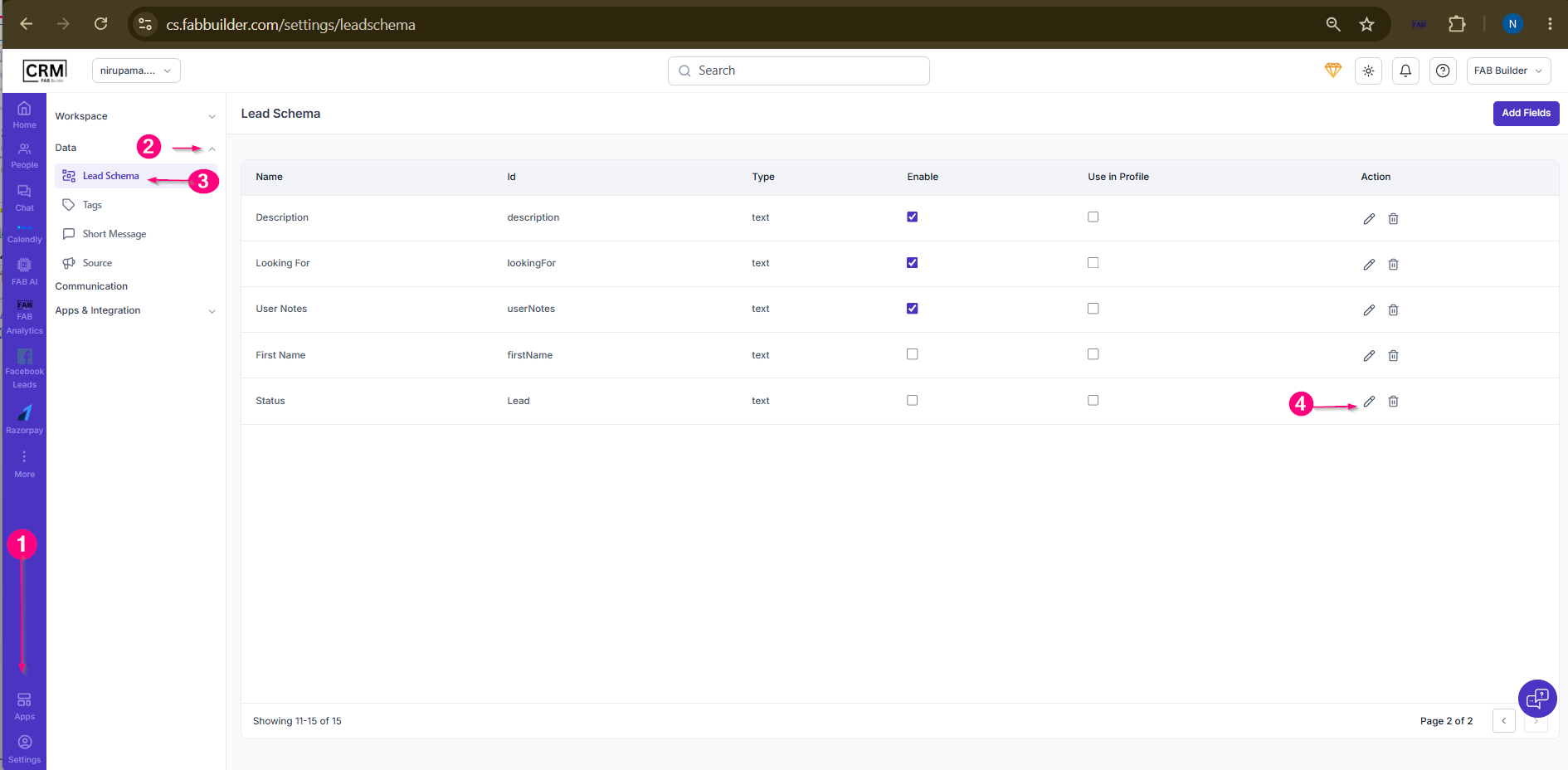 Screen- Select Lead Schema Field 5.Update the required details. 6Click Update. 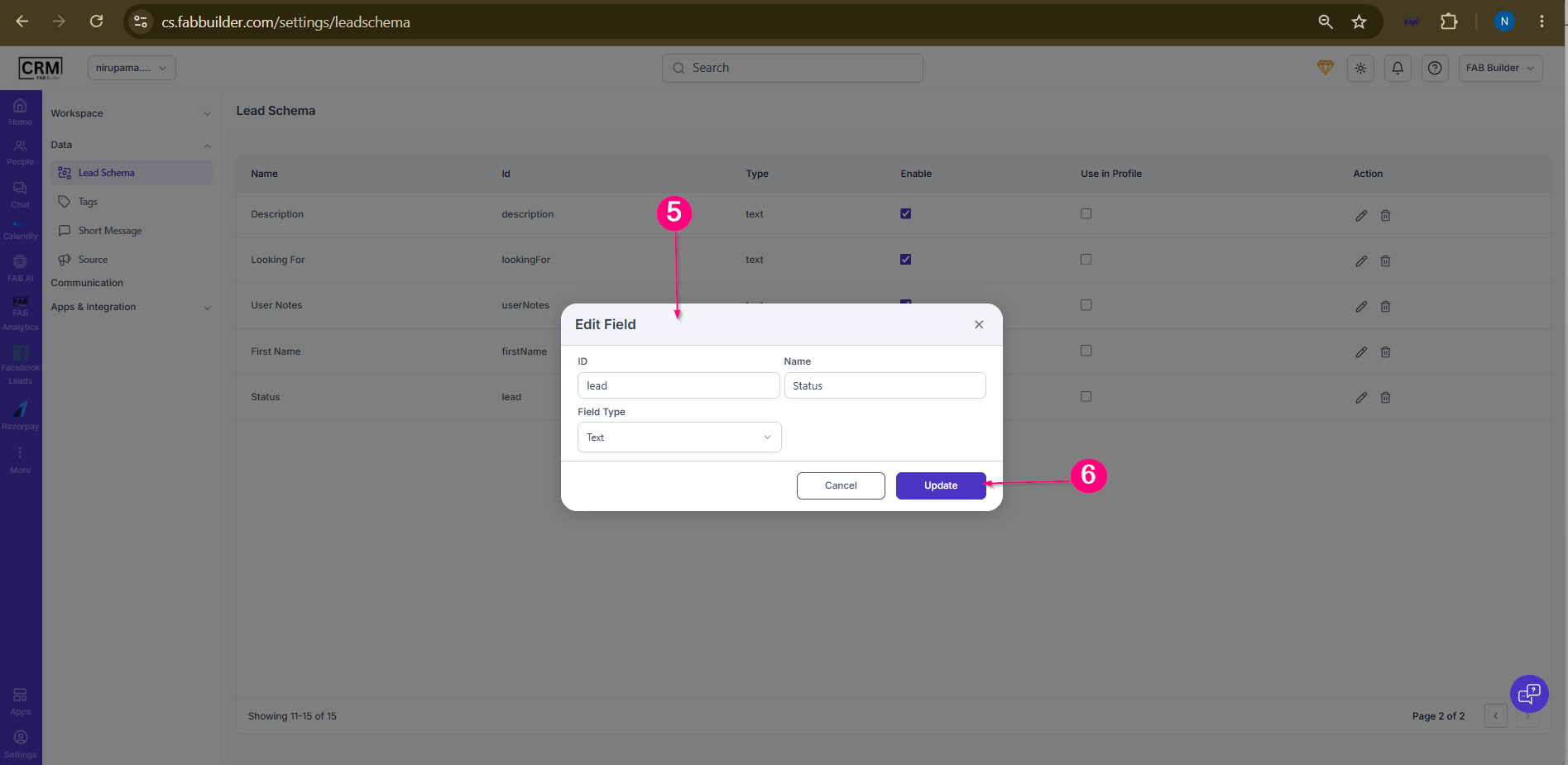 User can view the edit details mentioned below. 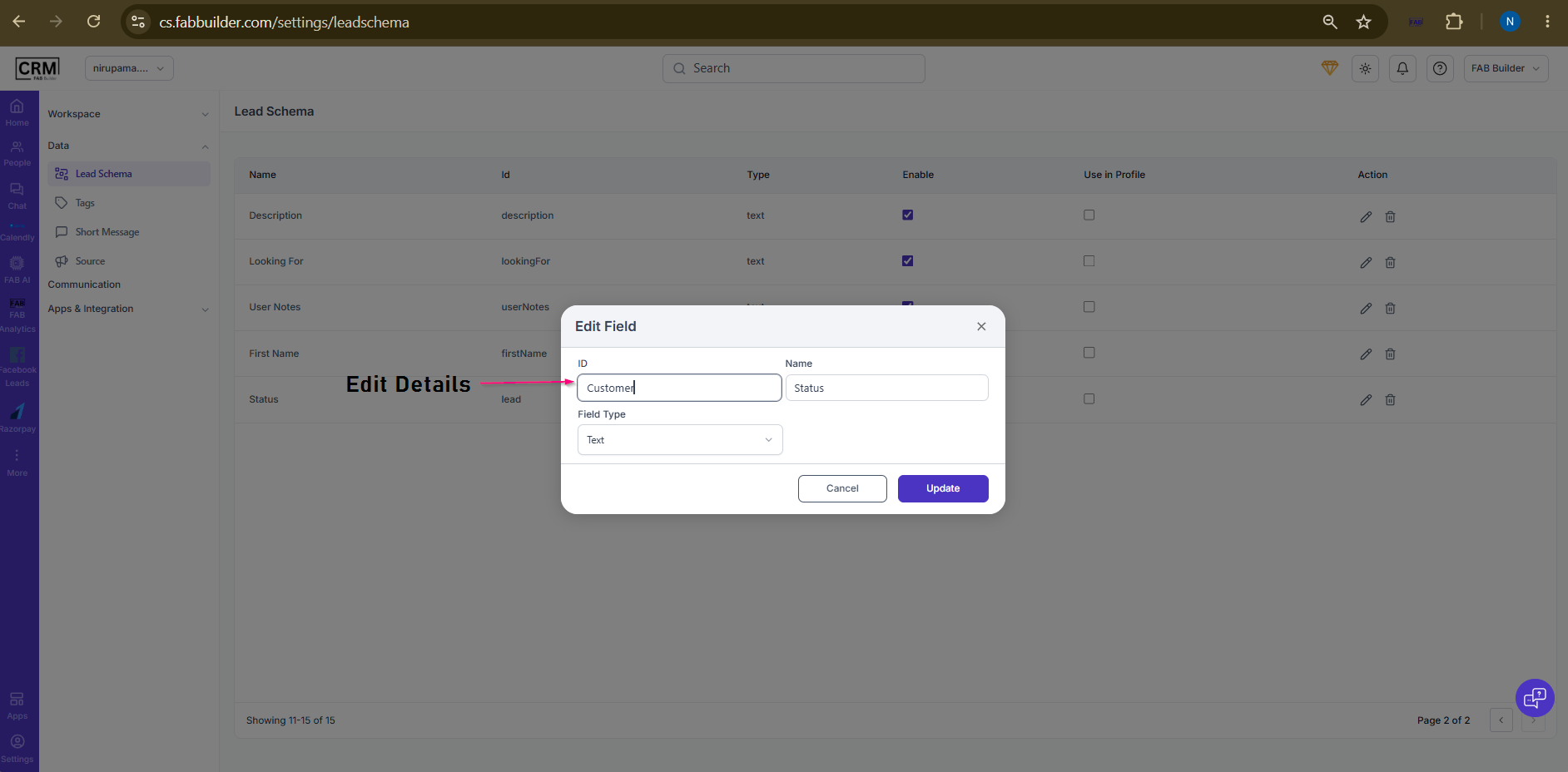 Screen- Edit Details
Result: 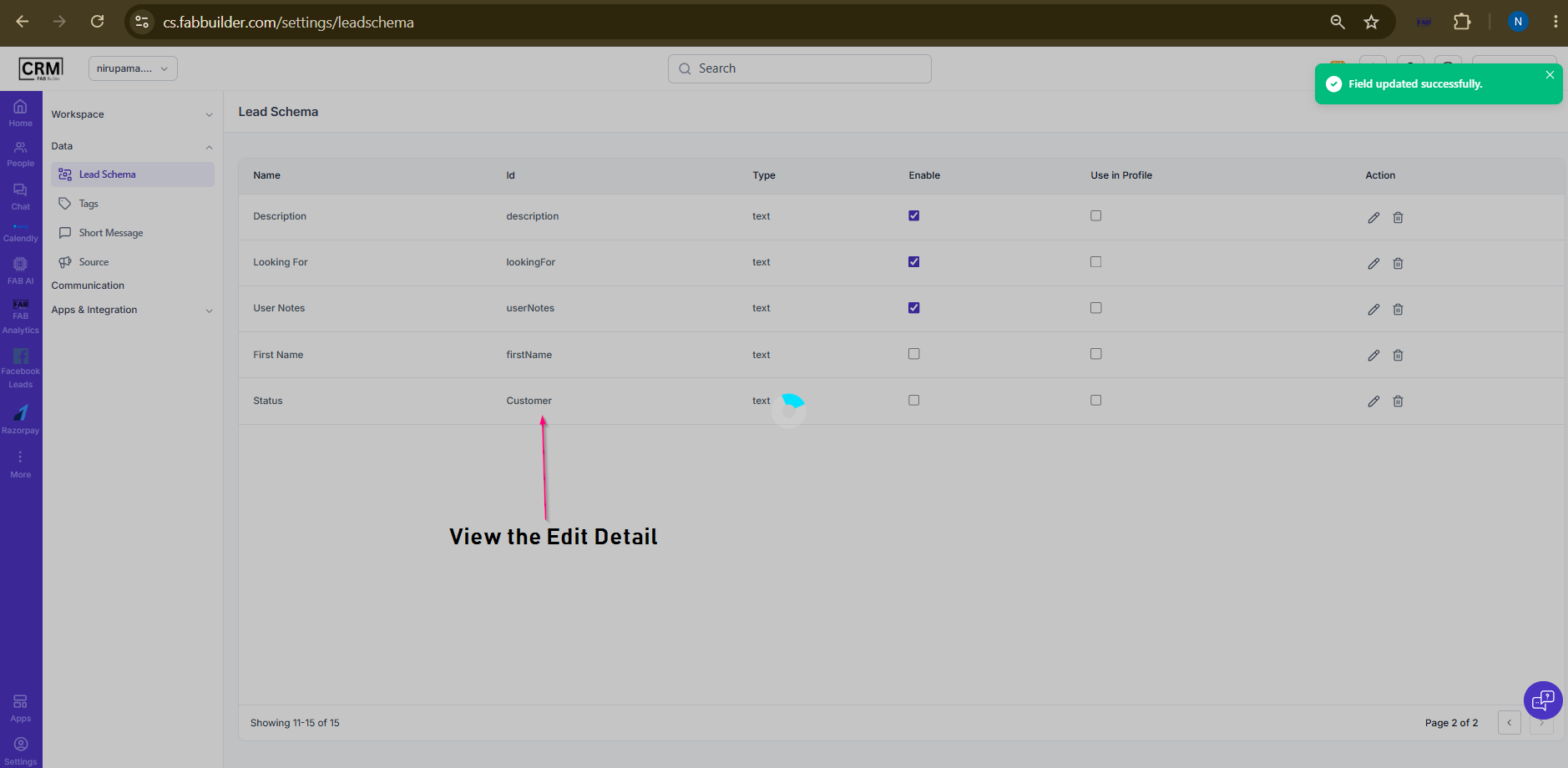 Screen- Updated Lead Schema Detail |
Edit Lead Schema Field
Screen- Select Lead Schema Field 5.Update the required details. 6Click Update. User can view the edit details mentioned below. Screen- Edit Details
Result: Screen- Updated Lead Schema Detail |