Create TagPrerequisiteUser must have access to Tag Management. Steps
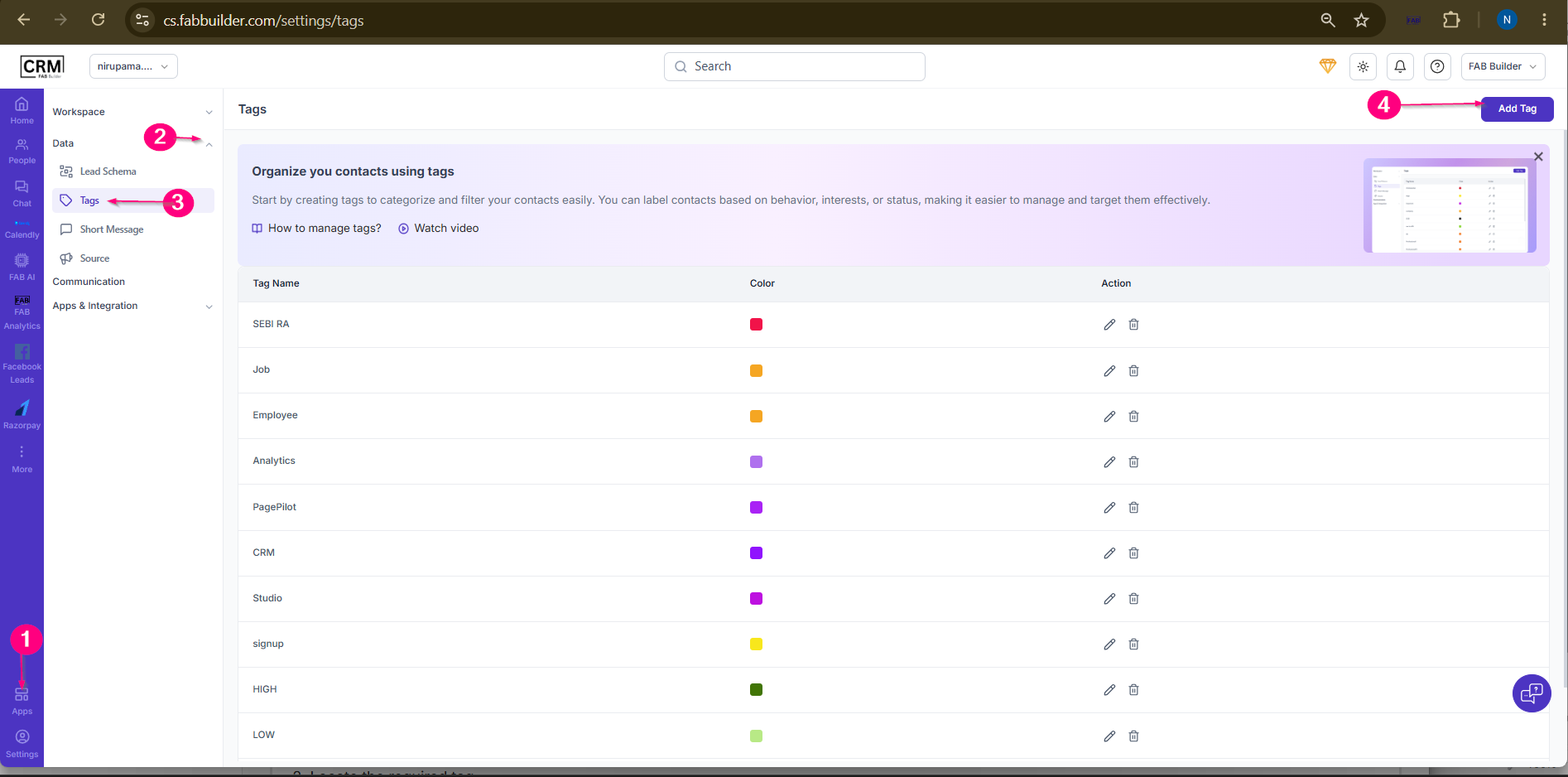 5.Enter the tag Title. 6.Select a Tag color. 7.Click Save. 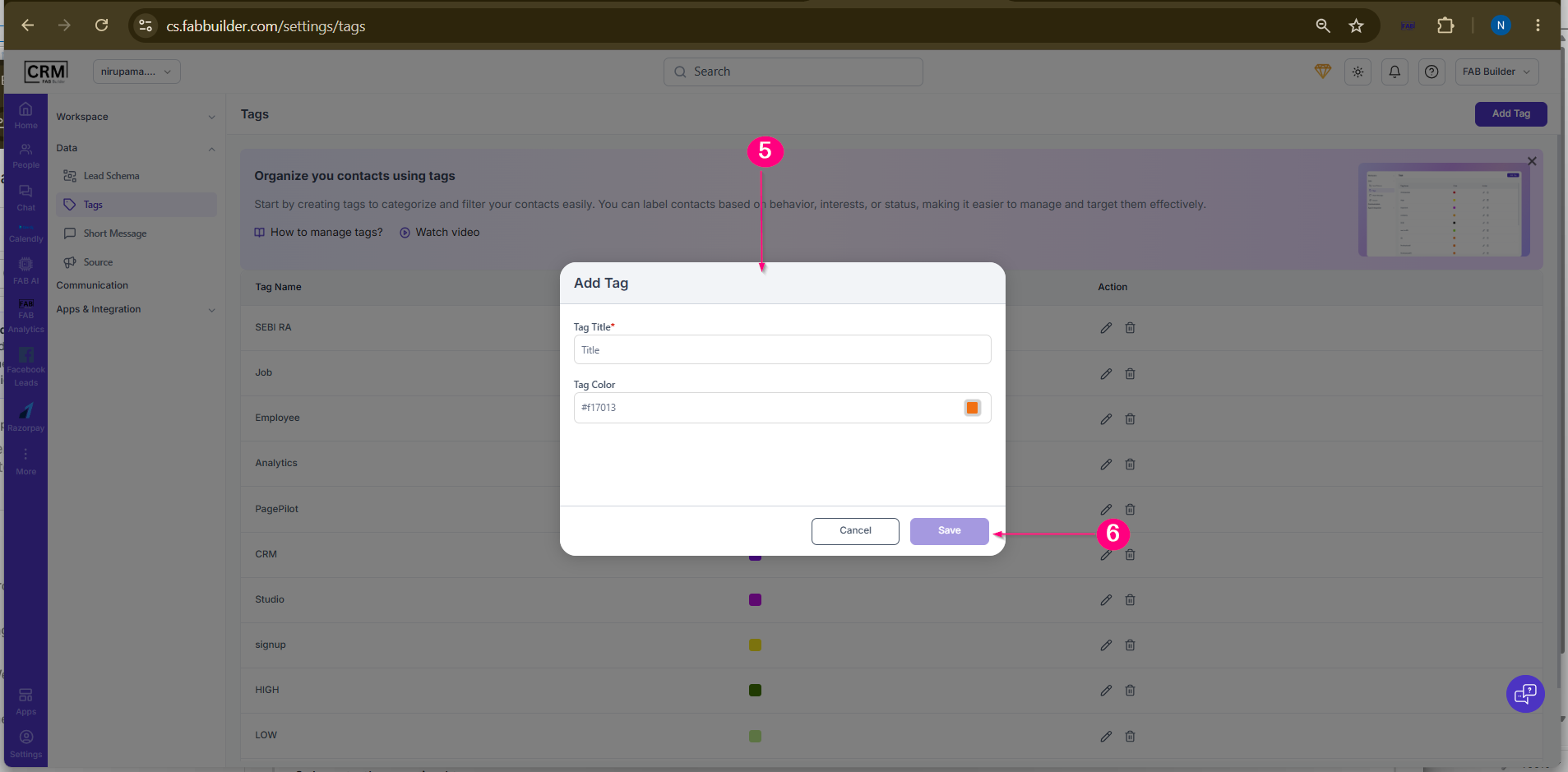 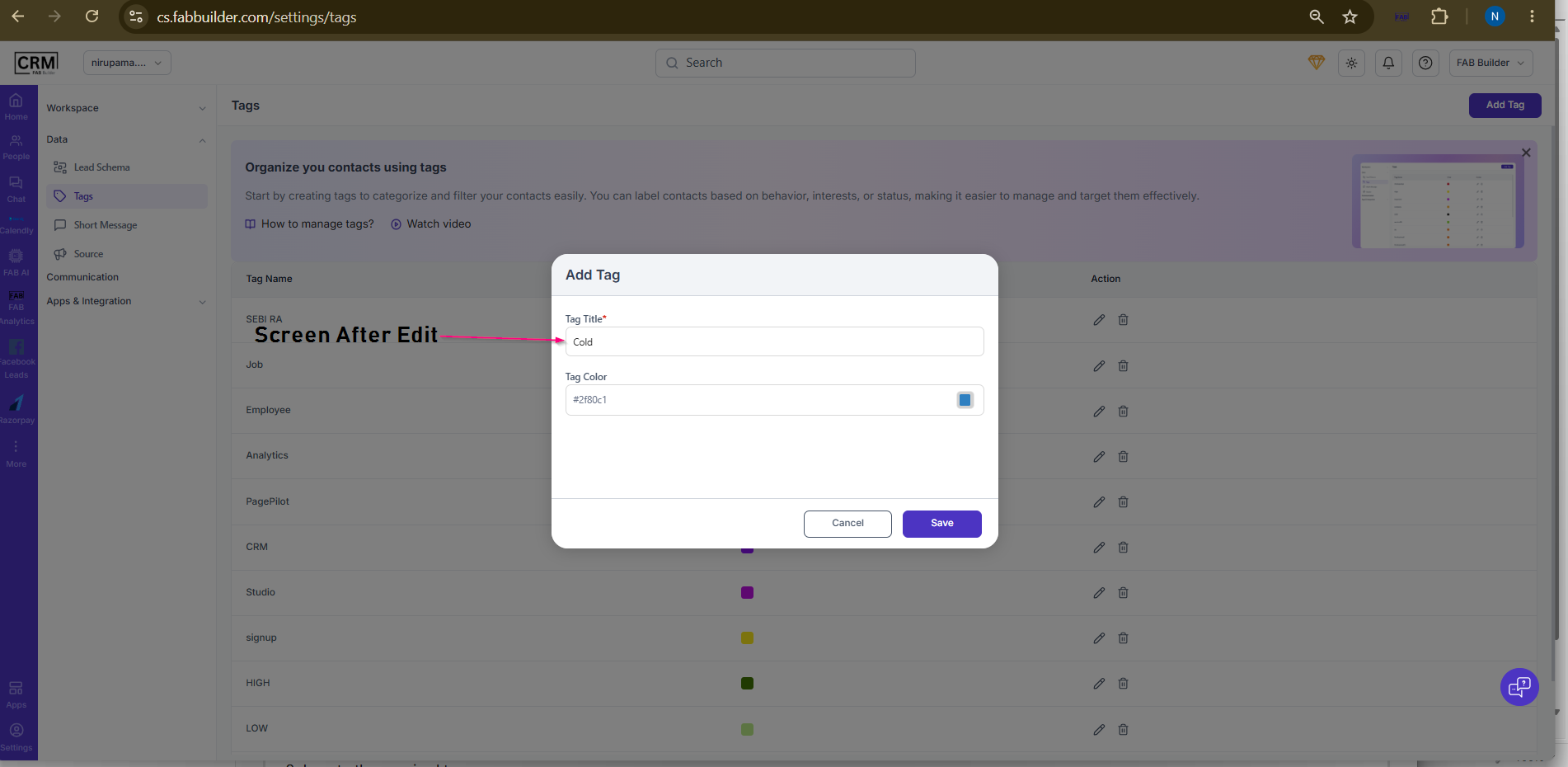 Screen- Add New Tag
ResultThe new tag is added to the Tags list and becomes available for use.
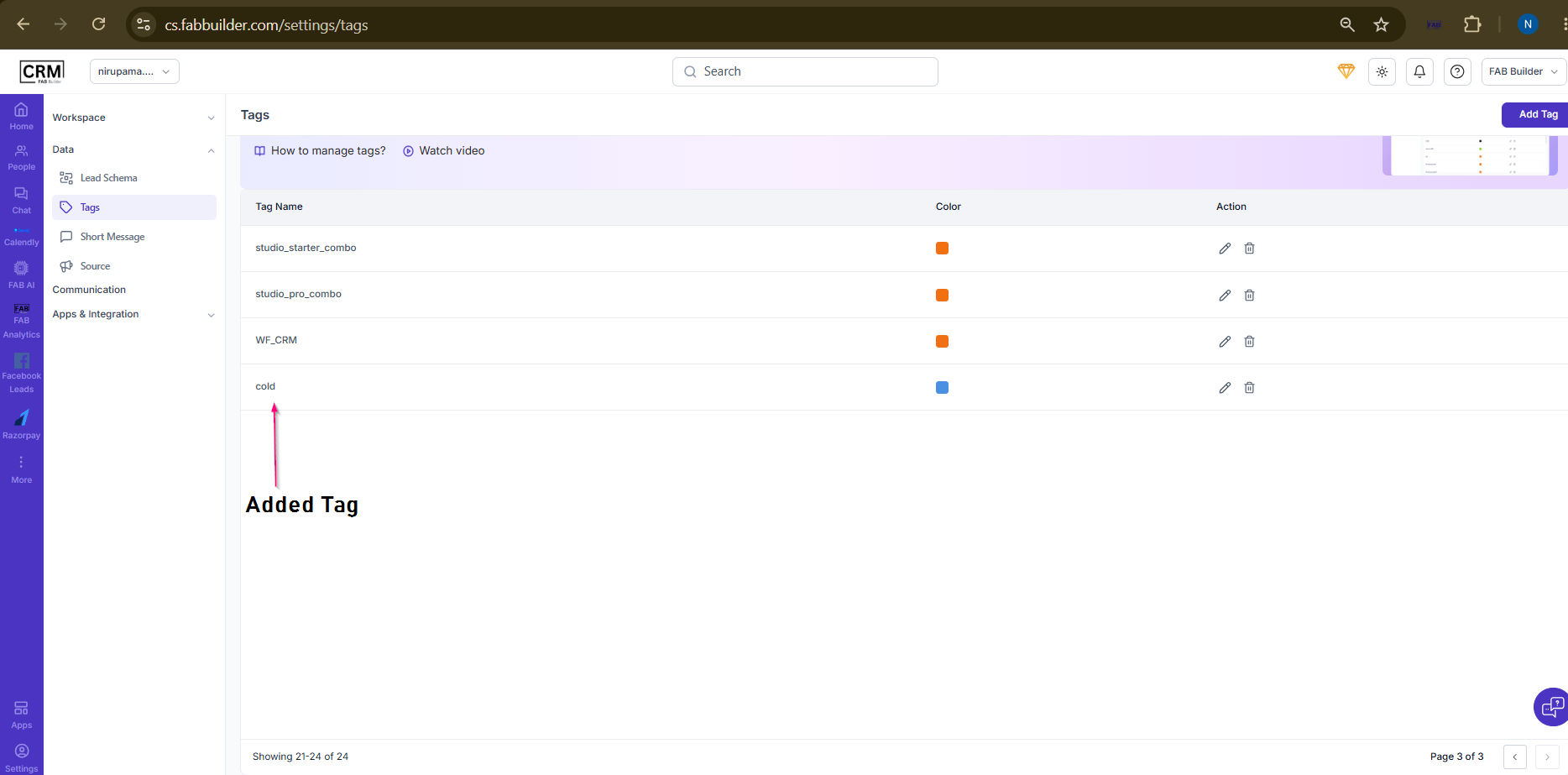 Screen- Tag Created Successfully
Edit TagSteps
ResultThe selected tag is updated successfully.
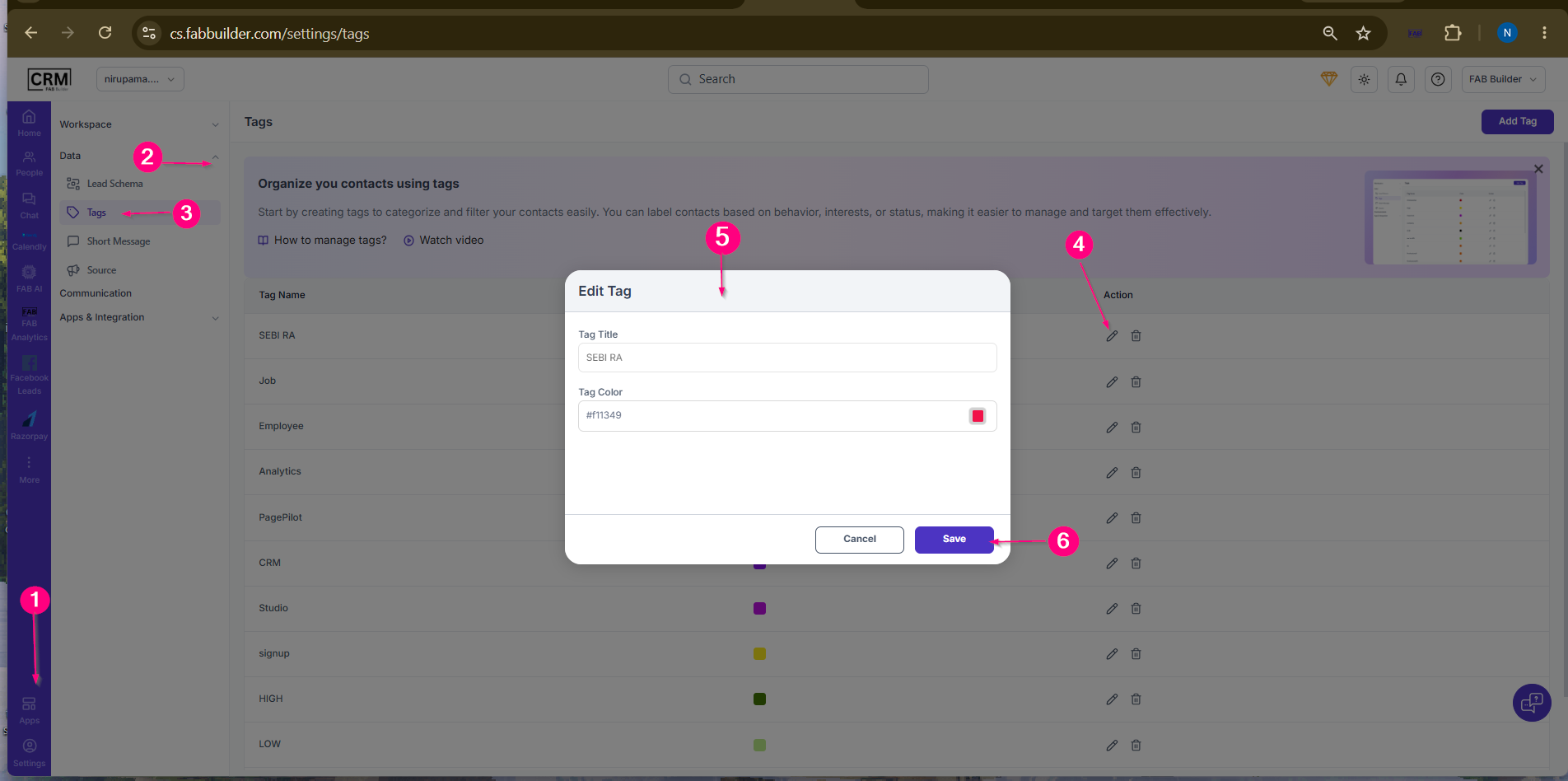 Screen-Edit Tag
Delete TagSteps
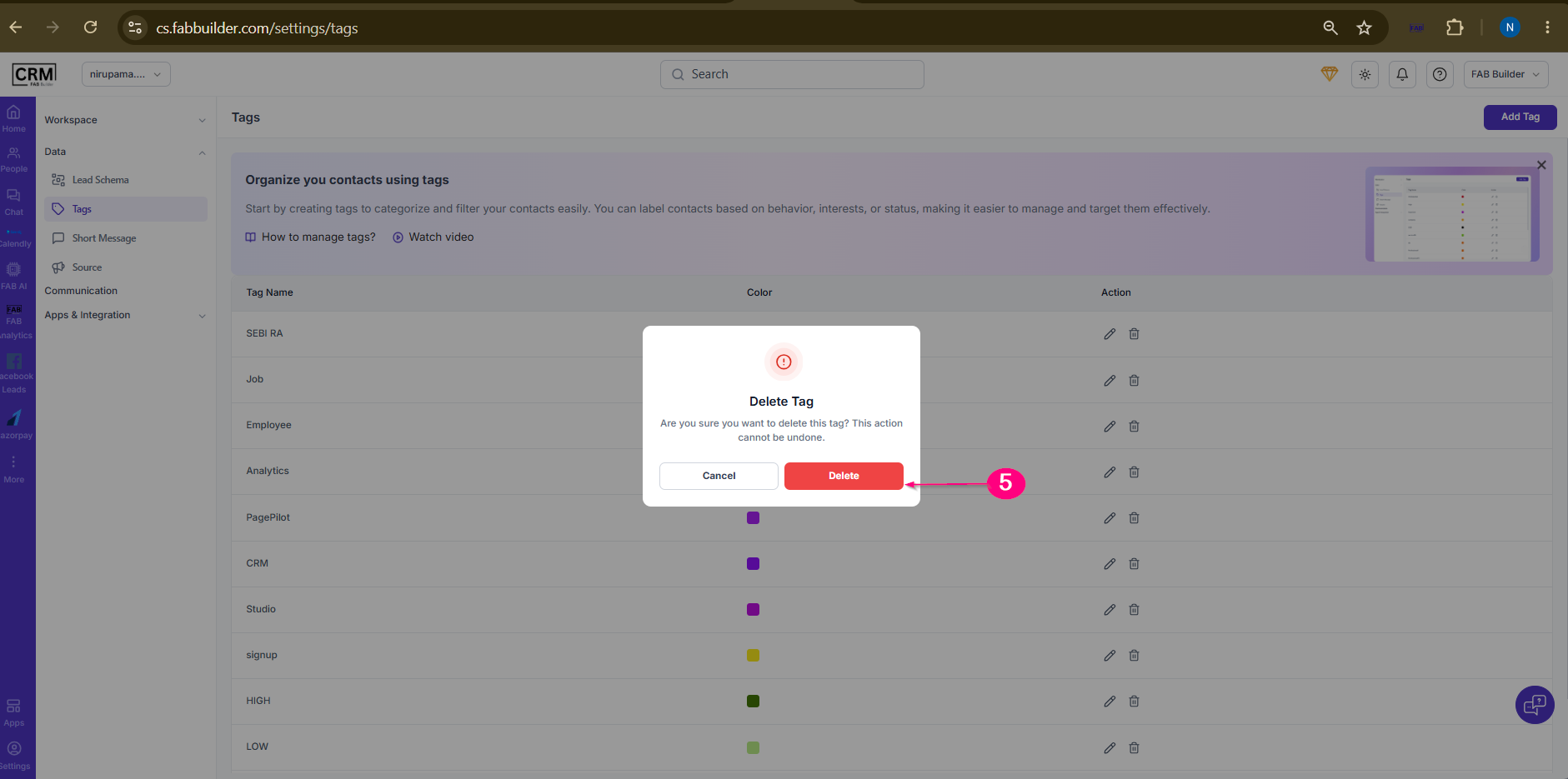
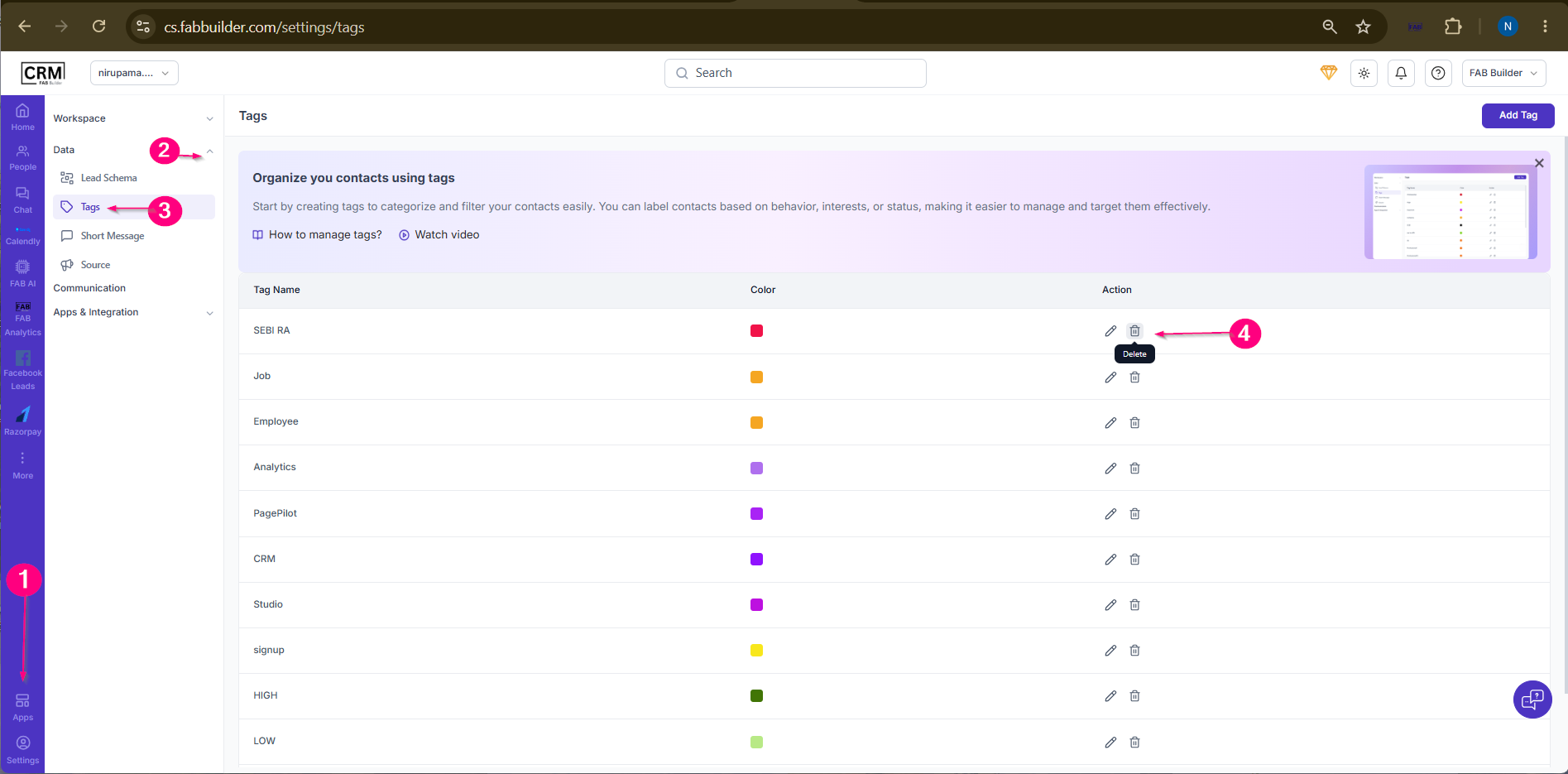 5.Confirm the deletion. ResultThe selected tag is removed from the Tags list.
 |