Overview
A Segment is a dynamic group of contacts created using filters.Inside the Fab CRM it perform following action
- It helps users target contacts based on specific conditions (e.g., tags, location, activity).
- Segments are created in the People module by applying filters.
- Once created, segments are available in the Chat module for communication and campaigns.
Simple Flow
People module→ Open Contact list → Apply Filters → Save as Segment → Enter Name → Create Segment → Use in Chat Module
Purpose of Creating a Segment
- Automatically group contacts based on conditions
- Avoid manual selection of contacts
- Enable targeted communication
- Keep contact lists updated dynamically
Prerequisites
- Contacts must be available in the People module
- Filters should be defined based on available fields
- User must have permission to create segments
Steps to Create a Segment
After successfully logging into the FAB CRM, ensure that contacts are added in the People module. Follow the steps below to create and save a segment.
- Navigate to the People module.User can view the contact list
- Apply date filters and segment condition (refer to Apply Filters section below)
- Click on Apply Filters.
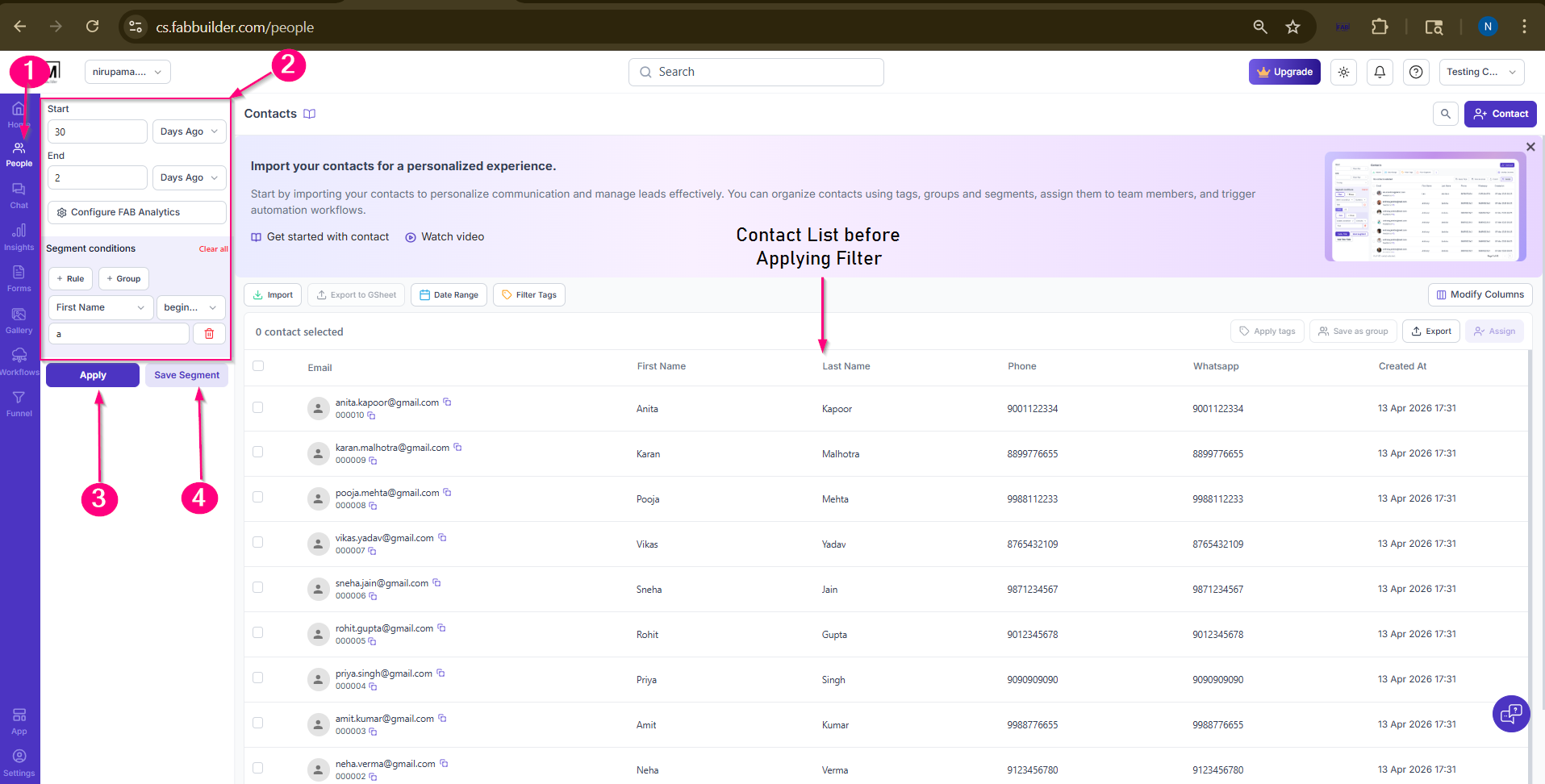
Screen- Step to Create Segment
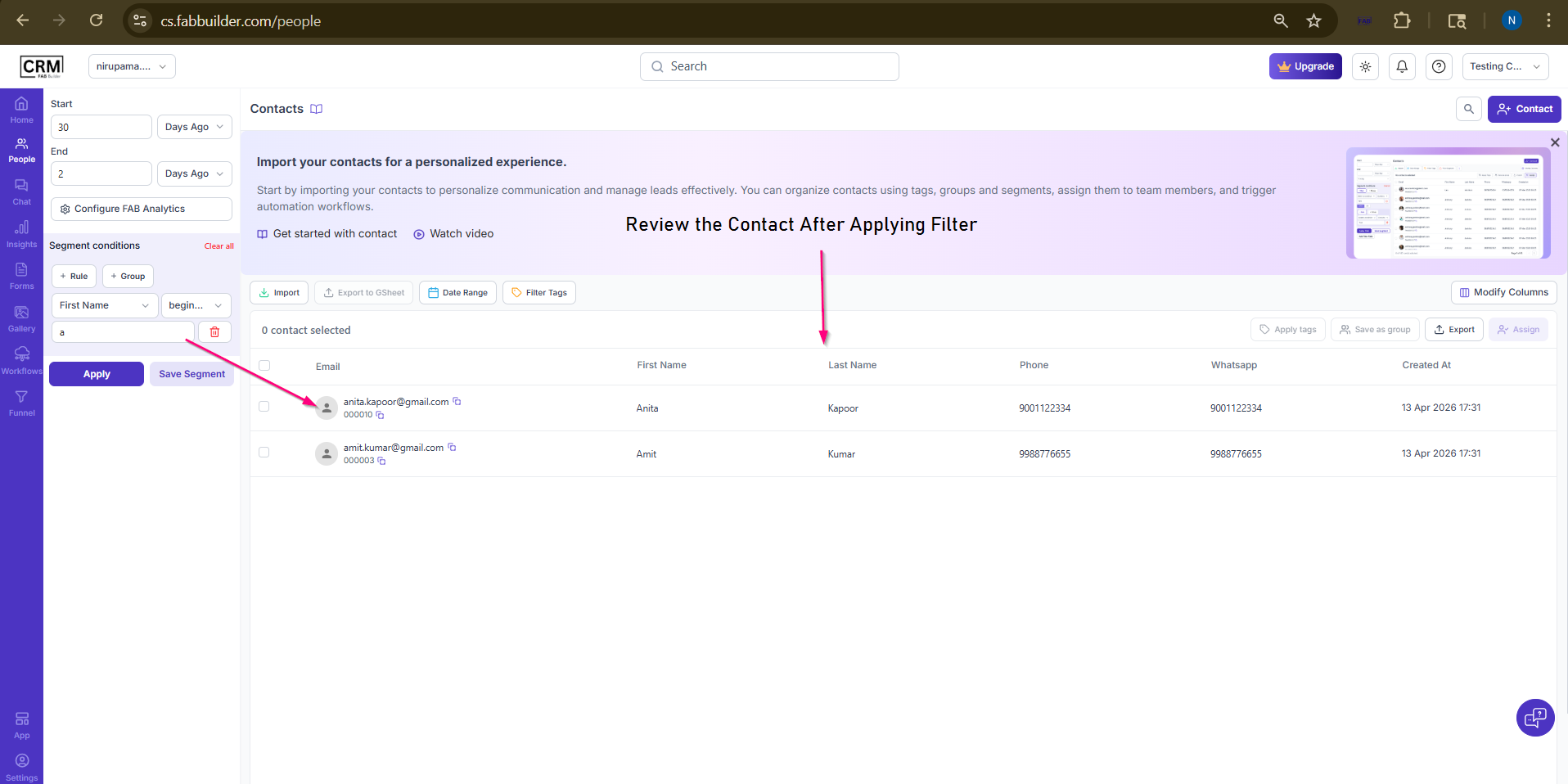
Screen-View the filtered contact
Review and validate the filtered contacts on right side panel
4. Click on save segment
5.Enter the Segment Name
6.Click on save button.
User can view the saved segment into the chat module now.r
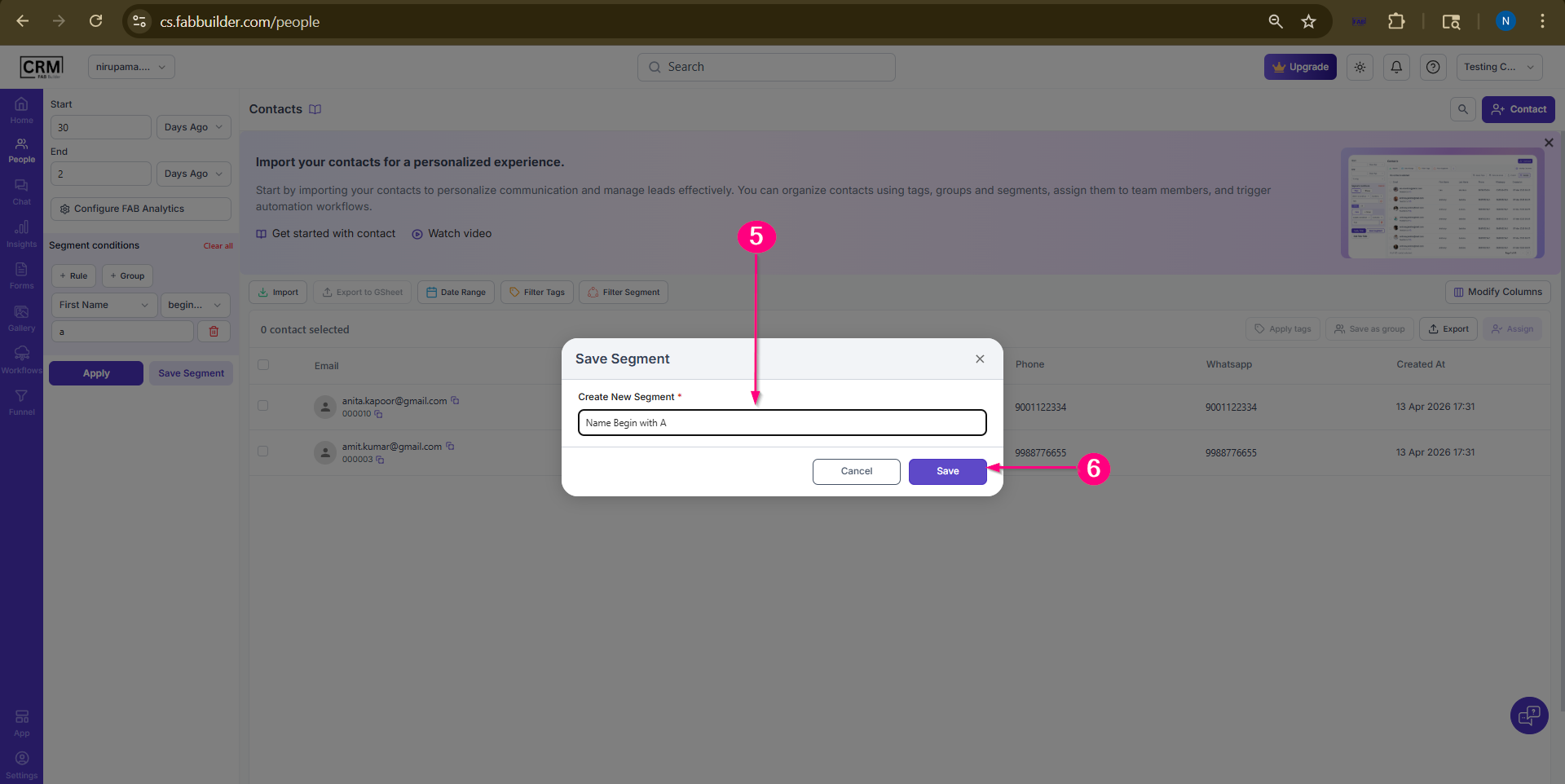
Screen- Add Segment Name
7.Go to chat module to navigate the created segment.
8.Click on segment section.
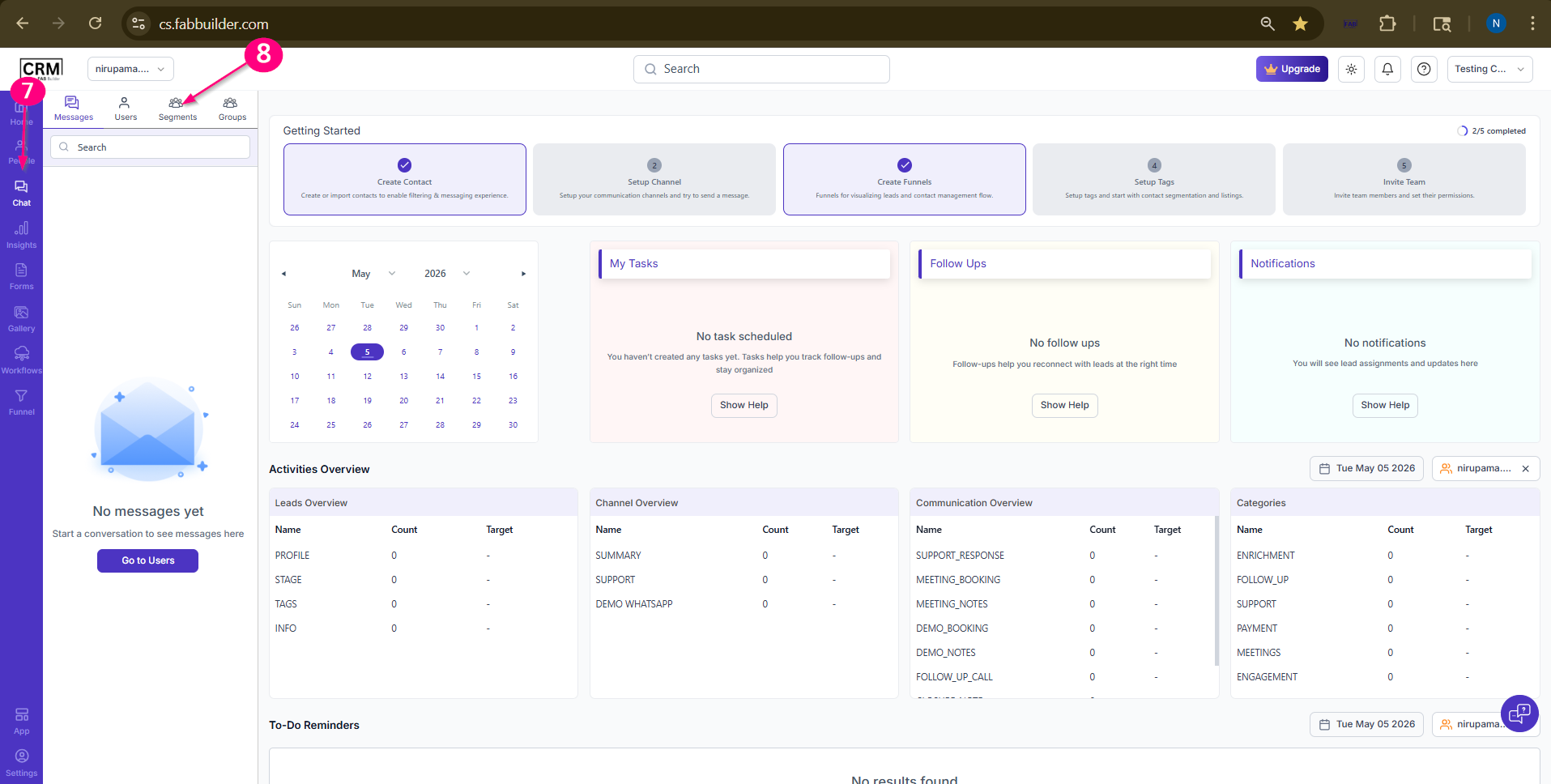
Screen- Step to Navigate created Segment
Now user can view the Name of saved segment in chat module. (screen below)
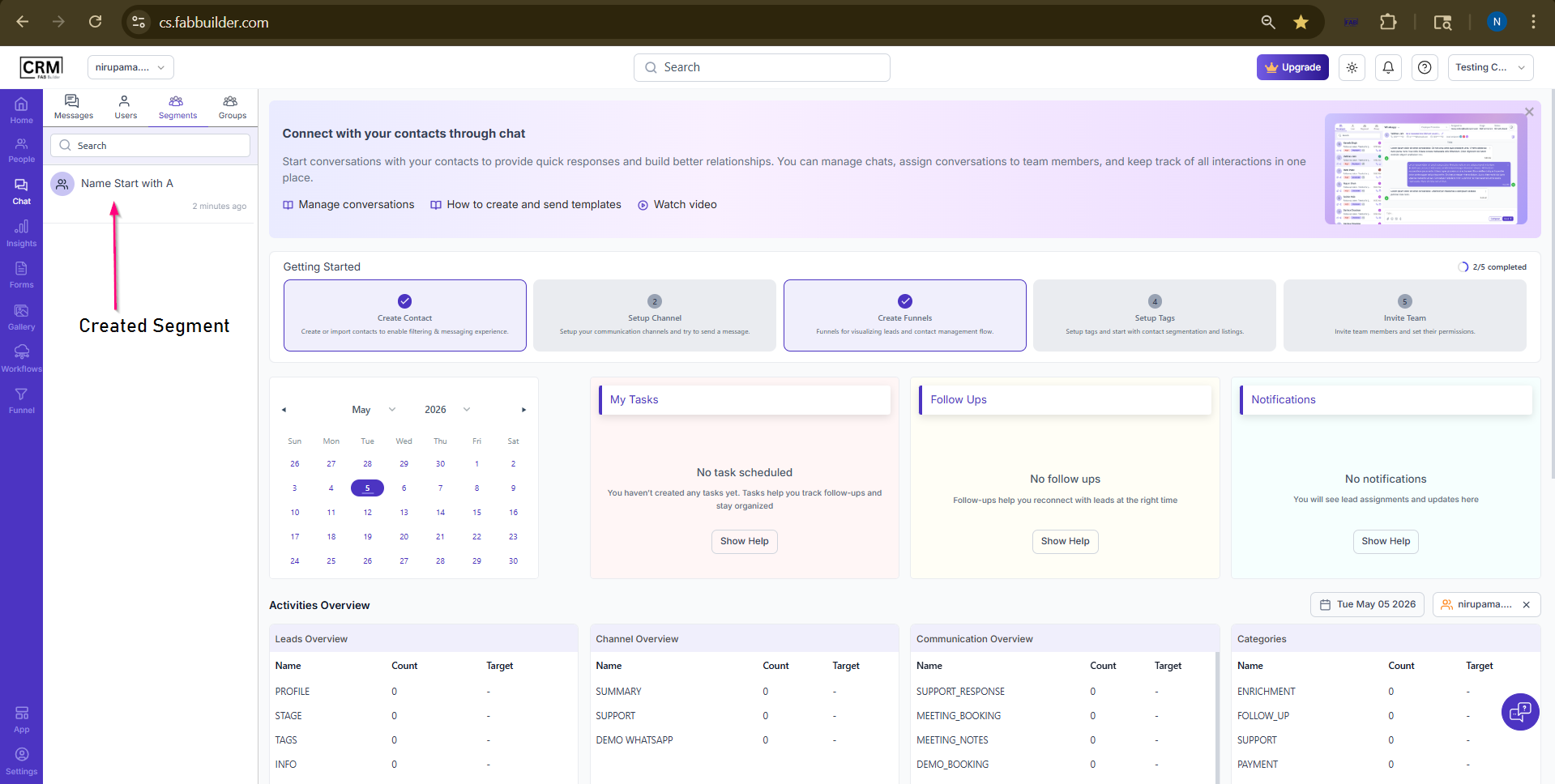
Screen-Created segment on chat module
user can view the list by following steps outline below
9.Click on save segment on left side panel .
10.Click on button at right top corner to view the contact list added in segment.
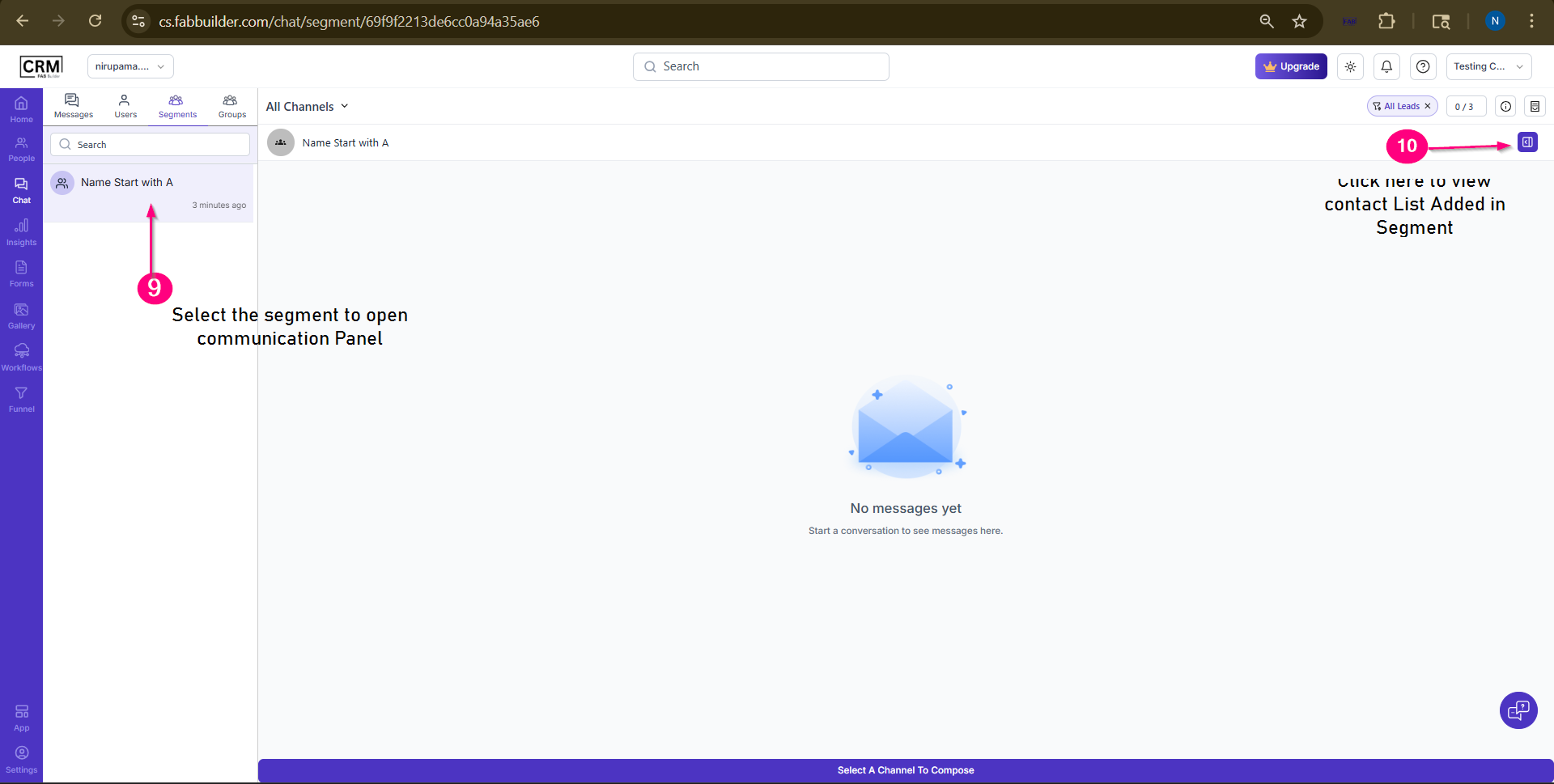
Screen- Added segment Name and step to view contact list
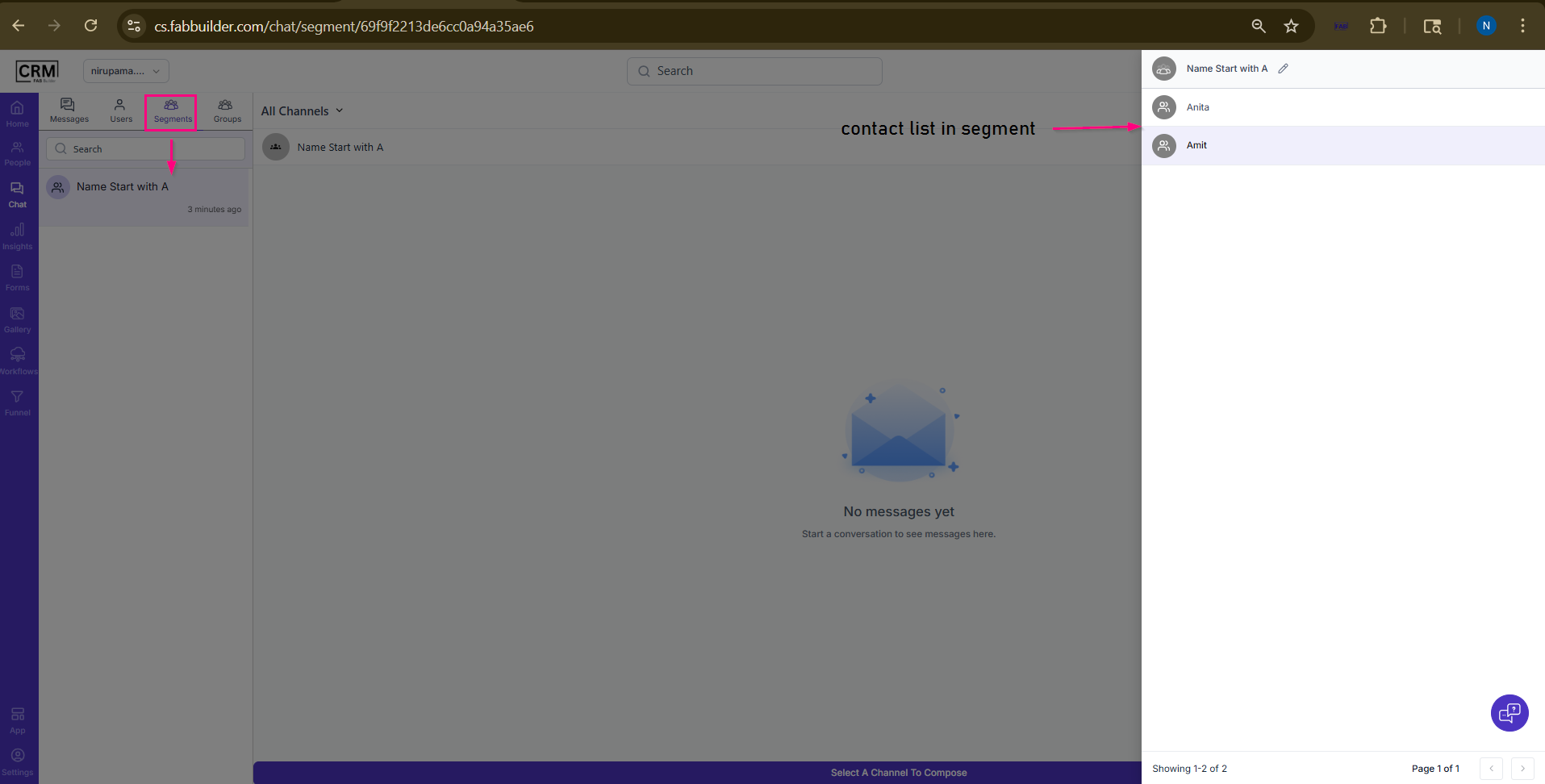
Screen
Result
- A segment is created based on the applied filters.
- The segment updates automatically when contact data changes.
- The created segment is available in the Chat module for communication.
Note
- Segments are dynamic, meaning they update automatically.
- Any changes in contact data will reflect in the segment.