Create a Group from Selected Contacts in the People Module
Overview
A Group is a collection of selected contacts used for easy and efficient communication.there are following objective to create the group from the selected contact.
- It helps users send messages, emails, or notifications to multiple contacts at once.
- Groups are created by selecting contacts in the People module.
- Once created, the group is available in the Chat module for communication and interaction.
Simple Flow
People Module → Select Contacts → Save as Group → Enter Name → Create Group → Use in Chat Module
Purpose of Creating a Group
- Avoid selecting contacts repeatedly
- Enable bulk communication
- Organize contacts into meaningful sets
- Quickly target a specific audience
Prerequisites
- Contacts must be available in the People module
- Required contacts should be selected before creating a group
- User must have permission to create groups
Steps to Create a Group
After successfull log in to the CRM FAB Builder via https://cs.fabbuilder.com application user must follow the step outlined below.
- Navigate to the People module.
- Select the required contacts using the checkboxes.
- Click on the Save as Group option.
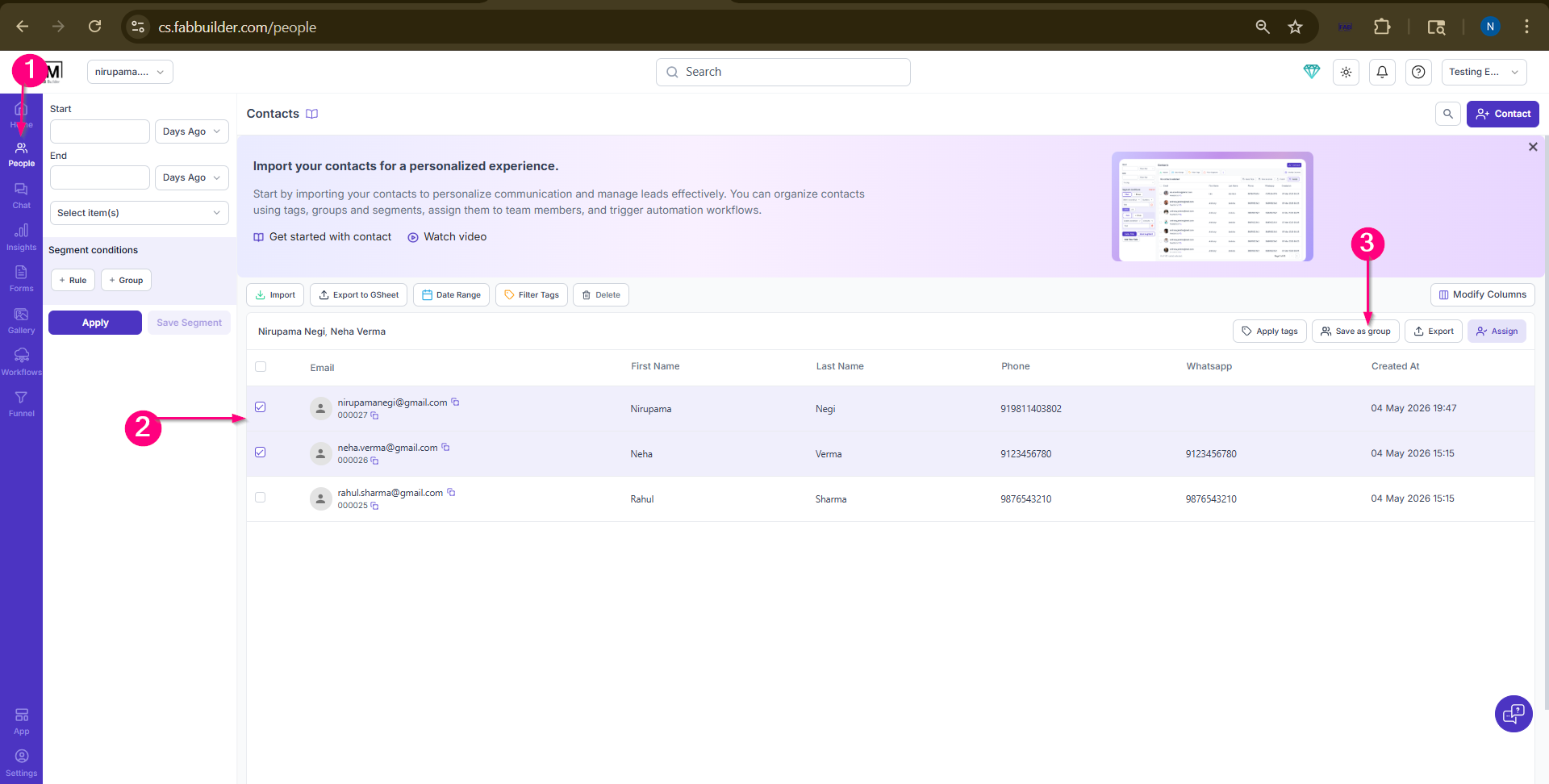
Screen- Select Contact to Create Group
4.In the pop-up window, enter the Group Name.
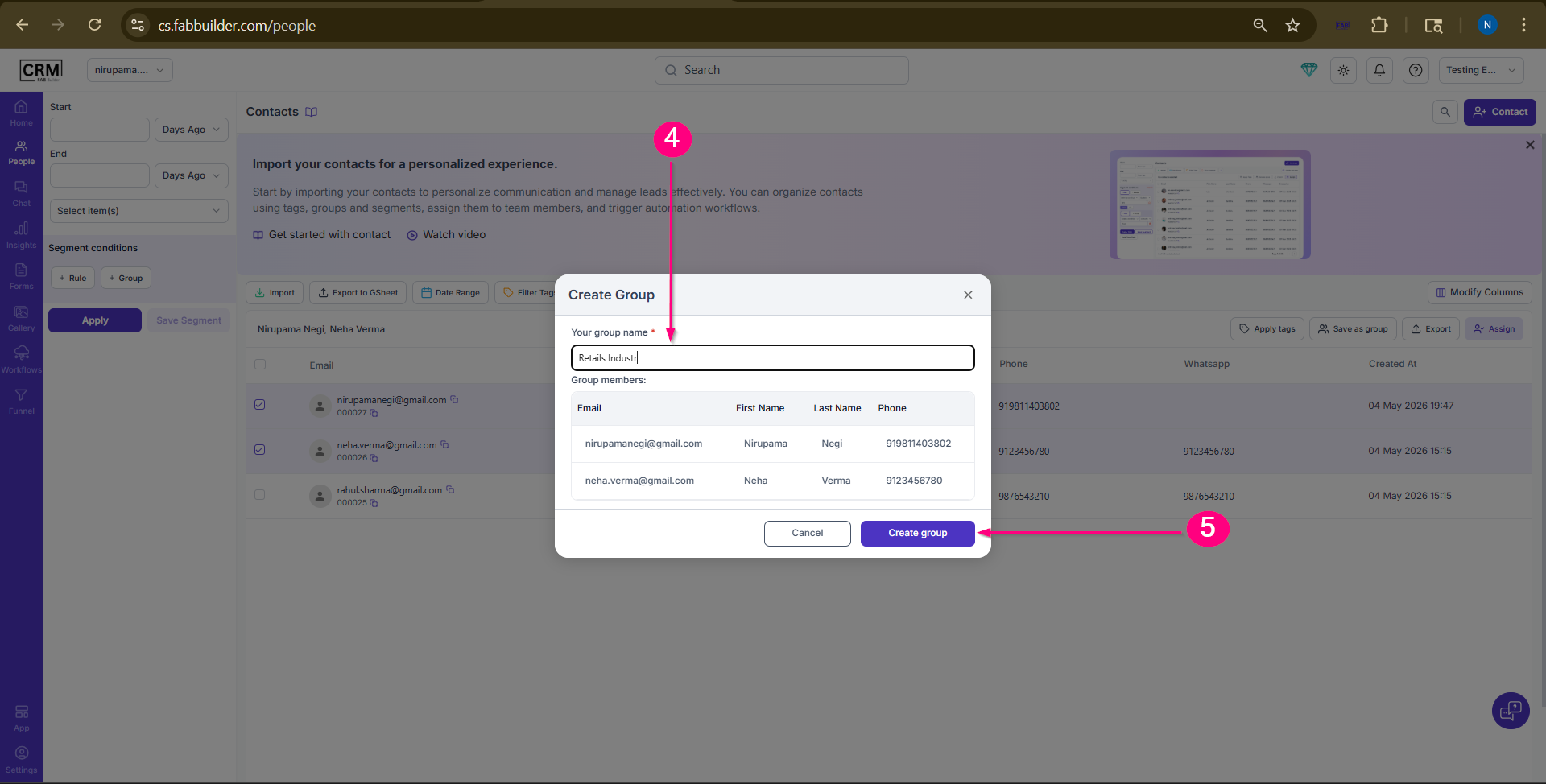
Screen- Add Group Name
5.Click on Create Group to save the group.
6.Now go to navigation bar and select chat module to view the created group.
7.Now select the Group section. Now user can view the added group (i.e.,Retail industr) in the panel.
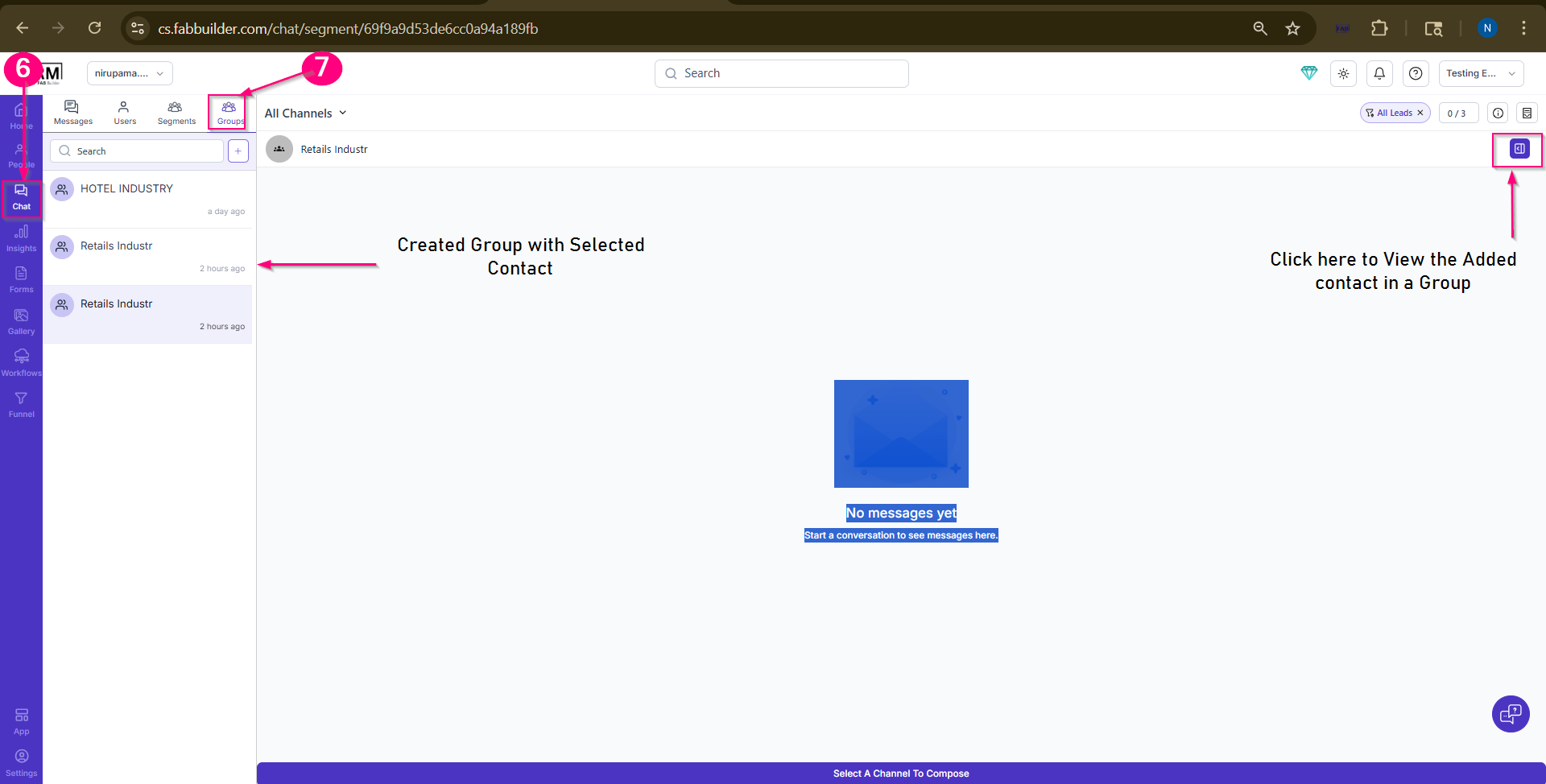
Screen - Created Group in Chat Module
Result
- The selected contacts are saved as a group.
- The group is created successfully and can be used for bulk communication.
- The created group can be accessed in the Chat module.
Note
- Groups are static, meaning they do not update automatically when new contacts are added.
- To include new contacts, the group must be updated or recreated.