How to Create a New RolePurposeThis section explains how to create a new role and define permissions for users in the CRM. Prerequisites
Steps to Create a New RoleStep 1:Click theAppmodule from the left-side navigation bar. Step 2:Open theWorkspacesection. Step 3:SelectRoles and Permissions. Step 4:ClickCreate New Role.
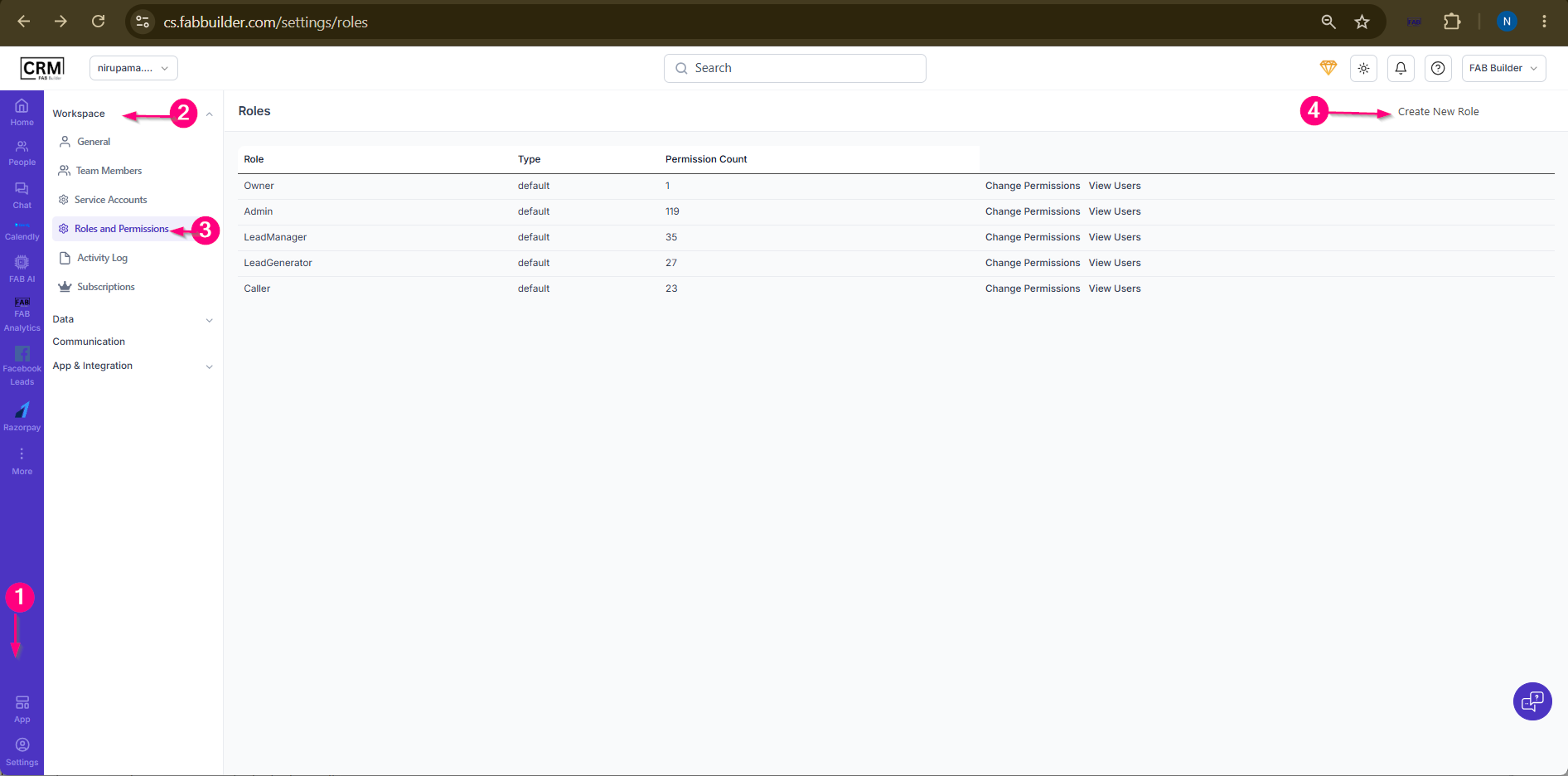 Screen- Step to Create A Role
A new role configuration screen will open. Step 5:Enter the role name. 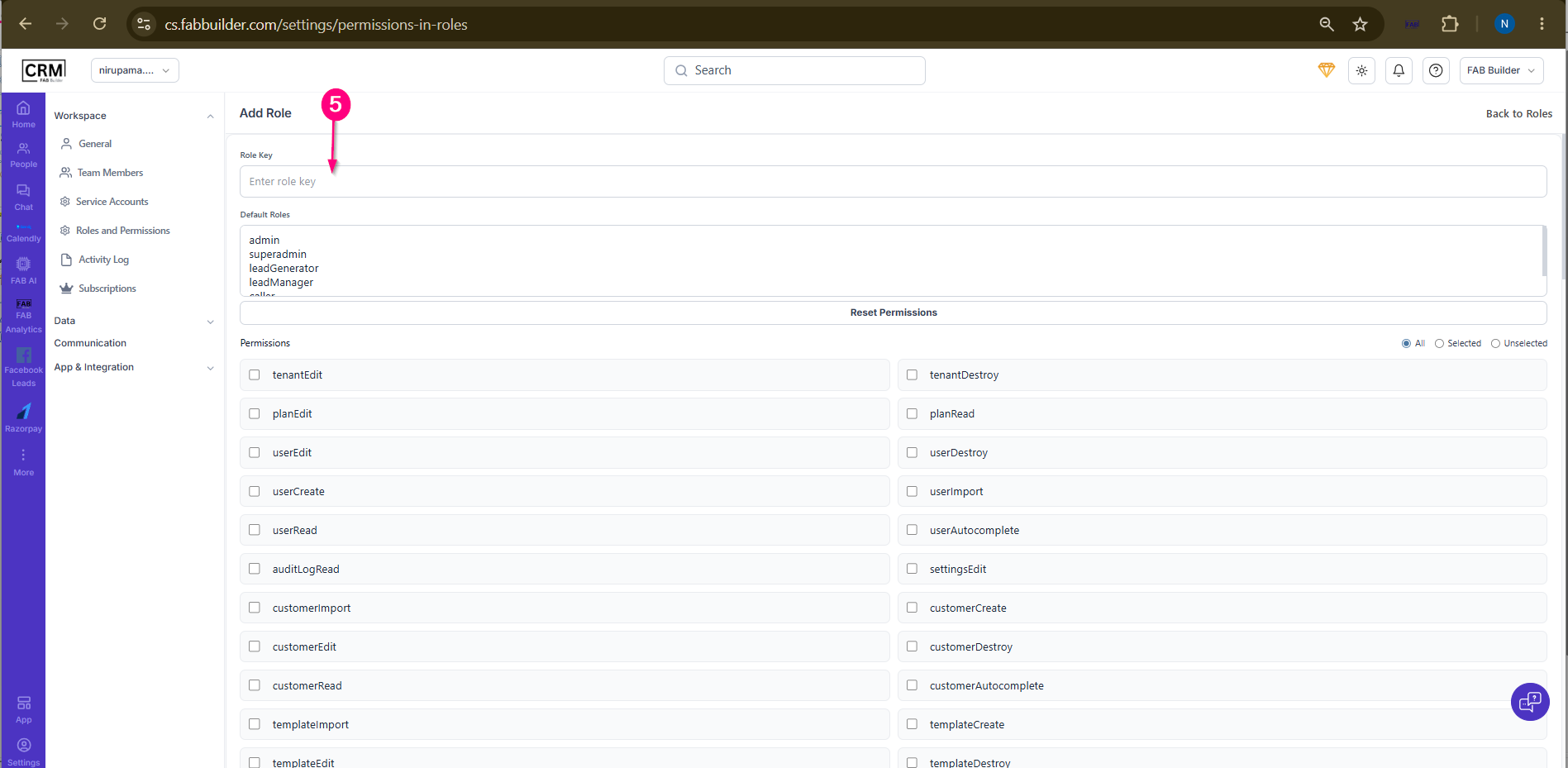 Screen- Add New Role Step 6:Click on create role button after adding the role detail. 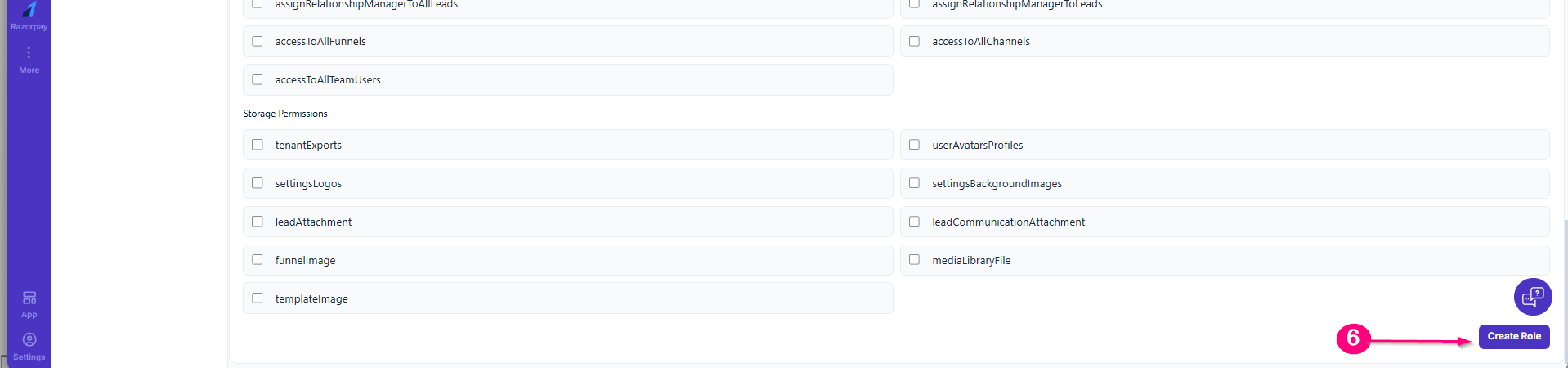
ResultThe new role is created and displayed in the Roles list. Users can assign this role to team members and manage its permissions as required.
|