FAB Customer Experience

GuideDocs
k
FAB CRM Introduction
Getting Started
Dashboard
Home
People
Chat
Funnel
Insight Module
Forms
Gallery
Workflows
My Settings
Data
Communication
App Integeration
References

Build by FAB Builder. The source code is available on GitHub.

ContactSponsor

Translate

Choose language

Select your preferred language for this documentation.

Create a Lead Funnel

Prerequisites

  • TheLead Funnelfeature must be enabled for the CRM account.

  • Lead contacts must be available in the CRM.

  • Required segments should be created before creating a segment-based funnel.

  • Users must have permission to access and manage funnels.

Steps

  1. Click theMore (⋮)option from the navigation bar or click on funnel module on the navigation bar if pinned.

  2. Select the Funnel module from the expanded menu.

    The Funnel Dashboard opens and displays the list of available funnels.


Sample product
3.Click Add New Funnel.
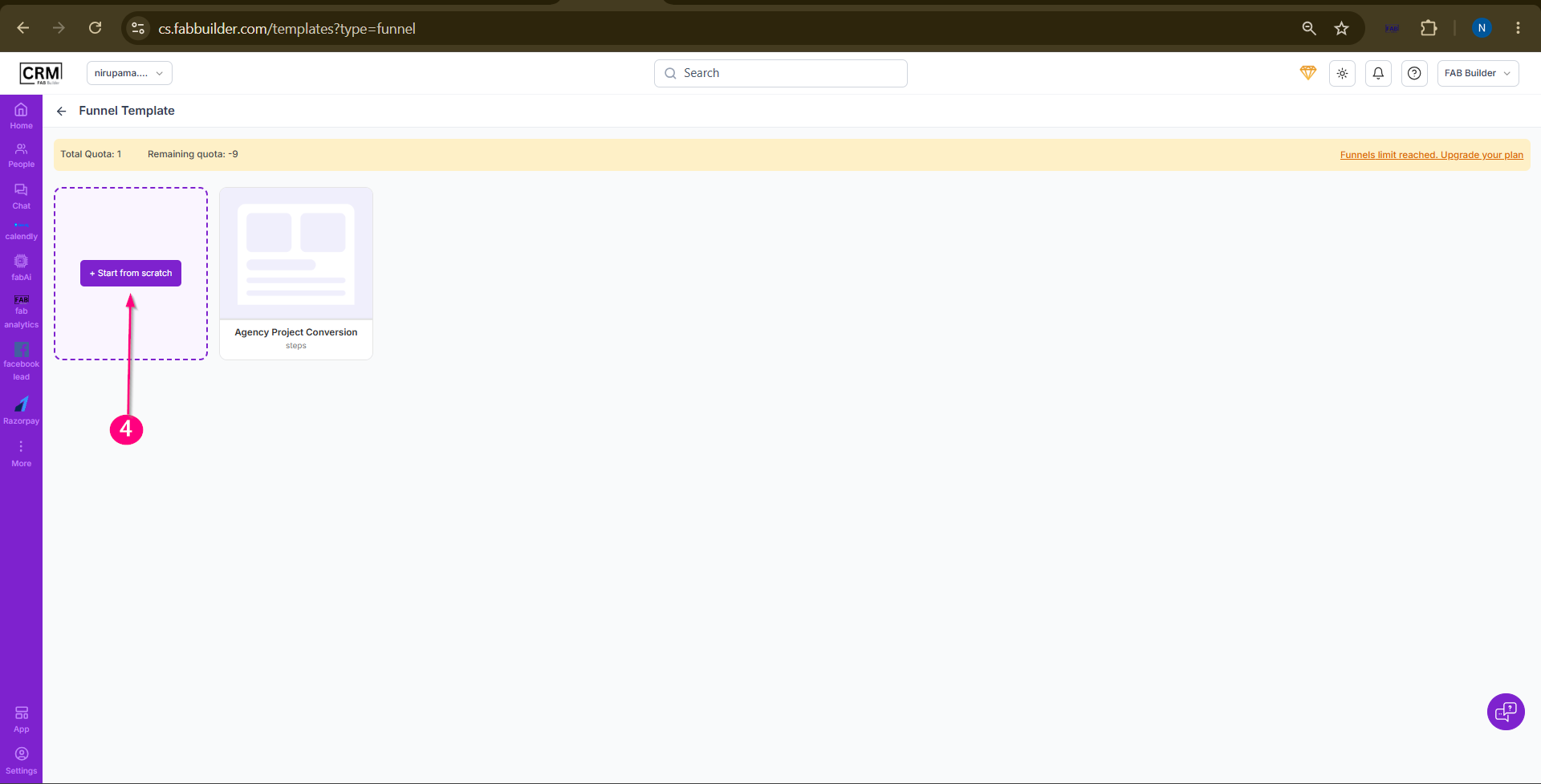
4.Select any method to create funnel
  • Start from Scratch
  •  Template Method
5.In the Create Funnel pop-up window, enter the required details:
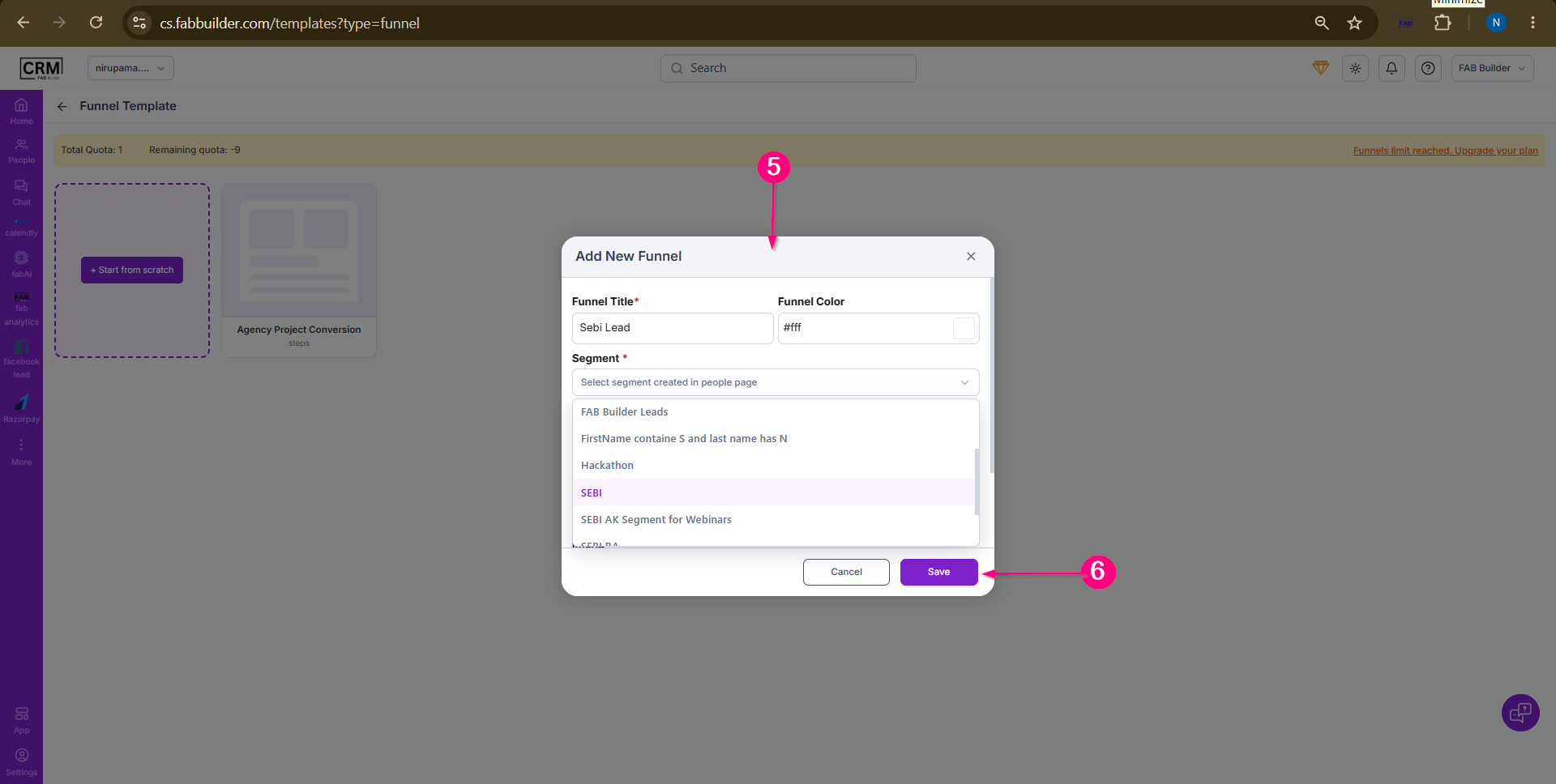
  • Funnel Name
  • Segment
  • Funnel Color
  • Other applicable settings

Sample product

6.Click Save.

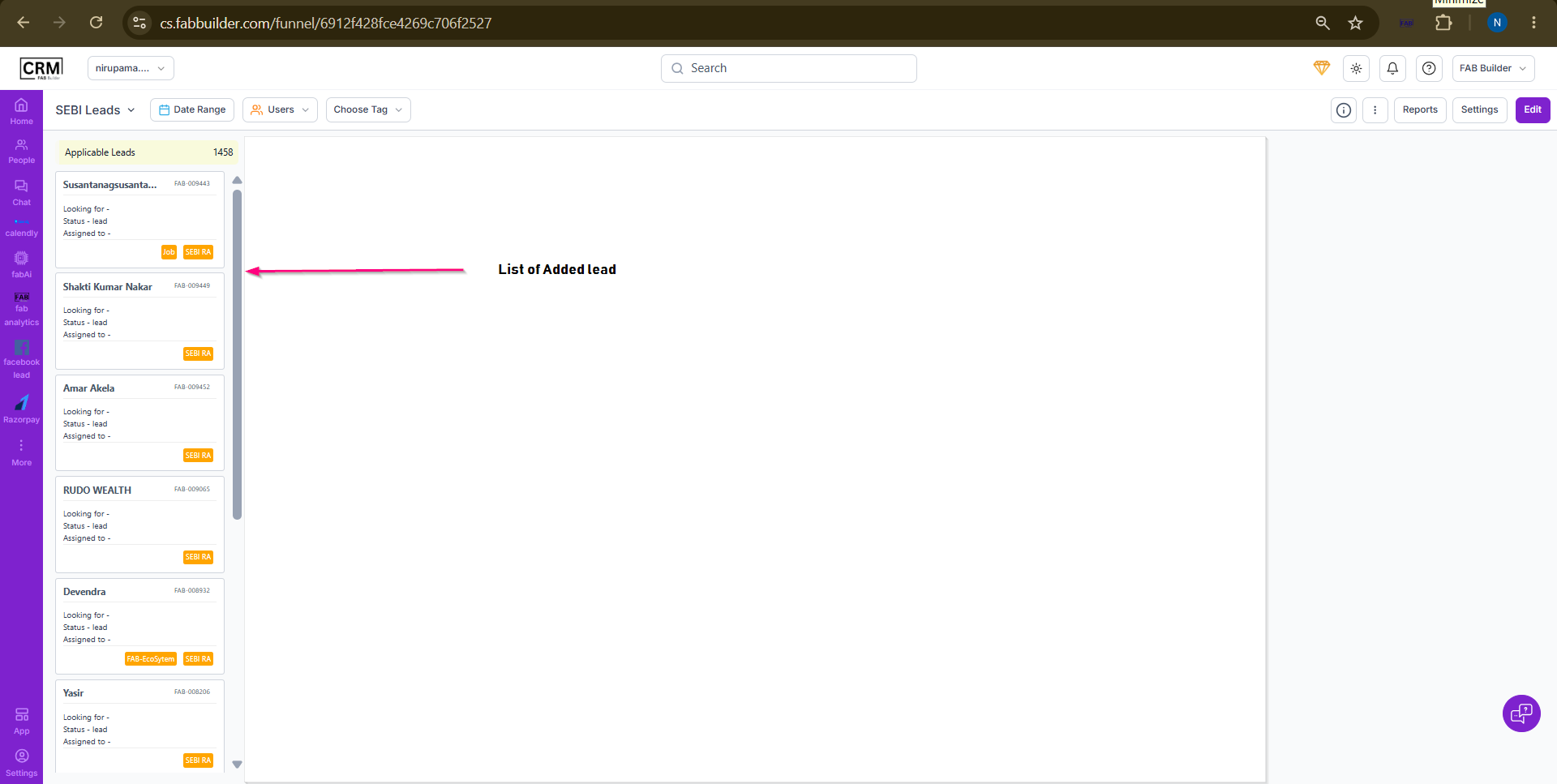
The new funnel is created and displayed on the Funnel Dashboard.
Sample product
After creating user can view lead in created funnel.