Overview
The Zoom Leads integration enables automatic capture of meeting or webinar registration data into the CRM. Zoom sends lead data to the CRM using webhook-based API whenever a defined event occurs.
When integrated with CRM (FabBuilder), it automatically captures registration data (like name, email, phone number) and stores it as leads in the CRM for follow-up.
In simple terms: Zoom Leads is used to collect and store user details before the meeting.
Prerequisites
- Active Zoom account
- Access to Zoom App Marketplace
- CRM access with App & Integration permissions
Required Details
- Verification Token – Provided by Zoom
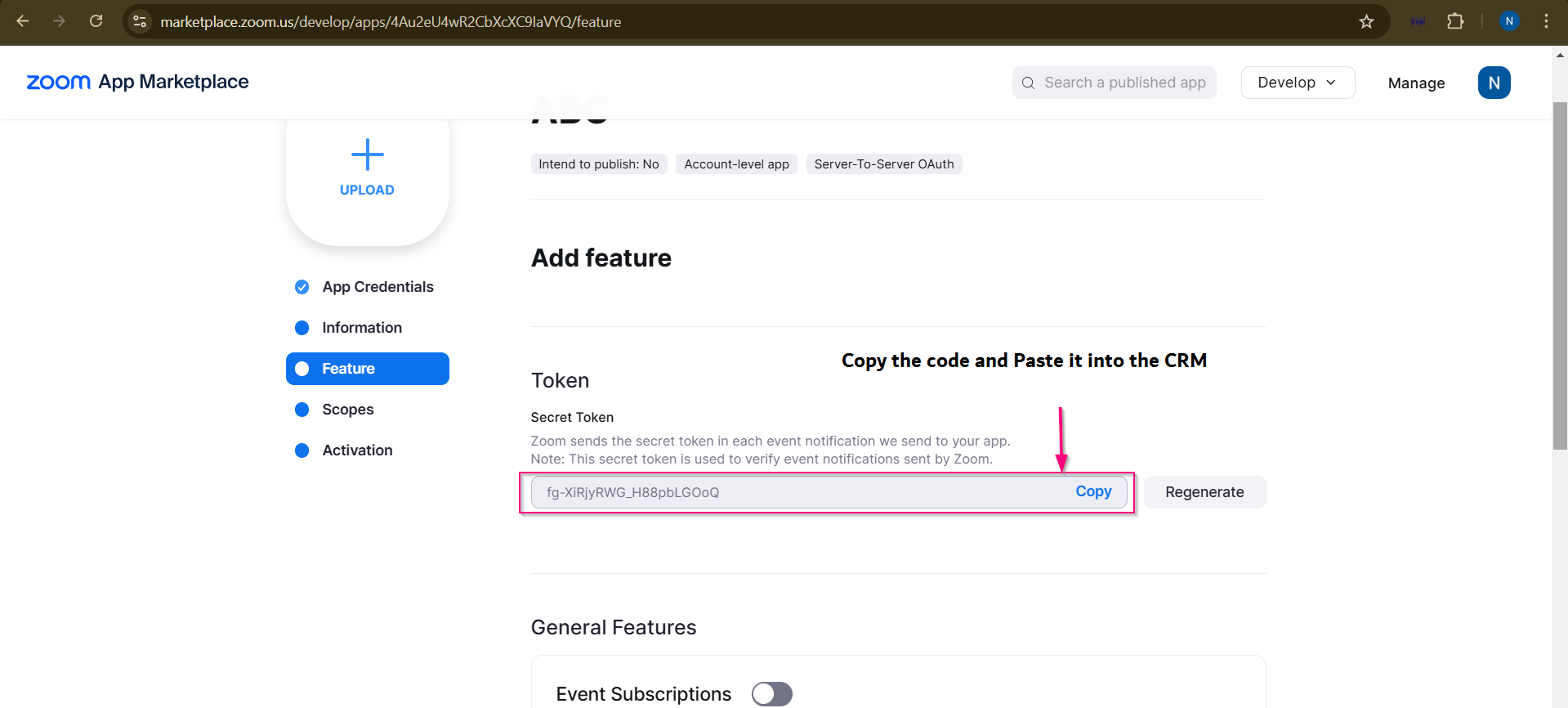
screen- Verification Toke
- Webhook URL – Generated by CRM
The integration is carried out in two phases: configuration in the CRM and configuration in Zoom.
Configuration in Zoom
- Visit Zoom App Marketplace → marketplace.zoom.us and sign in
- Click on Develop → Build App
- Select Webhook Only App
- Enter the App Name (e.g., FabBuilder)
- Fill in the required app details
- Copy the Verification Token and paste it into CRM (Token field)
- Enable Event Subscriptions
- Paste the Webhook URL (copied from CRM)
- Click Validate to verify the webhook
- Add Subscription Name (e.g., Registrants)
- Select Event Type: Meeting Registration Created
- Click Save / Continue
- Activate the application
Configuration in CRM
After successful login, navigate to the App module from the left-side navigation panel.
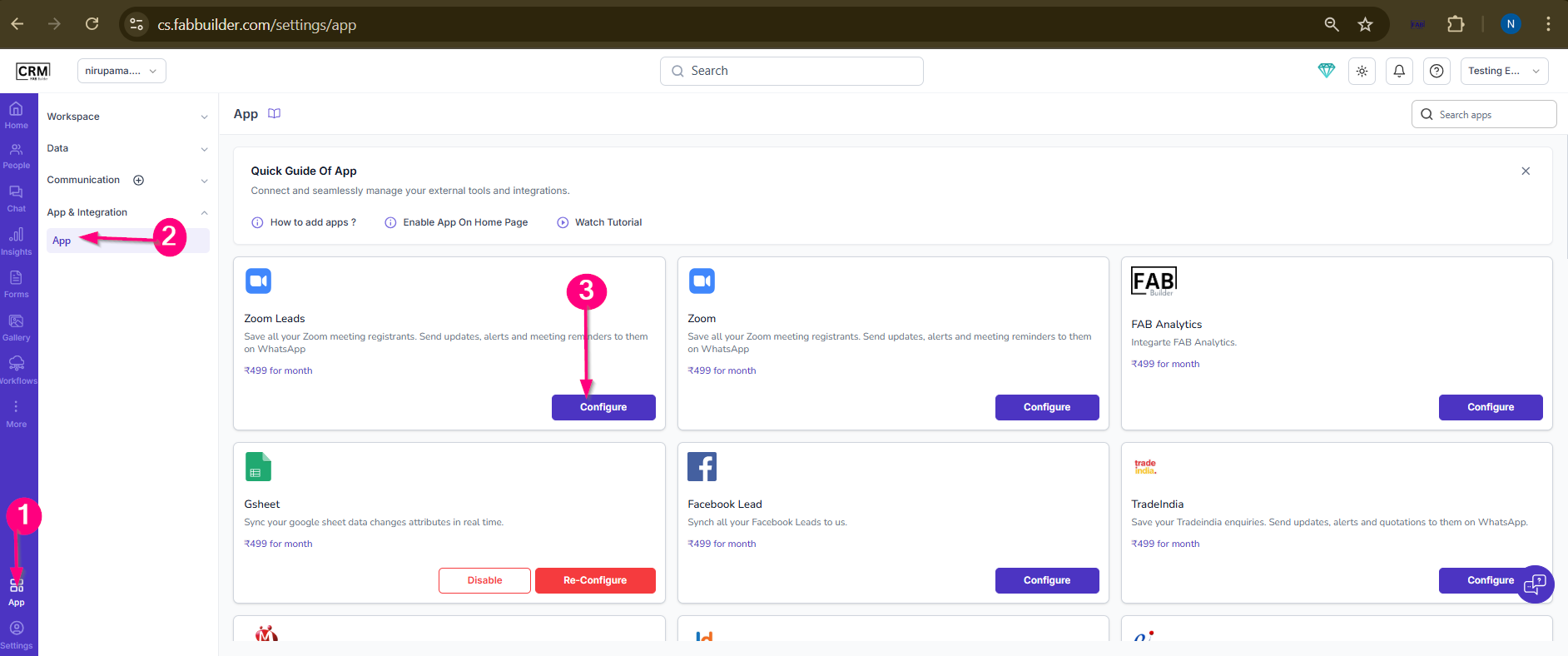
Screen- Zoom lead
- Navigate to App & Integration → App
- Search and select Zoom Leads
- Click on Configure
- Enter the following details:
- Name
- Verification Token (provided by Zoom)
5.Click on Save
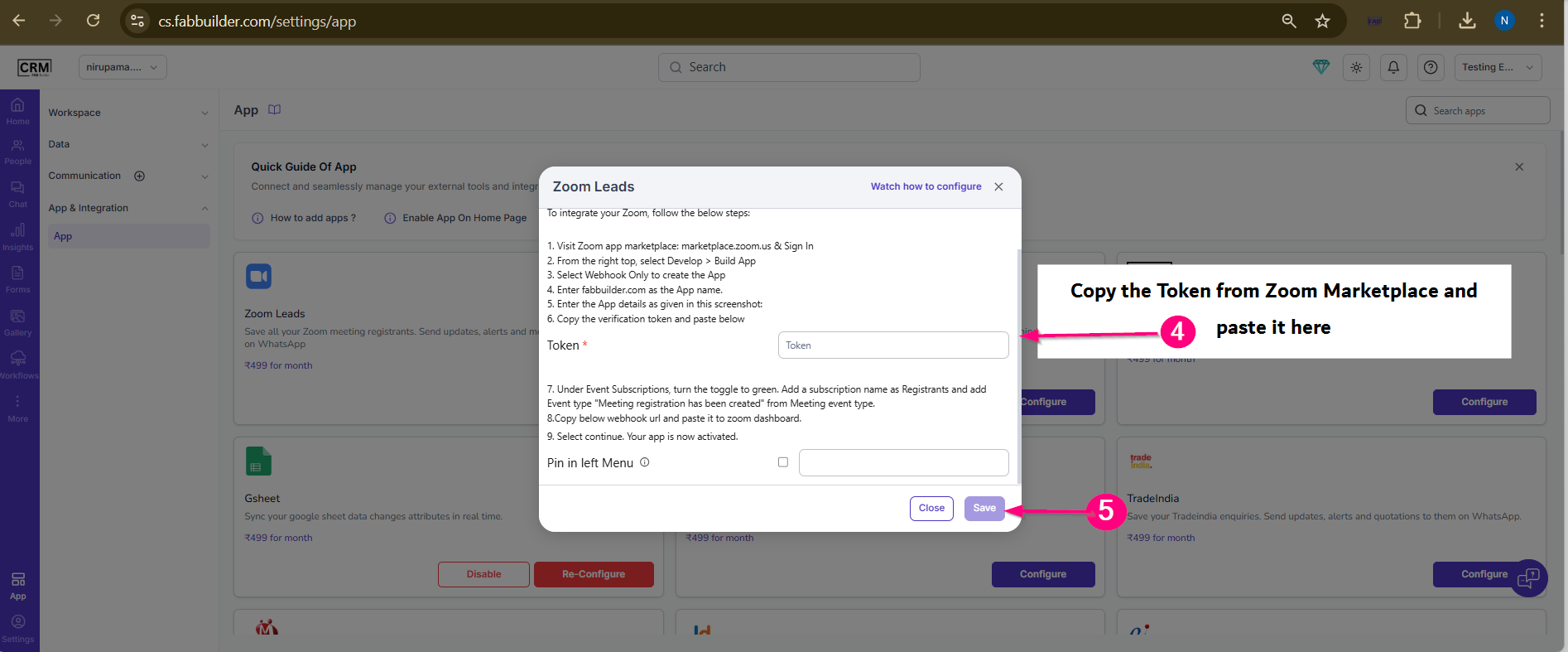
Screen - Zoom Lead Configuration screen
once both integration is completed ,Zoom sends data based on configured event subscriptions. When a selected event (such as meeting or webinar registration) occurs, Zoom automatically sends the lead data to the CRM via webhook.
Validation
- Register a user in a Zoom meeting or webinar
- Verify the lead in CRM
Check
- Lead is created successfully
- Data is correctly received
- No missing or incorrect fields