Zoom Integration with FAB CRM
Overview
Zoom is used to conduct online meetings and webinars.
When integrated with CRM (FabBuilder), it allows users to schedule, join, and manage meetings directly from the CRM. It also helps track meeting details and participant activity in one place.
In simple terms: Zoom integration is used to run and manage meetings from CRM.
Prerequisites
Ensure the following before starting the integration:
- Active Zoom account
- Access to Zoom App Marketplace
- Server-to-Server OAuth app setup
- Admin access to FAB CRM
- Stable internet connection
Important Note (Credentials)
All required credentials are generated after creating a Server-to-Server OAuth app in Zoom.
- Webhook configuration is mandatory for receiving data
- Ensure required event subscriptions are enabled
How It Works
- User registers for a Zoom meeting or webinar
- Zoom sends event data via webhook
- CRM receives and processes the data
- Lead/participant details are stored in CRM
Flow:
User Registration → Zoom → Webhook → CRM → Data Capture
Configuration Steps
Setup in Zoom
- Go to Zoom App Marketplace and sign in
- Navigate to Develop → Build App
- Select Server-to-Server OAuth
- Create the app and complete basic details
- Enable required scopes and permissions
- Configure Event Subscriptions
- Add webhook URL provided by CRM
- Activate the app
Configuration Steps
Setup in FAB CRM
After successfully logging in to the CRM system, follow the steps below to configure Zoom.
- Navigate to the App module
- Go to:Workspace → App & Integration → App
- Search for Zoom.Click on Configure.
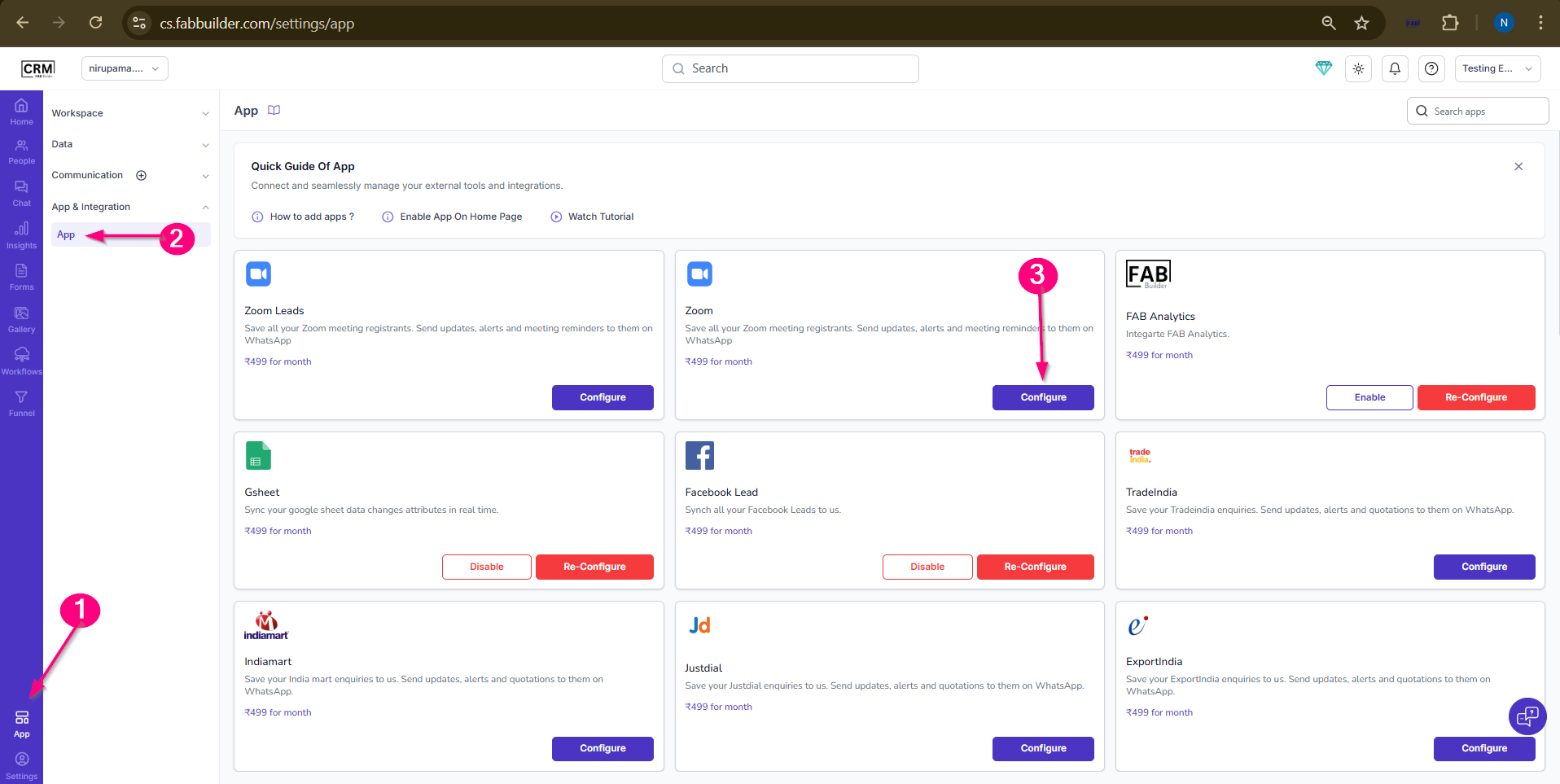
Screen- Steps to Access
4.Enter the required details and complete the setup.
- Client Id
- Client Secret ID
- Account ID
5.Click on Save
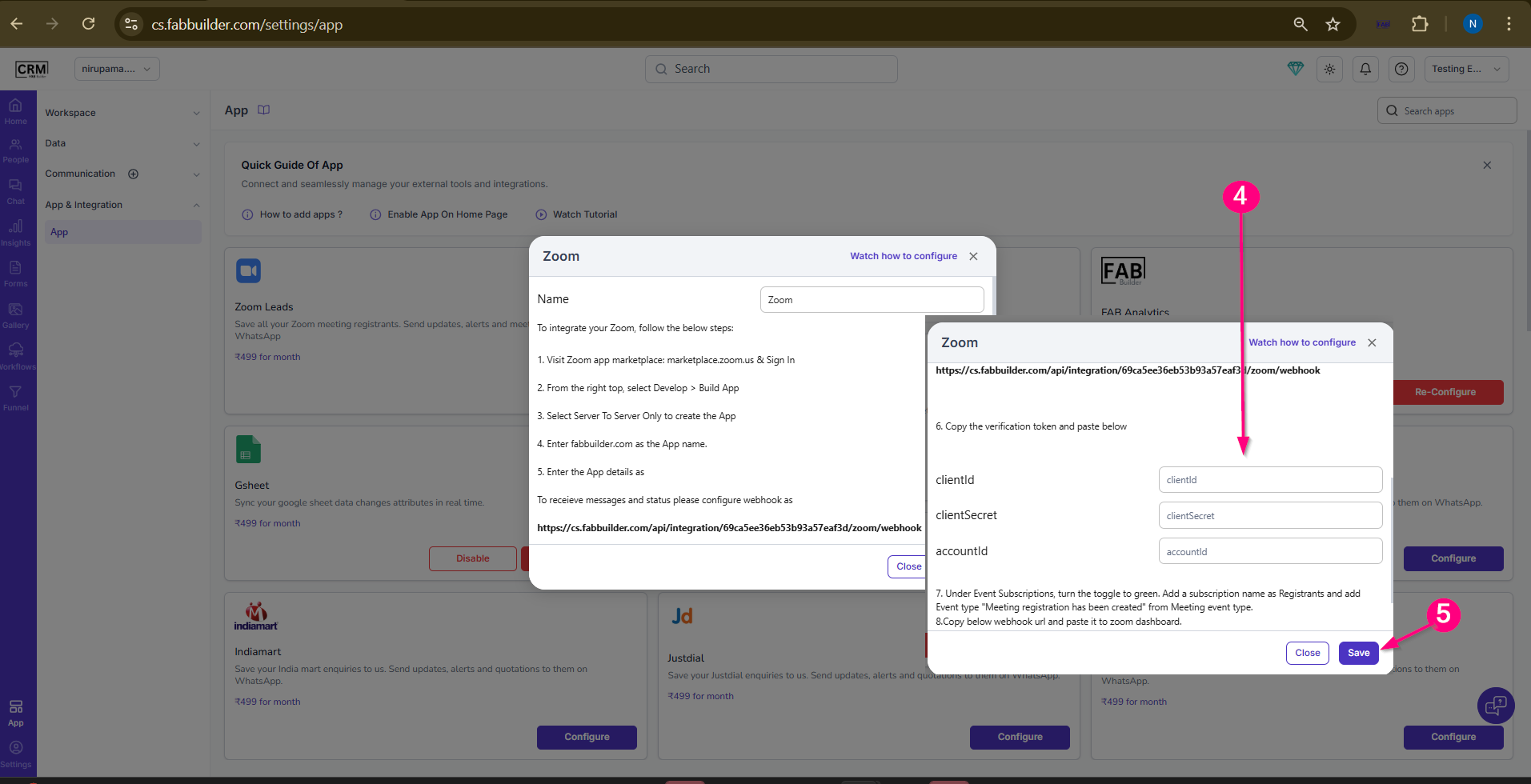
Screen- App Configuration
Validation Outcome
After completing the configuration:
- The system validates the entered details
- If valid, the integration is activated
- If invalid, validation fails
- Once validated, CRM starts receiving Zoom data