WooCommerce Integration – Documentation
Overview
WooCommerce is an eCommerce platform that is integrated with CRM (FabBuilder) to manage online store data.
Once integrated, it allows synchronization of customers, orders, and products between WooCommerce and CRM.
Purpose of Integration
• Sync customer data from WooCommerce to CRM
• Capture and manage orders in CRM
• Track customer purchase behavior
• Centralize eCommerce and CRM data
• Improve sales tracking and follow-up process
Prerequisites
• Active CRM (FabBuilder) account
• Admin access to CRM
• Active WooCommerce store
• Access to WooCommerce API credentials
• API access enabled
Required Credentials
The following credentials are required for successful integration:
• Shop URL – URL of WooCommerce store
• Consumer Key – Generated from WooCommerce API
• Consumer Secret – Generated from WooCommerce API
Note: API credentials are generated from WooCommerce backend.
Configuration Steps
After successful login, navigate to the App module from the left-side navigation panel.
1 Click on App module
2. Navigate to App & Integration → App
3.Search and select WooCommerce .Click on Configure
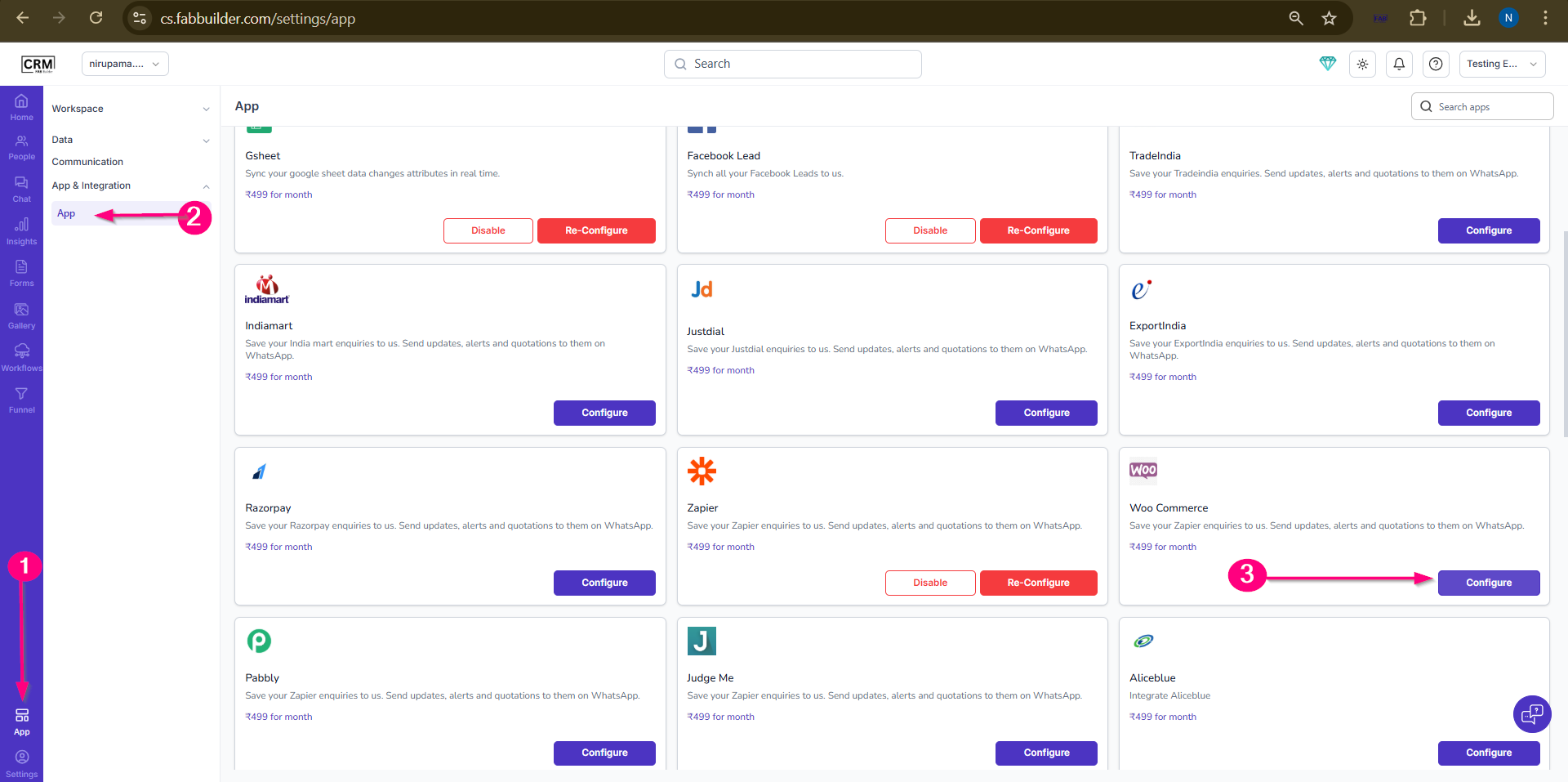
Screen- Access Woo Commerce
4.Enter the following details:
• Name
• Shop URL
• Consumer Key
• Consumer Secret
• (Optional) Enable Pin in Left Menu
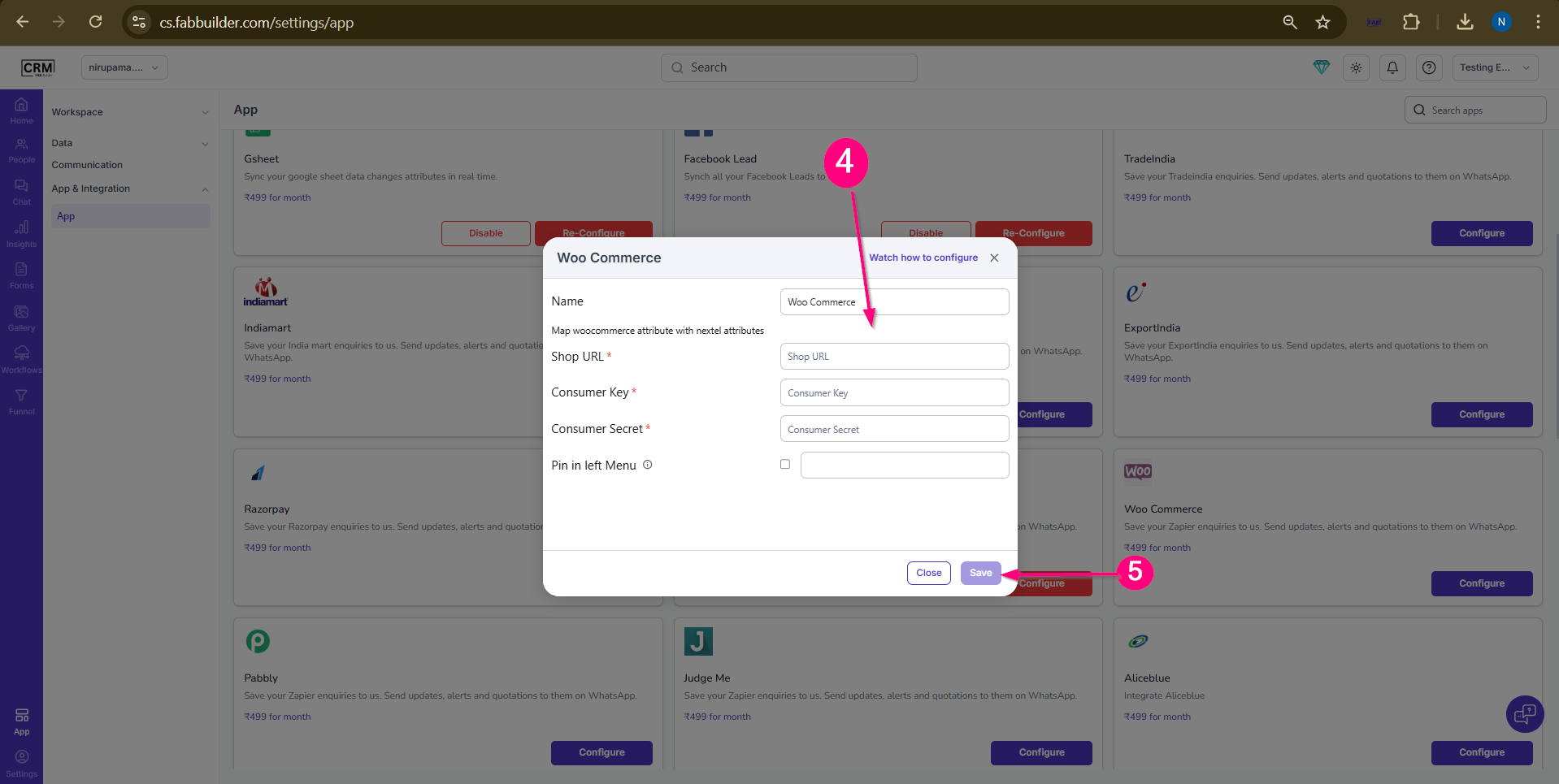
Screen- Configuration Woo Commerce
5.Click Save.
Validation
• Configuration saved successfully
• No error message appears
• Integration status becomes active
• WooCommerce data starts reflecting in CRM
Data Sync in CRM
• Customer details are synced
• Order details are captured
• Product data is available
• Purchase history is maintained
Output
• WooCommerce store connected to CRM
• Orders and customers synced automatically
• Improved sales tracking
• Centralized data management