Overview
WAPAS Wallet is a wallet-based application that needs to be integrated with the CRM (FabBuilder) to enable prepaid transaction management.
Once integrated, it allows the business to use wallet balance within the CRM to access services and advanced features, ensuring smooth and uninterrupted operations
.
Purpose of Integration
WAPAS Wallet integration with CRM enables:
- Enables wallet functionality within the CRM
- Manages prepaid transactions
- Tracks wallet balance and deductions
- Monitors transaction history
- Provides seamless access to services using wallet balance.
Prerequisites
Before starting the integration, ensure the following prerequisites are met:
- Active CRM (FabBuilder) account
- Admin access to CRM
- Valid WAPAS Wallet account (for business/client)
- Access to WAPAS Wallet credentials
- API access enabled.
Required Credentials
The following credentials are required for successful integration:
- Client ID – Provided to the client for authentication
- Client Secret – Provided for secure access
- Application ID – Provided by WAPAS system
Note: All credentials are provided by the WAPAS system or client account.
Configuration Steps
After successful login, navigate to the App module from the left-side navigation panel.
- Click on App module
- Navigate to App & Integration → App
- Search and select WAPAS Wallet.Click on Configure
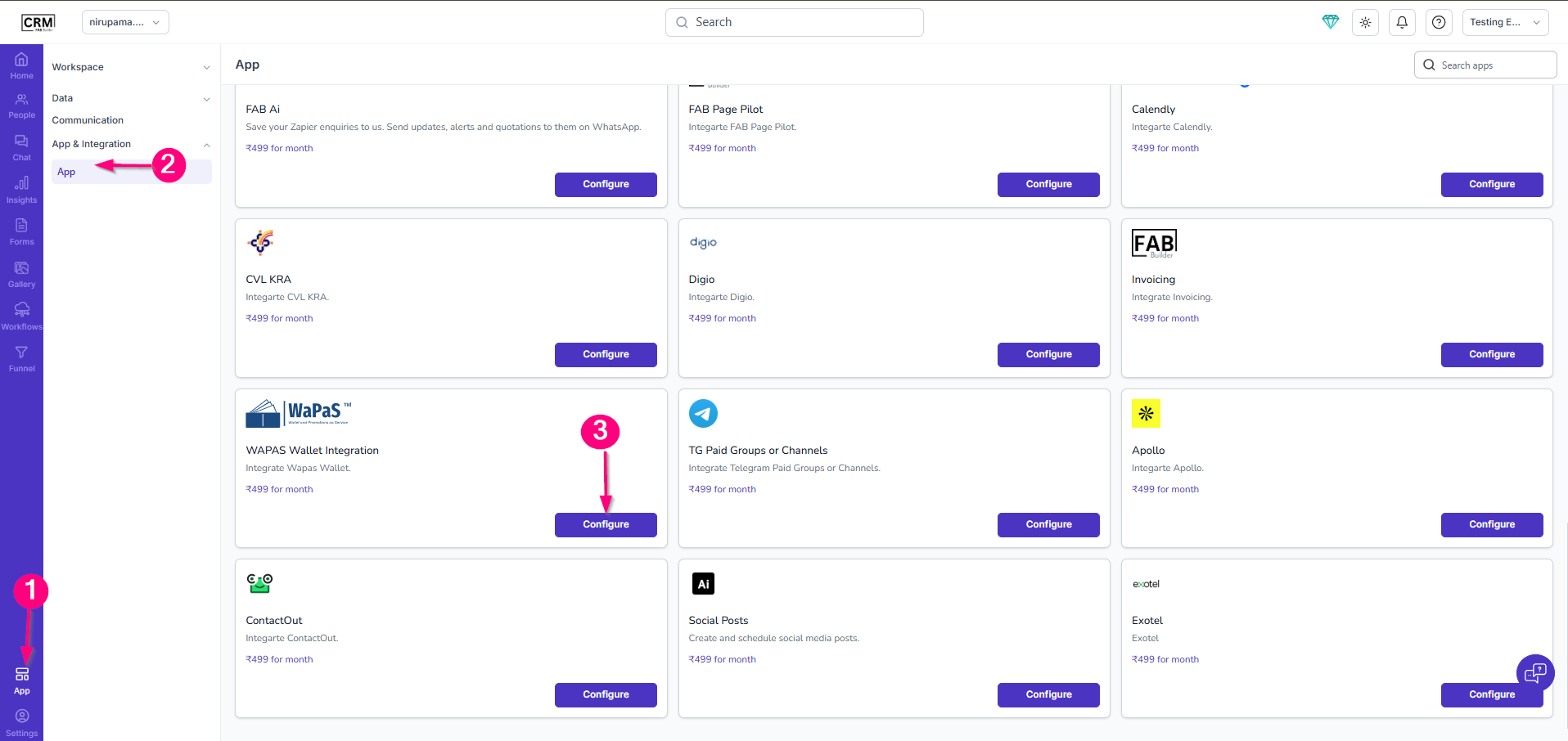
Screen-Access to WAPAS App
4.Enter the following details:
- Enter Name
- Client ID
- Client Secret
- Application ID
- (Optional) Enable Pin in Left Menu.
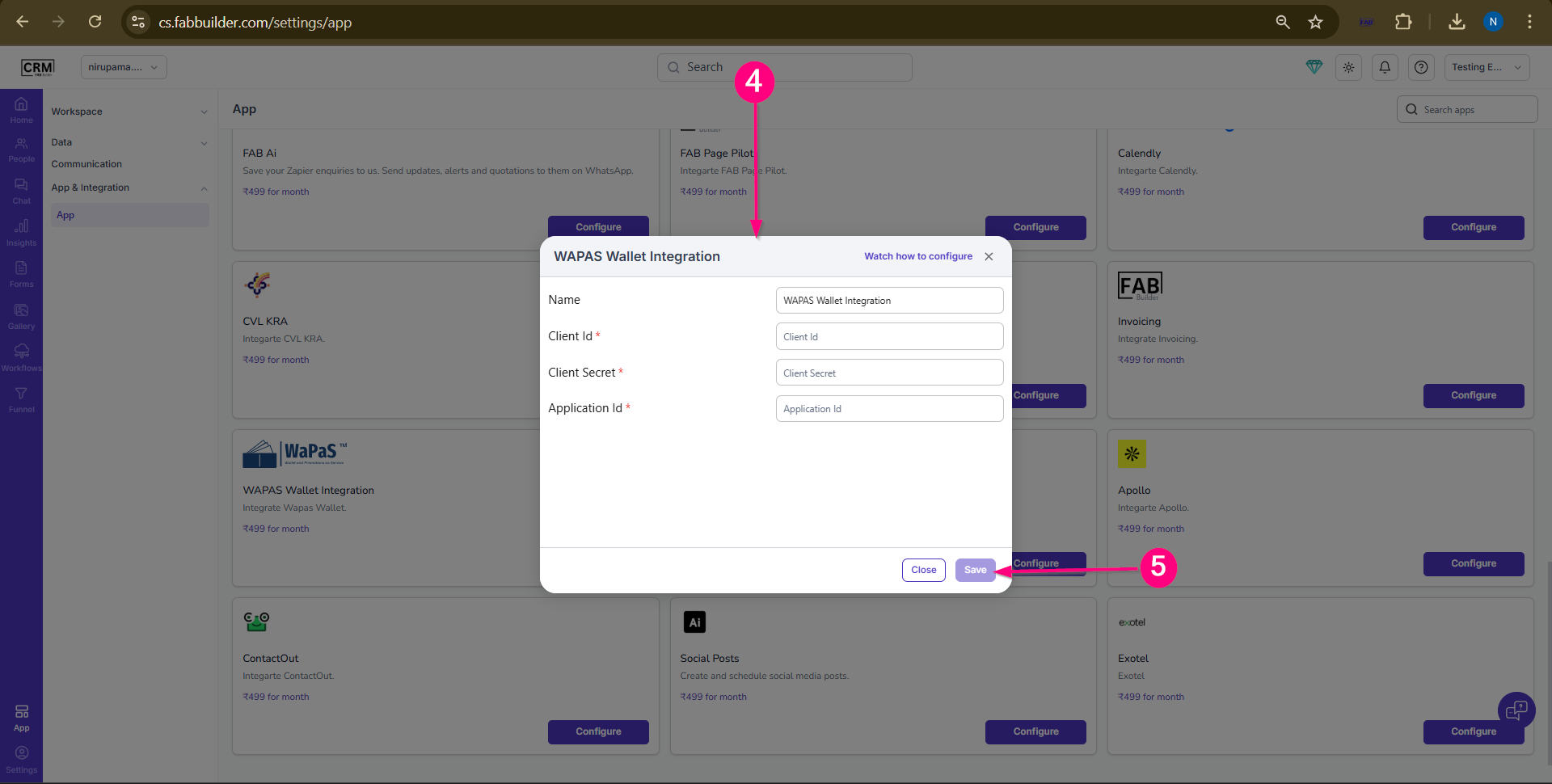
Screen- WAPAS Wallet Configuration
5.Click Save
Validation
- Configuration saved successfully
- No error message appears
- Integration status becomes active
- Wallet functionality is accessible
Wallet Usage / Working in CRM
- Business adds money to WAPAS wallet (wallet top-up)
- CRM uses this wallet balance for services and features
- Amount is deducted based on usage
- Wallet balance and transactions are tracked in CRM