Upstox Integration with FAB CRM
Overview
Upstox integration enables the CRM to connect with trading and investment services.
It allows businesses to manage user investment activities and interact with trading-related data directly within the CRM, ensuring a smooth and efficient workflow.
Prerequisites
Ensure the following before starting the integration:
- Active Upstox account
- Access to Upstox API services
- API credentials
- Admin access to FAB CRM
- Stable internet connection
Important Note (Credentials)
All required credentials (Auth ID, Auth Token, Client Secret) are generated after Upstox account setup and API access approval.
- Use testing credentials (if available) for initial setup
- Use production credentials for live usage
Credentials Required
Enter the following details during configuration:
- Auth ID
- Auth Token
- Client Secret
How It Works
- User performs an investment or trading-related action
- CRM sends a request to Upstox
- Upstox processes the request
- Response is returned to CRM
- CRM displays the relevant result or status
Flow:
User Action → CRM → Upstox → Response → CRM Display
Configuration Steps
After successfully logging in to the CRM system, follow the steps below to configure Upstox:
- Navigate to the App module
- Go to:Workspace → App & Integration → App
- Search for Upstox.Click on Configure.
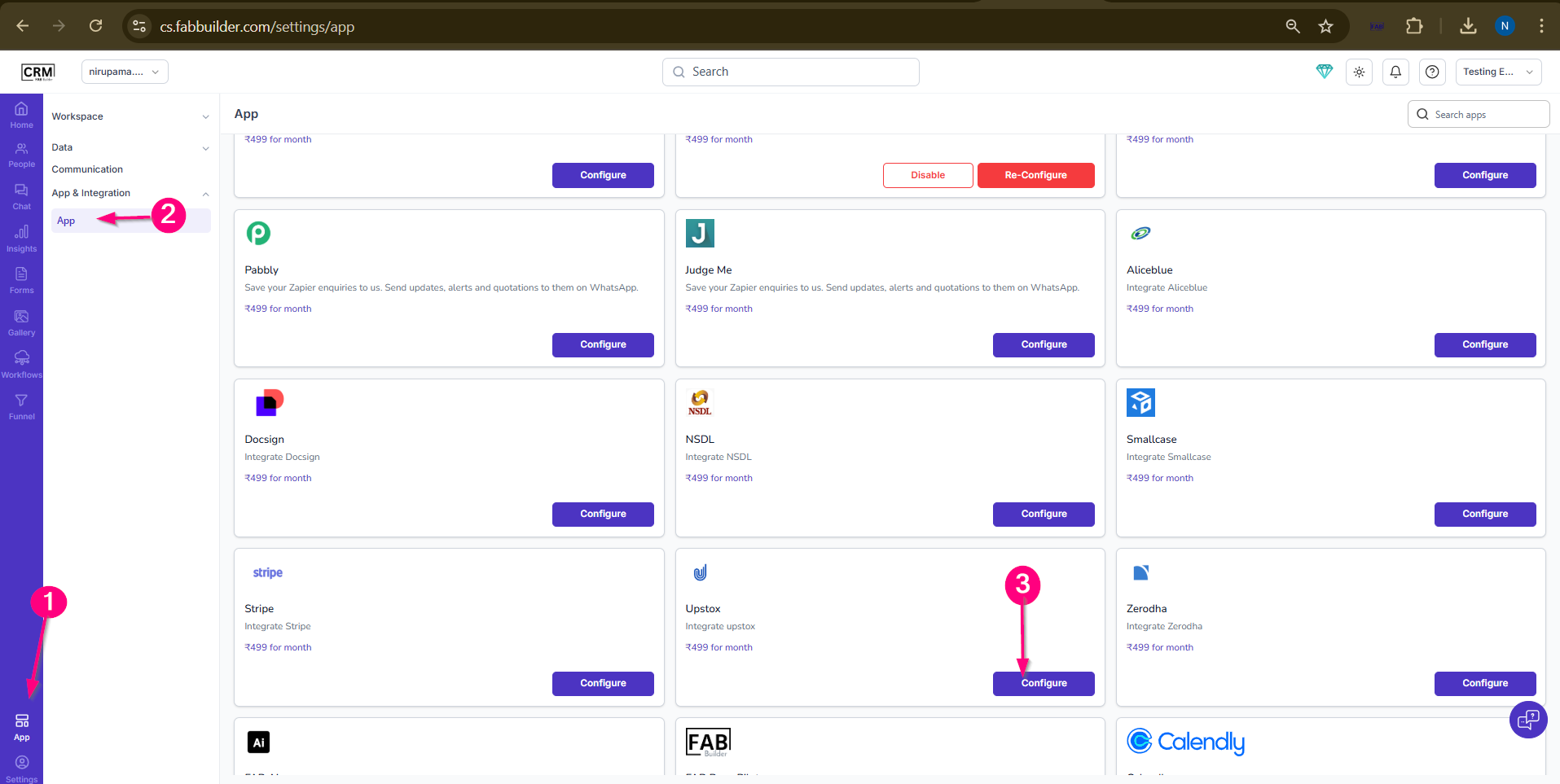
- Screen-Flow to Access
- Enter the required details:
- Name (default: Upstox)
- Auth ID
- Auth Token
- Client Secret
- (Optional) Enable Pin in Left Menu
5.Click on Save.
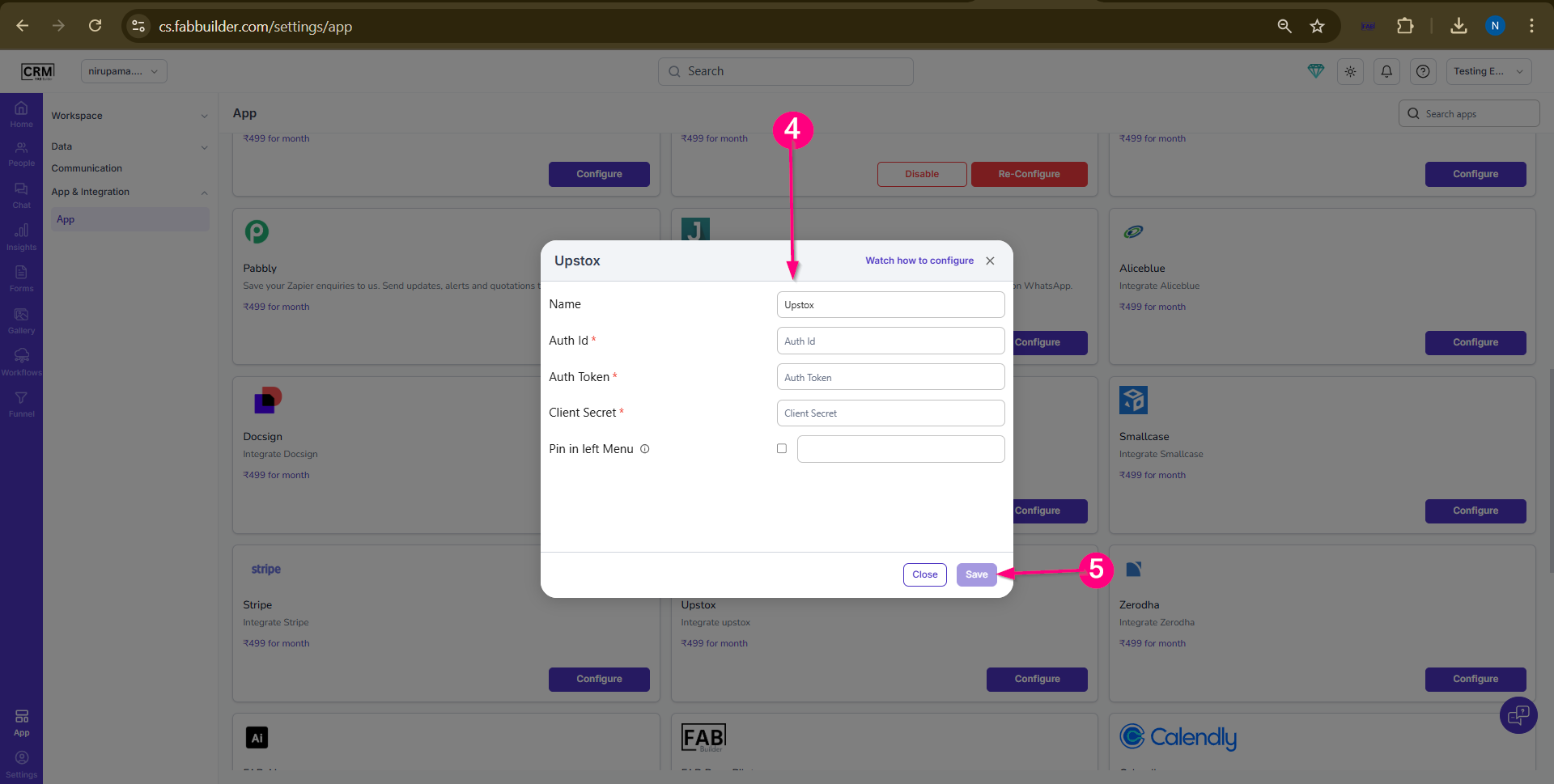
Screen- Upstox configuration
Validation Outcome
After completing the configuration:
- The system validates the entered credentials
- If credentials are correct, the integration is activated
- If credentials are incorrect, validation fails
- Once validated, users can start using Upstox features
Important Points
- Correct credentials are required for successful integration
- Incorrect inputs will result in failure
- API/server availability may affect response
- Always test before using in production