Support Channel in Communication
Overview
The Support Channel is used to manage and track customer support activities within the CRM.
It allows users to create support entries, respond to queries, and maintain a complete history of issues and resolutions.
This channel works similar to a Call Log, but is specifically designed for handling support-related communication.
Prerequisite
- User must have access to CRM
- Permission to configure communication channels
- Access to Chat Module and Communication Section
Credentials / Required Details
While adding the Support Channel, user may need to provide:
- Channel Name (e.g., Support)
- Description (optional)
- Any system-specific configuration (if applicable)
Steps to Add Support Channel
After successful Login to CRM via https://cs.fabbuilder.com/ navigate the support channel by following the steps mentioned below
- Go to Add module/Setting module.(Here selected App module)
- Go to Communication
- Click on Add Channel
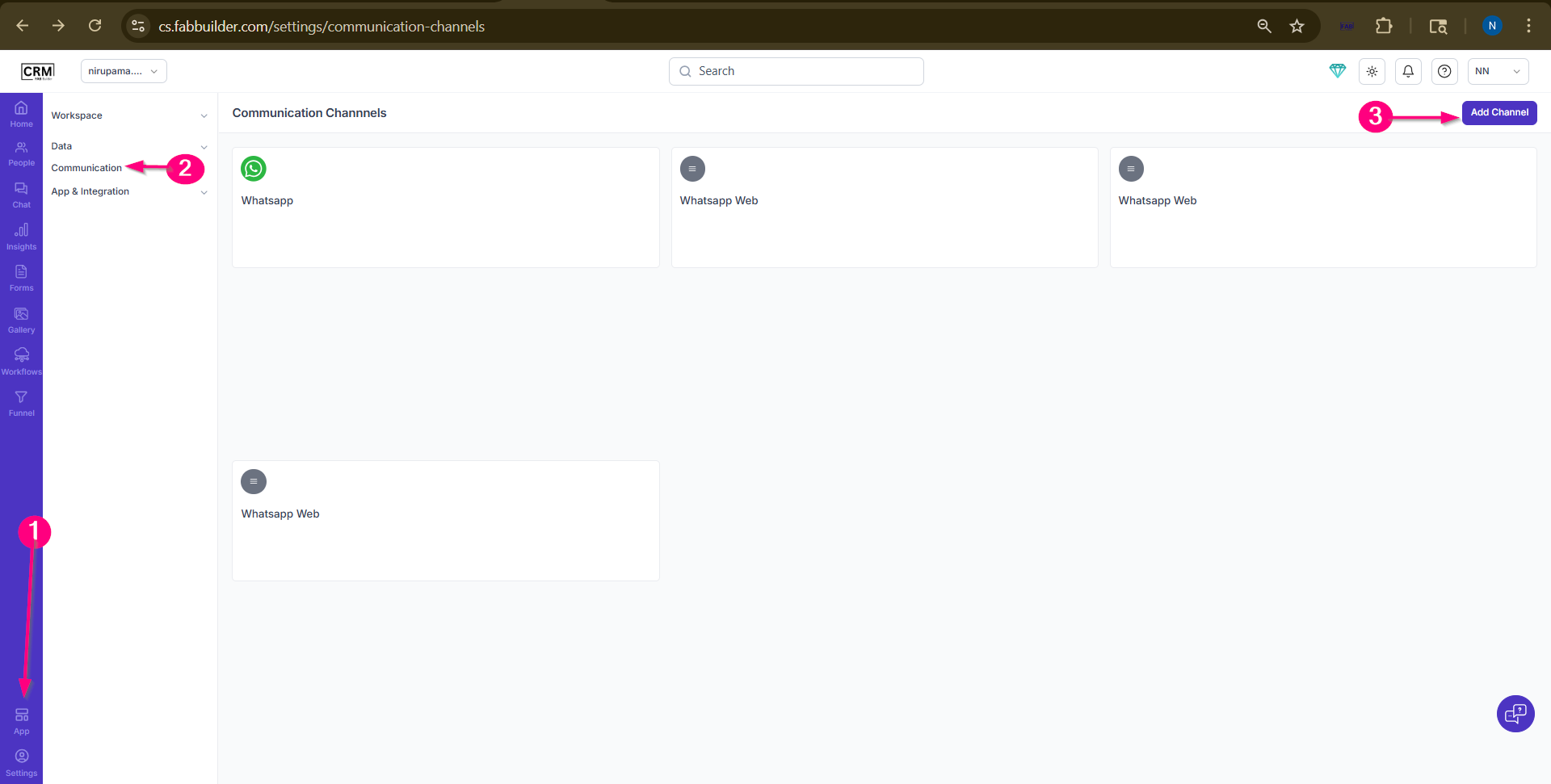
Screen-Step to Add the support respose channel
4.Select Channel Type as Support and Enter required details.
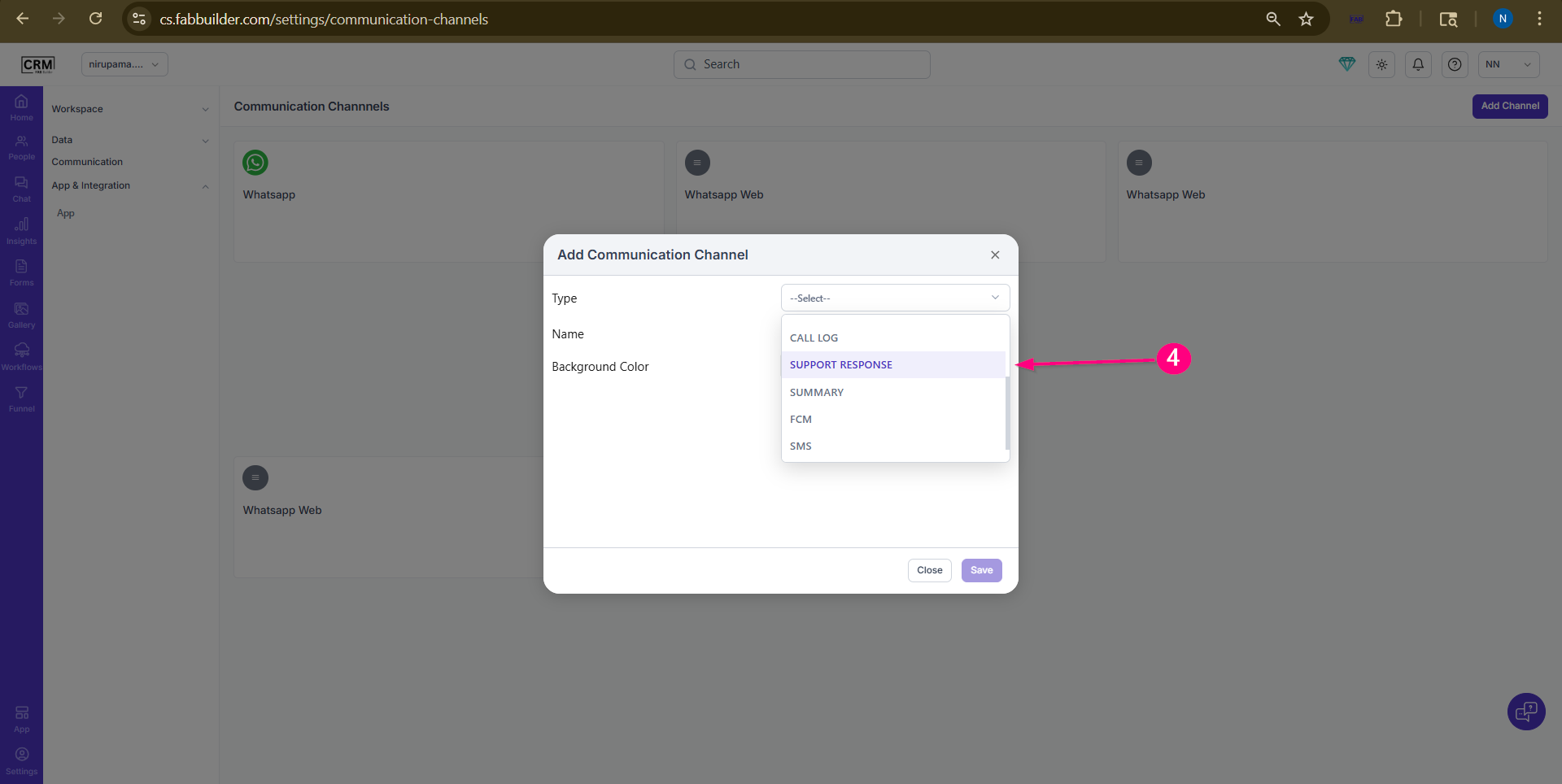
Screen-Select Support
5.Add name of support channel
6.Click on Save.
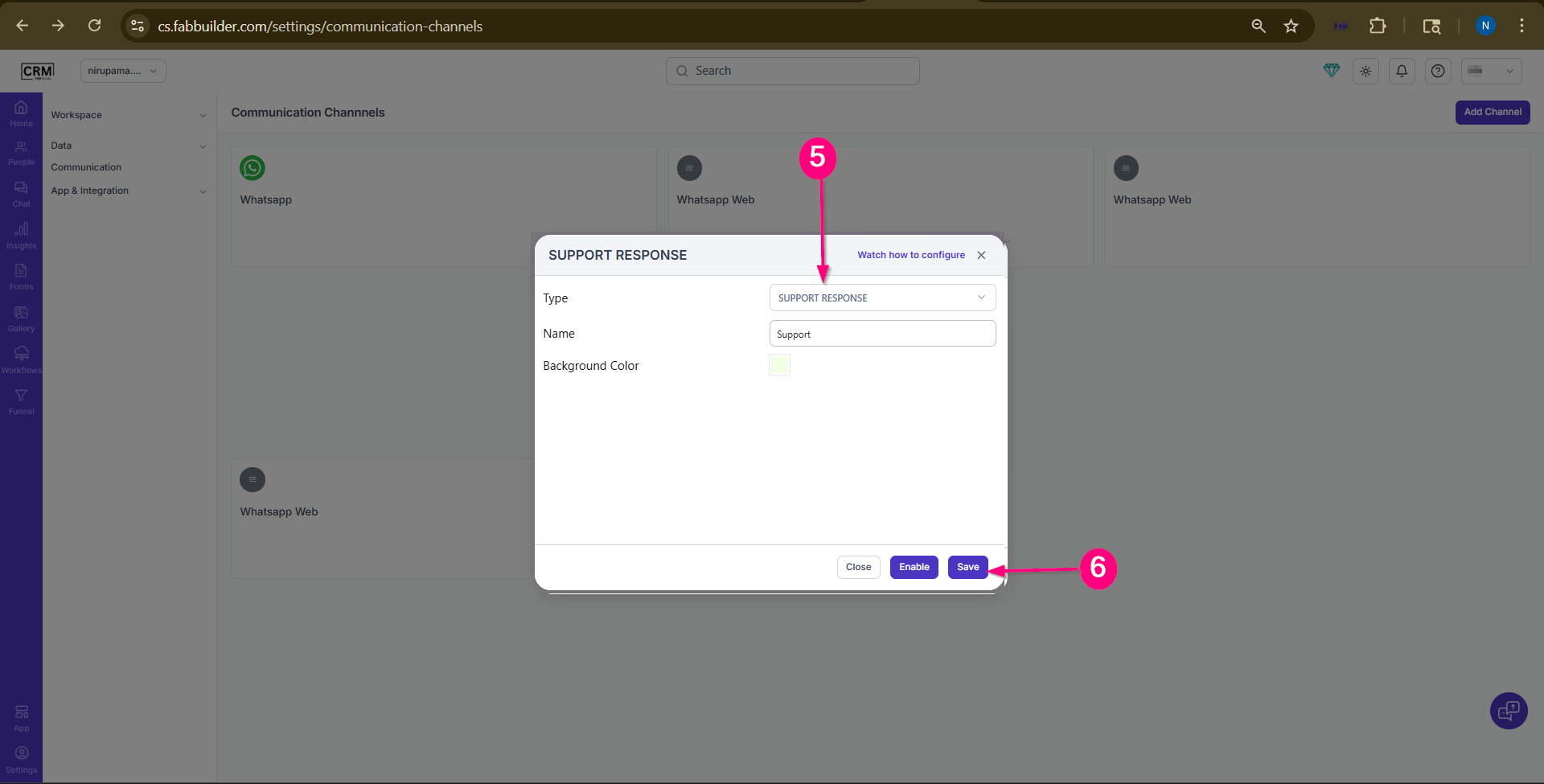
Screen- Save support Channel
Now the support channel is added and can be viewed in the communication list.
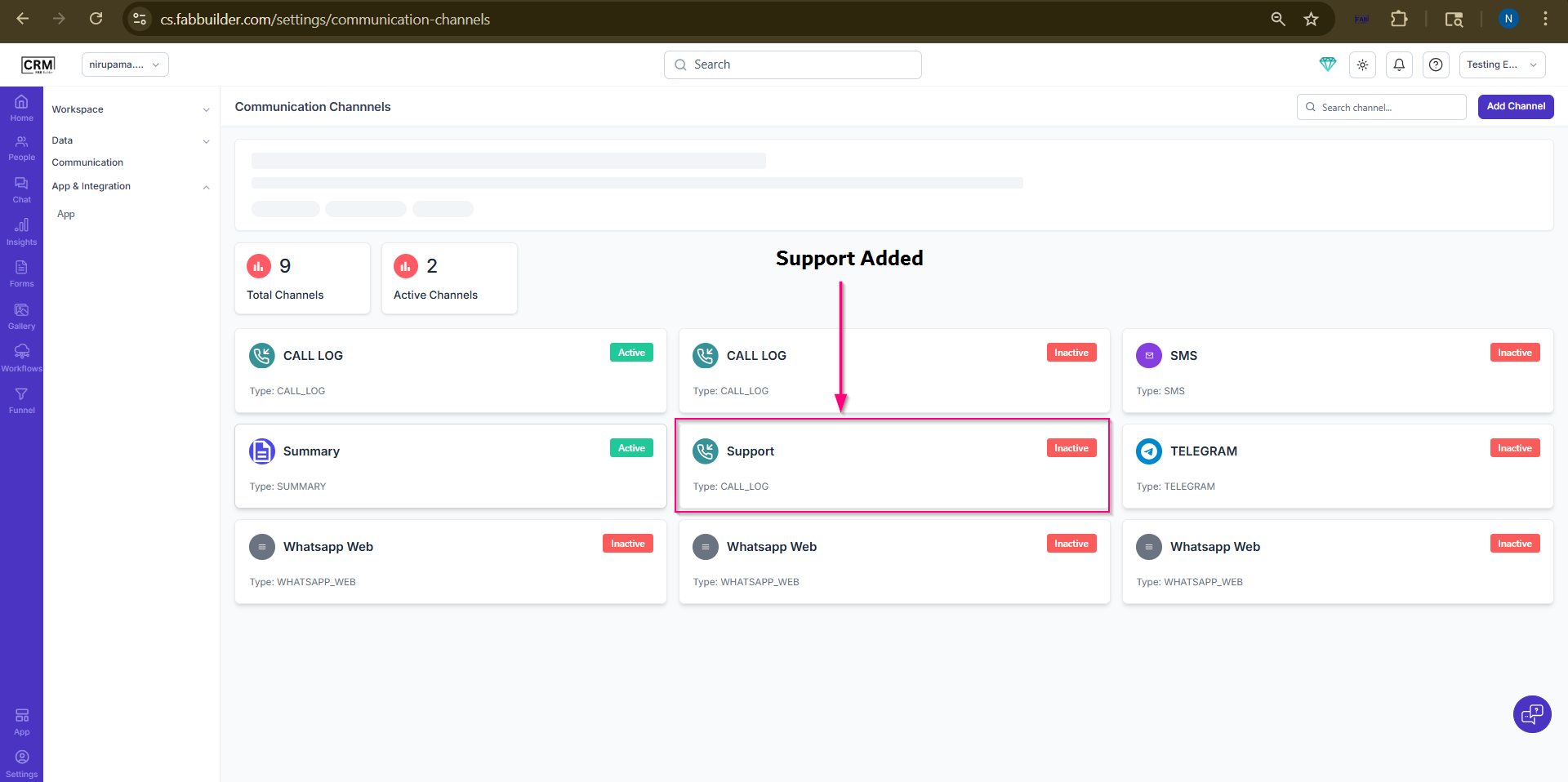
Screen- Support Added in communication List
Validate
- The Support Channel will be available in the All Channels list
- It will appear in Chat Module → Right Panel (Communication Section)
- Users can now:
- Create support entries
- Add responses
- Track issue status
How to Generate Support Response in Chat
After adding the support channel successfuly on communication list follow the steps to generate the support respose for a selected lead contact.
1.Go to Chat Module.
2.Select User section
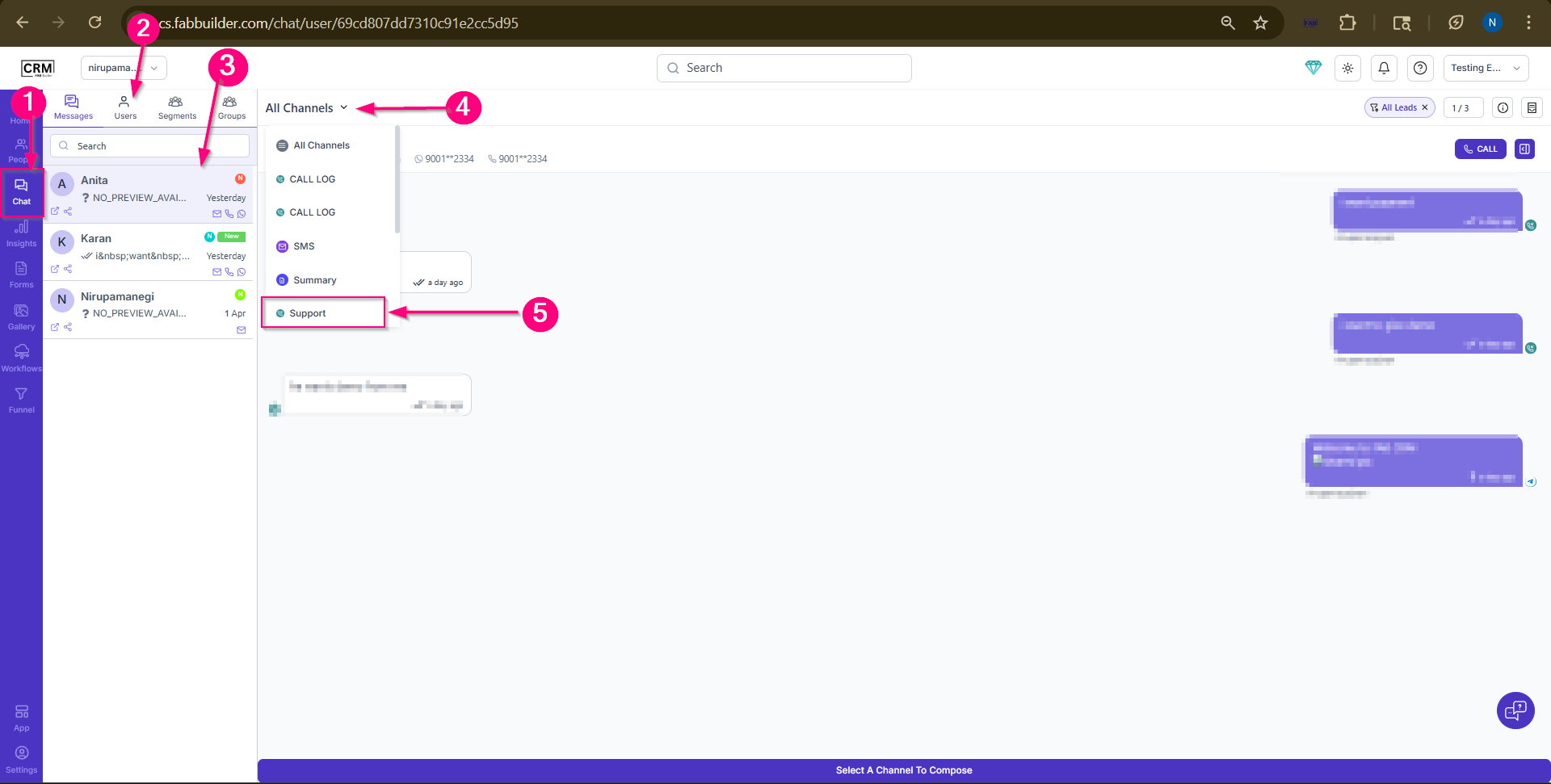
Screen-Steps to Add Respose
3.Select the Lead Contact.Now lead communciaction panel will expand
Screen- Select the Lead Contact
4.Go to All Channels and open drop dow menu.
5.Select Support Channel
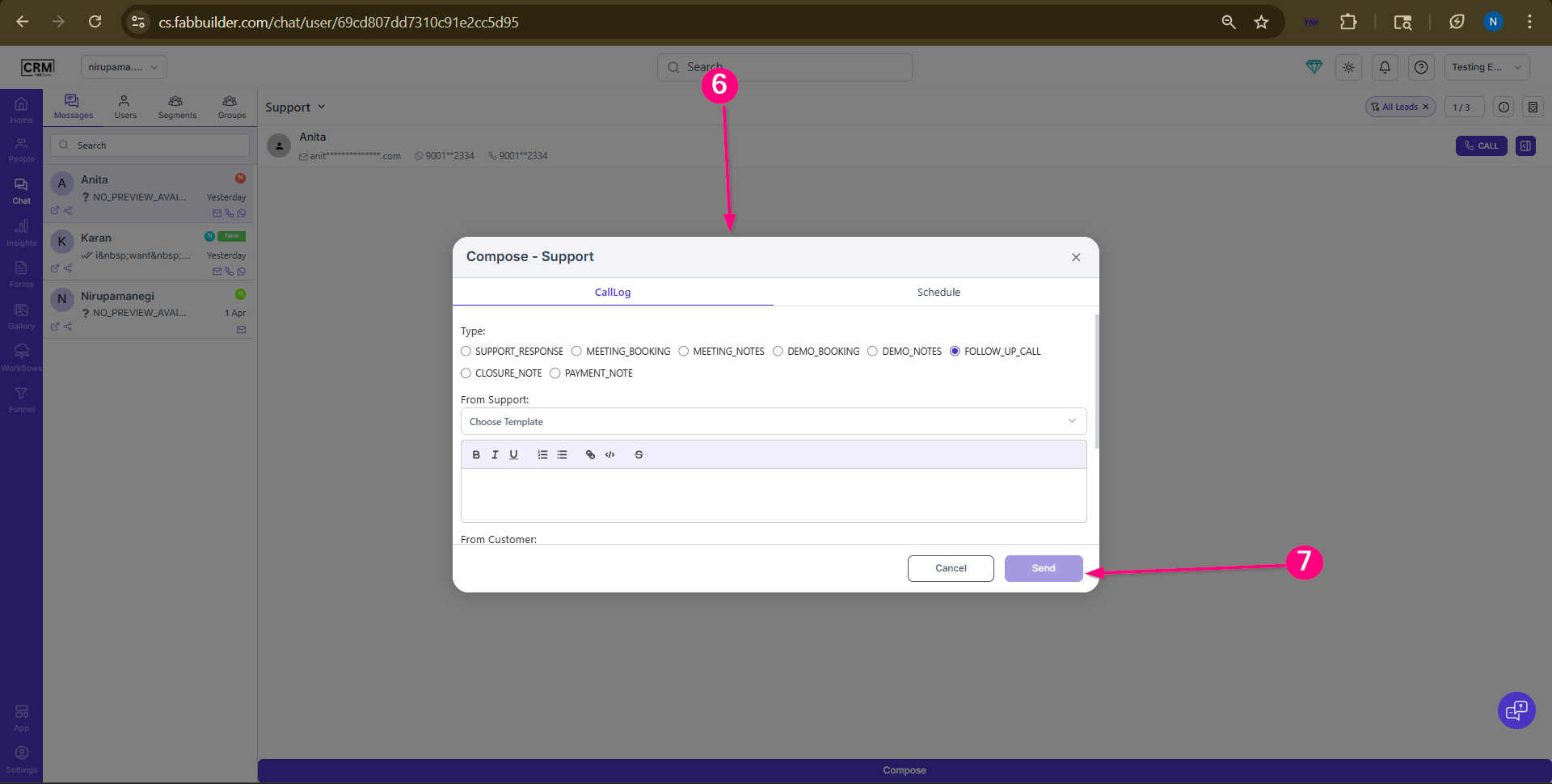
Screen- Steps to Compose Support Response
6.Add following Details
- Call Log Type: Type of interaction being recorded
- From Support: Action/response from support team
- From Customer: Query or message from customer
- Funnel Stage: Current stage of lead in the process (e.g., Lead Grooming, Prospect Nurture).Here Reminder and Appointment options are available based on the selected funnel stage.
7.Click to send button.
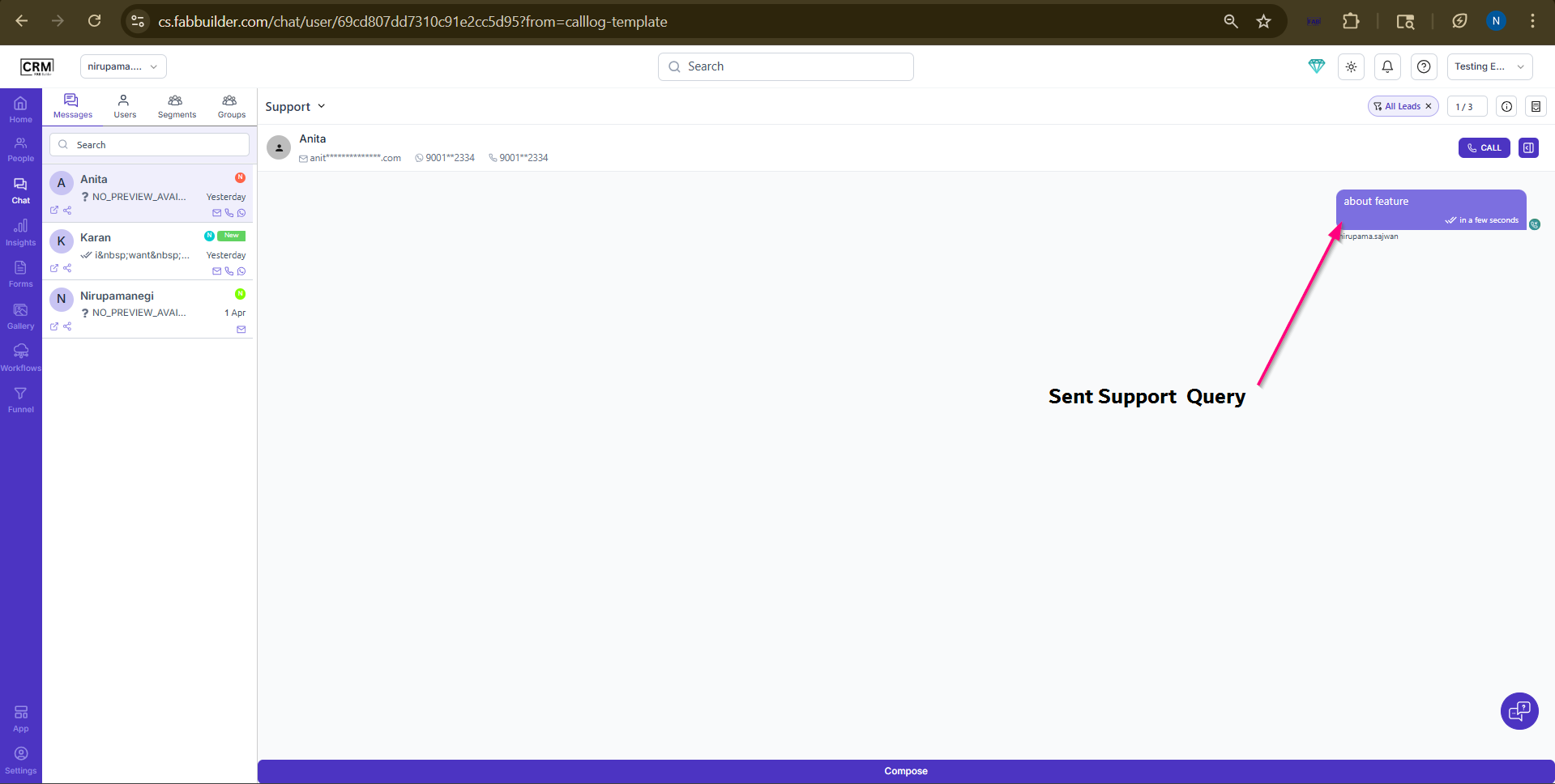
Screen- Generated Support Response
Screen- Generated Support Respose
The response will be recorded and visible in the communication thread for future reference.