Stripe Integration in CRM
Overview
Stripe integration allows FAB CRM to process online payments securely. By configuring Stripe credentials in CRM, users can accept and manage payments directly within the system.
Prerequisites
User must have access to the following:
- A valid Stripe account
- Access to FAB CRM
- Access to Stripe Dashboard
- Plan with Stripe integration enabled
Credentials Required
The following details will be provided by the respective parties (Client or CRM).
- Test Publishable Key (Client – Stripe Dashboard)
- Test Secret Key (Client – Stripe Dashboard)
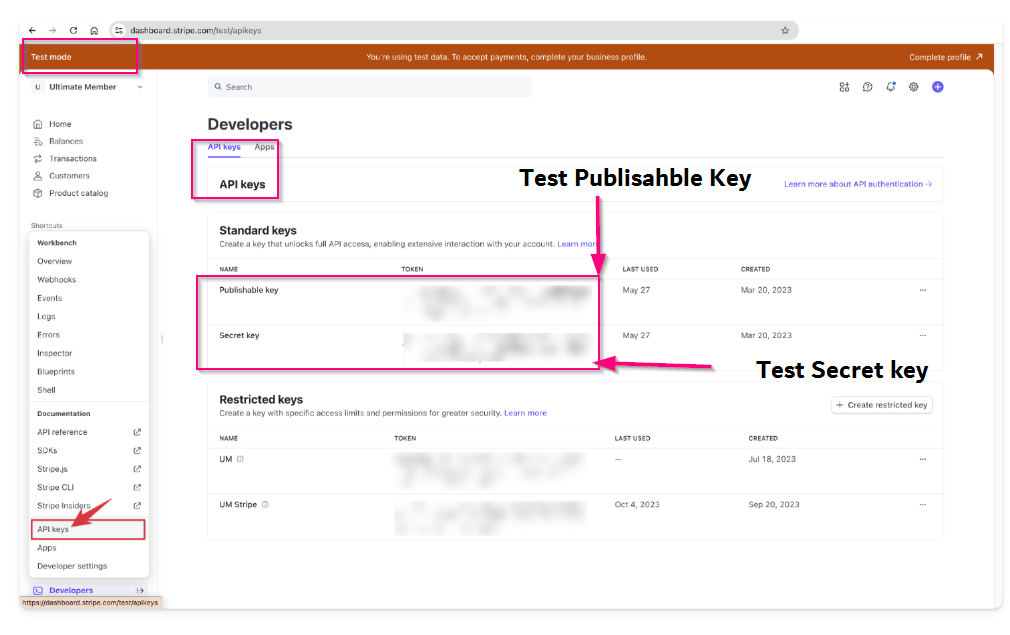
Screen- Test mode Credetial
- Test Signing Secret (Client – Stripe Webhook)
- Production Publishable Key (Client – Stripe Dashboard)
- Production Secret Key (Client – Stripe Dashboard)
- Production Signing Secret (Client – Stripe Webhook)
- Callback URL (CRM System)
Webhook Setup
For successful configuration, ensure the following:
- Add webhook URL provided by CRM into Stripe Dashboard
- Select required events (e.g., payment success, failure)
- Copy webhook secret and add it to CRM
Configuration Steps
After completing all the prerequisites, the user can proceed with the following steps to configure and enable stripe integration within the CRM for seamless payment processing.
1.Go to App section/setting section on side blue bar. This will open the list of subsection.
2.Select App and integration.
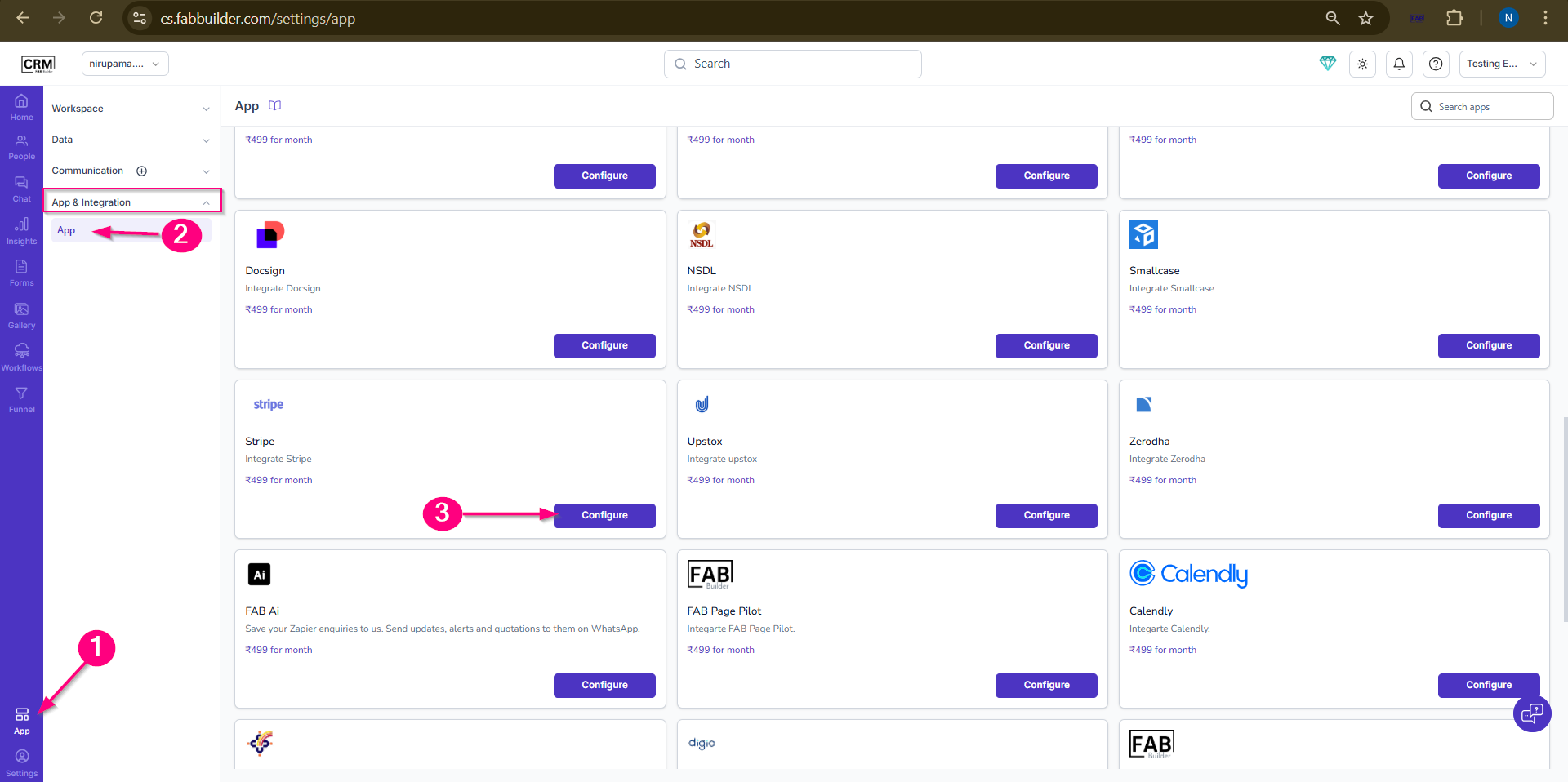
Screen- Access Stripe App
3.Select Stripe App tab and click to configuration button.
4.Fill all details on configuation pop window.
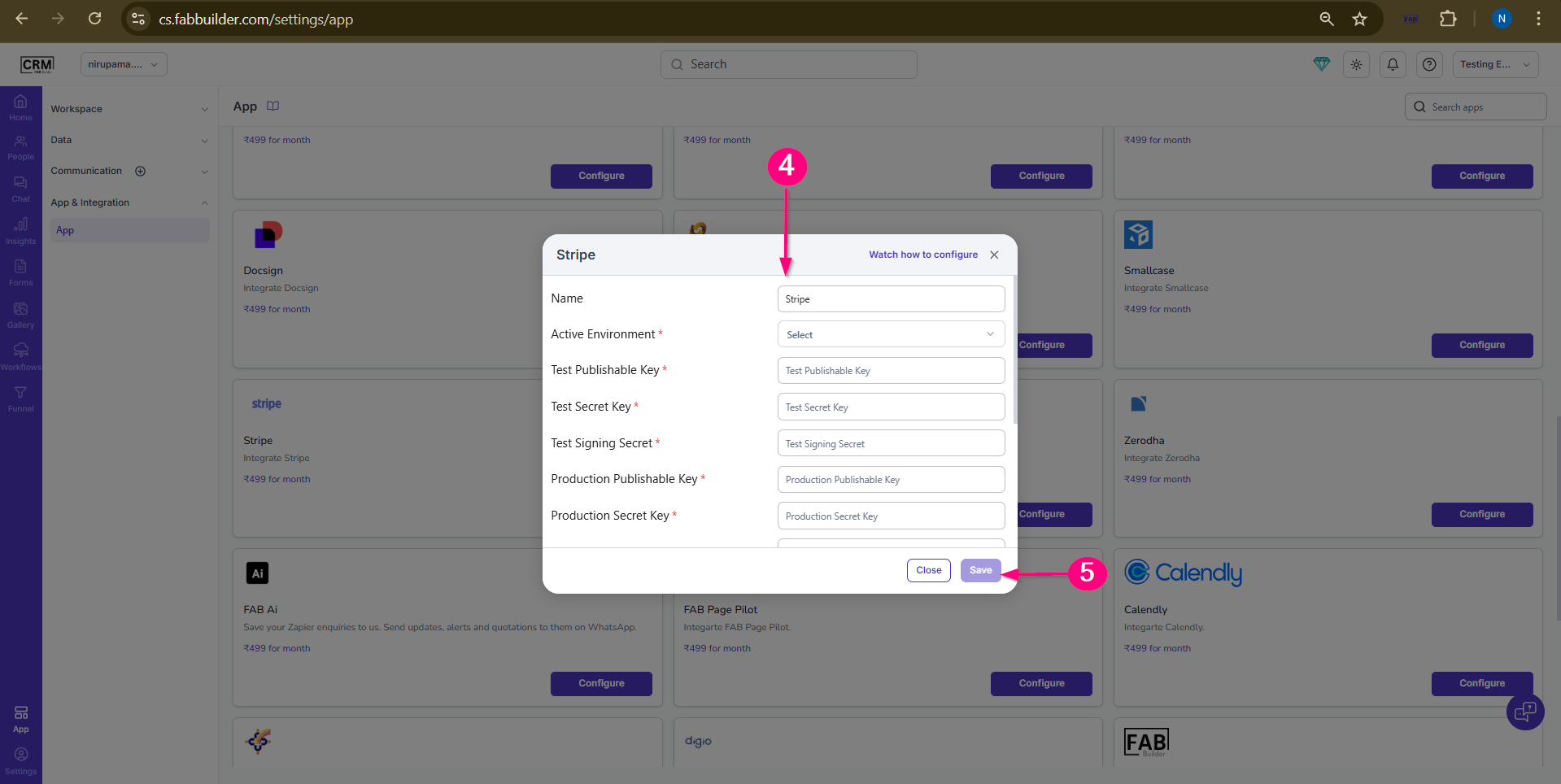
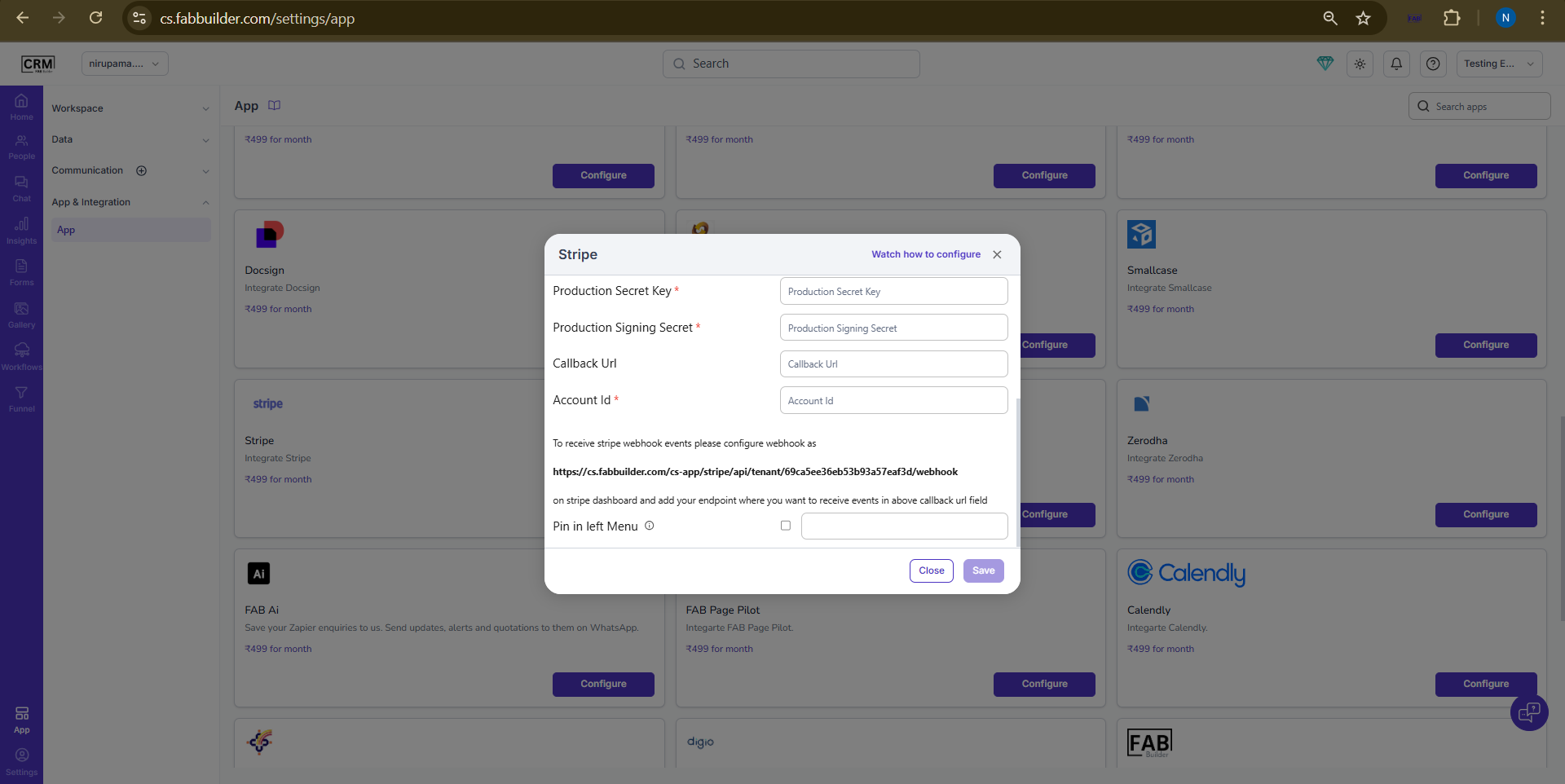
Screen- Credential for Stripe Configuration
5.Click on save button.
Once the configuration is successful, the system will be ready to process and track payments directly through the CRM.
Verification
- Perform a test transaction (in Test mode)
- Verify payment status in CRM
- Check webhook event logs