SMTP in CRM (Overview)
SMTP (Simple Mail Transfer Protocol) is used to send emails from the CRM system. By configuring SMTP, users can send emails such as notifications, alerts, and customer communications directly from the CRM.
Prerequisites
Before starting the integration, ensure the following:
- Access to CRM (FabBuilder) with admin rights
- Valid business email account
- SMTP server details from email provider (Gmail, Outlook, Zoho, etc.)
Required Credentials
You will need the following details:
- SMTP Host (e.g., smtp.gmail.com)
- SMTP Port (e.g., 587 or 465)
- Email Address (Business email ID)
- Password / App Password
- Encryption Type (TLS / SSL)
SMTP Configuration / Integration Steps
After successful log in user must follow the step outlined below
1. Go to App/Settings.module.
2. Goto workspace→ communication→ After clicking add communication channel pop screen open.
3. Click on drop down menu.
4. Select SMTP communication channel.
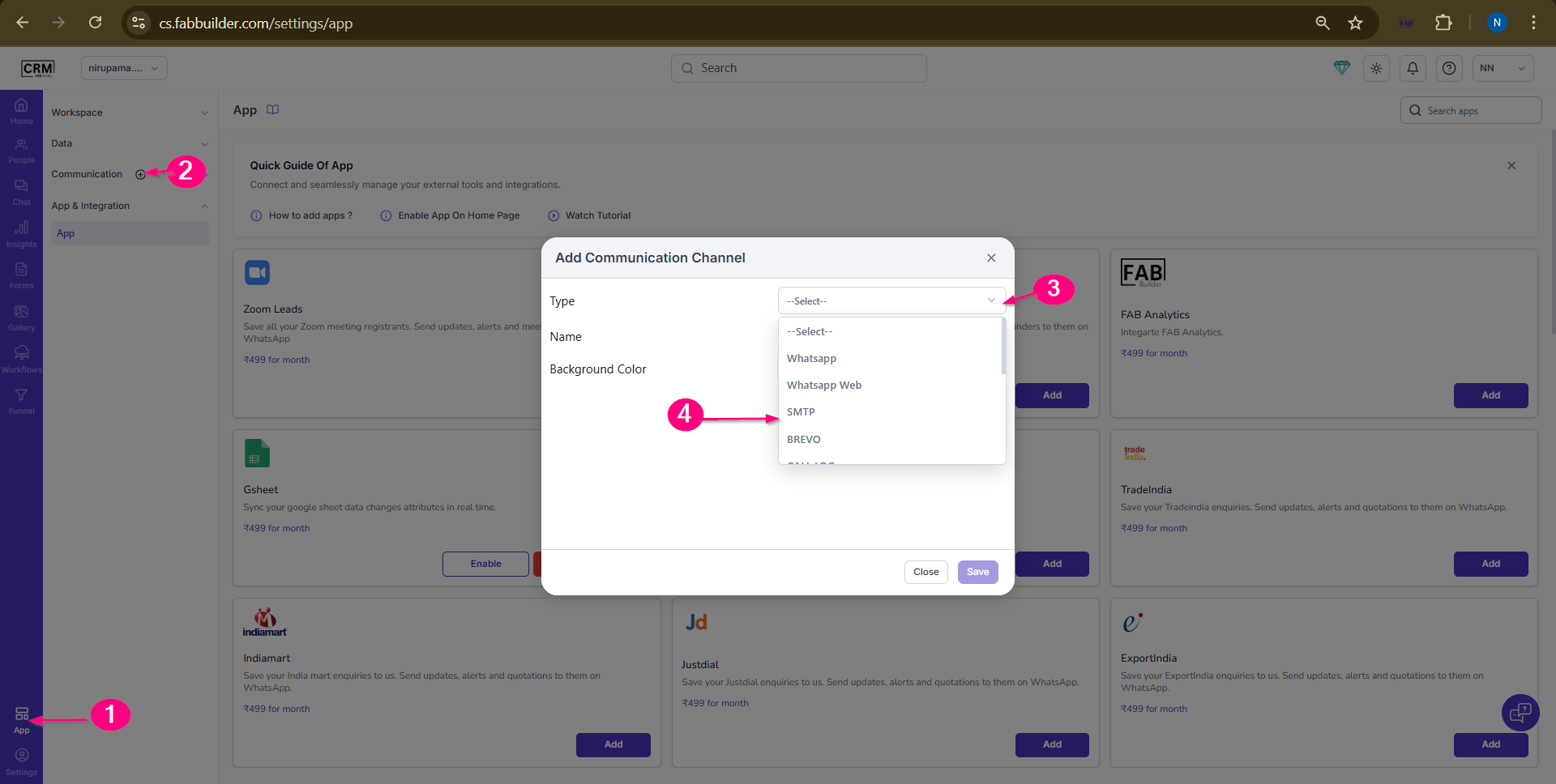
Screen - steps to Access app
5. Add all details (of clients side) following details:
- Email ID (e.g., info@company.com)
- App Password (generated from email provider)
- From Email (same as above)
- SMTP Host (e.g., smtp.gmail.com)
- Port (recommended: 587)
6. Click Save.
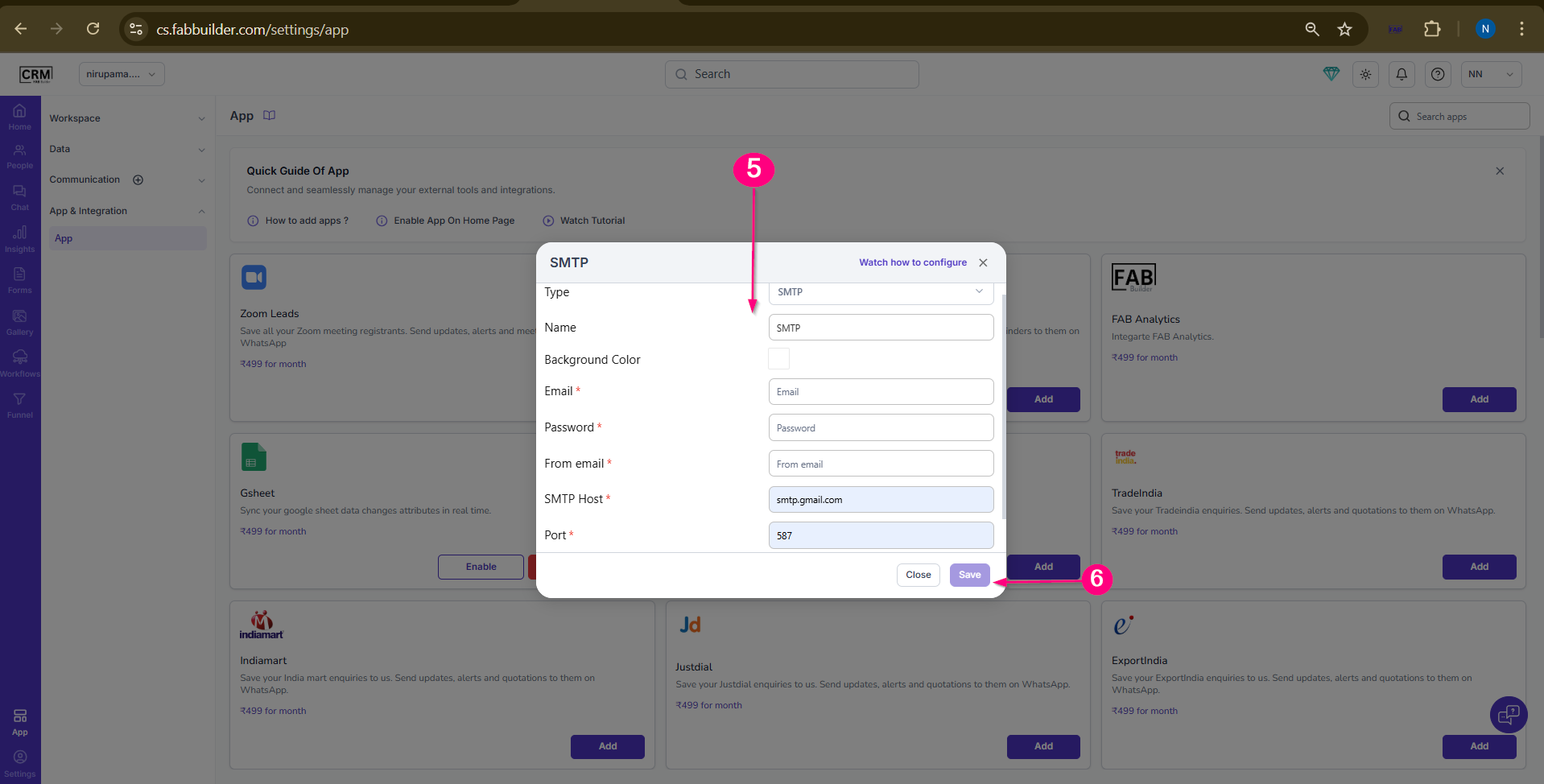
Screen-configuration screen to Add Credentials
User must send a test email to verify configuration.If the email is received successfully, SMTP setup is complete.
To send message user must select the chat module and follow the step to send message by SMTP communication channel.
7.Select chat module.
8.Select the lead details under the message section of chat module.Now the right panel will display the lead details with sent message history.
9.Click to All channel drop down menu.
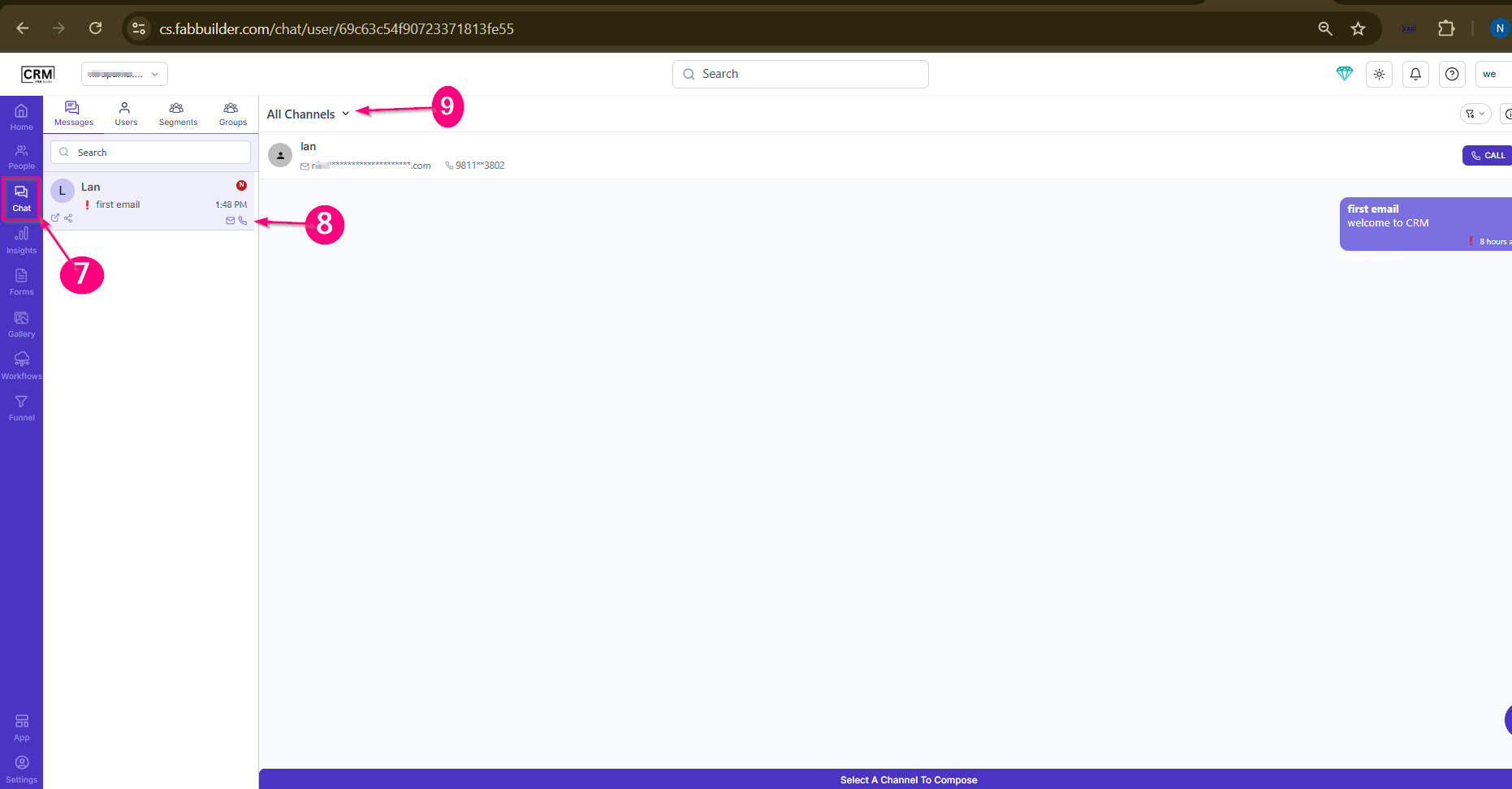
Screen-Select Lead to send message
10.Select SMTP from the drop down.
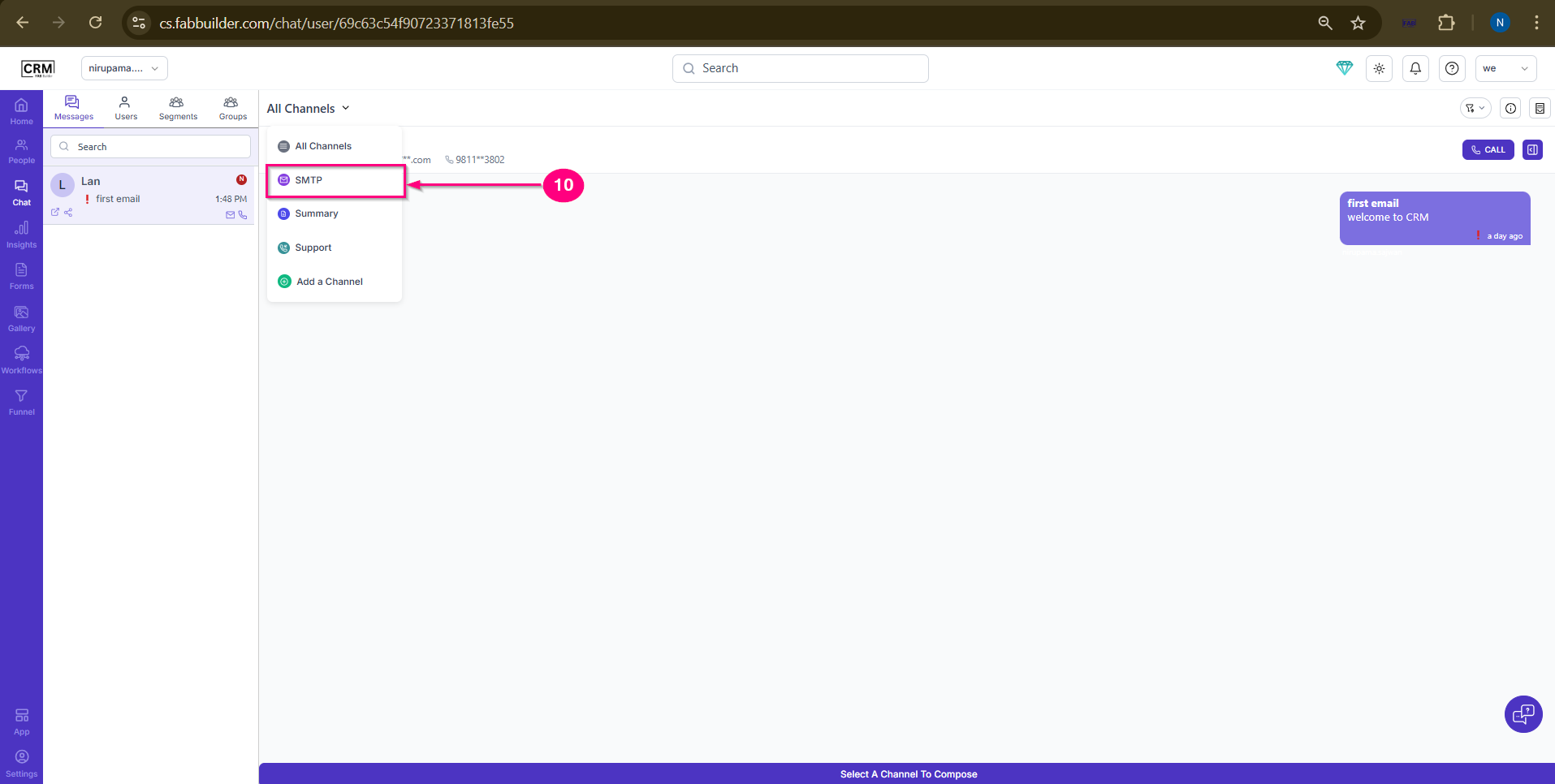
Screen-Select Lead
11.Select on compose button on footer.
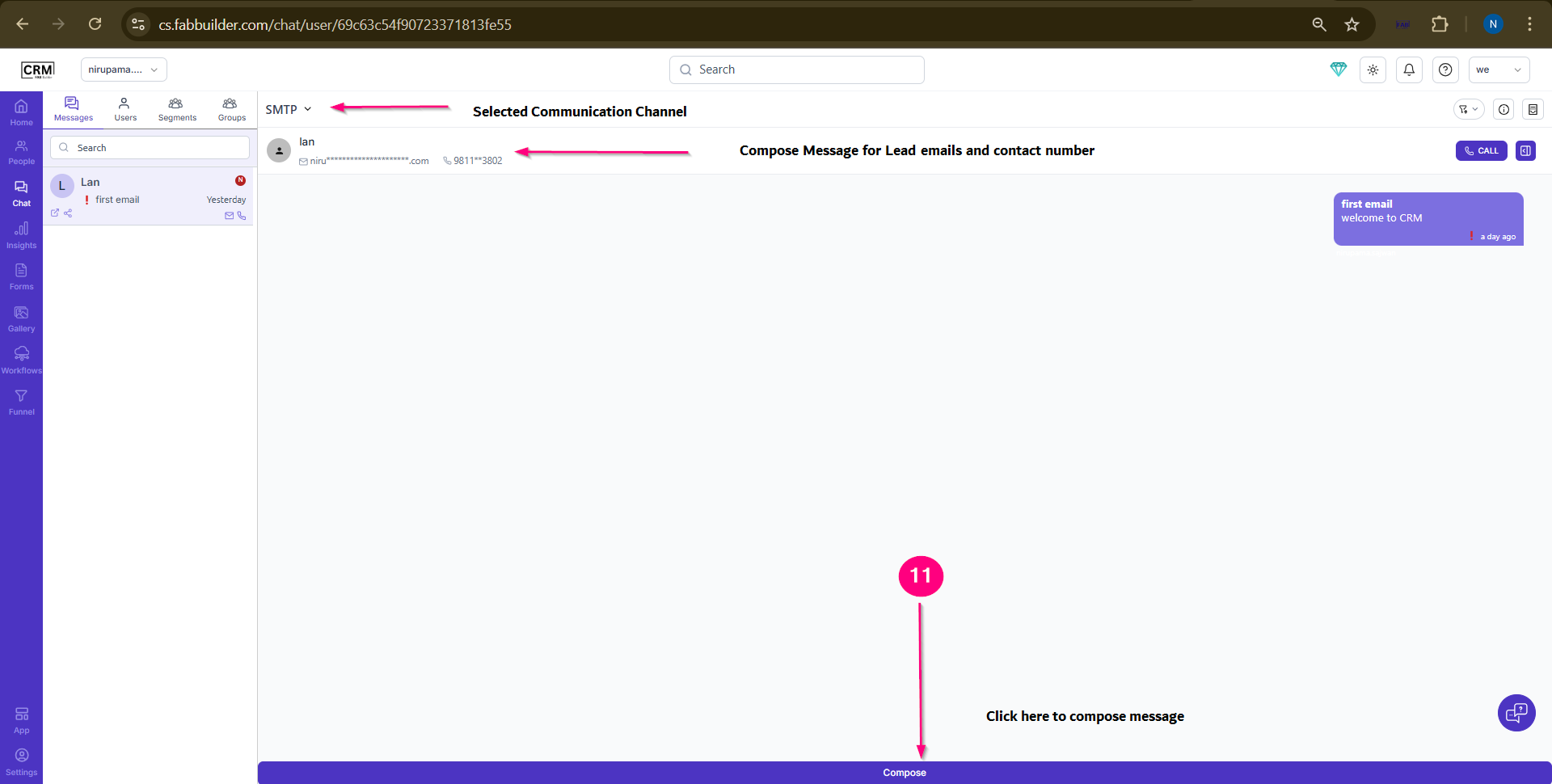
Screen- Compose the message
12Type or sent template message.
13.click on send button.
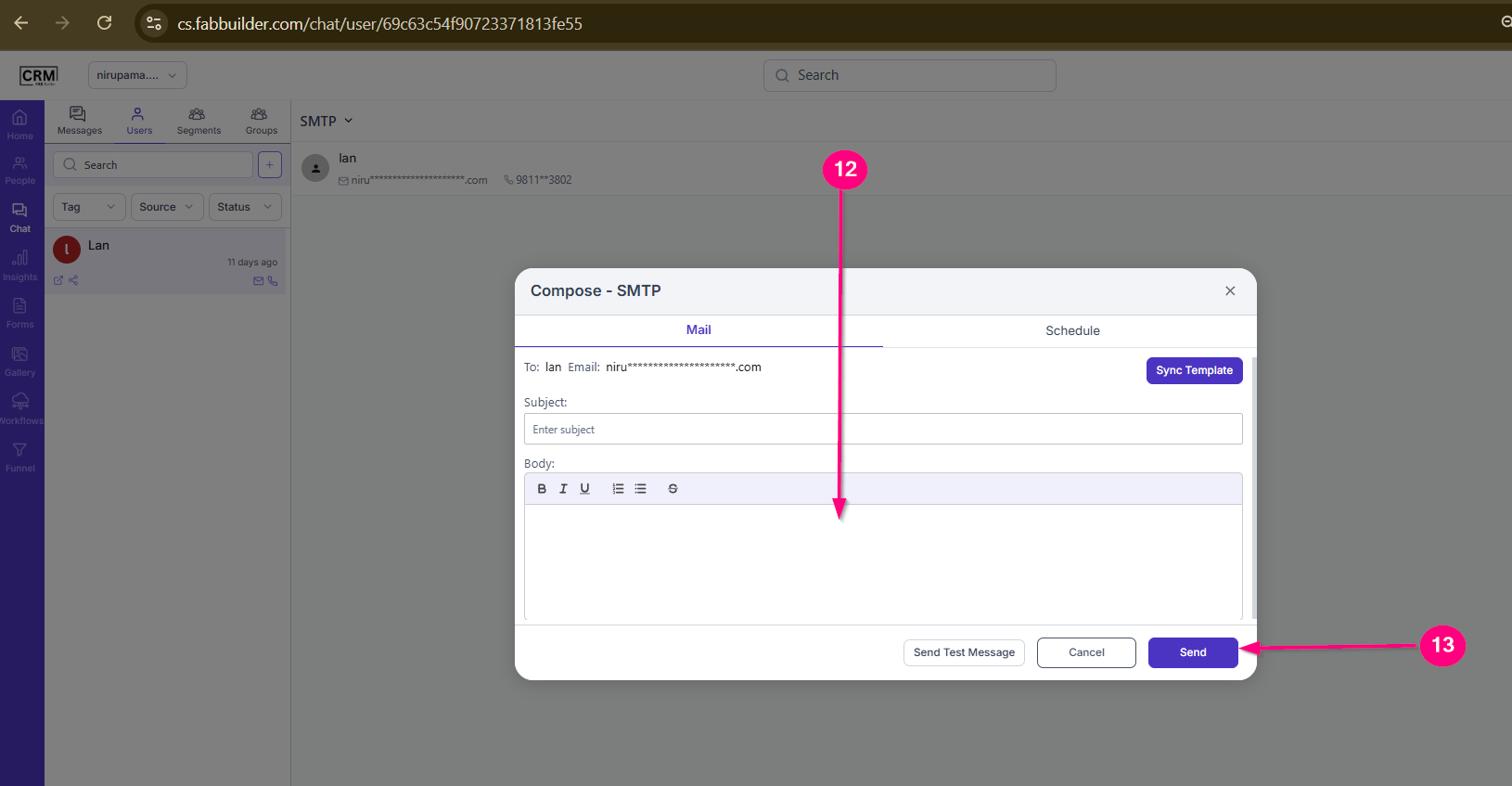
Screen- Message composed
User can view the sent message and status on right side of the screen.
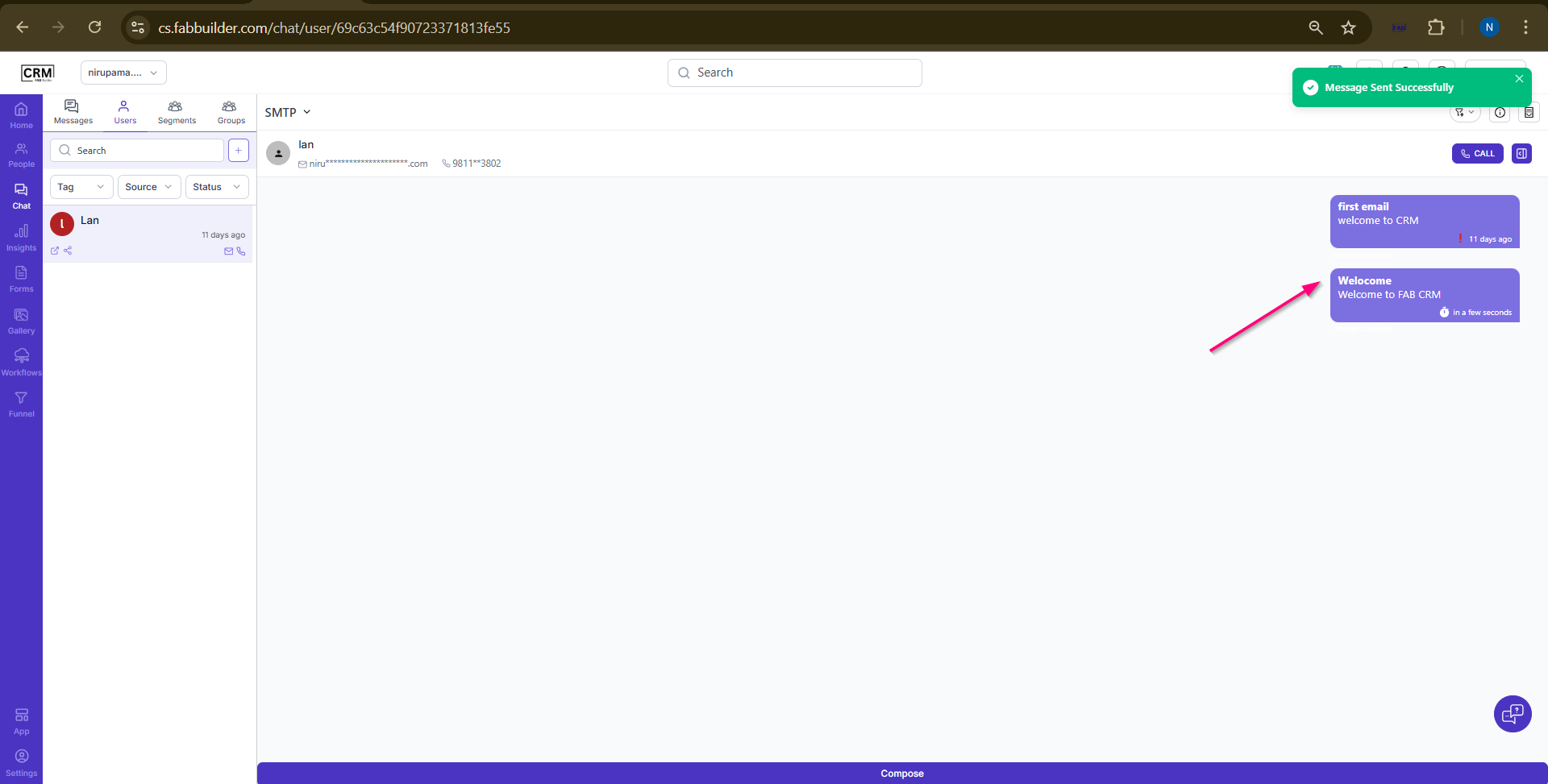
Screen- Message Sent
- Always use App Password, not your regular email password
- SMTP host depends on clients email provider (Gmail, Outlook, Zoho, etc.)
- Port 587 (TLS) is recommended for secure communication