NSDL Integration with FAB CRM
Overview
NSDL integration enables the CRM to perform real-time KYC (Know Your Customer) verification.
It allows businesses to verify customer identity details such as PAN, Aadhaar, and other information directly within the CRM, making the onboarding process fast, secure, and reliable.
Prerequisites
Ensure the following before starting the integration:
- Active NSDL account
- Access to NSDL API (Sandbox or Production)
- API credentials
- Admin access to FAB CRM
- Stable internet connection
Important Note (Credentials)
All required credentials (Auth ID, Auth Token, Client Secret) are issued after NSDL account setup and approval.
- Use Sandbox credentials for testing
- Use Production credentials for live usage
Credentials Required
Enter the following details during configuration:
- Auth ID
- Auth Token
- Client Secret
How It Works
- User enters customer details in CRM (e.g., PAN, Name, DOB)
- CRM sends a secure request to NSDL
- NSDL verifies the data from its database
- NSDL returns the verification result
- CRM displays the result (Verified / Failed)
Flow:
User Input → CRM → NSDL → Response → CRM Display
Configuration Steps
After successful Log in to the CRM system follow the steps below to configure NSDL
- Navigate to App module.
- Navigate to workspace → App & Integration → App
- Search for NSDL.Click on Configure.
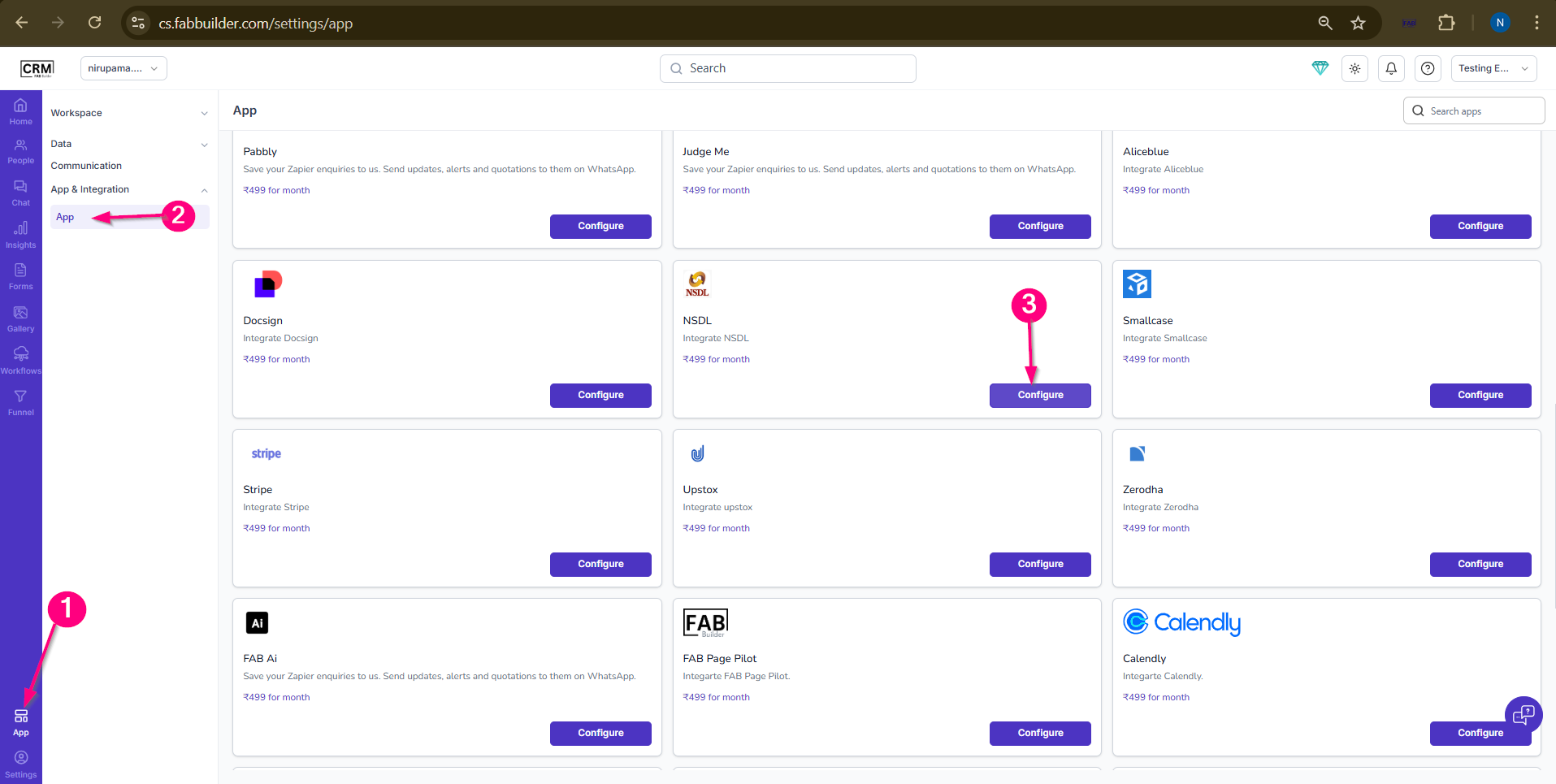
Screen- Flow to Access app
4.Enter the required details:
- Name (default: NSDL)
- Auth ID
- Auth Token
- Client Secret
- (Optional) Enable Pin in Left Menu
5.Click on Save.
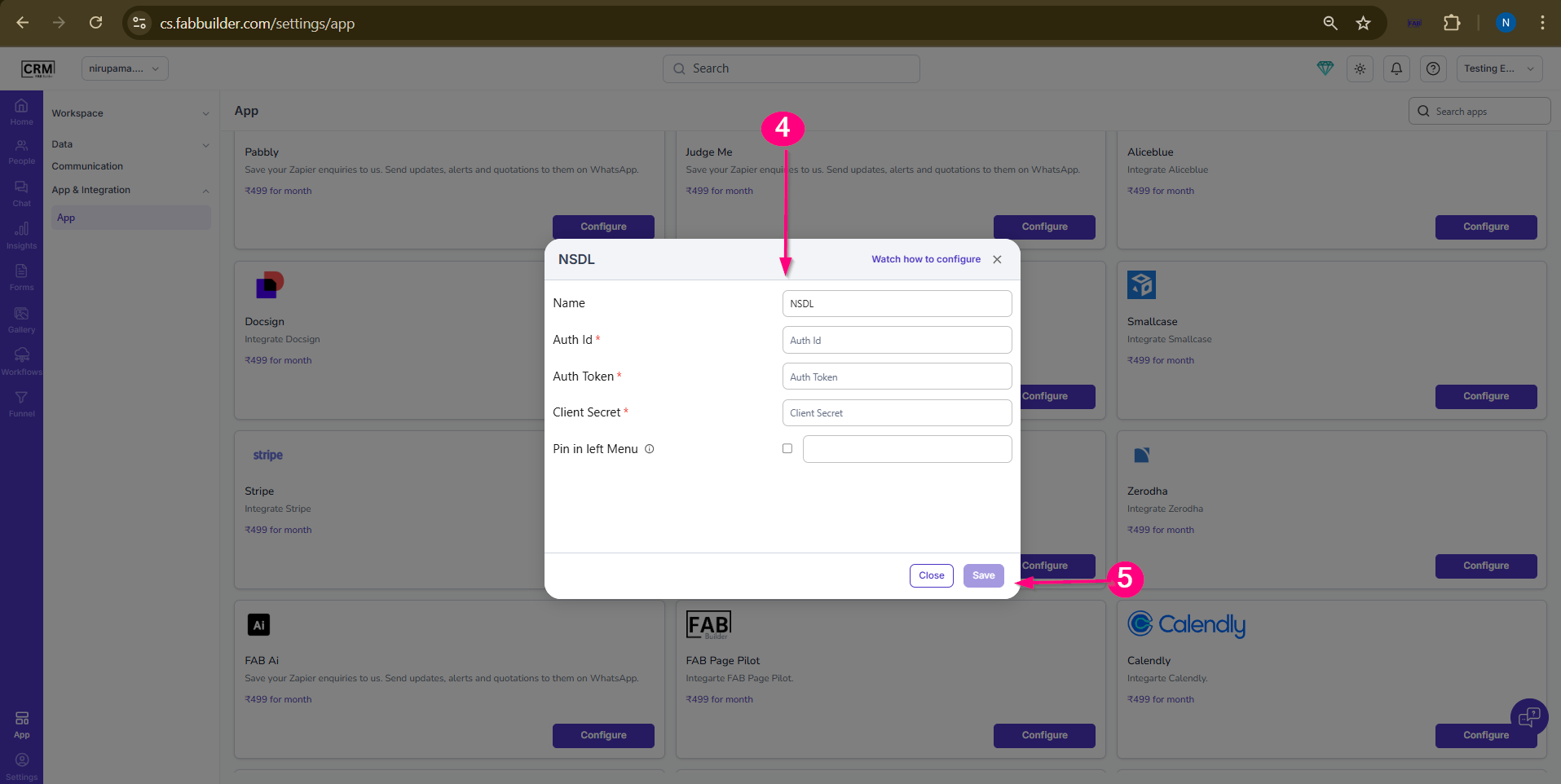
Screen- App Configuring Screen
Success
After successful configuration:
- NSDL integration will be activated
- CRM will be ready for KYC verification
- Users can start verifying customer details