Justdial Integration with CRM
Overview
The Justdial integration enables automatic capture of leads into the CRM. Once configured, all enquiries received from Justdial are pushed to the CRM in real-time using a webhook URL. This eliminates manual data entry and ensures faster lead processing.
Prerequisites
- Active Justdial business account
- Access to Justdial account manager/support team
- CRM access with App & Integration permissions
- Webhook URL generated from CRM
Required Credentials
- Webhook URL (Generated from CRM)
Note: The webhook URL must be shared with the Justdial team, who will configure it from their backend.
Configuration Steps
After successful login, the user should navigate to the App module from the left-side navigation panel.
1.Click on App module.
2.Navigate to Workspace → App & Integration → App.
3.Search Justdial and Click on Configure.
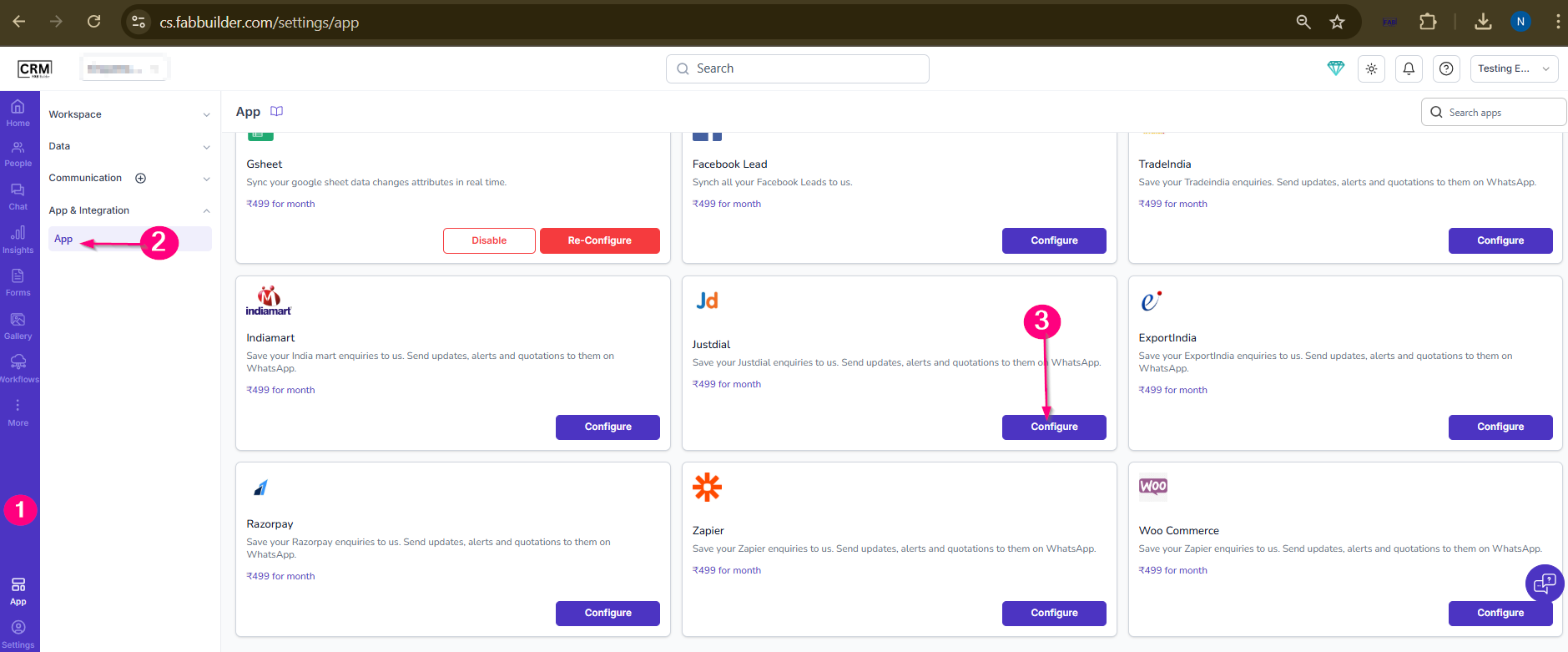
Screen- Steps to Access Justdial app
4.Fill all details metioned below
- Enter Name
- Copy the Webhook URL.Share it with the Justdial team.
- Pin the app on side navigation
- Configure Field Mapping by selecting one attribute from each dropdown (e.g., Description → message
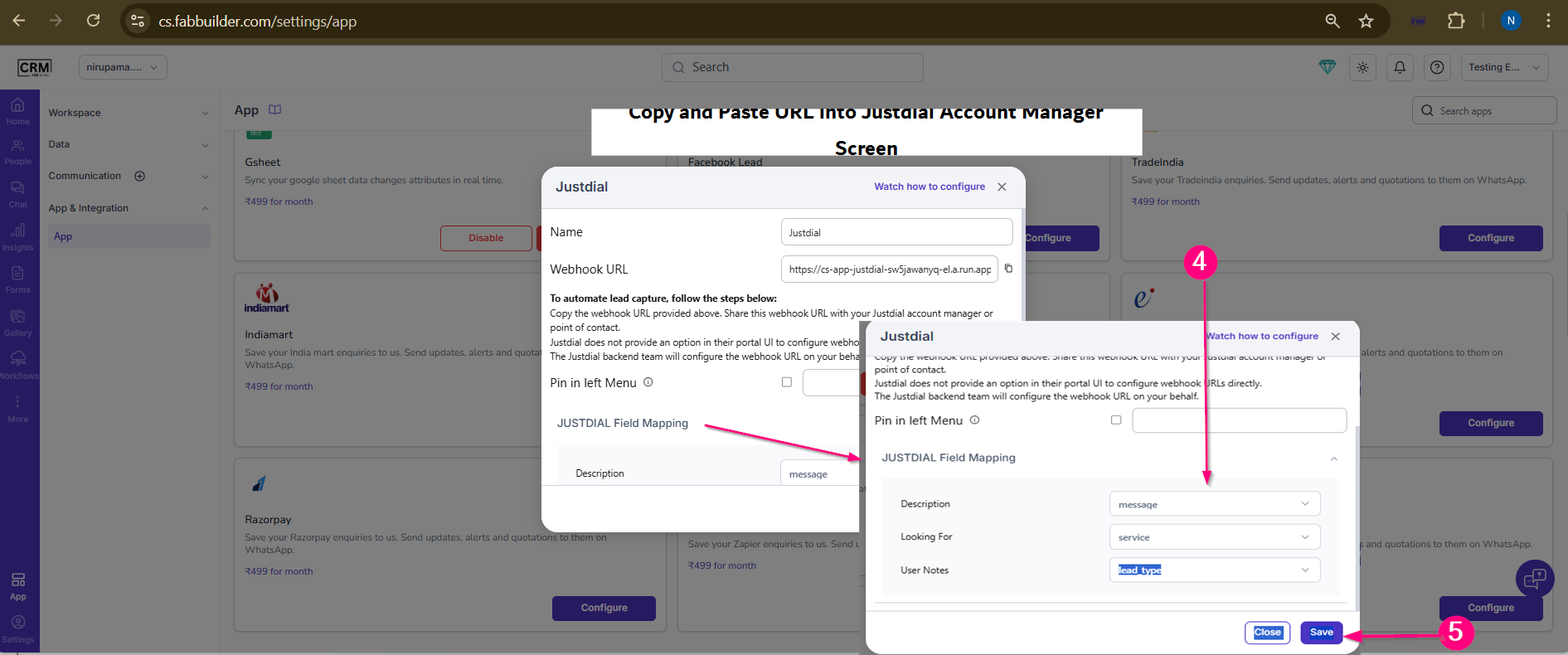
Screen - Justdial Configuration
Note: Proper field mapping is important to ensure all incoming lead data is stored accurately in the CRM. Incorrect mapping may result in missing or mismatched information.
Filed mapping responsibilityis defined by the bussiness and client team( or configured by Fab CRM team on request) to ensure accurate lead details are saved correctly in the Fab CRM
5.Click on Save.
Validation
- Ensure webhook is configured by Justdial.
- Generate a test lead.
- Verify the lead in CRM.