FAB Page Pilot Integration with FAB CRM
Overview
FAB Page Pilot integration enables the CRM to connect with landing page and campaign management services.
It allows businesses to manage pages, track user interactions, and streamline campaign workflows directly within the CRM, ensuring a centralized and efficient marketing process.
Prerequisites
Ensure the following before starting the integration:
- Active FAB Page Pilot account
- Access to API services
- API credentials
- Admin access to FAB CRM
- Stable internet connection
Important Note (Credentials)
All required credentials (Client ID, Client Secret, Application ID) are generated after account setup and API access approval.
- Use testing credentials (if available) for initial setup
- Use production credentials for live usage
Credentials Required
Enter the following details during configuration:
- Client ID
- Client Secret
- Application ID
How It Works
- User creates or interacts with a page/campaign
- CRM sends a request to FAB Page Pilot
- The system processes the request
- Response is returned to CRM
5.CRM displays relevant data or status
Flow:
User Action → CRM → FAB Page Pilot → Response → CRM Display
Configuration Steps
After successfully logging in to the CRM system, follow the steps below to configure FAB Page Pilot:
- Navigate to the App module
- Go to:Workspace → App & Integration → App
- Search for FAB Page Pilot.Click on Configure.
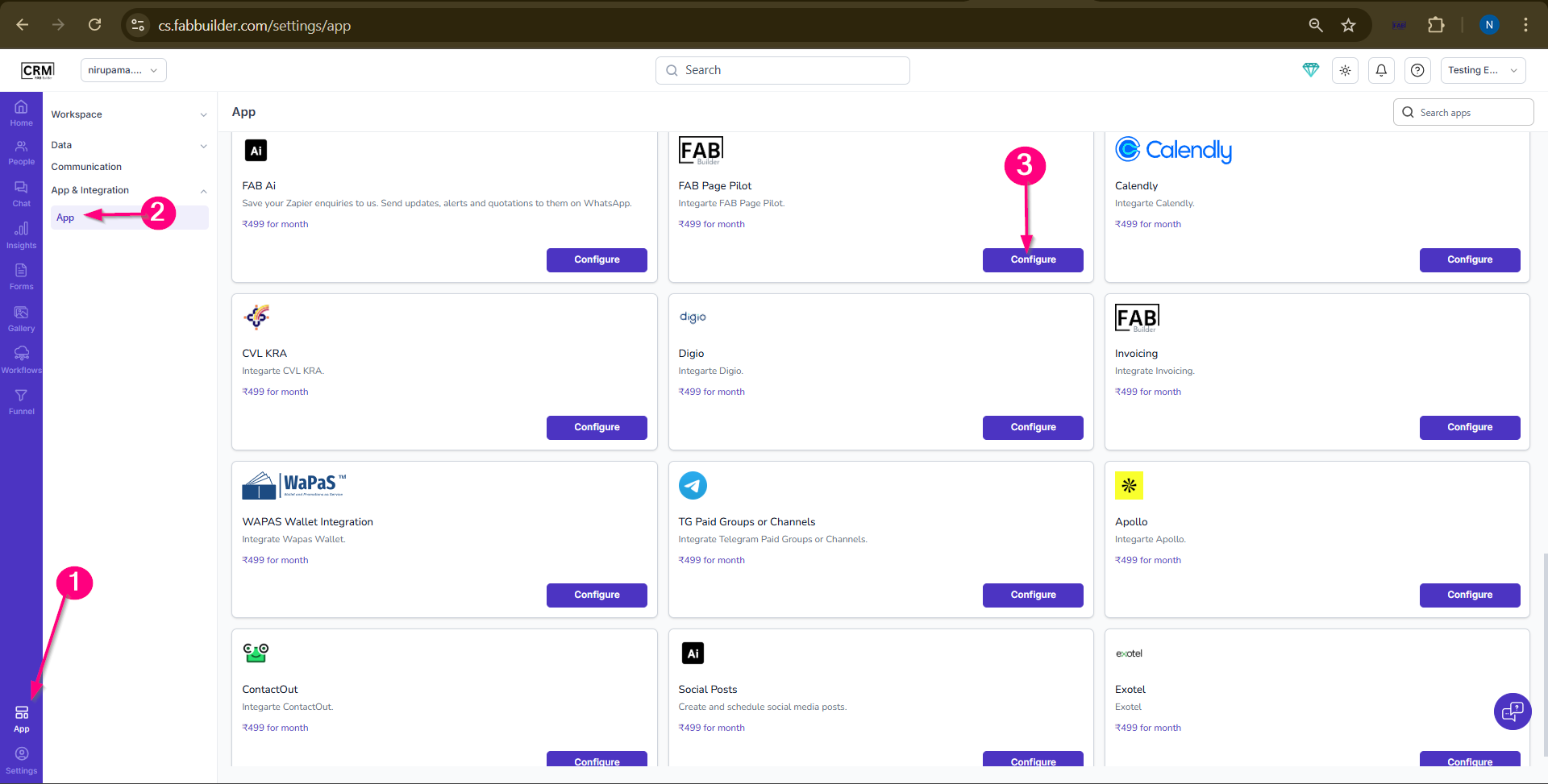
- Screen -Step to Access App
4.Enter the required details:
- Name (default: FAB Page Pilot)
- Client ID
- Client Secret
- Application ID
- (Optional) Enable Pin in Left Menu
5.Click on Save
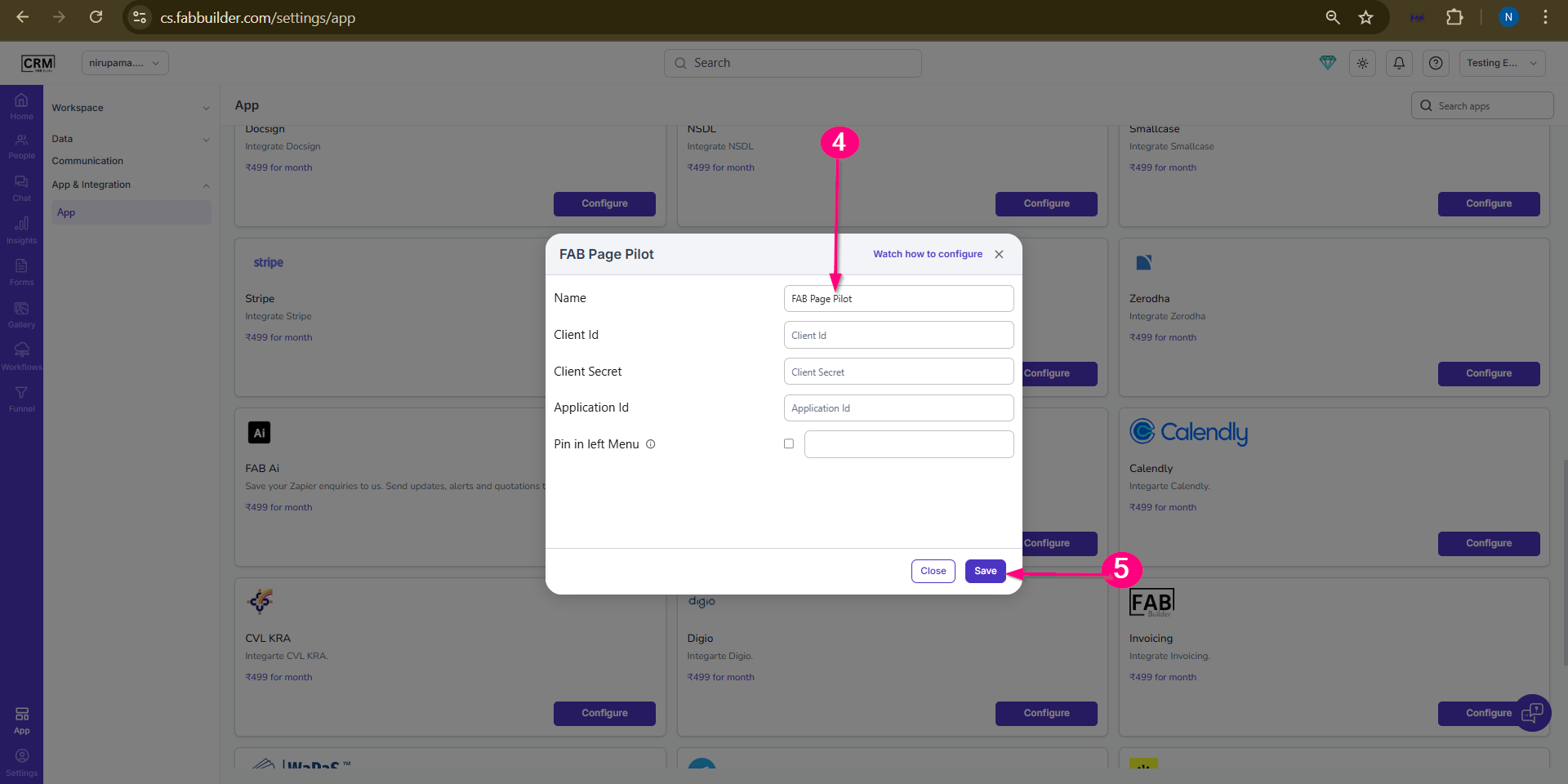
Screen- App Configuration step
Validation Outcome
After completing the configuration:
- The system validates the entered credentials
- If credentials are correct, the integration is activated
- If credentials are incorrect, validation fails
- Once validated, users can start using FAB Page Pilot features