ExportIndia Integration – Documentation
Overview
ExportIndia integration allows CRM (FabBuilder) to receive and manage enquiries from ExportIndia platform.
Once integrated, leads from ExportIndia are automatically captured in CRM for further communication and tracking.
Purpose of Integration
· Capture ExportIndia leads directly into CRM
· Automate enquiry management
· Improve lead tracking and response time
· Centralize customer data
· Enhance sales follow-up process
Prerequisites
· Active CRM (FabBuilder) account
· Admin access to CRM
· Valid ExportIndia account
· Access to integration token
· API access enabled
Required Credentials
The following credential is required for successful integration:
· Enter Token – Provided by ExportIndia for authentication
Configuration Steps
After successful login, navigate to the App module from the left-side navigation panel.
1.Click on App module
2.Navigate to App & Integration → App
3.Search and select ExportIndia.Click on Configure
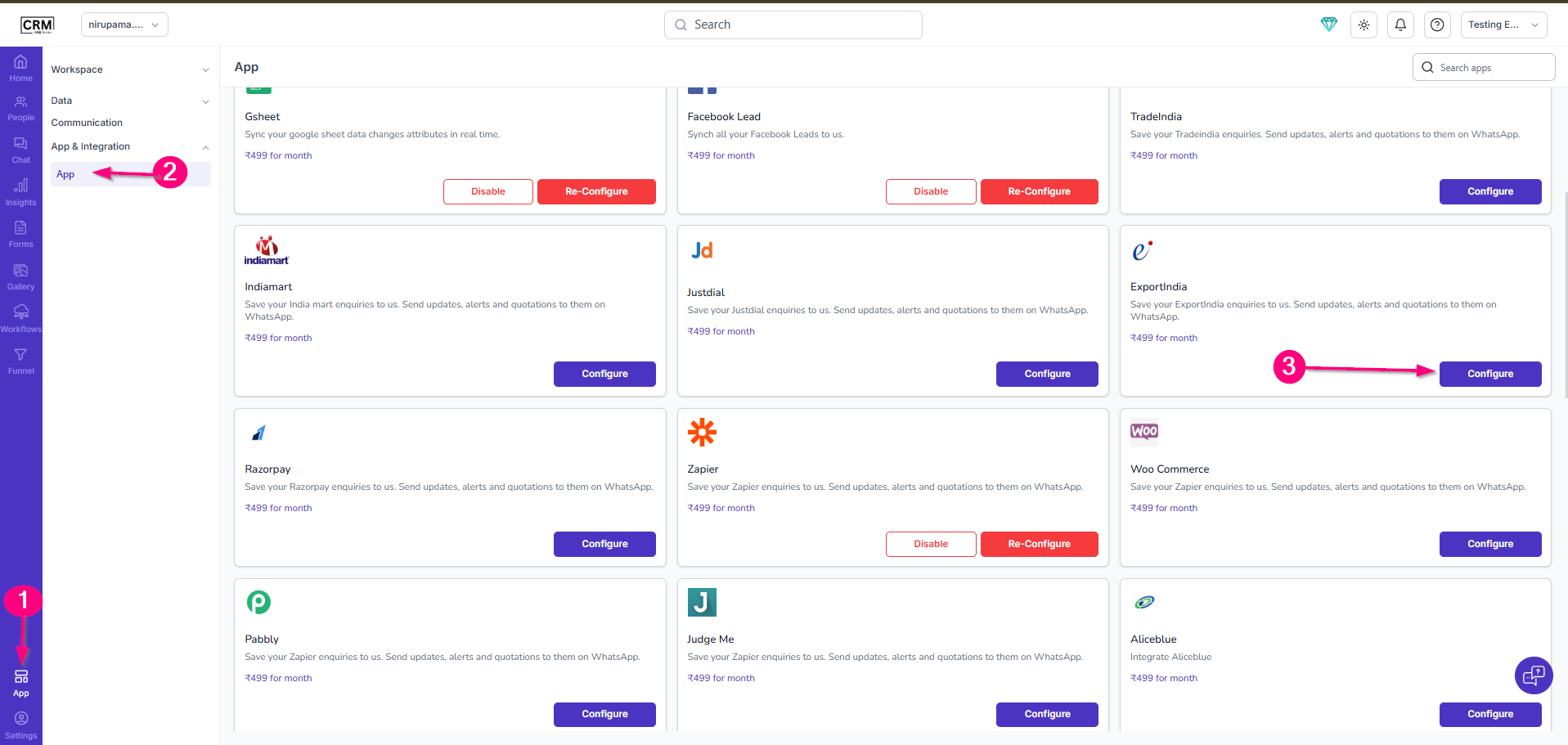
Screen-Access the Export India App
4.Enter the following details:
· Name
· Enter Token
· (Optional) Enable Pin in Left Menu
5.Click Save.
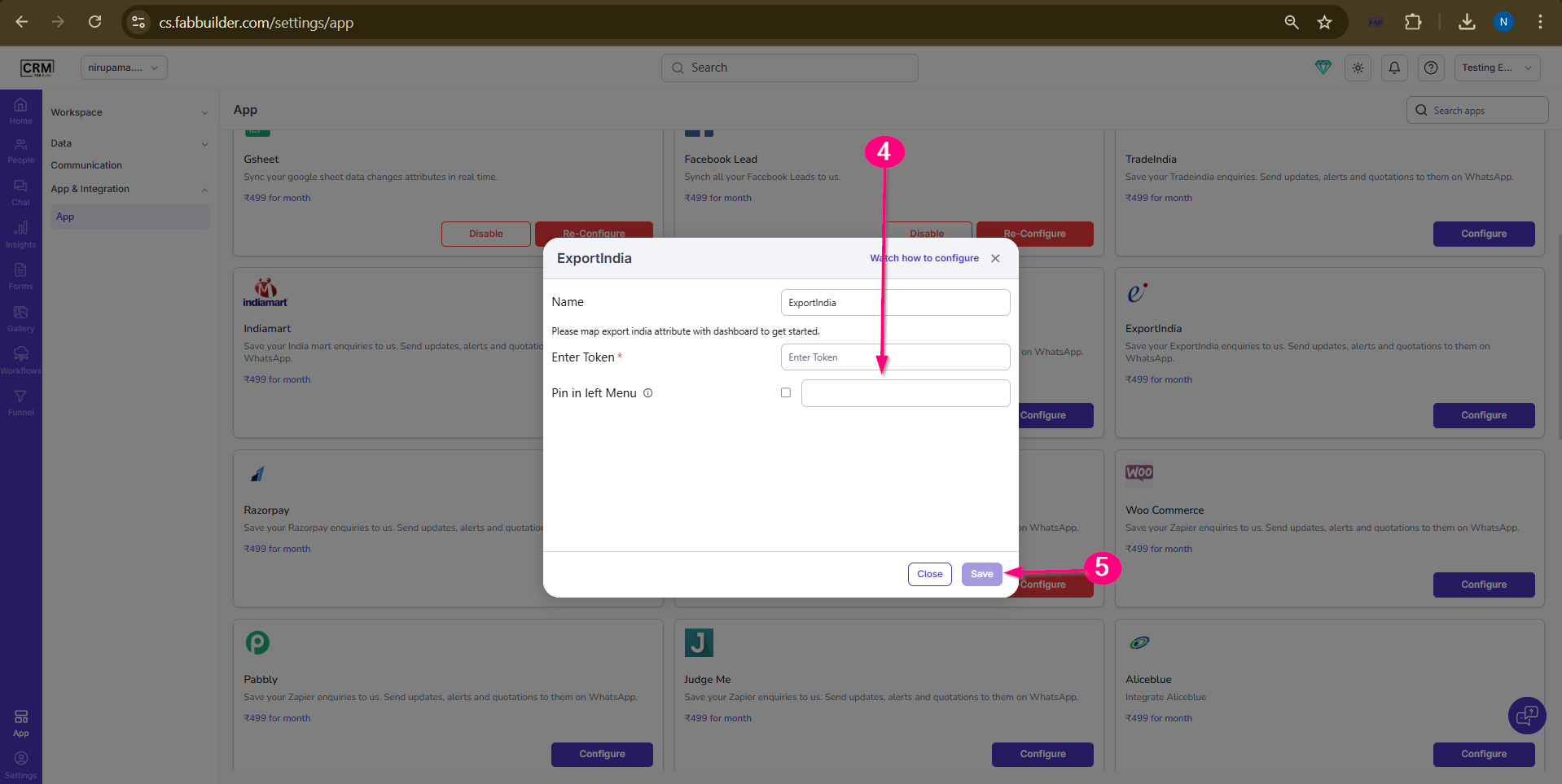
Screen- Configuration Screen
Validation
· Configuration saved successfully
· No error message appears
· Integration status becomes active
· Leads start reflecting in CRM
Output
· ExportIndia leads are captured in CRM
· Lead data is stored automatically
· Improved lead management
· Faster response to enquiries