AliceBlue Integration
Overview
Alice Blue is a trading and brokerage platform that can be integrated with CRM (FabBuilder) to manage trading-related data and activities.
Once integrated, it enables secure access to trading accounts and allows data exchange between CRM and AliceBlue platform.
Purpose of Integration
AliceBlue integration with CRM enables:
- Connect trading account with CRM
- Access trading-related data
- Automate trading workflows (if applicable)
- Manage account-level activities
- Enable secure authentication
Prerequisites
Before starting the integration, ensure the following prerequisites are met:
- Active CRM (FabBuilder) account
- Admin access to CRM
- Active Alice Blue account
- Access to AliceBlue API credentials
- API access enabled
Required Credentials
The following credentials are required for successful integration:
- Auth ID – Provided by AliceBlue
- Auth Token – Generated for authentication
- Client Secret – Provided by AliceBlue
Note: All credentials are provided from the AliceBlue account/dashboard.
Configuration Steps
After successful login, navigate to the App module from the left-side navigation panel.
- Click on App module
- Navigate to App & Integration → App
- Search and select AliceBlue
- Click on Configure
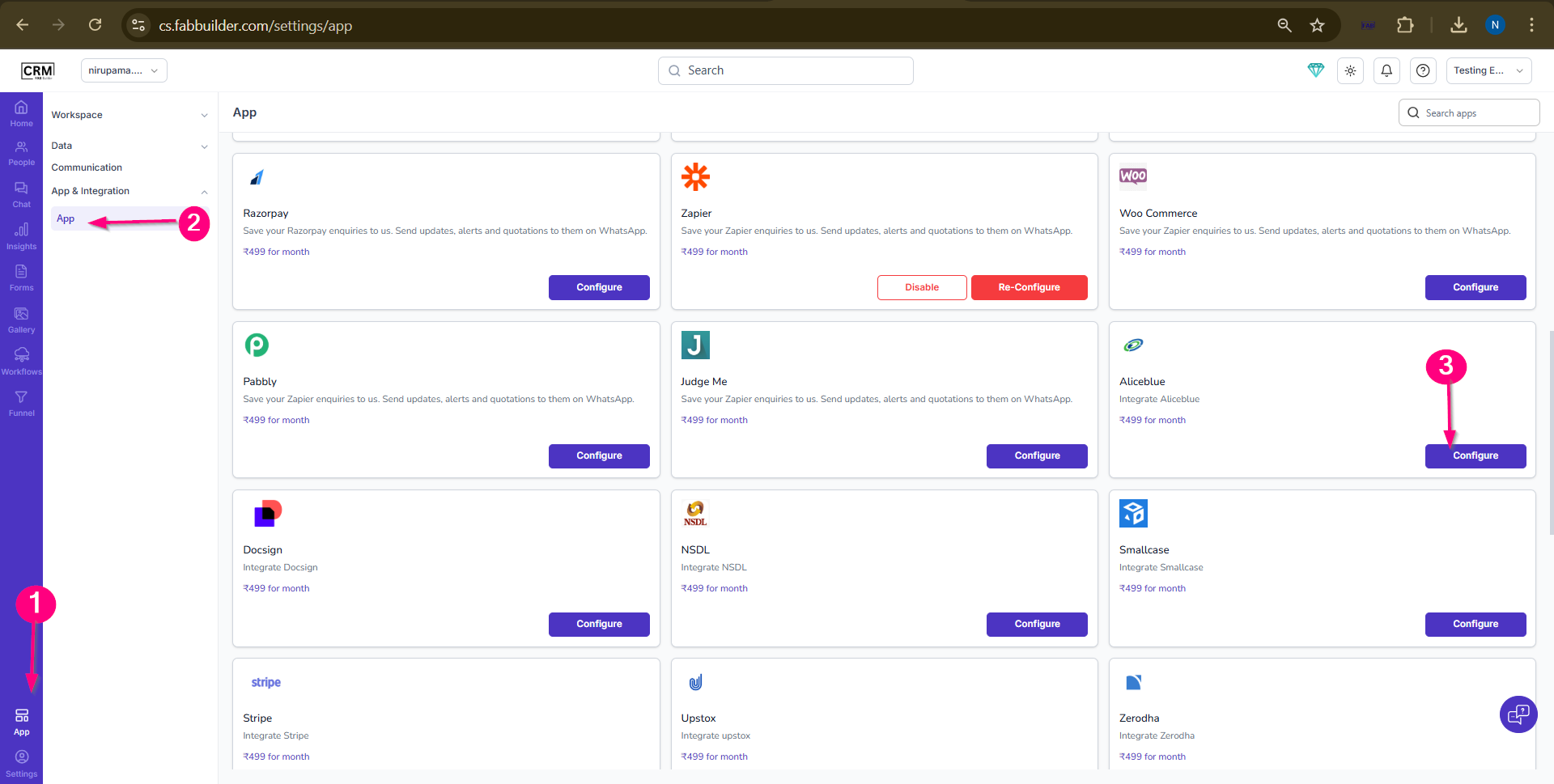
- Screen -Acess Aliceblue
Screen- Access to AliceBlue
4.Enter the following details:
- Enter Name
- Auth ID
- Auth Token
- Client Secret
- (Optional) Enable Pin in Left Menu
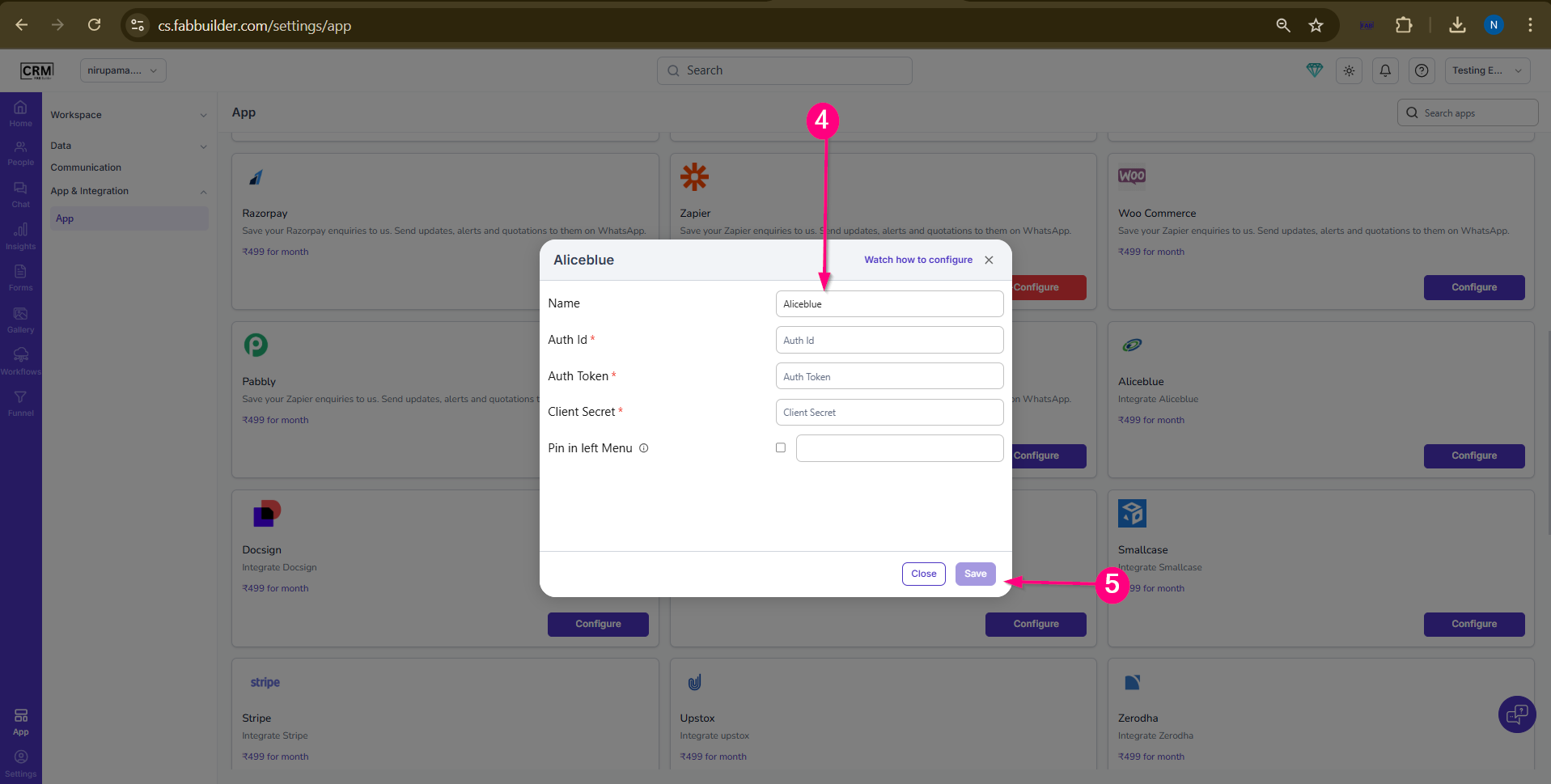
Screen- AliceBlue Configuration
5.Click Save
Validation
- Configuration saved successfully
- No error message appears
- Integration status becomes active
- Connection with AliceBlue is established
Working / Use Case
- CRM connects to AliceBlue using API credentials
- Authentication is verified
- Trading or account-related data can be accessed
- Workflows (if configured) can use this data
Output
- AliceBlue account connected to CRM
- Secure authentication established
- Data exchange enabled
- Trading-related operations supported