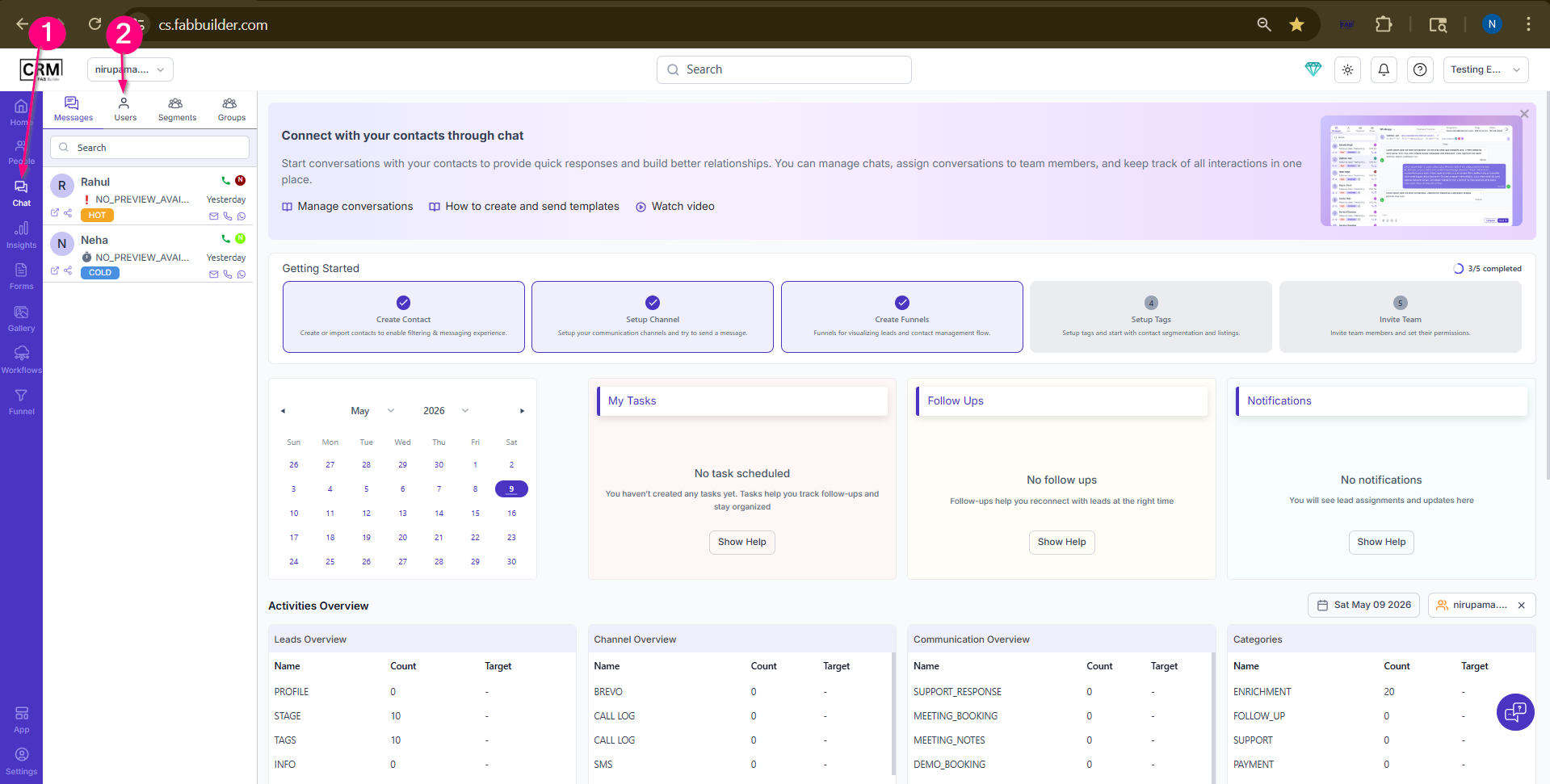
Communcation by Social Media - TelegramAfter successful log intohttps://cs.fabbuilder.comuser must ensure the prerequiste before communicating the selected group and segmemt or any indivisual contact of lead from the people module.User must follow the to communicate via sms. 1.Go to Chat Module on side bar blue navigation Panel. 2. Select user tab
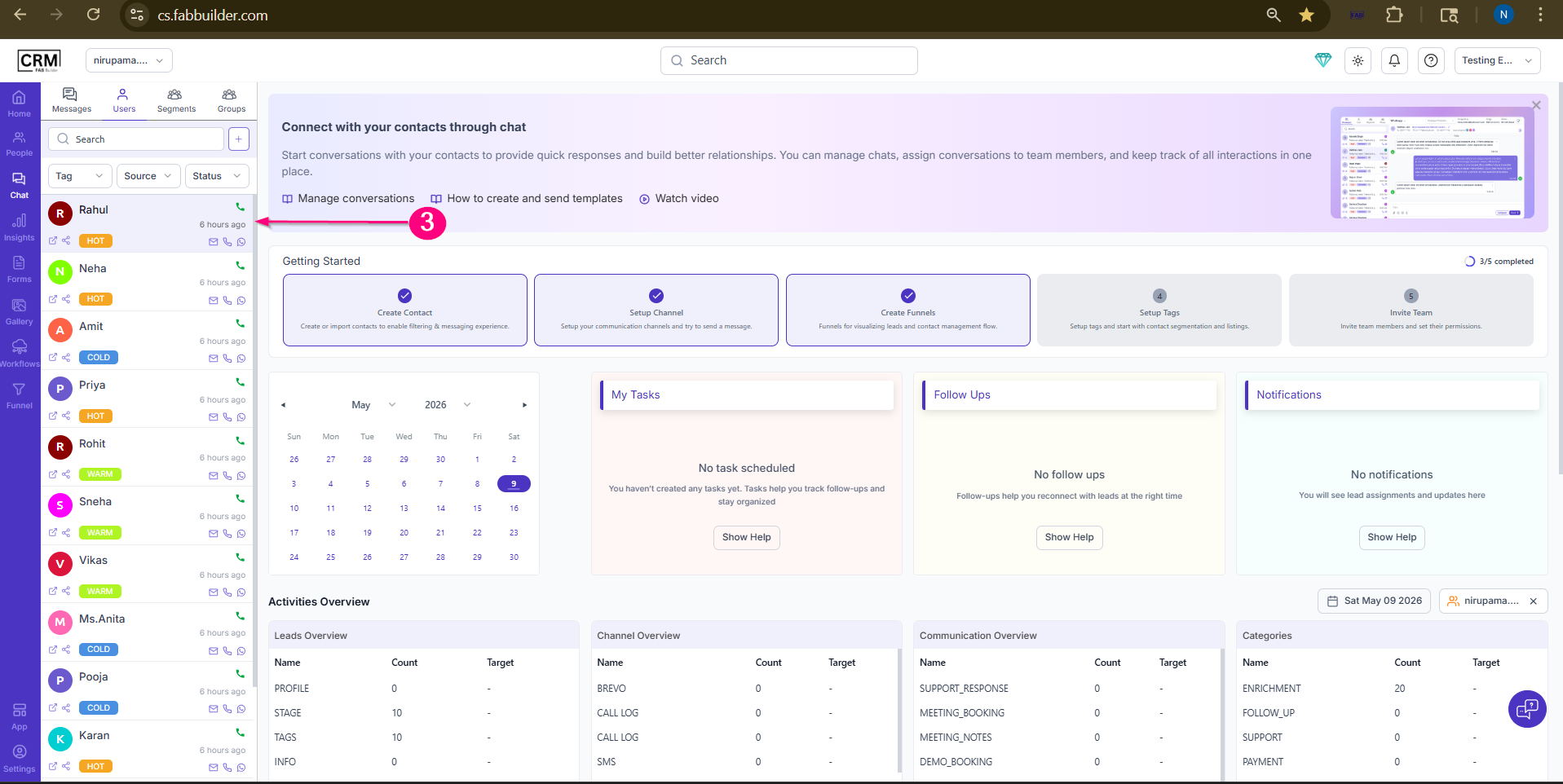
Screen-Access chat Module 3.Select the lead contact to send a message from the Telegram channel. On selecting the lead contact, the right panel will open displaying the All Channels button, lead details, Compose Message button, and chat history.
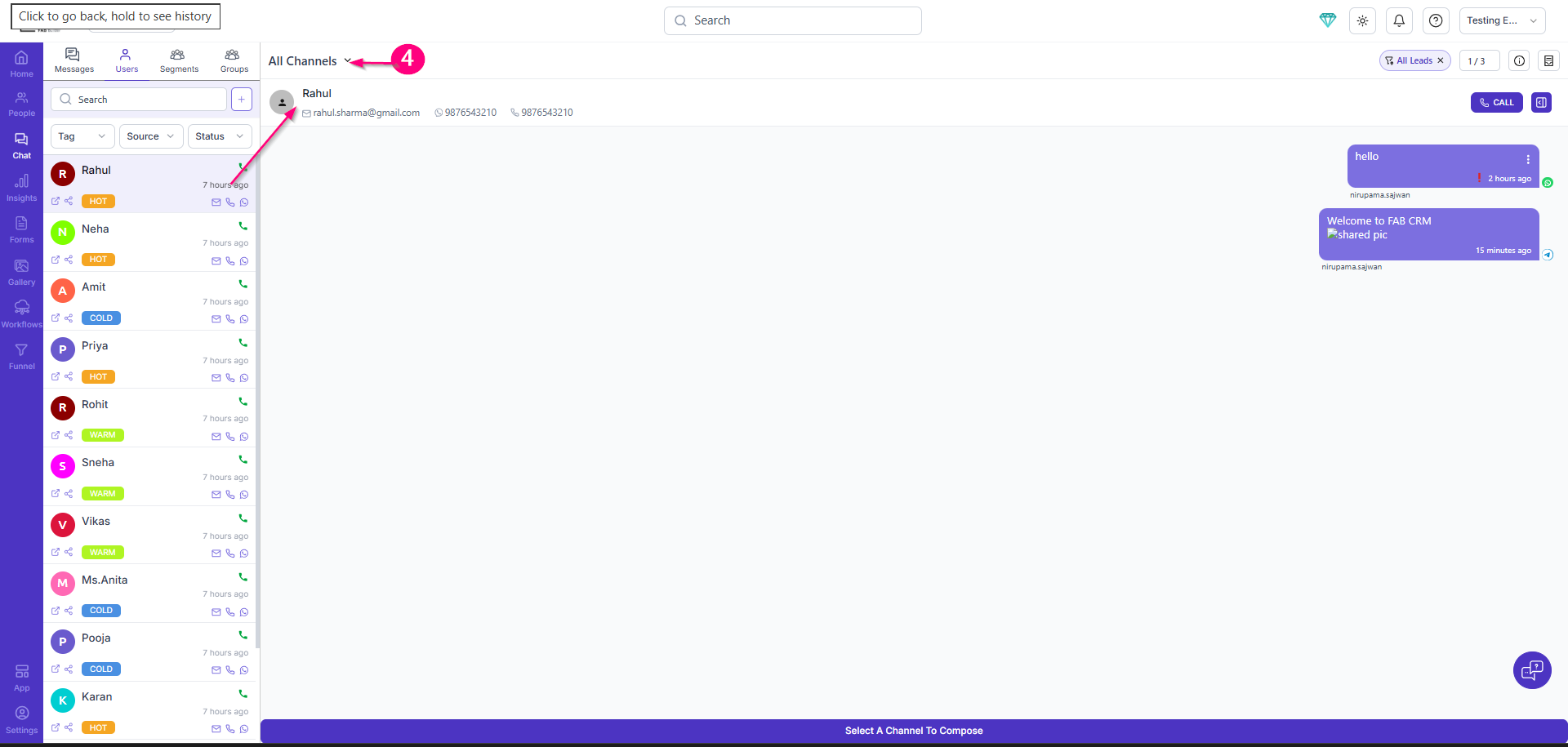
Screen-Select Lead contact to Communicate by calling 4.Click on All channel .This click will open drop down menu of channel list
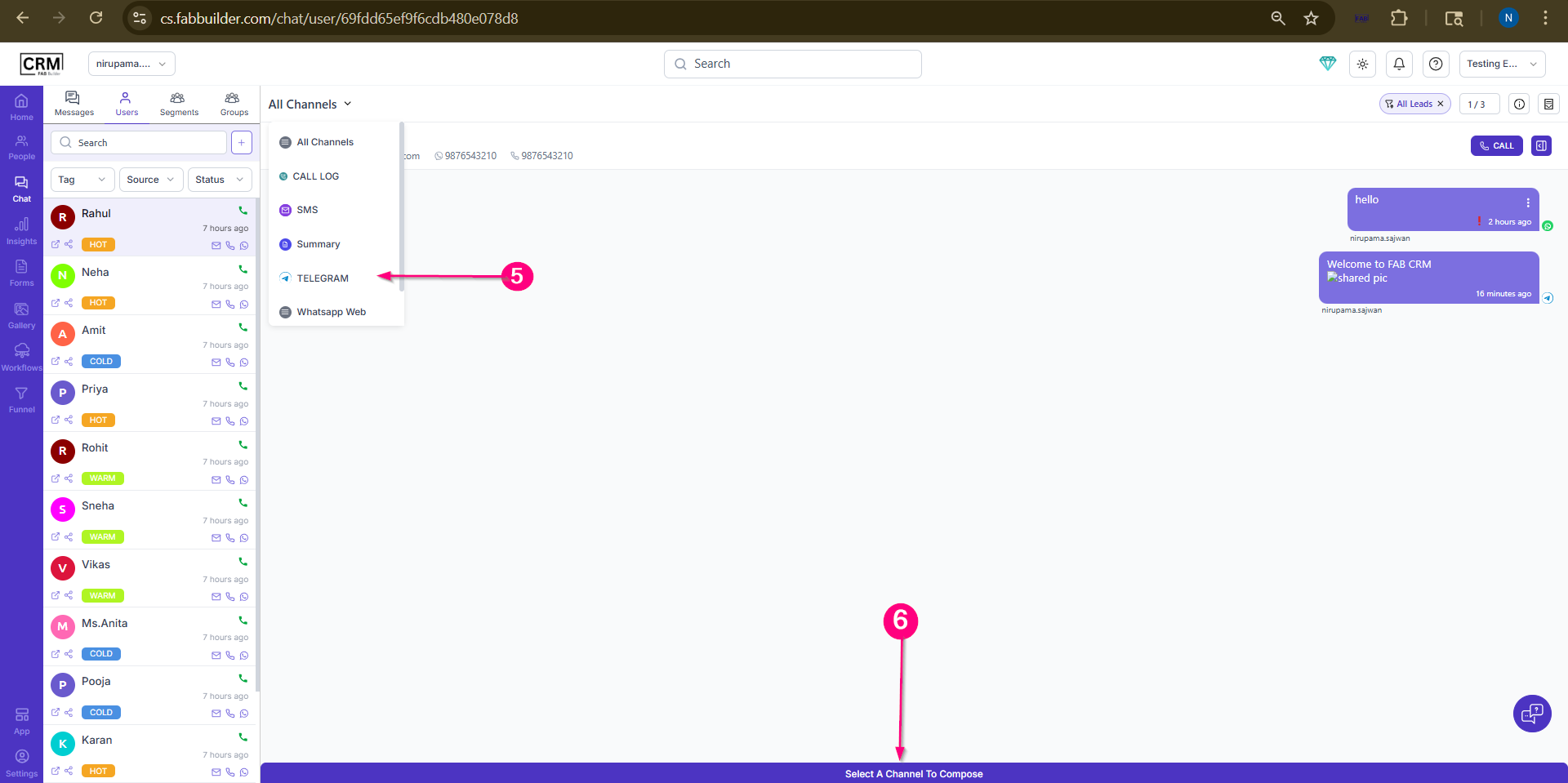
Screen- click on All channel Button 5.Select Telegram Channel. 6.Click to compose button.
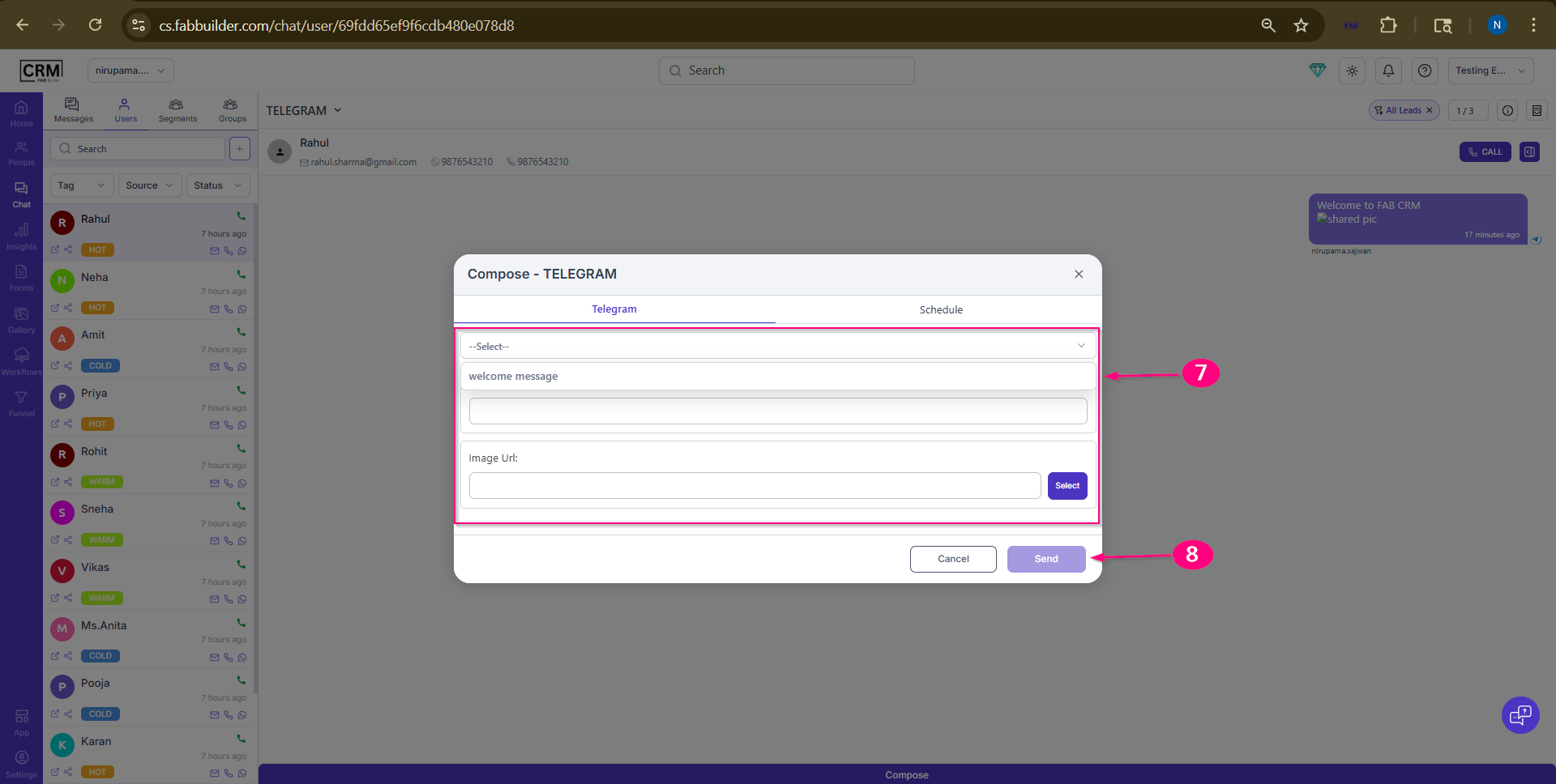
Screen- Select All channel 7.Select the Template message from the drop down with other details 8.Send Message.
Screen- Compose Template for Telegram Channel
My new text block |