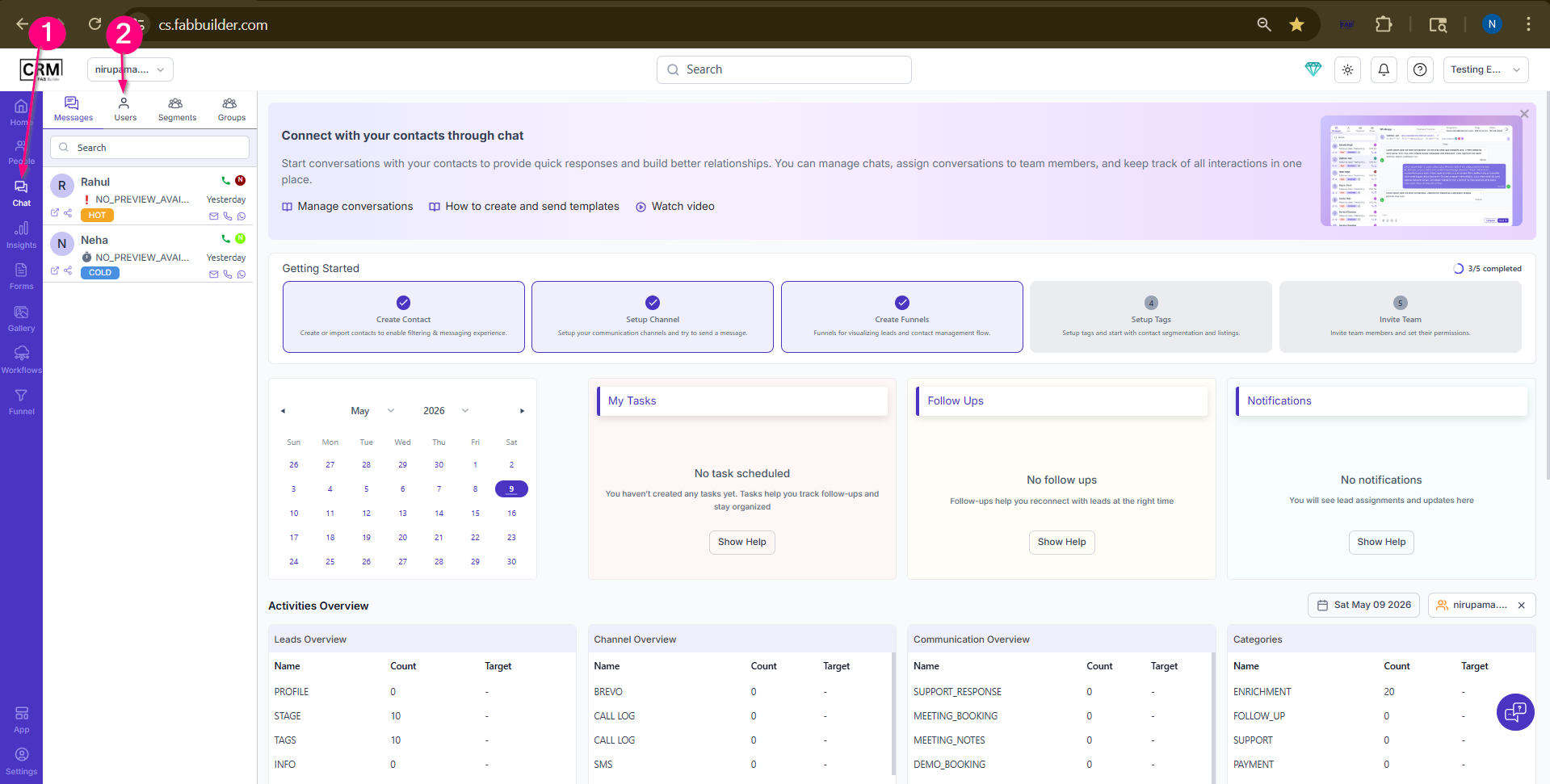
Communication by CallUser must follow the to communicate via making Call for a selected contect fron user section . 1.Go to Chat Module on side bar blue navigation Panel. Now this click will expand open Chat screen dashboard to add contact . 2.Select user section to open user contact which can be search by assigned tag,source and status.
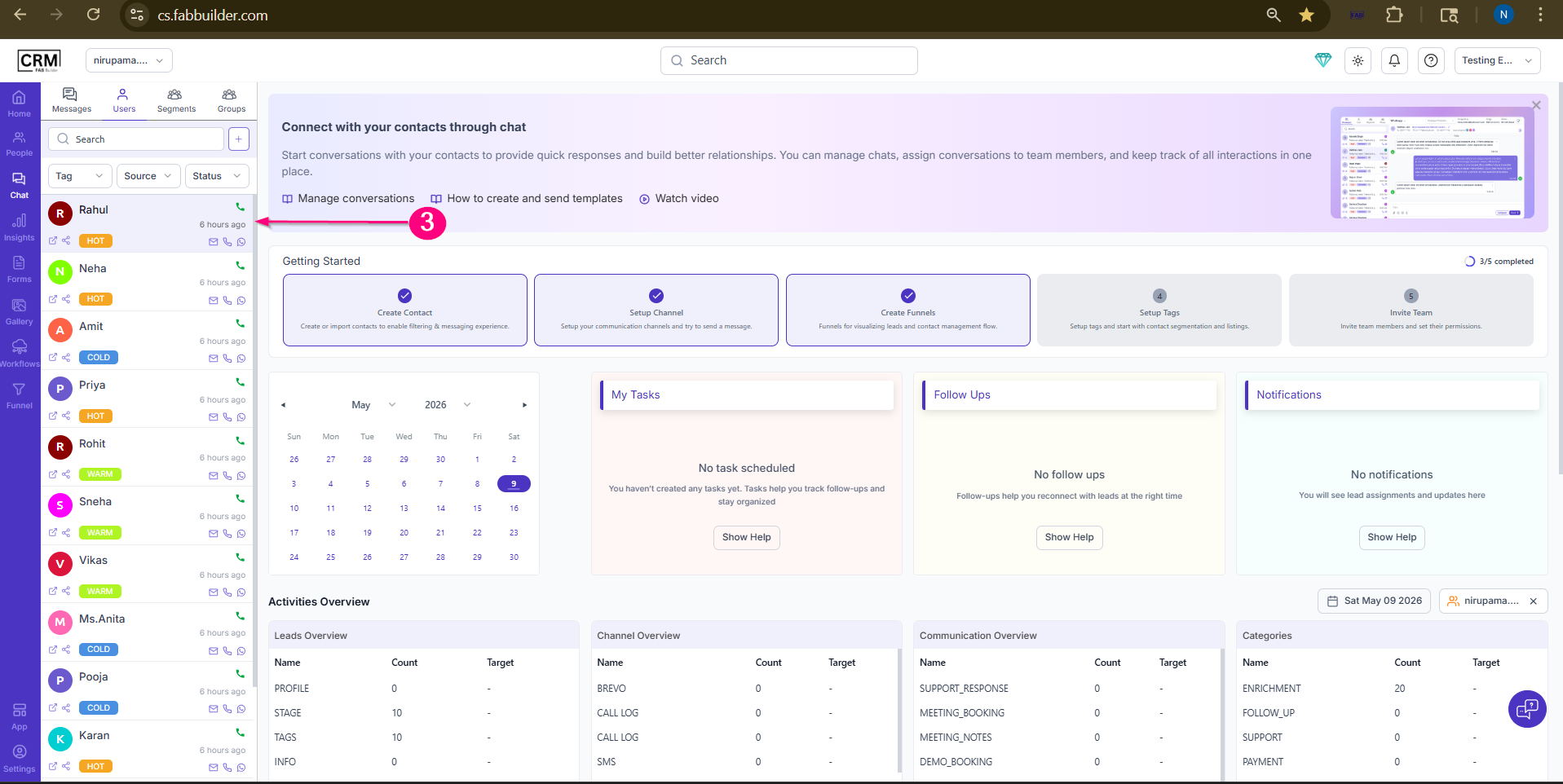
Screen-Access chat Module 3.Select lead contact to make a call. on selecing lead contact right panel will show the be displayed contain call button.
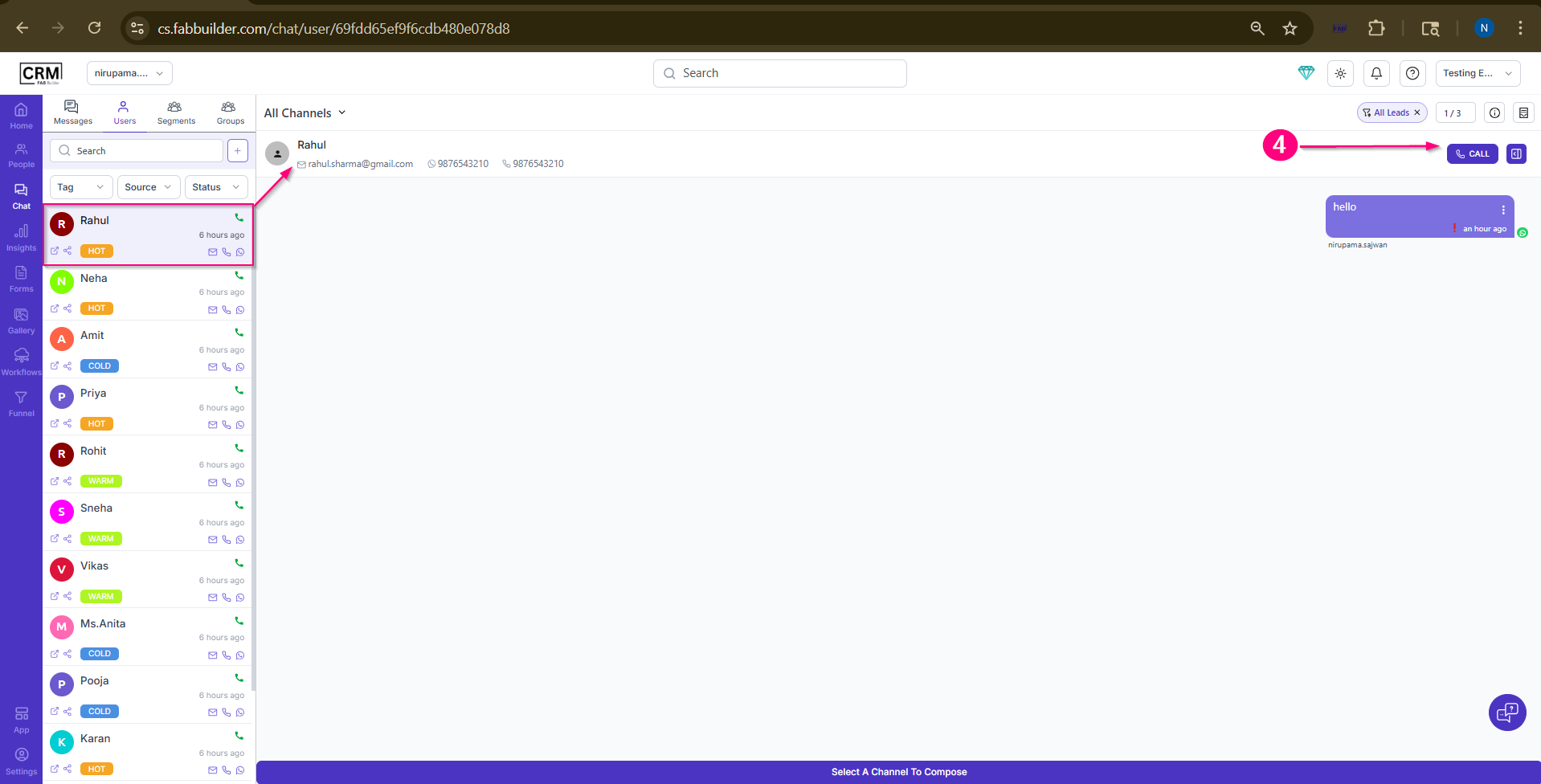
Screen-Select Lead contact to Communicate by calling 4.Click on call button.
Screen- Click on Call Button
|