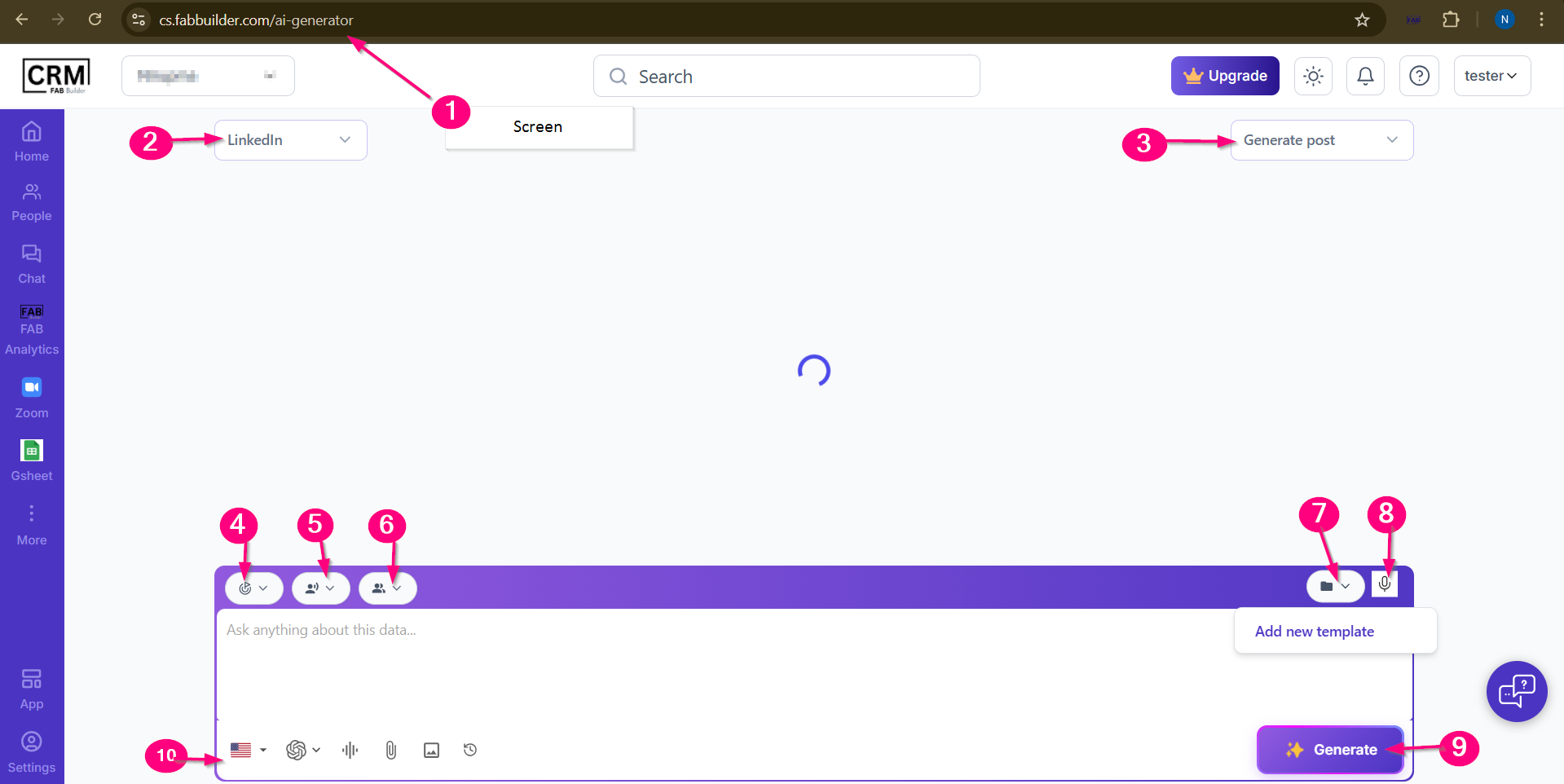
 AI Generator is a feature within the AI Writer. It allows users to quickly generate content by selecting a platform, tone, and entering a prompt.
This third-party app selection on AI Writer screen will direct to AI generator screen as shown just below to generate the output prompts for selected app.
Key Features on FAB AI Generator Screen
1.Screen URL-
2. Platform Selection (Dropdown) -This filter menu is located at top left corner of screen which allows user to choose the platform to generate the post (e.g., LinkedIn).
3.Context Filter menu - This menu helps define the purpose of the message, such as sending an invitation or creating a post based on the selected platform, so that the FAB AI Writer can generate appropriate content.
4.Goal Selector (Dropdown) - Define the purpose of post e.g., lead generation.
5.Tone Selector (Dropdown) – Allows to choose the voice of post e.g., motivational.
6.Persona Selector (Dropdown)- Tailor the post according to the audience type or writer’s style e.g., CEO voice, marketer
7.Add new template option-This option provides ready-made formats to ensure consistent and structured content.
8.Voice Recorder- Allows users to speak their ideas instead of typing, making content creation faster and easier.
9.Generate Button - Click to produce a ready-to-publish post using FAB AI Assistant. After clicking on the Generator button, output prompts can be viewed on a designated area (above the chat input box).
10.Chat Input Box – Business user can also manually type a question or prompt about the post or data with some advance features of language preference, AI tool,attachments.