Tags OverviewTags are used to categorize and organize leads or contacts in CRM. They help users filter, segment, and manage records efficiently based on business requirements such as lead status, interest, or source. Example:
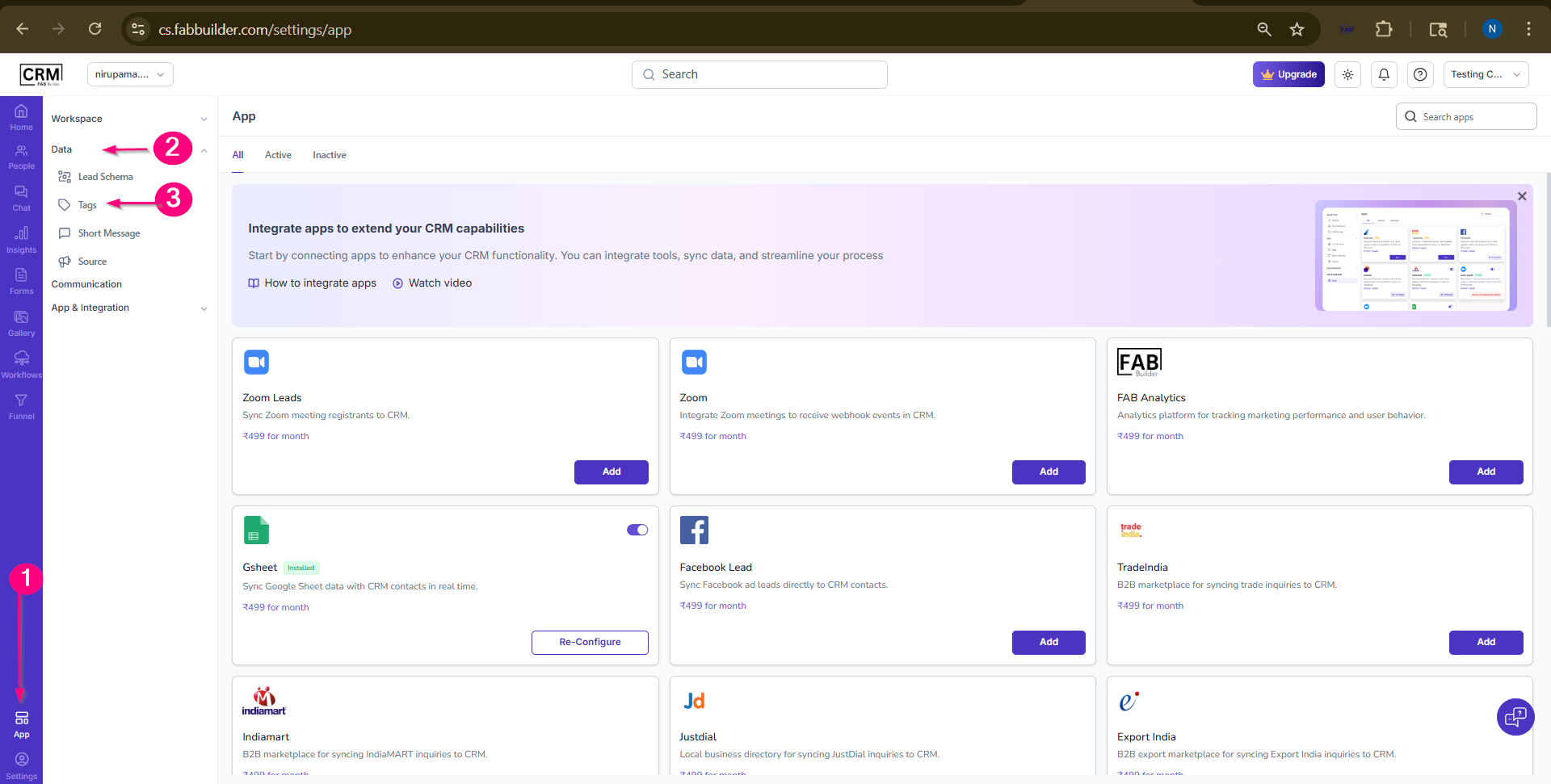
Steps to Create TagsAfter successfully logging click on the linnk to navigate the screen to configure the tag https://cs.fabbuilder.com/settings/tags follow the steps below to create tags:
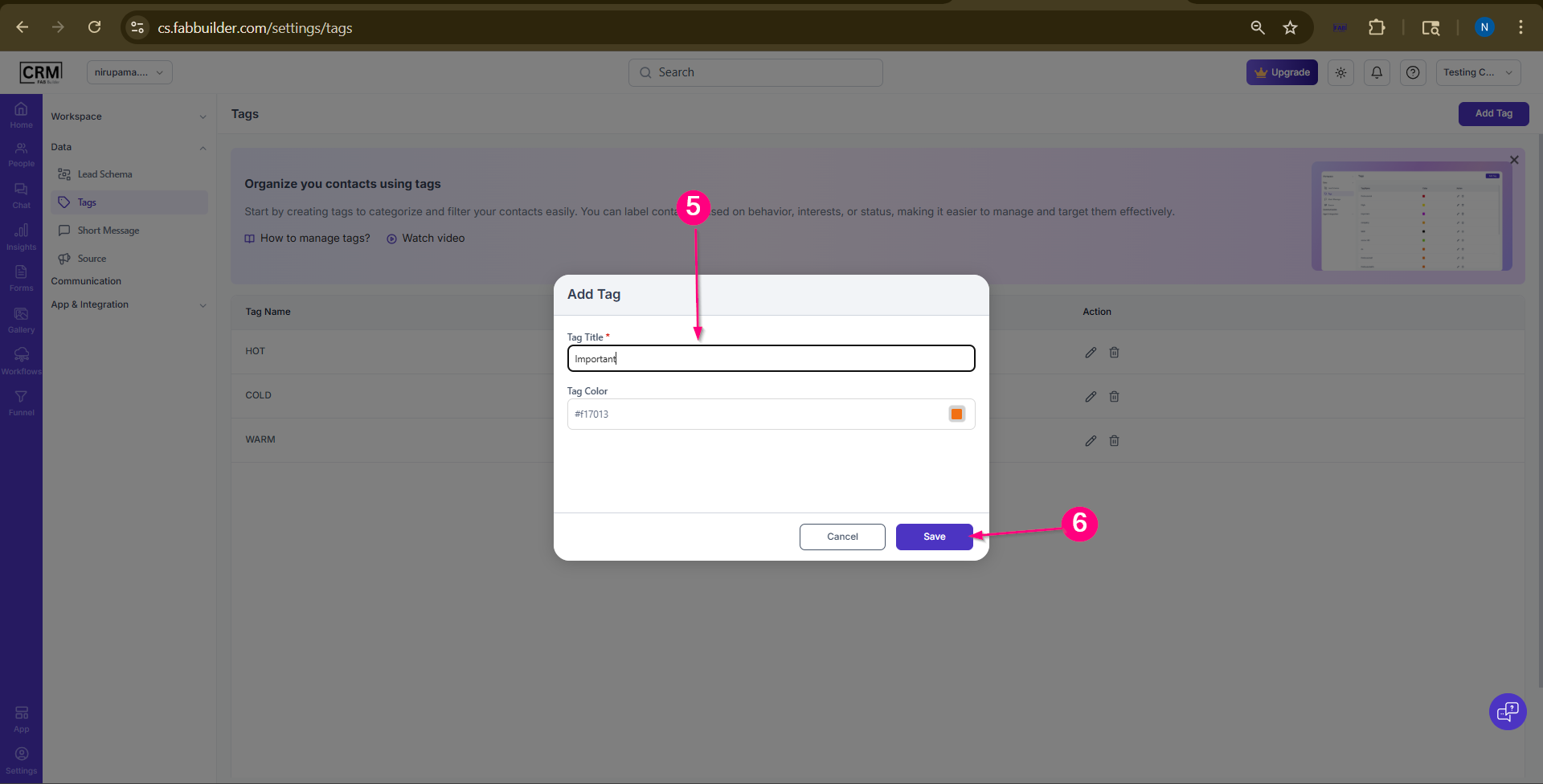
Screen-Step to Access Tag for Configuration 4.Click on the Add Tag button.A pop window will open.
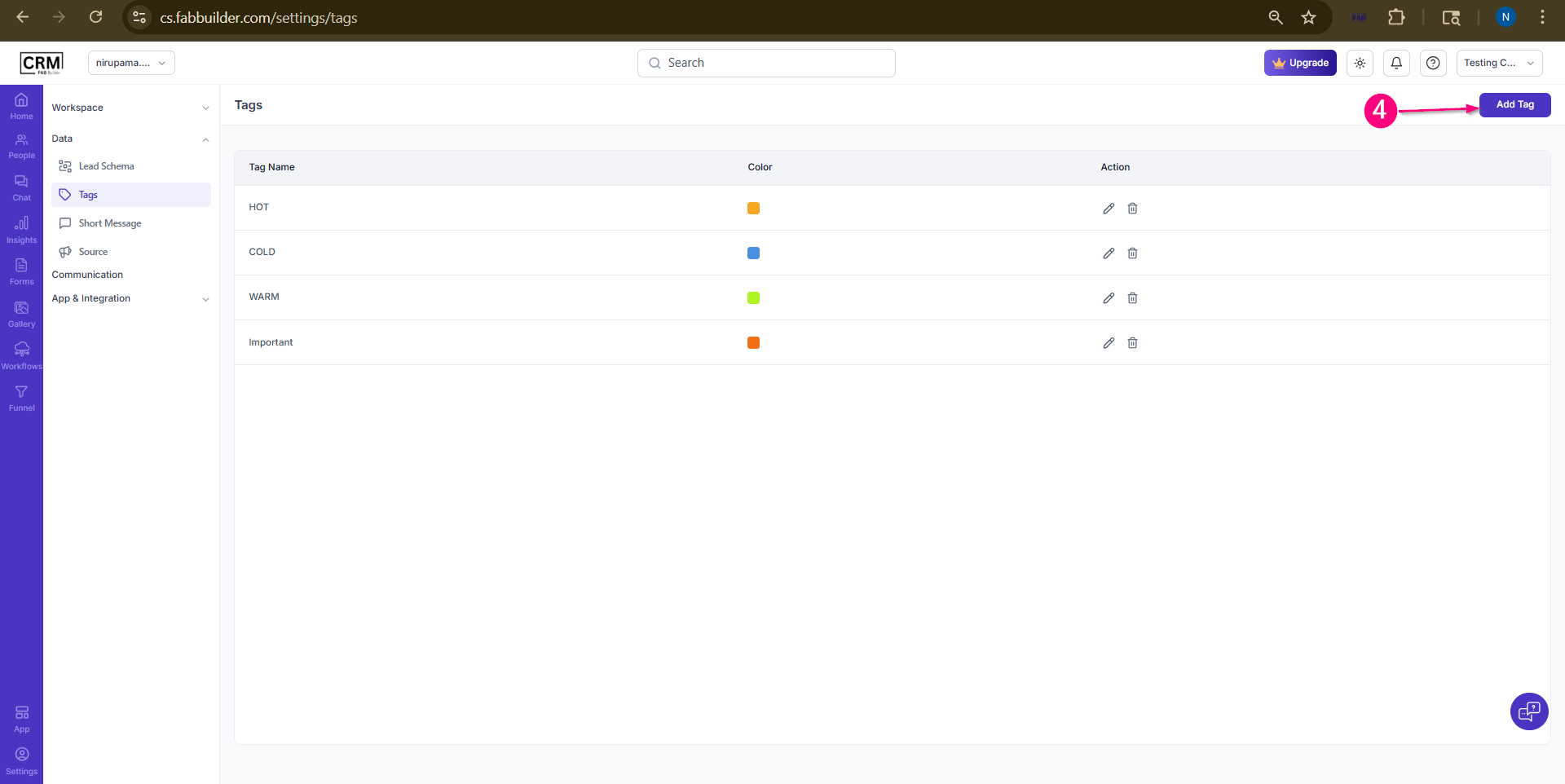
Screen- Add Name and Select Colour 5.Enter the required tag details such as name and select color. 6.Click on the Save/Create button to create the tag successfully.
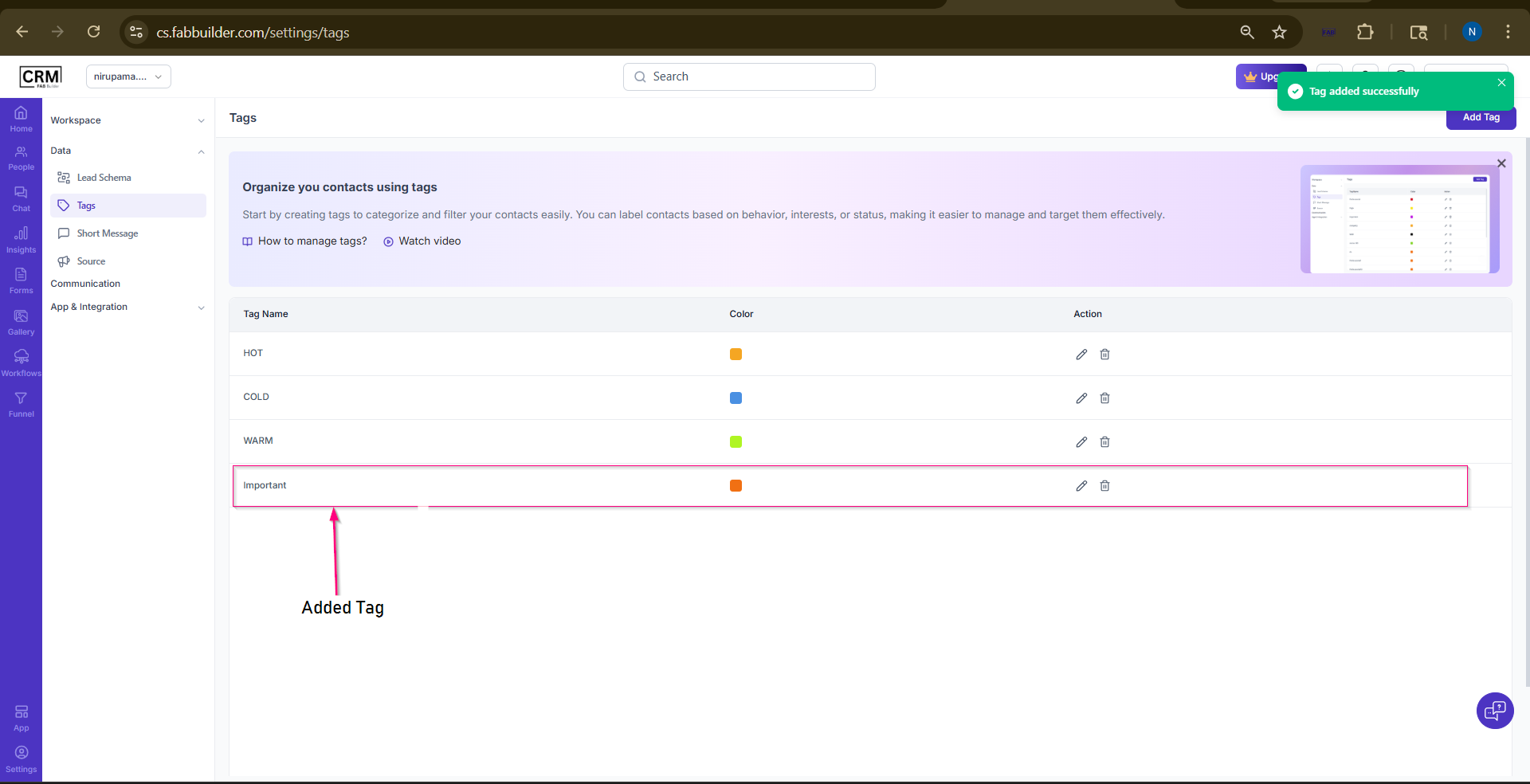
Users can view the newly added tag in the CRM tag list after successful creation.
|