Manage funnel stages to organize and track lead progression through different phases of the sales process. Prerequisites
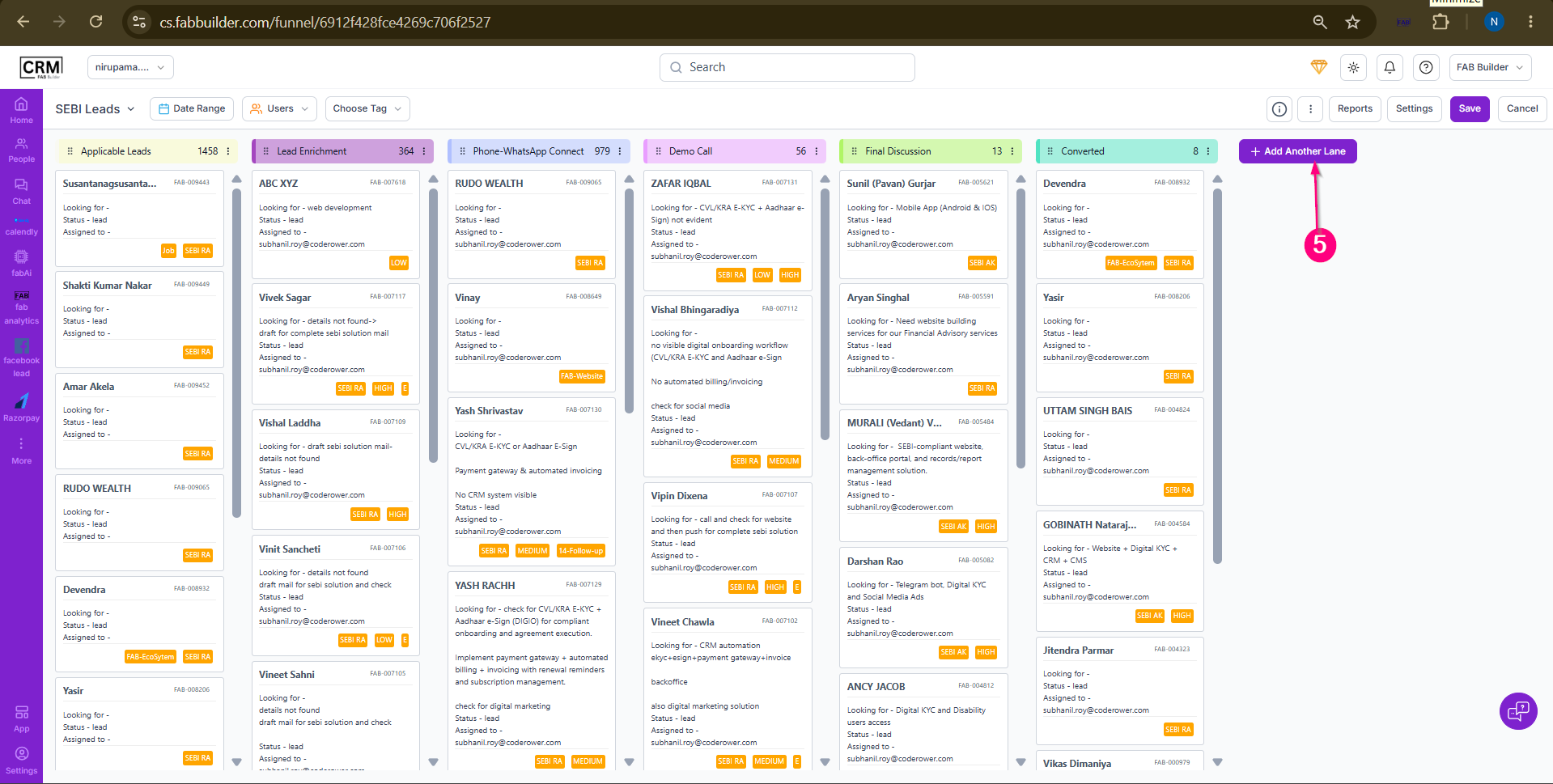
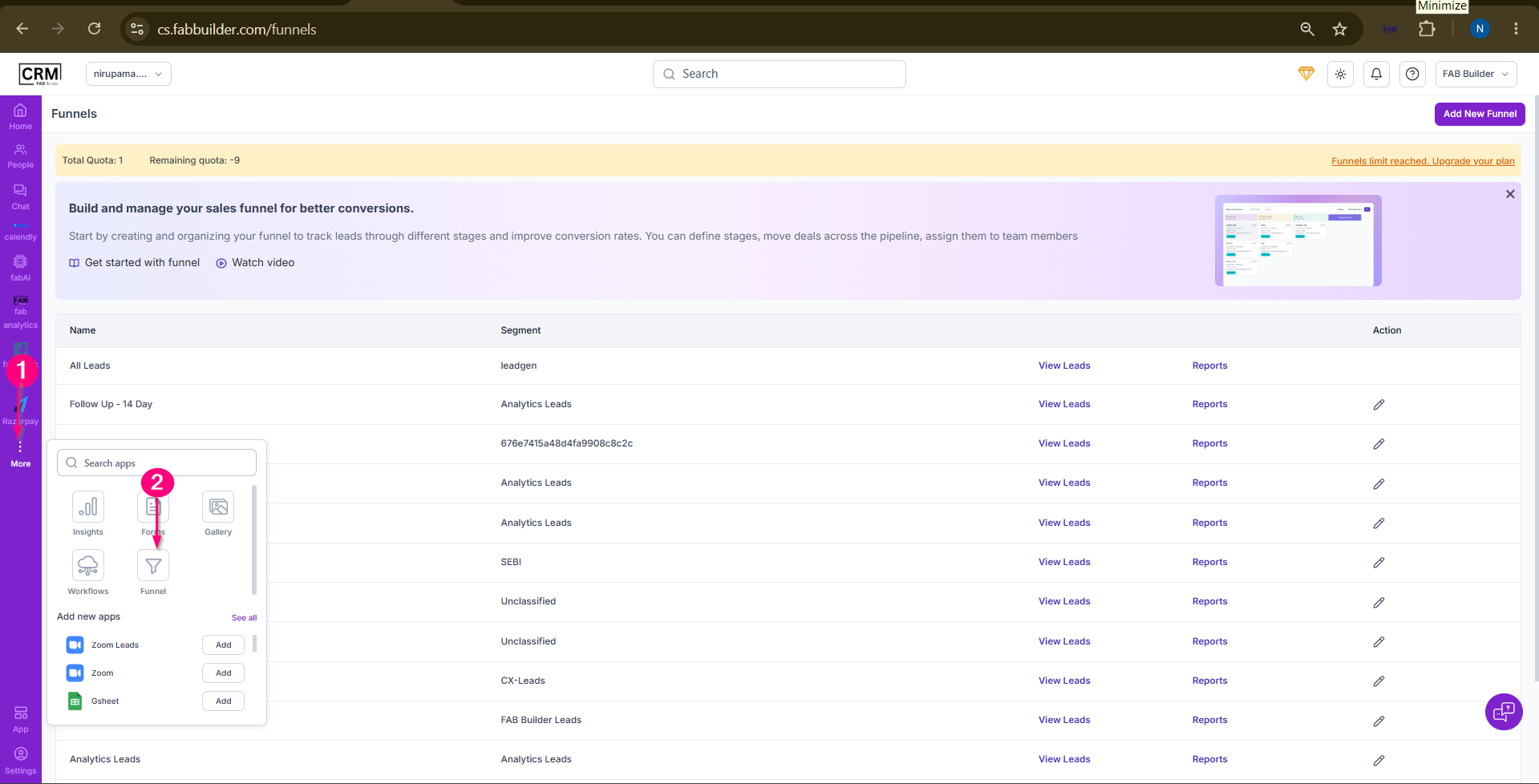 Screen- Access Funnel 3.Select the required funnel and clickView Leads 4.Click the Edit button in the top-right corner of the funnel view. The Funnel Stages configuration screen opens and displays all existing stages 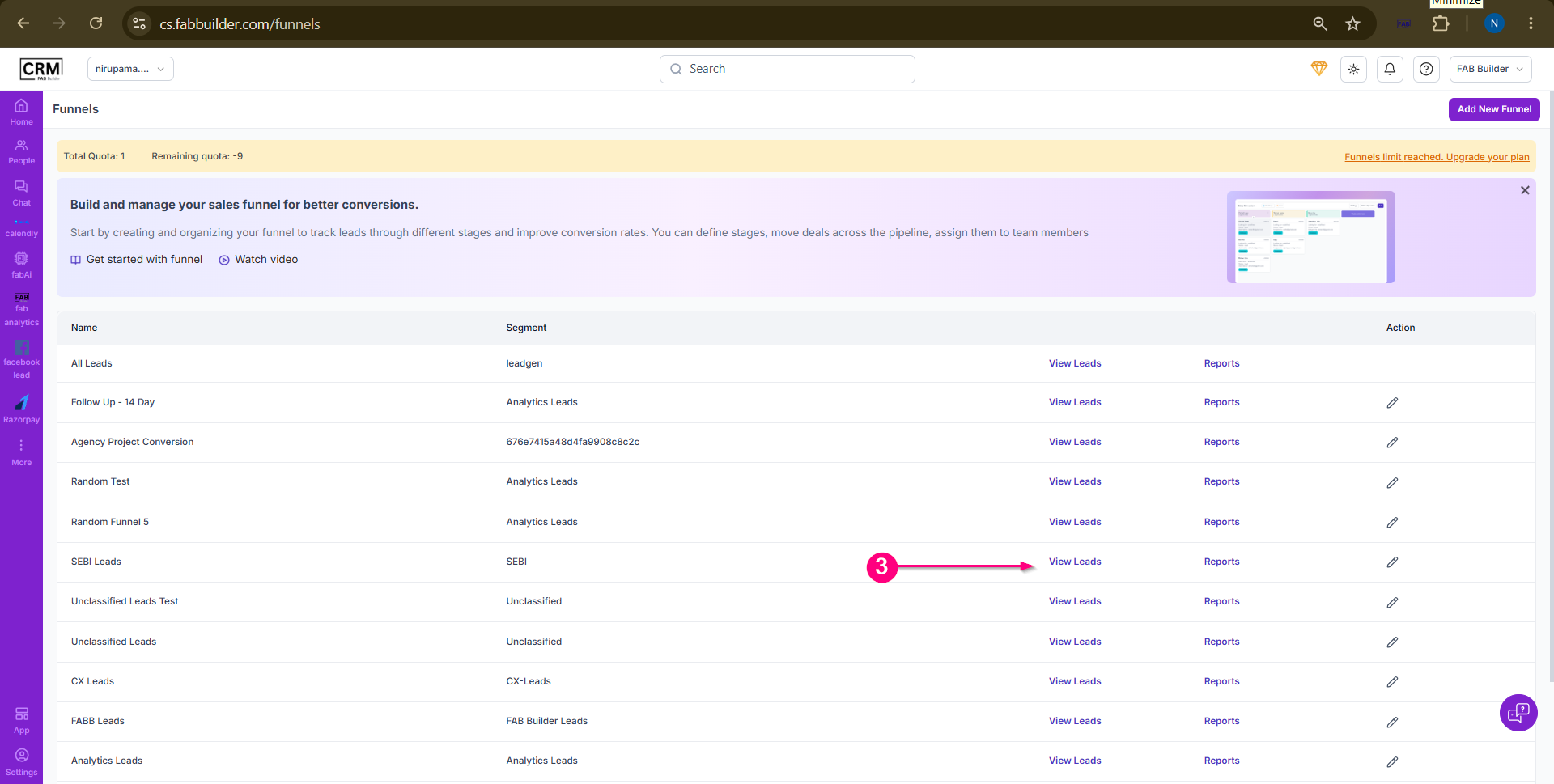 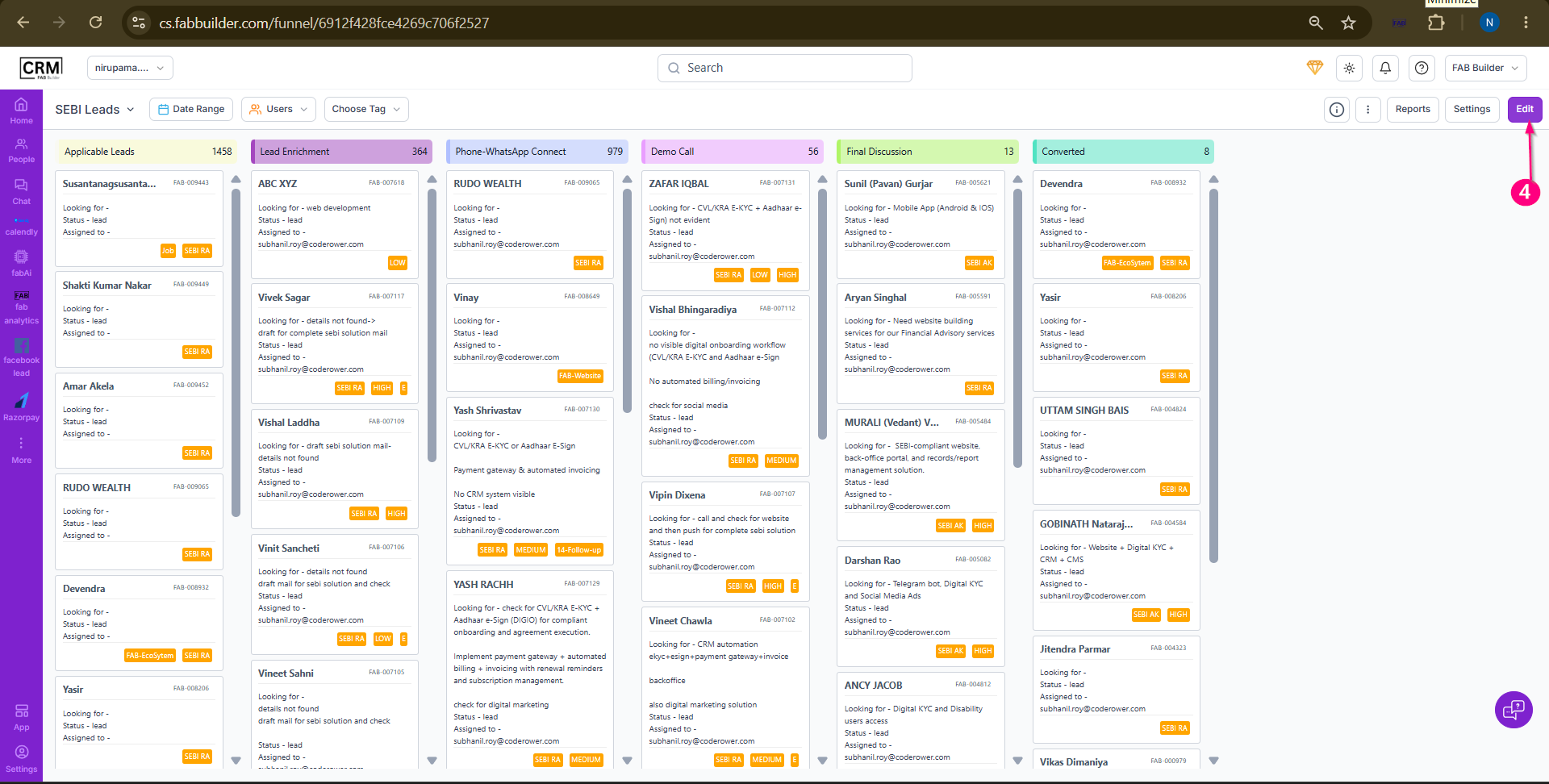 Screen-Add /Edit lane 5.Click Add Stage.
6.Enter the required stage details, such as:
 6.Click Save in the stage details window. 7.ClickSaveto apply the funnel changes. 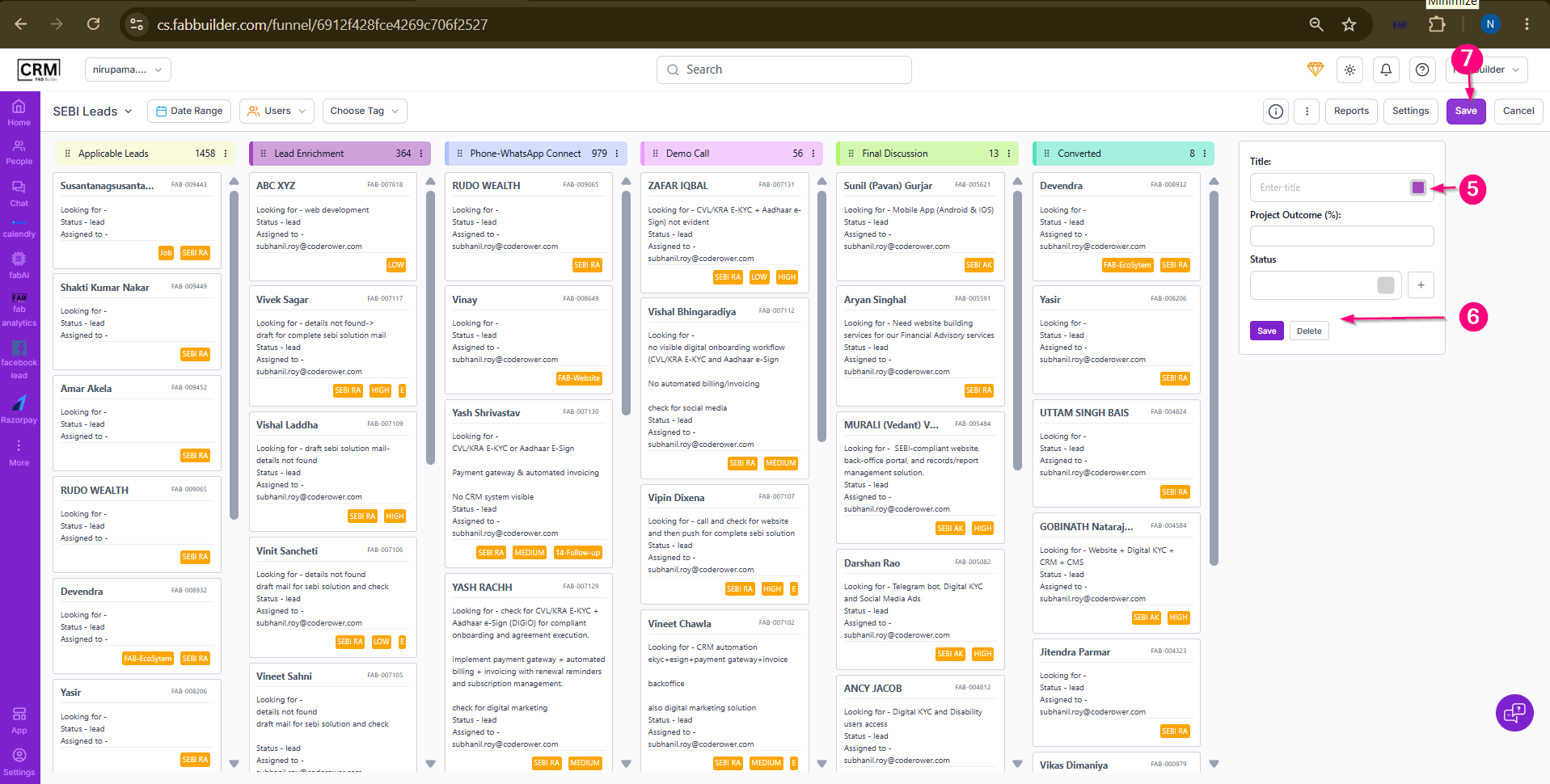 |