FAB Customer Experience

GuideDocs
k
FAB CRM Introduction
Getting Started
Dashboard
Home
People
Chat
Funnel
Insight Module
Forms
Gallery
Workflows
My Settings
Data
Communication
App Integeration
References

Build by FAB Builder. The source code is available on GitHub.

ContactSponsor

Translate

Choose language

Select your preferred language for this documentation.


Prerequisites

  • User must have access to the Apps module.
  • A valid CRM workspace must be selected.
  • The required subscription plan or add-on should support the communication channel being configured.
  • Required third-party account credentials (e.g., SMTP, WhatsApp, Brevo, Telegram, FCM, etc.) should be available.
  • User must have permission to Create and Manage Communication Channels.
  • Internet connectivity and channel provider services must be active.

Add Communication Channel

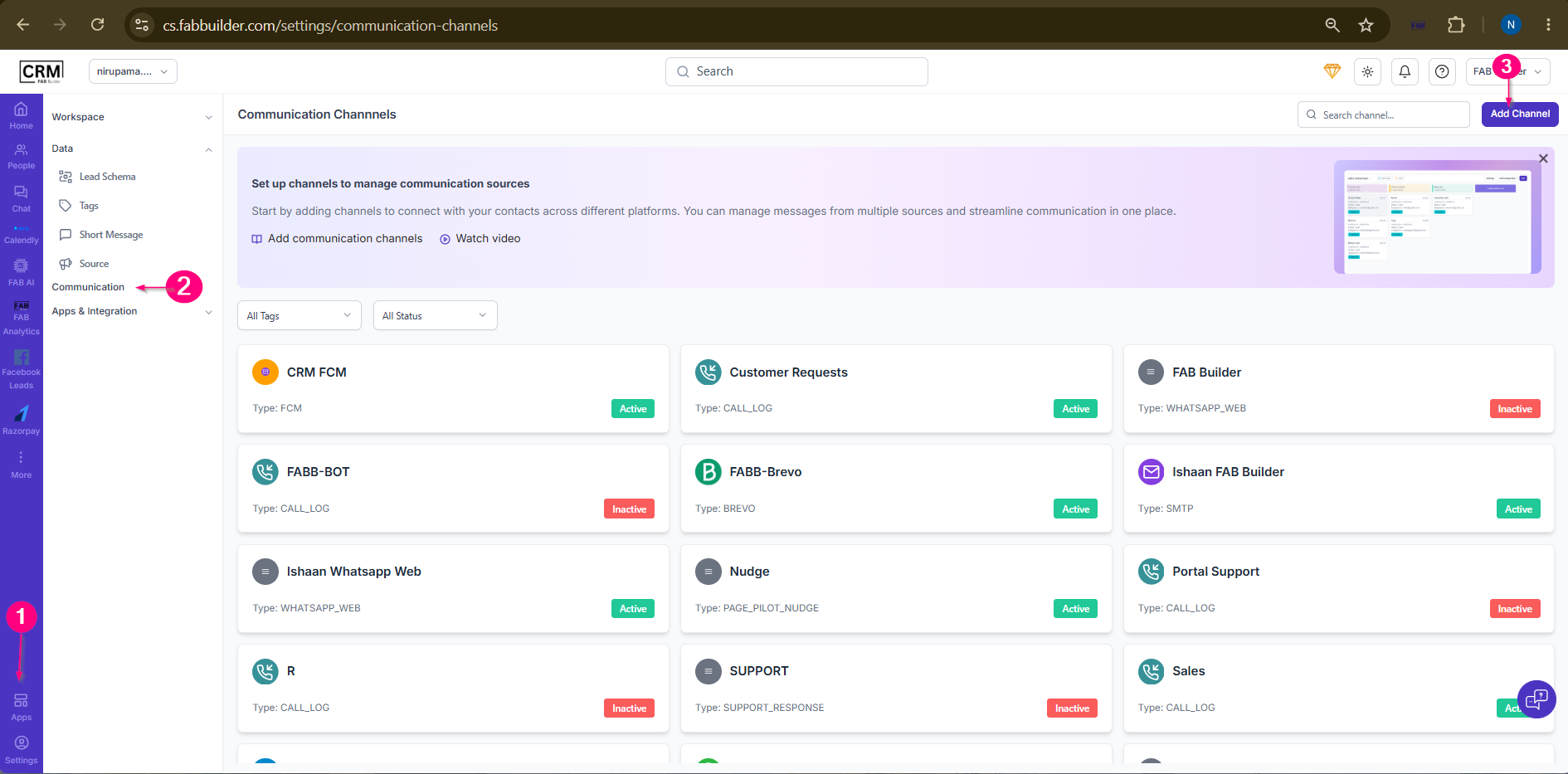
  1. Go to Apps from the left navigation menu.
  2. Select Communication. It opens Communication Channels screen.
  3. Click Add Channel.

Sample product
Screen- Add channel 
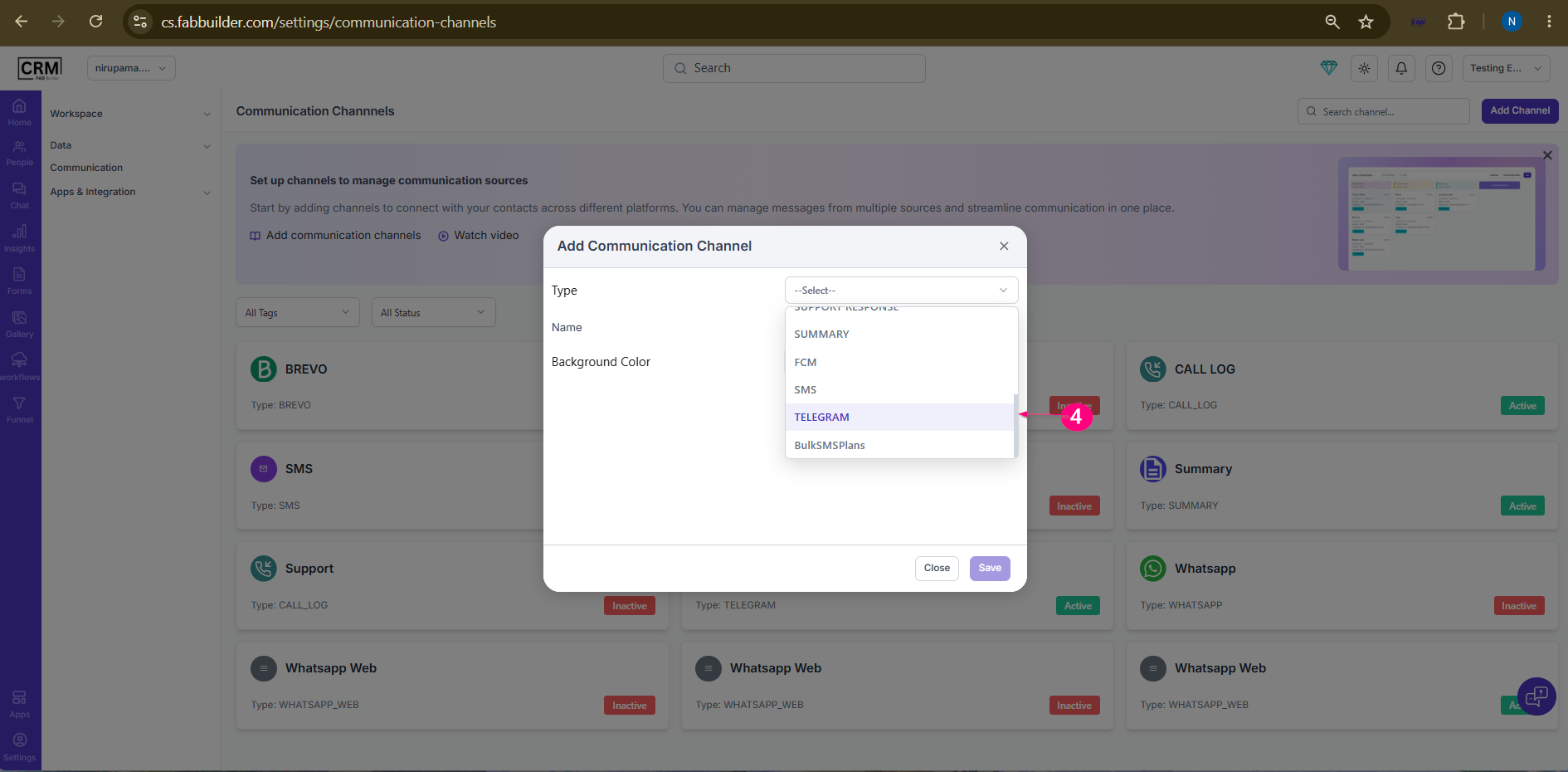
 4.Select the required communication channel type.
Sample product
Screen- Channel section 

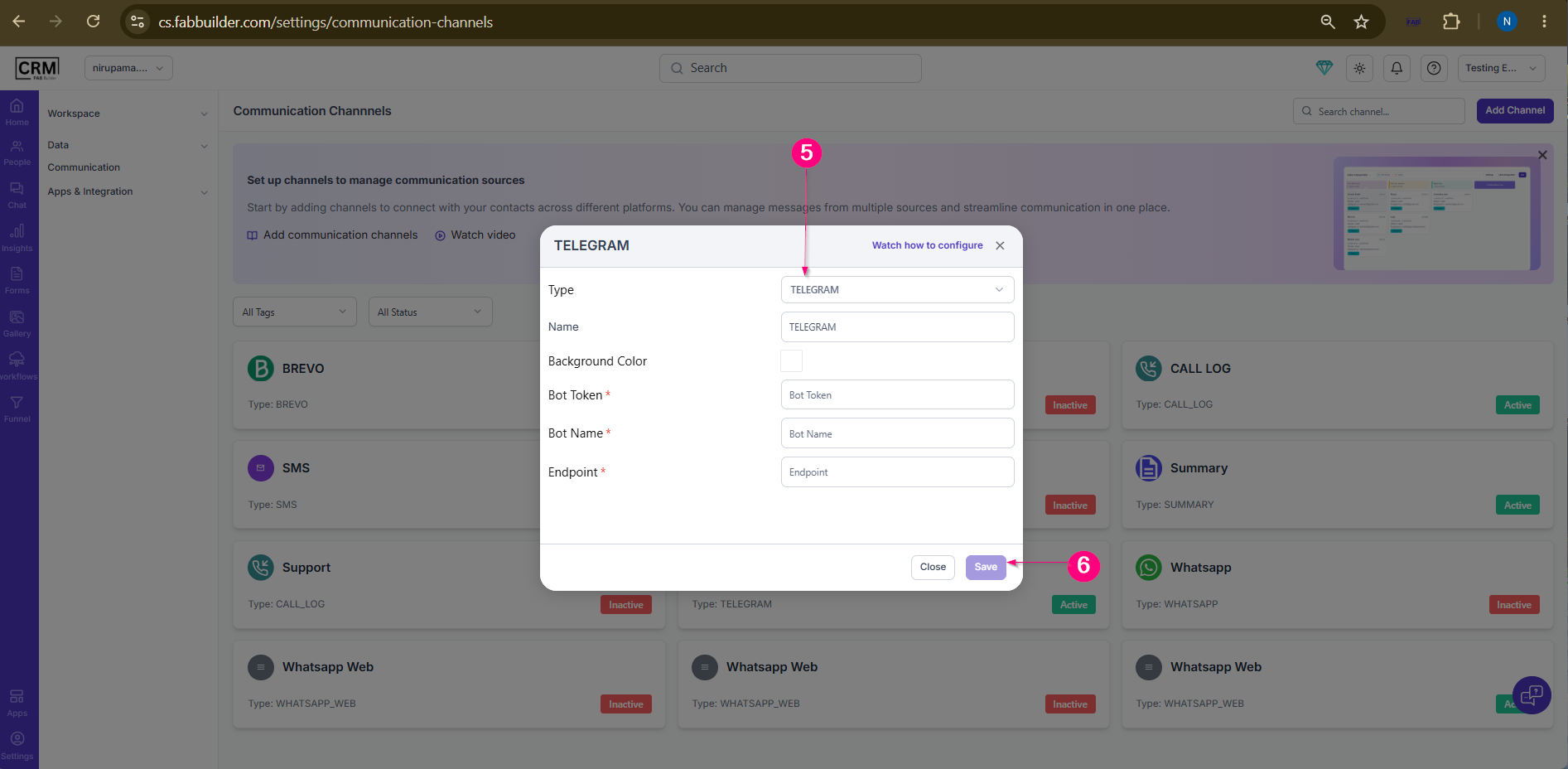
5.Enter the channel configuration details and authentication credentials.
6.Verify the channel settings and clickSave.
Sample product
Screen- Configure Channel Detail 

Result

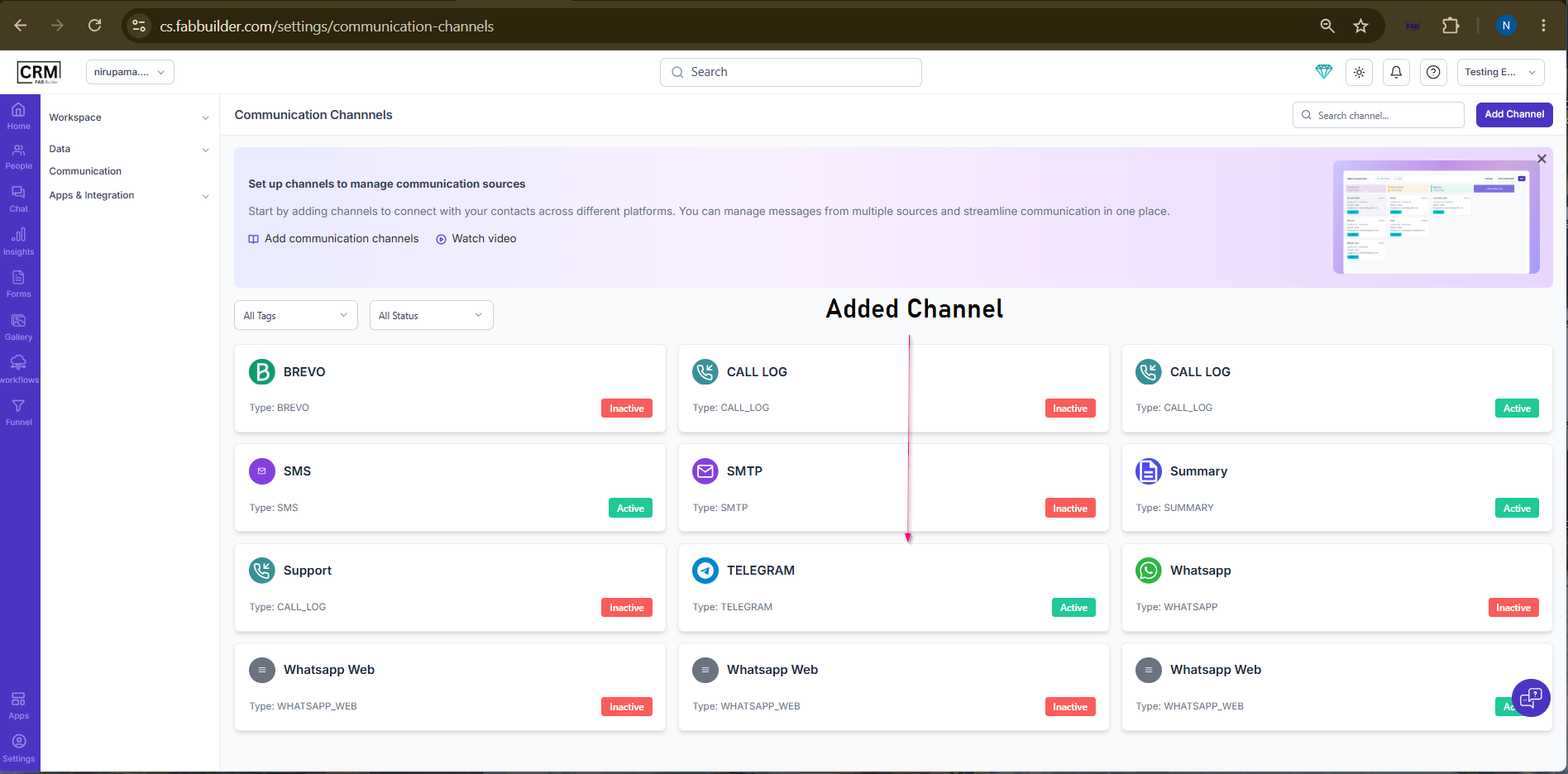
The communication channel is added to the Communication Channels list and can be activated for sending and receiving communications through the CRM.
 
Sample product