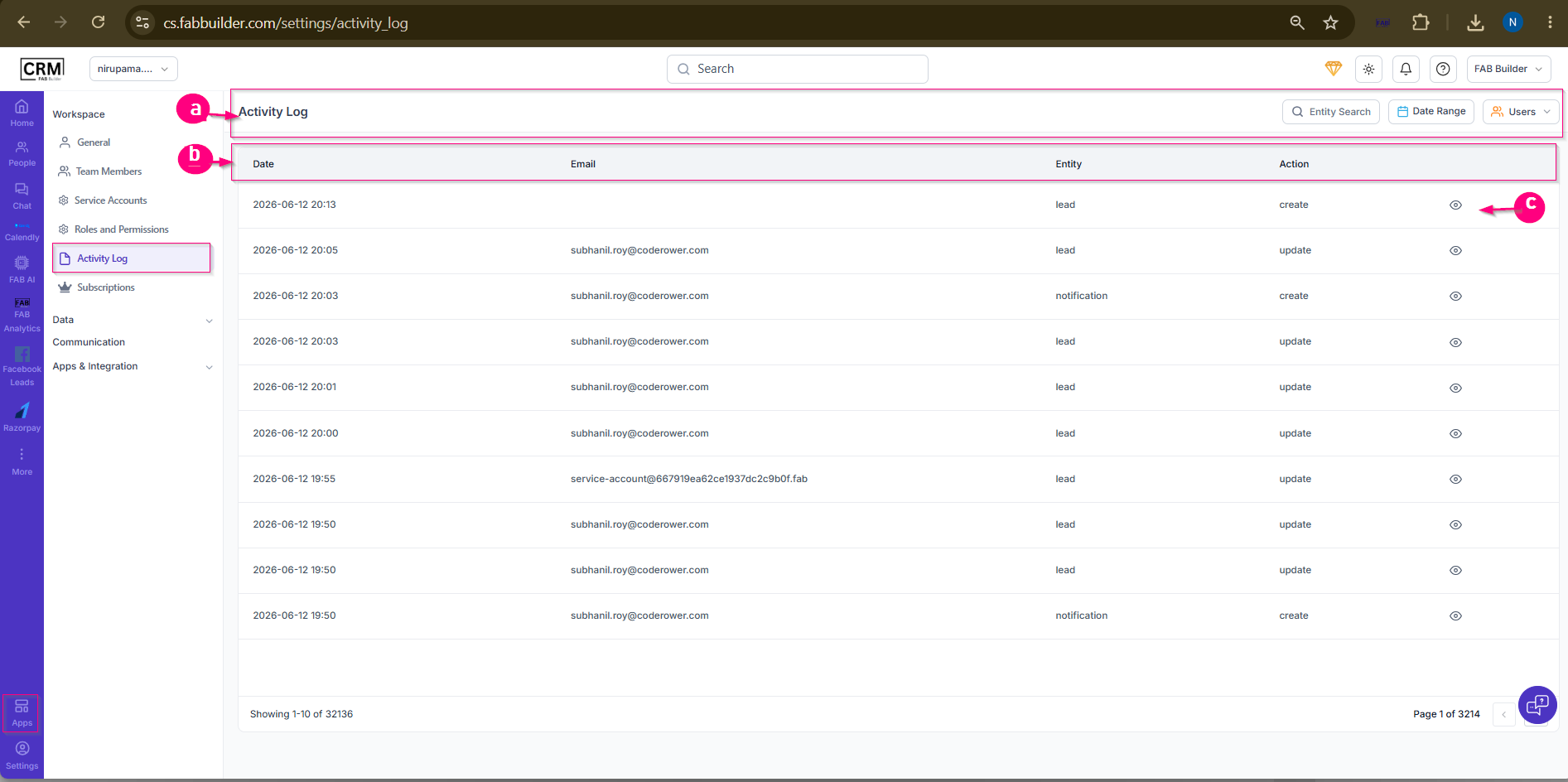
Activity Log
Purpose:
The Activity Log screen provides a record of actions performed by users and system accounts within the CRM. It helps administrators track changes, monitor user activities, and maintain an audit trail.
Screen Components
a. Activity Log Header
- Displays the Activity Log screen title.
- Provides filtering options such as Entity Search, Date Range, and Users.
b. Activity Log Listing
- Displays all recorded activities.
- Includes details such as:
- Date and Time
- User Email
- Entity (e.g., Lead, Notification)
- Action Performed (Create, Update, Delete, etc.)
c. View Activity Details
- Allows users to view detailed information about a specific activity log entry.