Lead Funnels help users organize and track leads through different stages of the sales process. By creating a funnel, users can monitor lead progression, identify bottlenecks, analyze conversion trends, and evaluate the effectiveness of sales and communication activities. Funnels can also be created for specific segments, enabling users to compare performance across different lead groups and gain better visibility into lead engagement and conversion rates.
The following screen displays the selected funnel, its stages, lead cards, filters, and available actions. Users can track lead progression, manage leads, access reports, and configure funnel settings. 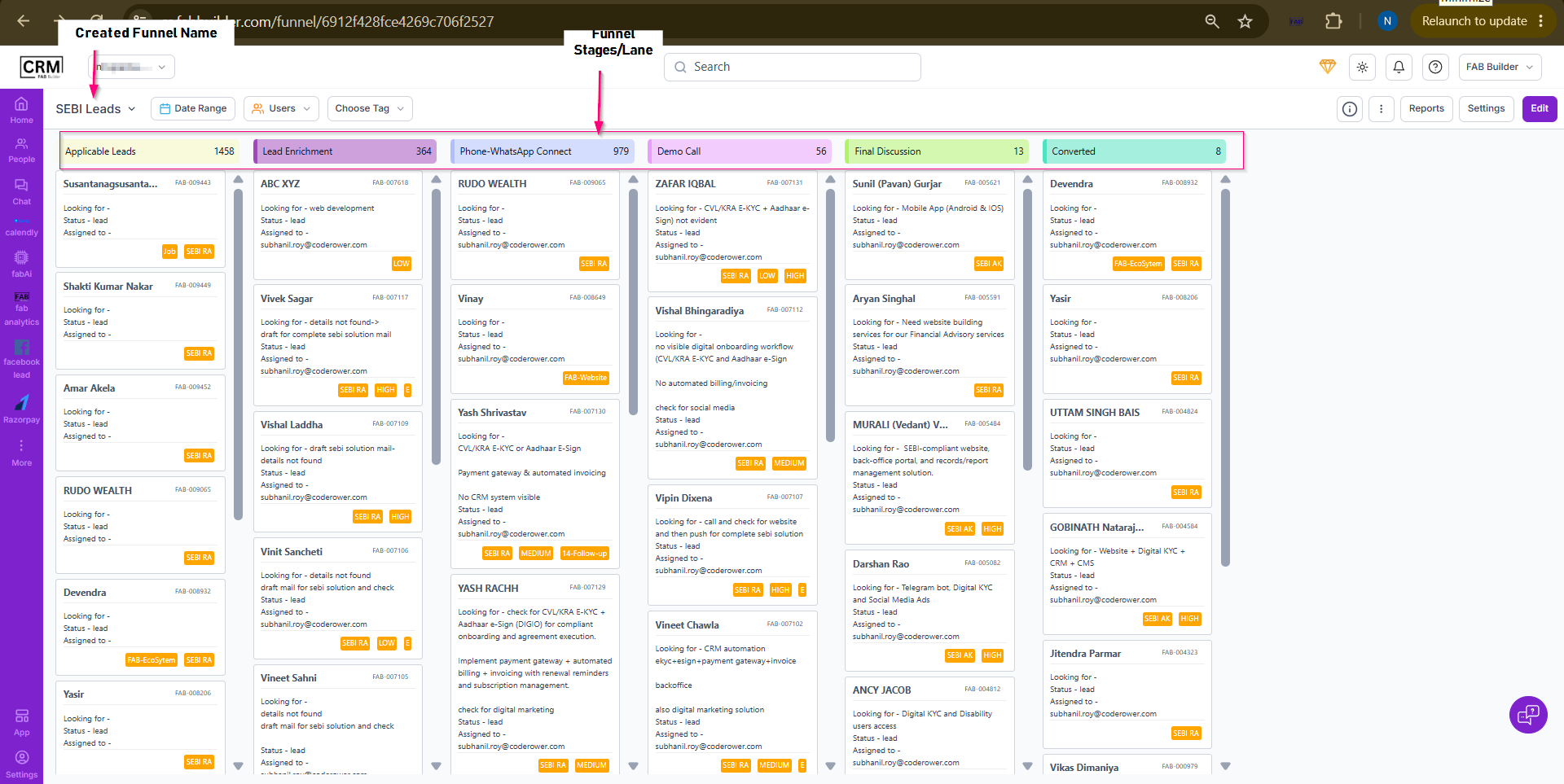 Screen- Created Lead Funnel
Funnel View ScreenThe Funnel View screen displays leads organized across different funnel stages, allowing users to monitor lead progression and manage sales activities. Screen Components a. Funnel Selection
b. Filter Options
c. Action Menu
d. Funnel Stages
e. Lead Cards
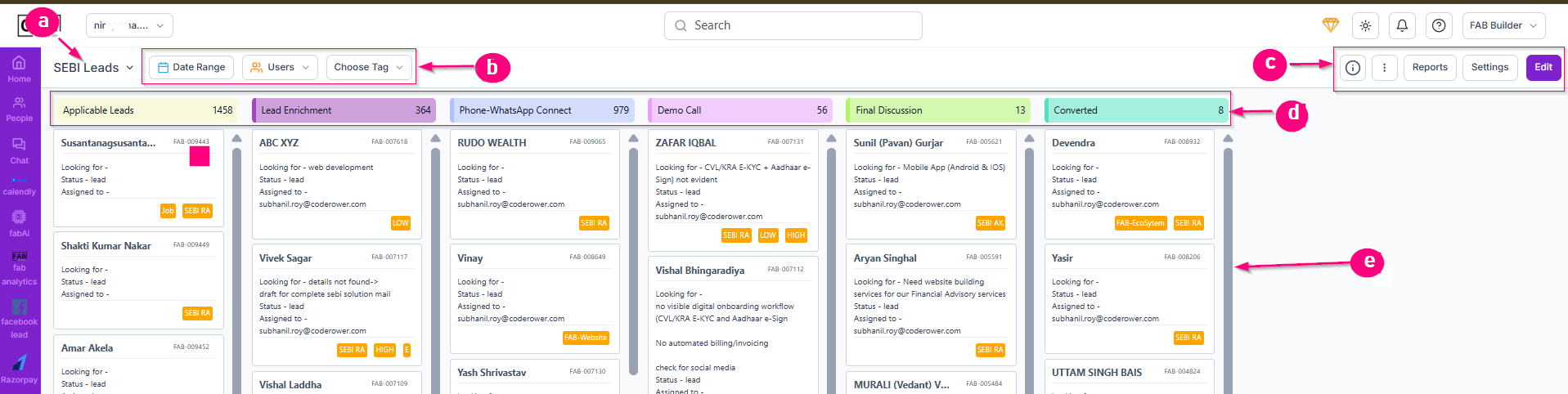 Screen- Funnel Components Navigate Lead Funnel 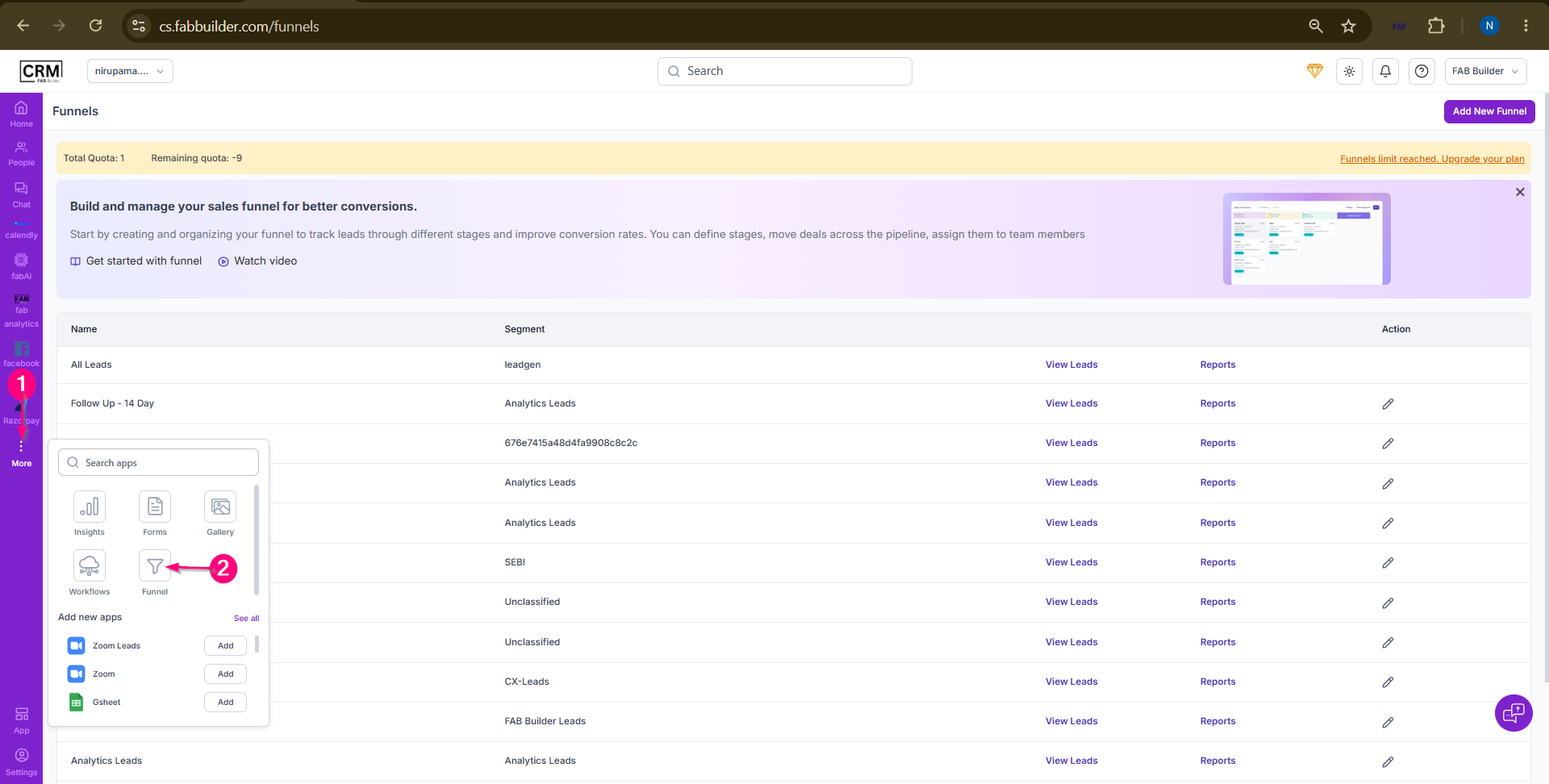 Funnel Screen Overview
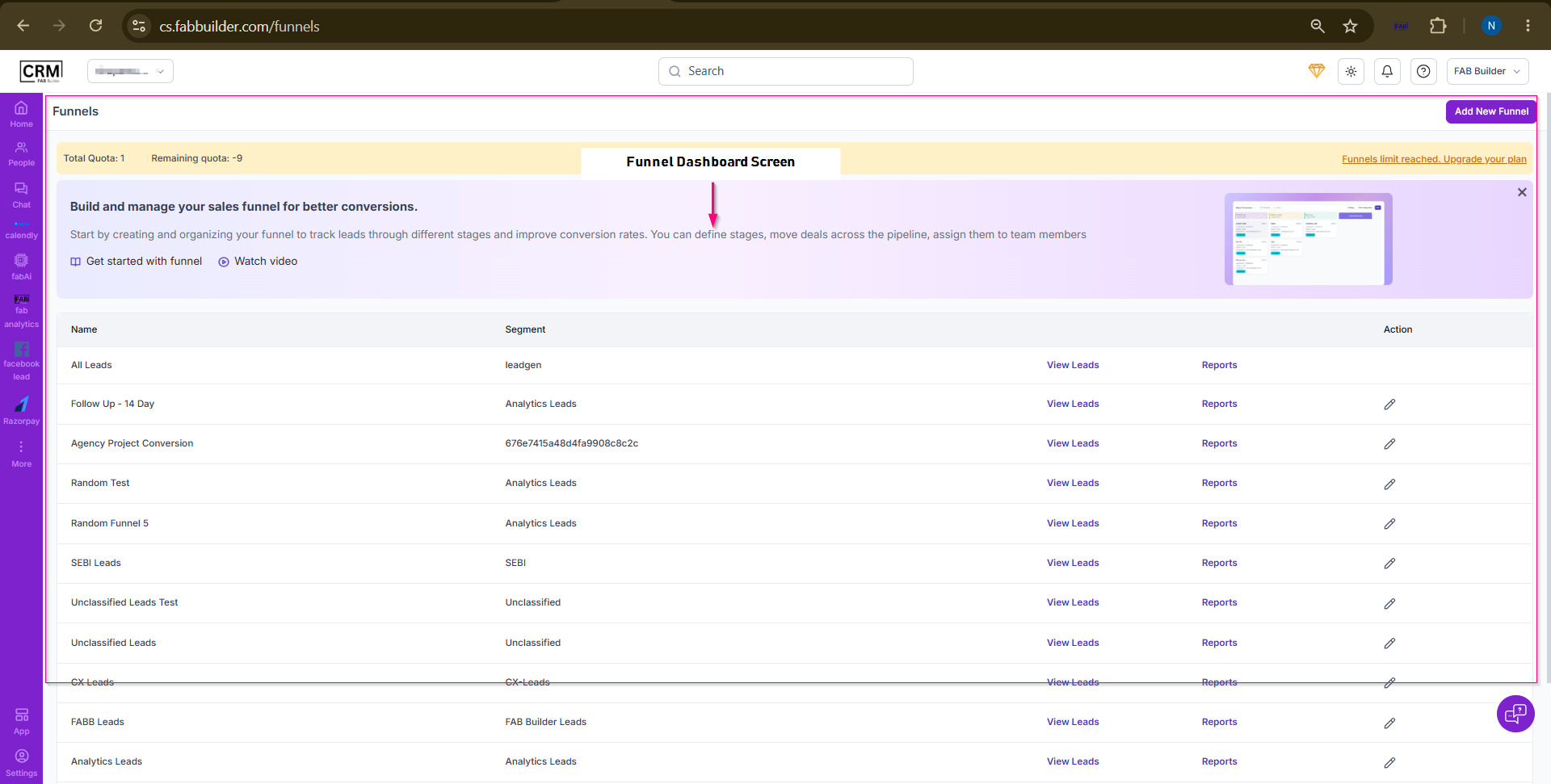
A following screen will displays the details to navigate the funnel screen. 1.Three Dot -Lead Funnel icon can be on navigated by clicking on three dot . It opens the screen. 2. Lead Funnel - User must click to lead funnel icon to add new funnel and view leads,reperts lead funnel previously created. 3.Funnel Screen- After clicking on funnel icon funnel screen opens a table column will displays the various field names such as name of funnel created,lead segment, view lead,reports and perform action to edit and delete the lead.
 |