The Insight Module provides a centralized view of communication logs, user activities, tasks, and missed opportunities across the CRM. It helps managers and team members monitor engagement, track team-wise activities, review communication status, identify missed follow-ups, and analyze performance from a single location. Key Benefits
Use CaseA sales manager can use the Insight Module to track team-wise communication activities, monitor task completion, review customer interactions, identify missed follow-ups, and measure engagement across different channels.
The section covers:
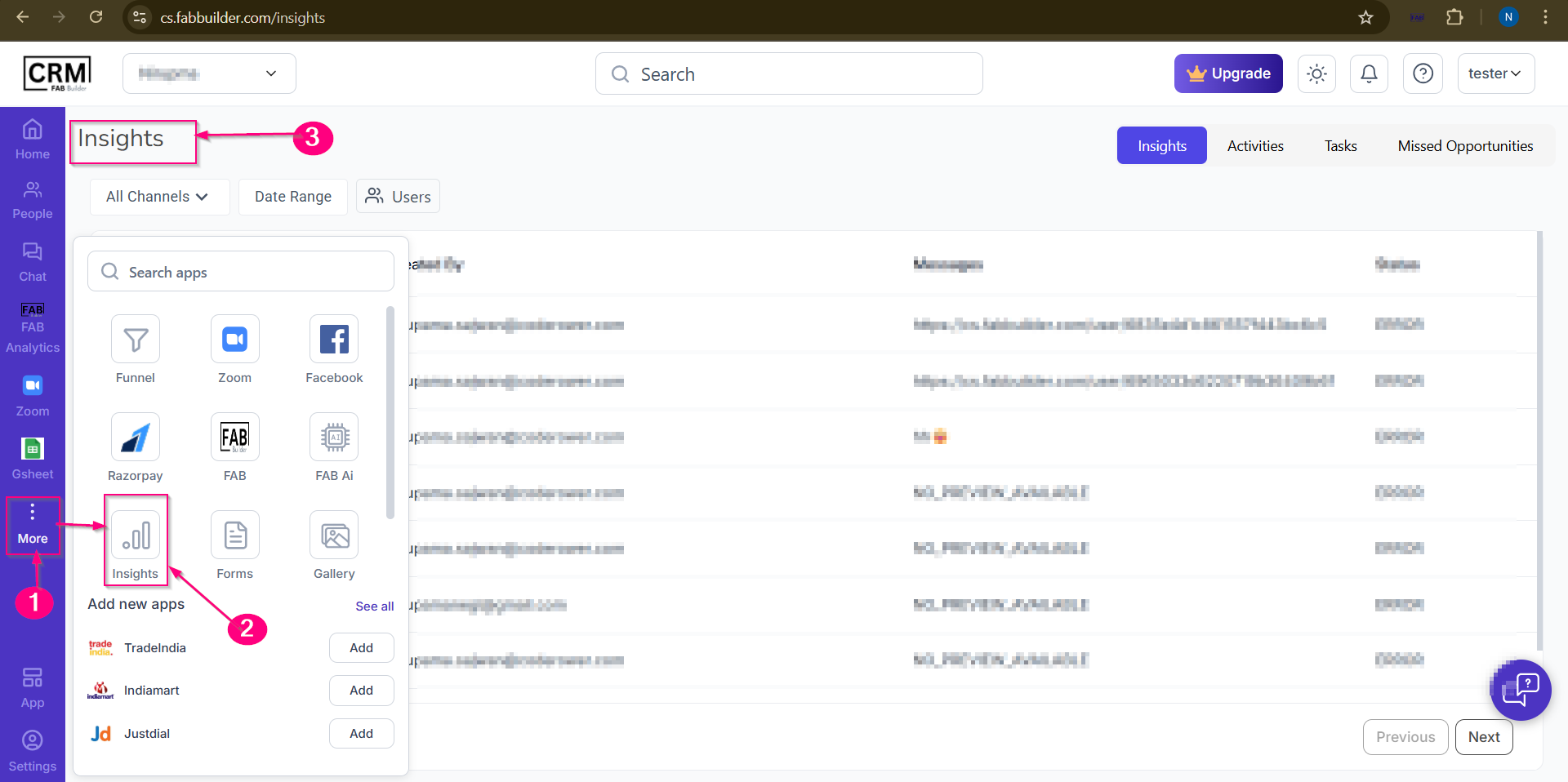
Above screen provides the path to navigate insight module. Three dot on navigation bar→ Insight Menu tab on panel → Insight Title with screen
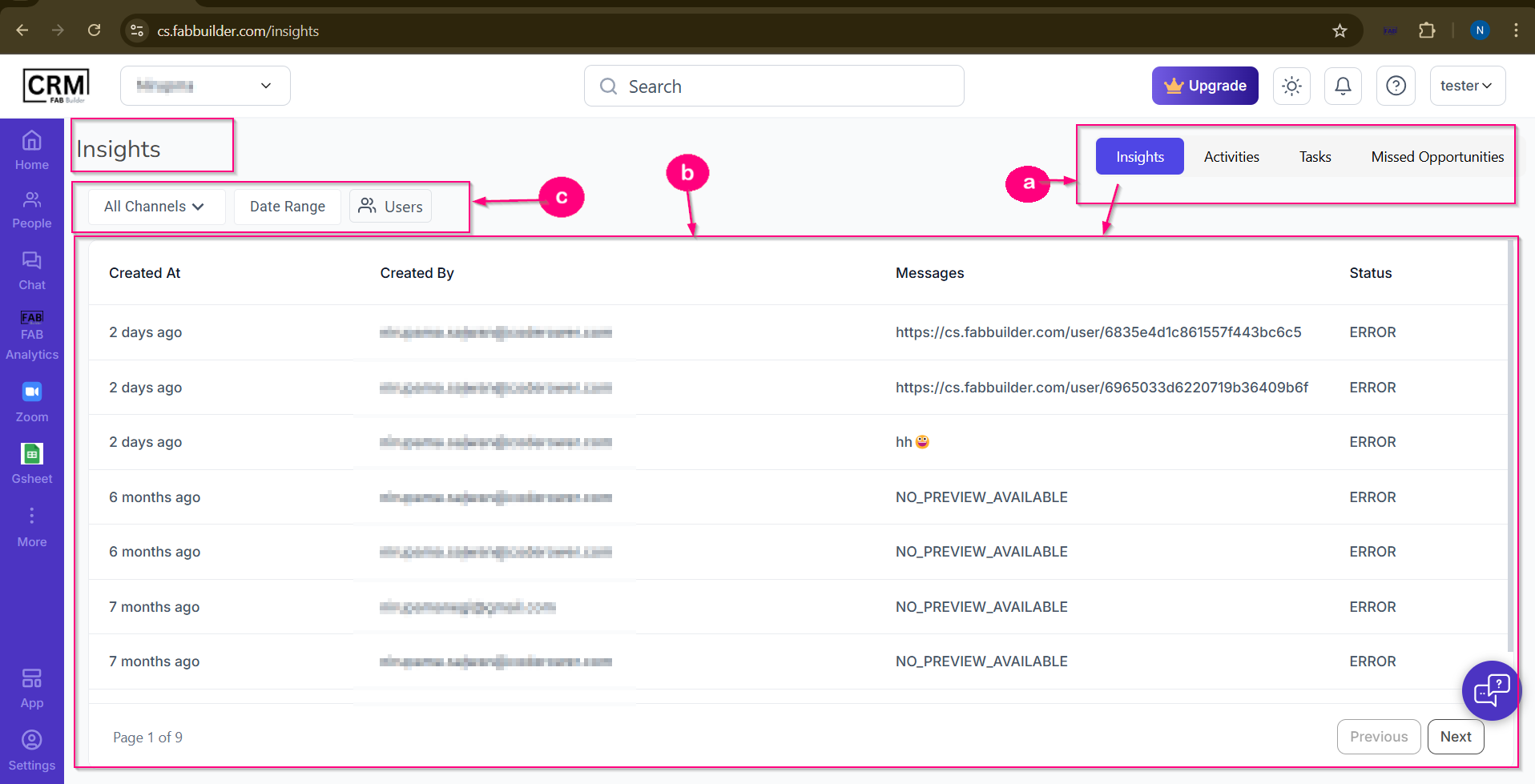
Screen- Insight Module Insight screen It provides access to Insights, Tasks, and Missed Opportunities tabs with other filter tabs at the top right corner of the sc reen. By default, the Insights tab is selected once user lands on insight page. The screen is labelled as follows-
Screen- Insight a. Tab area
b.Table Area This area rendering the details based on selected tab.Currenly insight tab is active and user can view all communication logs in a tabular form.
c.Filter Area
|